
1. Introduction
This user manual provides detailed instructions for the W-KING BT261 Portable Bluetooth Speaker. Please read this manual thoroughly before using the product to ensure proper operation and to maximize its features. Keep this manual for future reference.
The W-KING BT261 is an 80W peak output portable Bluetooth speaker designed for both indoor and outdoor use. It features IPX6 waterproofing, stereo pairing capabilities, a bass boost function, and versatile connectivity options including Bluetooth 5.3, USB, TF card, and AUX input. It also includes a hands-free calling function and can act as a power bank for reverse charging.
2. Product Features
- Equipped with advanced audio processing technology, the BT261 Portable Bluetooth Waterproof Speaker delivers clear and full-bodied sound with a powerful 80W peak output. Its bass is deep and impactful, while the treble is bright and non-harsh. Whether you're listening to rock music's passion or classical music's elegance, this speaker will bring out the best in every track.
- The BT261 80W Bluetooth speaker is equipped with a bass boost function that utilizes advanced audio processing technology and powerful output to deliver richer, deeper bass effects. With the bass boost feature enabled, you'll feel every beat of the music more powerfully, making every note more captivating. Whether it's rock, electronic, or pop music, the bass boost function ensures your music is more engaging, drawing you deeper into the world of sound.
- With the stereo pairing feature, you can effortlessly connect two BT261 Bluetooth speakers to create a surround sound experience, indoors or outdoors. Whether for a home theater, an outdoor gathering, or a large-scale event, the stereo-paired speakers ensures music covers a wider area, immersing every listener in the music's flow. Simple setup allows for seamless connectivity between speakers, making your music party even more lively and thrilling.
- The speaker supports Bluetooth 5.3 technology, ensuring a fast and stable connection with your phone, tablet, or other devices. You can easily play your playlists or answer calls with just a tap. The speaker also reads USB sticks, TF cards, and 3.5mm AUX input to meet your diverse needs. Additionally, its hands-free calling function makes operation simple and convenient.
- With an IPX6 waterproof rating, you can use this speaker with confidence, whether you're walking in the rain or relaxing on the beach. Equipped with a large-capacity lithium rechargeable battery, the speaker offers all day of continuous playback, allowing you to enjoy music without frequent charging. With its superior sound quality, stylish design, and powerful features, it will bring you an unforgettable musical experience. Let music accompany you, and W-KING will make life even better!
3. Package Contents
Please check the package contents upon unboxing:
- WOOFER (W-KING BT261 Portable Bluetooth Speaker)
If any items are missing or damaged, please contact W-KING customer support.
4. Product Overview
Familiarize yourself with the W-KING BT261 speaker's design and components.

Figure 4.1: Overall view of the W-KING BT261 Portable Bluetooth Speaker, showcasing its robust design and integrated handle.

Figure 4.2: Diagram illustrating the various input and output ports on the W-KING BT261 speaker, including Charging Port, USB-OUT (Reverse Charging), AUX-IN, TF Card slot, and USB-IN (for USB Sticks).
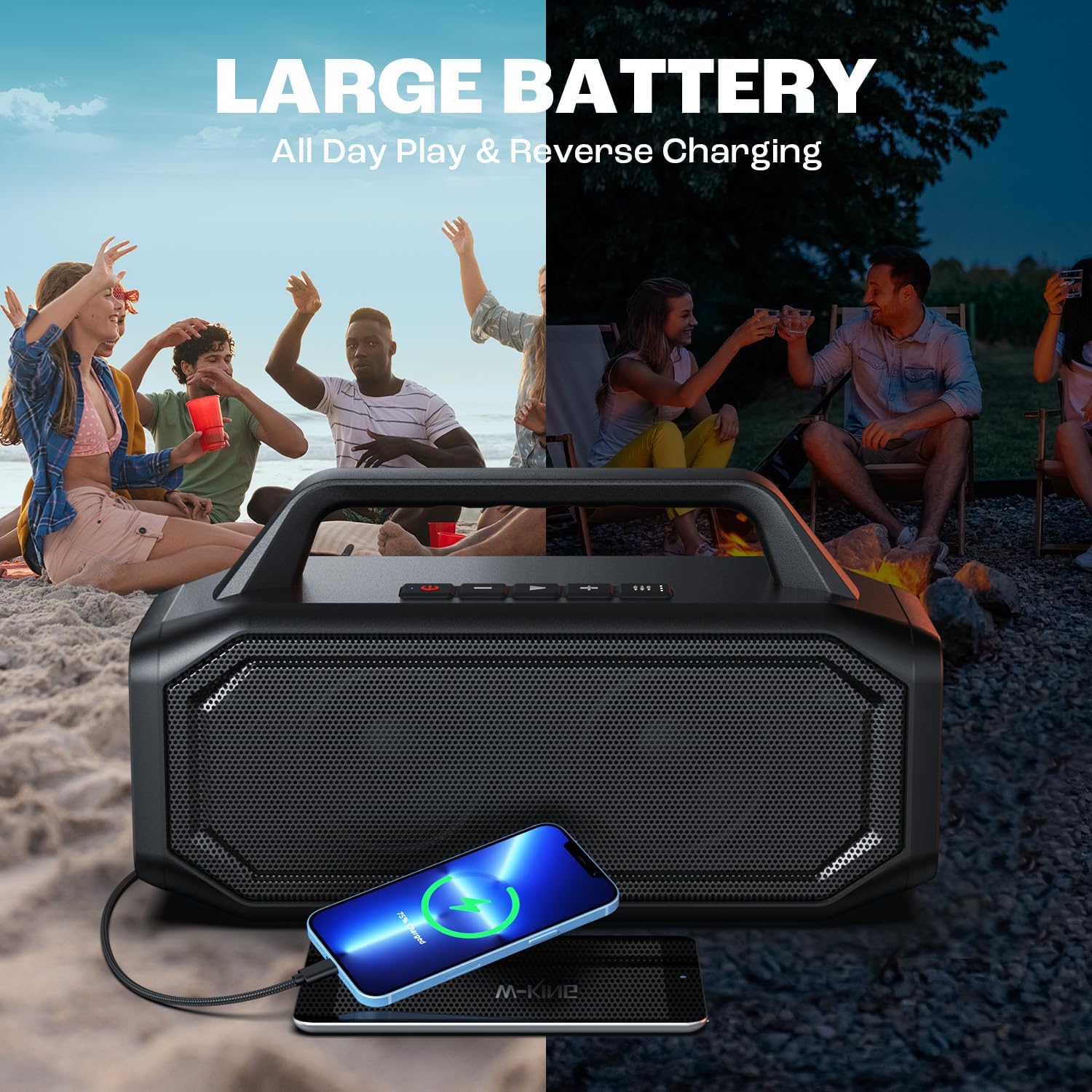
Figure 4.3: Visual representation highlighting the 80W peak output and bass enhancement features of the W-KING BT261 speaker, showing internal speaker components.

Figure 4.4: The W-KING BT261 speaker shown with water splashing, demonstrating its IPX6 waterproof capability, suitable for outdoor use.

Figure 4.5: The W-KING BT261 speaker illustrating its large battery capacity for all-day play and its reverse charging feature, capable of charging a smartphone.
5. Setup
5.1 Initial Charging
Before first use, fully charge the speaker. Connect the provided charging cable to the speaker's charging port and a suitable power adapter (not included). The charging indicator will show the charging status and turn off when fully charged.
5.2 Bluetooth Pairing
- Power on the speaker by pressing and holding the Power button. The Bluetooth indicator will flash, indicating it's in pairing mode.
- On your device (smartphone, tablet, etc.), enable Bluetooth and search for available devices.
- Select "BT261" from the list of devices.
- Once connected, the Bluetooth indicator will remain solid, and you will hear a confirmation tone.
5.3 Stereo Pairing (TWS Function)
To achieve a true wireless stereo experience, you can pair two BT261 speakers together.
- Ensure both BT261 speakers are powered on and not connected to any Bluetooth device.
- On one speaker (this will be the primary speaker), press and hold the TWS button (usually indicated by two interlocking circles or similar icon) for 2-3 seconds.
- The primary speaker will search for the secondary speaker. Once connected, both speakers will emit a confirmation tone, and their TWS indicators will light up.
- Now, connect your device to the primary speaker via Bluetooth as described in Section 5.2. Both speakers will play audio in stereo.
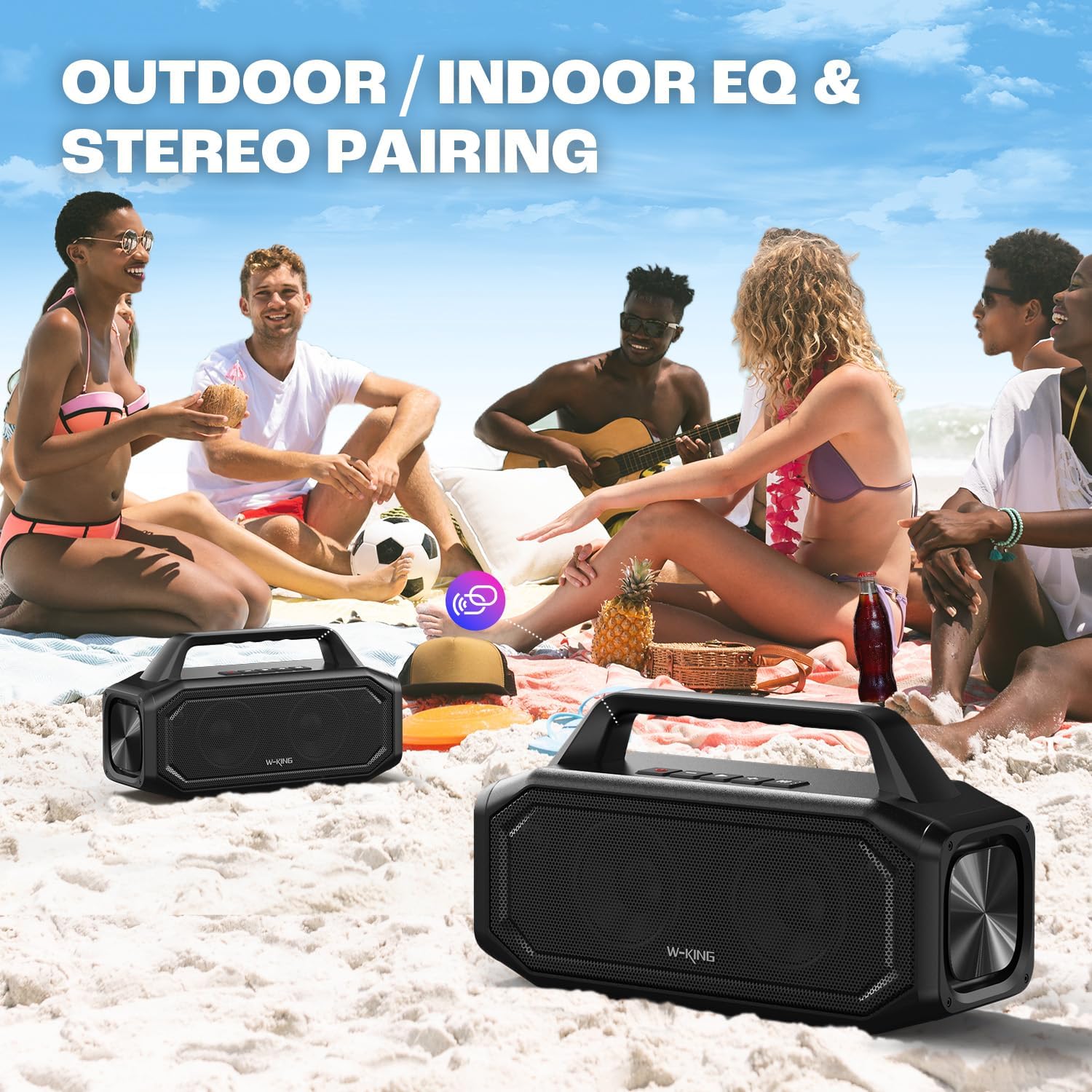
Figure 5.1: Two W-KING BT261 speakers shown in an outdoor setting, illustrating the stereo pairing feature for an enhanced audio experience.
6. Operating Instructions
6.1 Power On/Off
- Power On: Press and hold the Power button for 2-3 seconds.
- Power Off: Press and hold the Power button for 2-3 seconds.
6.2 Volume Control
- Volume Up: Press the '+' button.
- Volume Down: Press the '-' button.
6.3 Playback Control
- Play/Pause: Press the Play/Pause button once.
- Next Track: Press and hold the '+' button.
- Previous Track: Press and hold the '-' button.
6.4 Hands-Free Calling
- Answer Call: Press the Play/Pause button once during an incoming call.
- End Call: Press the Play/Pause button once during a call.
- Reject Call: Press and hold the Play/Pause button during an incoming call.
6.5 Input Mode Selection
The speaker supports Bluetooth, AUX, USB, and TF card input modes. Press the 'M' (Mode) button to cycle through the available input modes.
6.6 Bass Boost Function
Activate the bass boost feature for deeper and richer bass effects. Locate the 'Bass' button on the speaker and press it to toggle the bass boost on or off.
7. Maintenance
7.1 Cleaning
Wipe the speaker with a soft, damp cloth. Do not use harsh chemicals or abrasive cleaners. Ensure all port covers are securely closed before cleaning with a damp cloth.
7.2 Storage
Store the speaker in a cool, dry place away from direct sunlight and extreme temperatures. If storing for an extended period, charge the battery to approximately 50% every few months to maintain battery health.
7.3 Waterproof Care
The speaker has an IPX6 waterproof rating. To maintain this protection, ensure all port covers are firmly sealed before exposing the speaker to water or moisture. Do not submerge the speaker in water for prolonged periods or expose it to high-pressure water jets.
8. Troubleshooting
If you encounter issues with your W-KING BT261 speaker, refer to the following common problems and solutions:
| Problem | Possible Cause | Solution |
|---|---|---|
| Speaker does not power on. | Low battery; Power button not pressed correctly. | Charge the speaker fully. Press and hold the Power button for 2-3 seconds. |
| Cannot pair with Bluetooth device. | Speaker not in pairing mode; Device Bluetooth off; Too far from speaker. | Ensure speaker is in pairing mode (flashing indicator). Turn device Bluetooth on/off. Move device closer to speaker (within 10m). |
| No sound from speaker. | Volume too low; Incorrect input mode; Device not playing audio. | Increase speaker and device volume. Press 'M' button to select correct input mode. Ensure audio is playing on your device. |
| Poor sound quality. | Bluetooth interference; Low battery; Speaker placed incorrectly. | Move speaker away from other wireless devices. Charge the speaker. Adjust speaker placement for optimal sound. |
| Cannot stereo pair (TWS). | Speakers already connected to a device; TWS button not pressed correctly. | Disconnect both speakers from any Bluetooth devices. Ensure both speakers are BT261 models. Press and hold the TWS button on one speaker until they pair. |
9. Specifications
Detailed technical specifications for the W-KING BT261 Portable Bluetooth Speaker:
| Feature | Specification |
|---|---|
| Model Name | BT261-2 |
| Speaker Type | Outdoor |
| Special Features | Bass Boost, Stereo Pairing, Dustproof, Built-In Powerbank, USB Port |
| Recommended Uses | For Smartphones or Tablets |
| Compatible Devices | MP3 Player, Laptop, Desktop, Tablet, Smartphone |
| Controller Type | Button |
| Surround Sound Channel Configuration | 2.0 |
| Color | Black |
| Included Components | WOOFER |
| Product Dimensions | 1"D x 1"W x 1"H |
| Waterproof Rating | IPX6 |
| Warranty Type | Limited |
| Number of Items | 1 |
| Control Method | Touch |
| Wireless Communication Technology | Bluetooth |
| Speaker Size | 1 Inches |
| Power Source | Battery Powered |
| Audio Driver Type | Dynamic Driver |
| Connectivity Protocol | Bluetooth, USB |
| Includes MP3 player? | No |
| Number of USB 2 Ports | 1 |
| Style | Rugged |
| Manufacturer | SHENZHEN WEIKING TECHNOLOGY CO.,LTD |
| Item Weight | 6.25 pounds |
| ASIN | B0D28YFRCH |
| Item model number | BT261 |
| Speaker Maximum Output Power | 80 Watts |
| Connectivity Technology | Bluetooth |
| Audio Output Mode | Stereo, Surround |
| Mounting Type | Tabletop Mount |
10. Official Product Video
Watch the official product video for a visual guide to the W-KING BT261 speaker's features and capabilities.
Video 10.1: An official video showcasing the W-KING Waterproof Speaker, highlighting its robust design, powerful sound, long battery life, and versatile connectivity options.
11. Warranty and Support
The W-KING BT261 Portable Bluetooth Speaker comes with a limited warranty. For detailed warranty information, product support, or to report any issues, please refer to the warranty card included with your product or visit the official W-KING website. You may also contact W-KING customer service directly for assistance.


