
1. Product Overview
The ELECTROPRIME SUITU ST-6638 is a versatile wireless device designed for vehicle cleaning, integrating both vacuum suction and air blowing functionalities. Its compact and lightweight design makes it easy to store and handle. Key features include a powerful motor, built-in lighting for dark areas, and an environmentally friendly, washable filter.
Key Features:
- Integrated Suction and Blowing: Offers dual functionality for comprehensive cleaning.
- Wireless Design: Provides freedom of movement without cord limitations.
- Built-in Lighting: Illuminates dark spaces for improved visibility during cleaning.
- Washable Filter: Reusable filter element reduces maintenance costs and environmental impact.
- Compact and Portable: Small footprint for easy storage in a vehicle or home.
Included Accessories:
The standard package includes essential accessories to enhance cleaning versatility. Optional accessories may vary based on the specific product version purchased.
- Straw attachment
- Brush attachment
- User Manual
- Type-C Charging Cable (may be optional with some versions)
- Floor Brush (optional)
- Mouthpiece (optional)
- Small Brush (optional)
- Charging Base (optional)
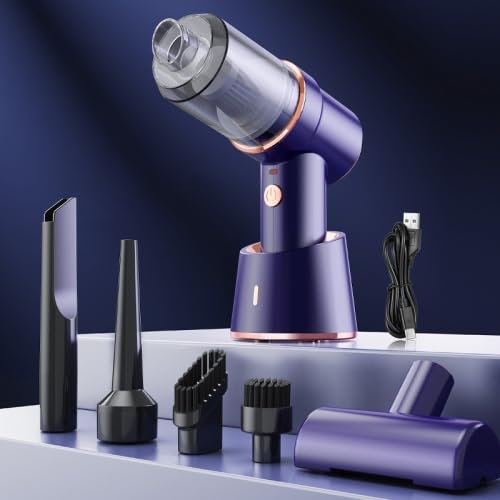
Figure 1: The ELECTROPRIME SUITU ST-6638 wireless vacuum cleaner shown with its charging base and various cleaning attachments, including a long crevice tool, a brush nozzle, and a wider floor brush.
2. Setup
- Charge the Battery: Before first use, ensure the device's battery is fully charged. Connect the Type-C charging cable to the device and a suitable USB power source. The charging indicator will show red during charging and turn green when fully charged.
- Select and Attach Nozzle: Choose the appropriate suction or blowing nozzle for your cleaning task. Align the nozzle with the device's intake/outlet and firmly attach it. For example, use the straw attachment for narrow gaps or the brush attachment for upholstery.
3. Operating Instructions
- Power On: Locate the power switch on the device and slide or press it to the "ON" position to start operation.
- Cleaning: Direct the attached nozzle towards the area to be cleaned. For vacuuming, ensure the nozzle makes good contact with the surface to maximize suction. For blowing, aim the nozzle to dislodge dust and debris.
- Wet and Dry Use: This vacuum cleaner supports both wet and dry cleaning. When absorbing liquids, exercise caution and avoid overfilling the dustbin.
- Power Off: After cleaning, slide or press the power switch to the "OFF" position.
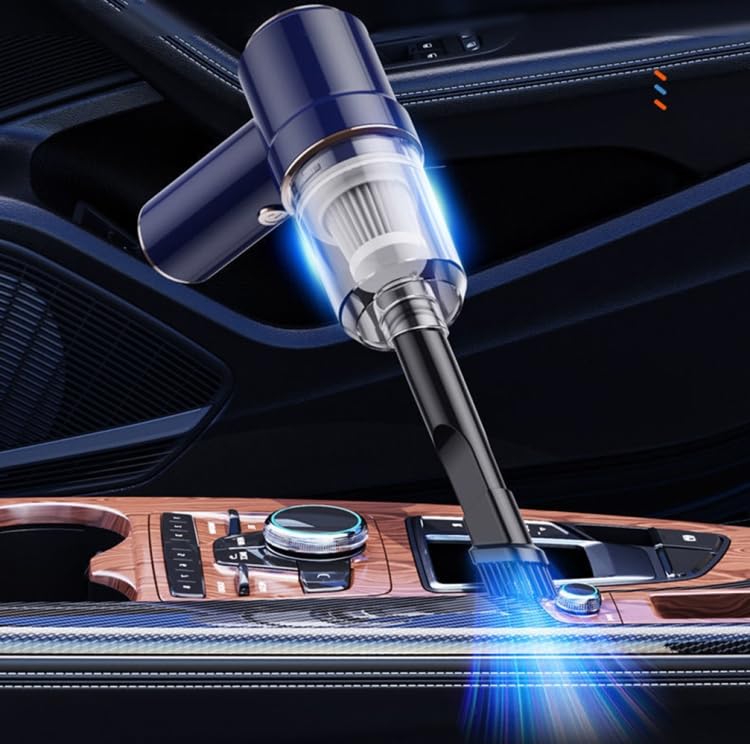
Figure 2: The wireless vacuum cleaner being used to clean the interior of a car, demonstrating its portability and effectiveness in tight spaces.
Charging the Device:
- Connect the Type-C charging cable to the charging port on the device or the charging base.
- Plug the other end of the USB cable into a compatible power adapter (not included) or a USB port.
- The charging indicator light will be red during charging.
- The indicator light will turn green when the battery is fully charged.
- A full charge typically takes approximately 3-4 hours.
- The device can operate continuously for about 30 minutes on a full charge.
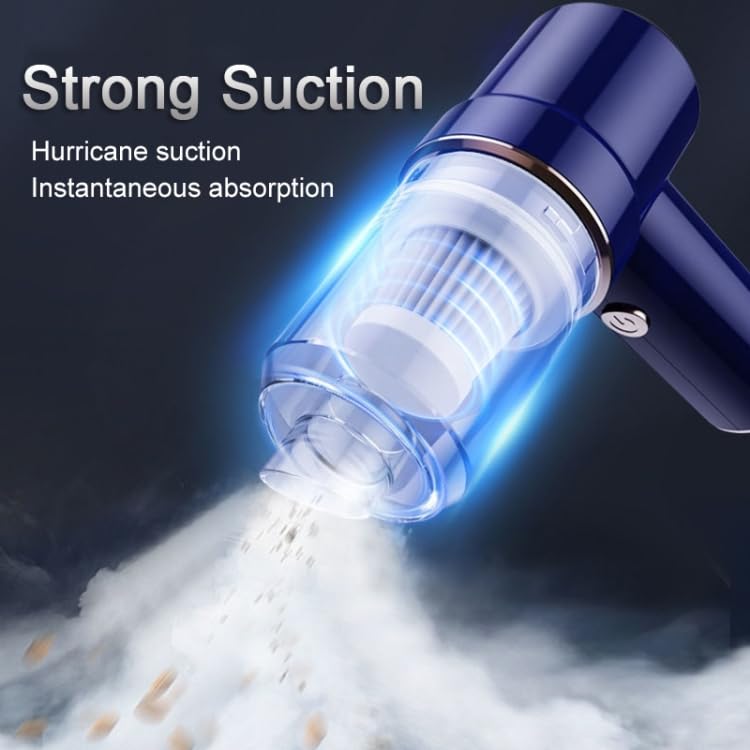
Figure 3: Visual representation of the strong suction capability of the vacuum cleaner, showing debris being drawn into the nozzle.
4. Maintenance
Regular maintenance ensures optimal performance and extends the lifespan of your ELECTROPRIME SUITU ST-6638.
Filter Cleaning:
- The device features an environmentally friendly, washable filter element.
- To clean, remove the dustbin and carefully extract the filter.
- Rinse the filter under running water until clean.
- Allow the filter to air dry completely before reinserting it into the device. Do not use the device with a wet filter.
Dustbin Emptying and Wet Use:
- After each use, especially after vacuuming wet debris, empty the dustbin.
- When absorbing water, it is crucial to open the front cover and drain the collected liquid promptly to prevent damage to the device and maintain hygiene.
5. Troubleshooting
If you encounter issues with your device, refer to the following common troubleshooting steps:
- Device Not Turning On:
- Ensure the battery is sufficiently charged. Connect the device to the charger and check if the indicator light turns red.
- Verify the power switch is fully in the "ON" position.
- Low Suction Power:
- Check if the dustbin is full and empty it if necessary.
- Inspect the filter for blockages or excessive dirt. Clean and dry the filter as described in the Maintenance section.
- Ensure all attachments are securely fitted and there are no air leaks.
- If used for wet cleaning, ensure the front cover has been opened to drain water.
- Short Operating Time:
- Ensure the device is fully charged before use (indicator light green).
- Battery performance may decrease over time with prolonged use.
6. Specifications
| Parameter | Value |
|---|---|
| Material | ABS |
| Net Weight | 0.33 KGS |
| Product Size | 180 x 158 x 66 MM |
| Rated Voltage | DC 7.4V |
| Vacuum Degree (Wireless) | Approximately 4000 Pa |
| Rated Speed | 42000 rpm |
| Lithium Battery Capacity | 2 x 1800 mAh |
| Charging Method | 8.4V USB Booster Line |
| Rated Power | 45W |
| Noise Level | ≤ 84 dB |
| Operating Temperature | -20°C to +50°C |
| Filter Material | PE+PP+Polyester Hot-Rolled Cloth |
| USB Cable Length | Approximately 1m |
7. Warranty and Support
This product is covered by a warranty policy. For detailed information regarding warranty terms, coverage, and claims, please refer to the official ELECTROPRIME warranty documentation provided with your purchase or visit the manufacturer's website.
For technical support, troubleshooting assistance beyond this manual, or inquiries about replacement parts, please contact ELECTROPRIME customer service. Contact details can typically be found on the product packaging, the official brand website, or through your retailer.
Manufacturer: ELECTROPRIME
Model Number: ST-6638 (Item Part Number: TBD0603643303)