
Introduction
This manual provides detailed instructions for the installation, operation, and maintenance of your ELECTROPRIME R310F Dual-Lens 1080P Network Car Driving Recorder. Please read this manual thoroughly before using the device to ensure proper functionality and safety.
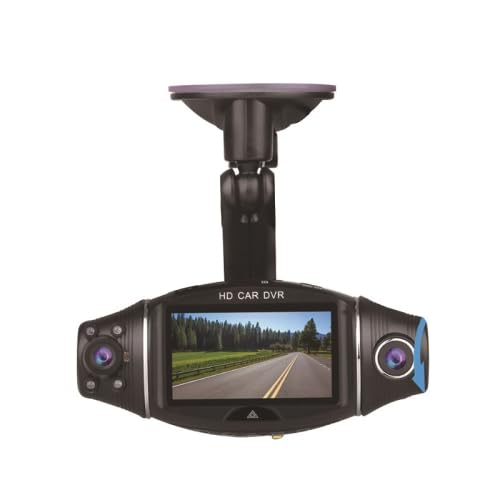
Image: Front view of the ELECTROPRIME R310F Dual-Lens Car Driving Recorder, showing the main screen and two camera lenses.
Package Contents
Verify that all items are present in the package:
- Main DVR Unit
- Suction Cup Bracket
- Car Charger
- User Manual (this document)
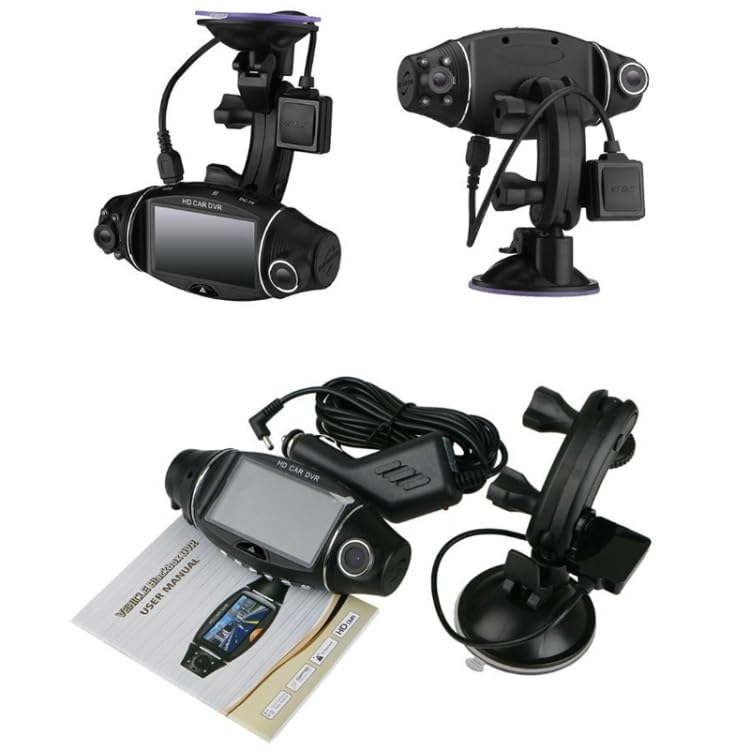
Image: The ELECTROPRIME R310F Car DVR unit, suction cup mount, car charger, and the physical user manual are displayed together.
Setup and Installation
- Mounting the Device: Attach the suction cup bracket to the main DVR unit. Securely mount the device on your vehicle's windshield, ensuring it does not obstruct your view. The device is designed for windshield installation.
- Power Connection: Connect the car charger to the DVR unit's Micro USB2.0 interface. Plug the other end of the car charger into your vehicle's 12V power outlet. The device can also operate on its internal lithium battery (approx. 150mAh capacity).
- Memory Card (Not Included): Insert a compatible memory card (not included) into the designated slot for video recording. The device supports data storage for approximately 3 hours with a 16GB card.
Operating Instructions
The ELECTROPRIME R310F features dual-lens recording and various intelligent functions:
- Dual-Lens Recording: The device records simultaneously from both the front-facing and in-car lenses. The in-car camera includes 4 infrared lights for recording even in low-light conditions.
- 1080P HD Video: Realizes 1080P HD video recording for clear footage.
- GPS Track Playback: Allows for true restoration of driving routes.
- 24-Hour Parking Monitoring: Provides continuous surveillance when the vehicle is parked.
- G-Sensor: Automatically detects sudden movements or collisions and locks the current video file to prevent overwriting.
- Motion Detection: Begins recording automatically when motion is detected in front of the vehicle.
- 270-Degree Rotation: The camera can be rotated 270 degrees for flexible viewing angles.
- Split-Screen Display: Supports synchronous display of both camera feeds on the screen.
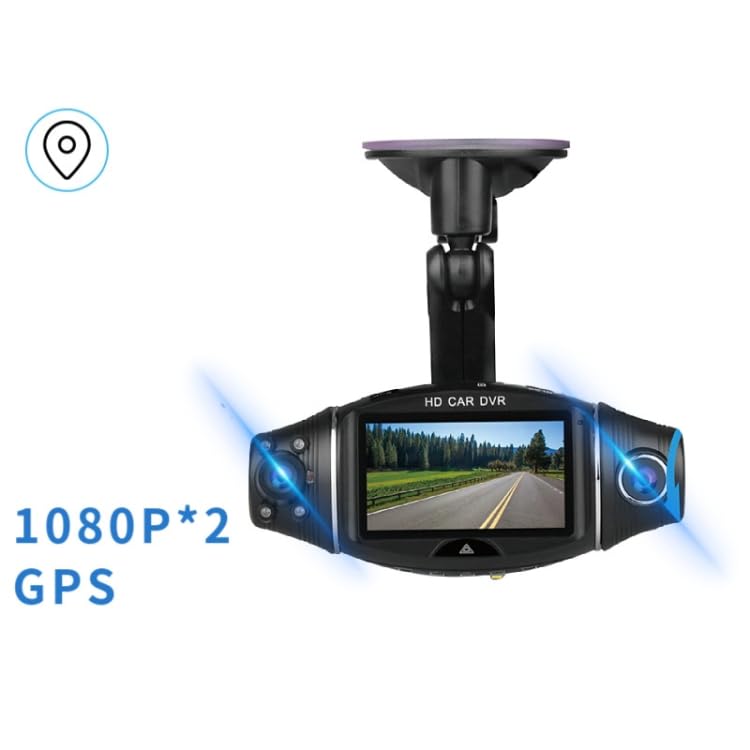
Image: The ELECTROPRIME R310F Car DVR with visual indicators for "1080P*2" (dual 1080P recording) and "GPS" functionality.
Maintenance
To ensure the longevity and optimal performance of your device:
- Keep the lenses clean using a soft, lint-free cloth.
- Avoid exposing the device to extreme temperatures or direct sunlight for prolonged periods.
- Do not attempt to disassemble the device, as this will void the warranty.
- Regularly format your memory card to prevent data corruption and ensure smooth recording.
Troubleshooting
If you encounter issues with your ELECTROPRIME R310F, please refer to the following common solutions:
- Device not powering on: Ensure the car charger is securely connected and the vehicle's power outlet is functioning. Check the internal battery charge.
- Recording issues: Verify that a memory card is inserted and has sufficient free space. Try formatting the memory card. Ensure the card is compatible (Class 10 or higher recommended).
- Poor video quality: Clean the camera lenses. Ensure the protective film (if any) has been removed from the lenses.
- GPS signal loss: Ensure the device has a clear view of the sky. Avoid mounting near metallic objects that may interfere with the signal.
If problems persist, contact customer support.
Specifications
| Feature | Detail |
|---|---|
| Model | R310F |
| Dimensions | 130 x 59 x 45.5mm |
| Weight | 109g |
| Video Resolution | 1080 x 1920 30FPS MOV |
| Photo Resolution | 1600M |
| Motherboard Chip | SSC8339 |
| Voltage | 5V |
| Rated Current | 1.5A |
| Transmission Rate | 500mb |
| Battery Capacity | Approx. 150mAh |
| Data Storage Time (16G) | 3 hours |
| Interface | Micro USB2.0 |
| Special Features | Night Vision, Parking Monitor, Built-in GPS (for track playback) |
| Supported Languages | English, Spanish, Portuguese, Russian, Simplified Chinese, Traditional Chinese, German, Italian, Latvian, Polish, Romanian, Slovenian, Ukrainian, French, Japanese, etc. |
Warranty and Support
For warranty information and customer support, please refer to the warranty policy provided by the seller or contact ELECTROPRIME customer service directly. Keep your purchase receipt as proof of purchase.
Manufacturer: ELECTROPRIME
Model Number: TBD0602378001B