
ELECTROPRIME HC4213
User Manual for ELECTROPRIME Desktop Calculator
Model: HC4213 (Compatible with OSALO OS-1200V)
1. Introduction
This manual provides essential information for the proper use and maintenance of your ELECTROPRIME Desktop Calculator, Model HC4213. This calculator is designed for efficient and reliable performance, featuring dual power sources and a clear 12-digit display.
Key features include:
- Durable and reliable construction.
- Corrosion-resistant sheet for longevity.
- Fast calculation speed and low energy consumption.
- Dual power operation: Solar energy and 1x AA battery (not included).
- Clear 12-digit LCD display for easy readability.
- Compact size: 14.7 x 19 x 3.1 cm; lightweight: 197g.
- Constructed from durable ABS material.
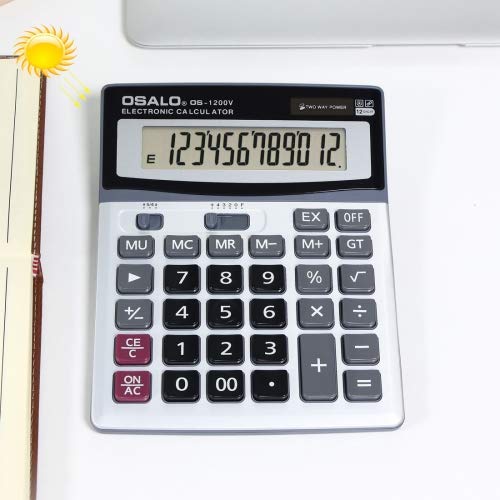
Figure 1: Front view of the ELECTROPRIME Desktop Calculator, showing the 12-digit display and key layout. The solar panel is visible above the display.
2. Package Contents
Upon opening the package, please verify that all components are present and undamaged.
- 1 x ELECTROPRIME Desktop Calculator (Model HC4213)
- Note: AA battery is not included and must be purchased separately.
3. Setup
3.1 Power Source
The calculator operates on dual power: solar energy and one AA battery. For optimal performance and continuous operation in varying light conditions, it is recommended to install an AA battery.
3.2 Battery Installation
- Turn the calculator over to access the battery compartment on the back.
- Gently slide the battery compartment cover in the direction indicated by the arrow or tab to open it.
- Insert one (1) AA battery, ensuring the positive (+) and negative (-) terminals align correctly with the markings inside the compartment.
- Replace the battery compartment cover by sliding it back until it clicks into place.
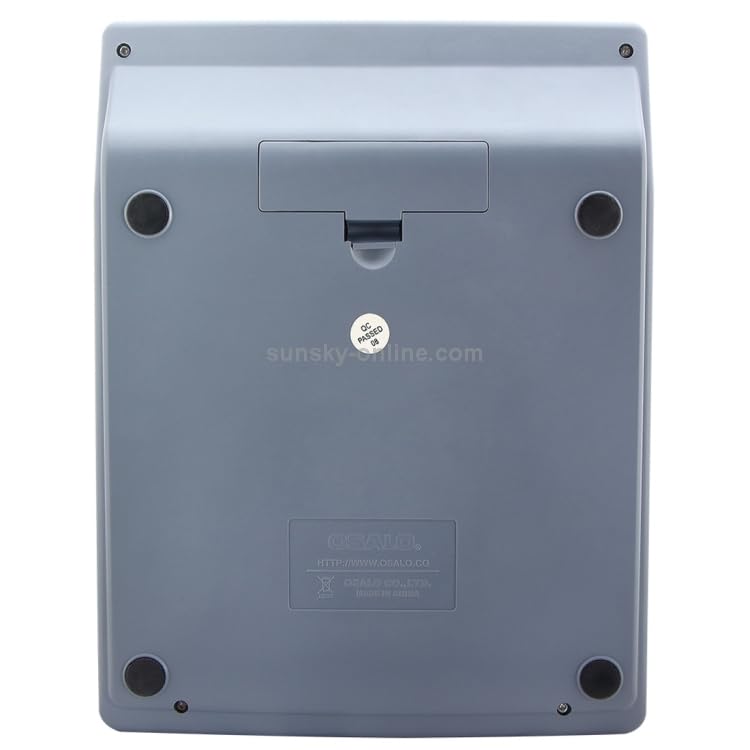
Figure 2: Back view of the calculator, highlighting the battery compartment cover. Ensure correct battery polarity during installation.
The calculator will automatically power on when sufficient light is available for the solar panel or when a battery is installed and a key is pressed.
4. Operating Instructions
This section outlines the basic functions and operations of your calculator.
4.1 Basic Operations
- ON/AC (All Clear): Press to turn on the calculator or clear all current entries and memory.
- CE/C (Clear Entry/Clear): Press once to clear the last entry. Press twice to clear the current calculation.
- Number Keys (0-9, 00): Used to input numerical values.
- Decimal Point (.): Used to input decimal numbers.
- Arithmetic Operators (+, -, ×, ÷): Used for addition, subtraction, multiplication, and division.
- = (Equals): Press to display the result of a calculation.
4.2 Advanced Functions
- % (Percentage): Used for percentage calculations. For example, to calculate 10% of 200, enter 200 × 10 %.
- √ (Square Root): Calculates the square root of the displayed number.
- +/- (Sign Change): Changes the sign of the displayed number (positive to negative, or negative to positive).
- MU (Mark-Up): Used for mark-up calculations.
- M+, M- (Memory Plus/Minus): Adds/subtracts the displayed value to/from the memory.
- MR (Memory Recall): Recalls the value stored in memory.
- MC (Memory Clear): Clears the value stored in memory.
- GT (Grand Total): Accumulates the results of all calculations. Pressing GT displays the grand total.
- EX (Exchange): Swaps the current displayed value with the previous operand.
- OFF: Press to turn off the calculator manually. The calculator also features an auto-power-off function to conserve energy.
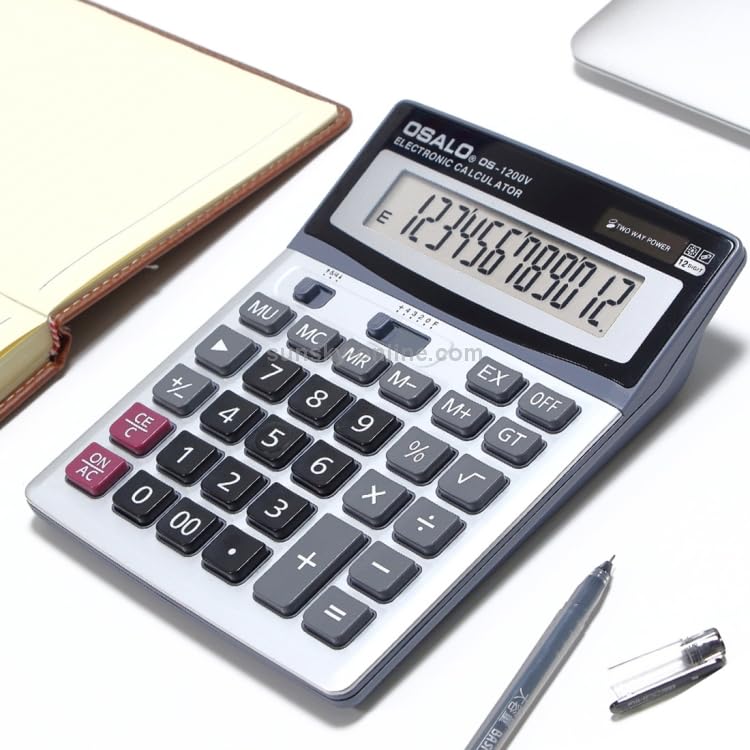
Figure 3: Angled view of the calculator, providing a clear perspective of the full keypad and display for operational reference.
5. Maintenance
To ensure the longevity and optimal performance of your calculator, follow these maintenance guidelines:
- Cleaning: Use a soft, dry cloth to wipe the calculator's surface. For stubborn dirt, slightly dampen the cloth with water and then wipe dry immediately. Do not use abrasive cleaners, solvents, or alcohol, as these can damage the casing or display.
- Storage: Store the calculator in a cool, dry place away from direct sunlight and extreme temperatures.
- Battery Care: If the calculator will not be used for an extended period, remove the AA battery to prevent leakage and potential damage to the device.
- Avoid Drops: Protect the calculator from drops and impacts, which can damage internal components or the display.
6. Troubleshooting
If you encounter issues with your calculator, refer to the following common problems and solutions:
| Problem | Possible Cause | Solution |
|---|---|---|
| Display is blank or dim. | Insufficient light for solar power, or low/dead battery. | Move the calculator to a brighter area. Replace the AA battery if installed, or install a new one. |
| Calculator does not respond to key presses. | Calculator is off, or internal error. | Press the ON/AC button. If unresponsive, remove and reinsert the battery. |
| Incorrect calculation results. | Input error, or previous calculation not cleared. | Press ON/AC to clear all previous entries and memory, then re-enter the calculation carefully. |
7. Specifications
| Feature | Detail |
|---|---|
| Model Number | HC4213 (Compatible with OSALO OS-1200V) |
| Display Digits | 12 Digits |
| Power Source | Dual Power: Solar Energy & 1x AA Battery (not included) |
| Dimensions (L x W x H) | 14.7 cm x 19 cm x 3.1 cm (5.79 x 7.48 x 1.22 inches) |
| Weight | 197 g (0.43 lbs) |
| Material | ABS Plastic |
| Manufacturer | ELECTROPRIME |
8. Warranty and Support
For any product inquiries, technical support, or warranty information, please contact ELECTROPRIME customer service through the retailer where the product was purchased. Please retain your proof of purchase for warranty claims.
Note: Specific warranty terms and conditions may vary by region and retailer.
Ask a question about this manual
Ask about setup, troubleshooting, compatibility, parts, safety, or missing instructions. Manuals+ will review the question and use this page’s manual context to help answer it.