
HBEZON 2028
HBEZON Medicine Cabinet with LED Lights and Mirror User Manual
Model: 2028
1. Introduction
Thank you for choosing the HBEZON Medicine Cabinet with LED Lights and Mirror. This manual provides detailed instructions for the safe installation, operation, and maintenance of your new medicine cabinet. Please read this manual thoroughly before installation and retain it for future reference.
This versatile cabinet is designed for both surface and recessed mounting, featuring advanced functionalities such as adjustable LED lighting, an anti-fog system, and integrated power outlets for convenience.
2. Safety Information
WARNING: To reduce the risk of burns, fire, electric shock, or injury to persons:
- Always unplug the cabinet from the power source before cleaning or performing any maintenance.
- Do not install the cabinet in a location where it may come into direct contact with water.
- Always use appropriate personal protective equipment (PPE) when installing the cabinet, including safety glasses and gloves.
- Consult a qualified electrician if you are unsure about any aspect of electrical installation or wiring.
- Ensure all electrical connections comply with local building codes and regulations.
- Do not attempt to modify or repair the cabinet yourself. Refer all servicing to qualified service personnel.
3. Product Features
The HBEZON Medicine Cabinet is equipped with several innovative features to enhance your bathroom experience:
3 Color Lighting Modes & Adjustable Brightness
The LED cabinet mirror features a high-brightness 6000 Lumens LED light strip. It offers three distinct color modes: warm (3000K), natural (4000K), and cold white (6000K). Brightness is fully adjustable from 0% to 100% to suit your needs. A memory function retains your last light setting.

Image: The mirror displaying three different light color temperatures (warm, natural, cold white) and a hand interacting with the touch controls.

Image: Illustration of the brightness dimmer and memory function, showing the mirror at 30% and 80% brightness.
Anti-fog Function
The built-in anti-fog function ensures a clear reflection even in steamy bathroom environments. Activate or deactivate the anti-fog feature as needed for energy efficiency.

Image: A visual comparison of the mirror with and without the anti-fog function activated, showing a clear reflection.
Electrical Outlet, USB Port & Soft-Close DTC Hinges
Conveniently charge devices with integrated electrical outlets and USB ports. The rustproof soft-close DTC hinges ensure smooth, quiet door operation.

Image: Detailed view of the internal electrical outlet, USB port, adjustable glass shelves, and soft-close hinges.
Space-Saving Design with Adjustable Shelves
Adjustable shelves maximize storage space, keeping items organized, dust-free, and private within the enclosed design. Ideal for daily essentials.
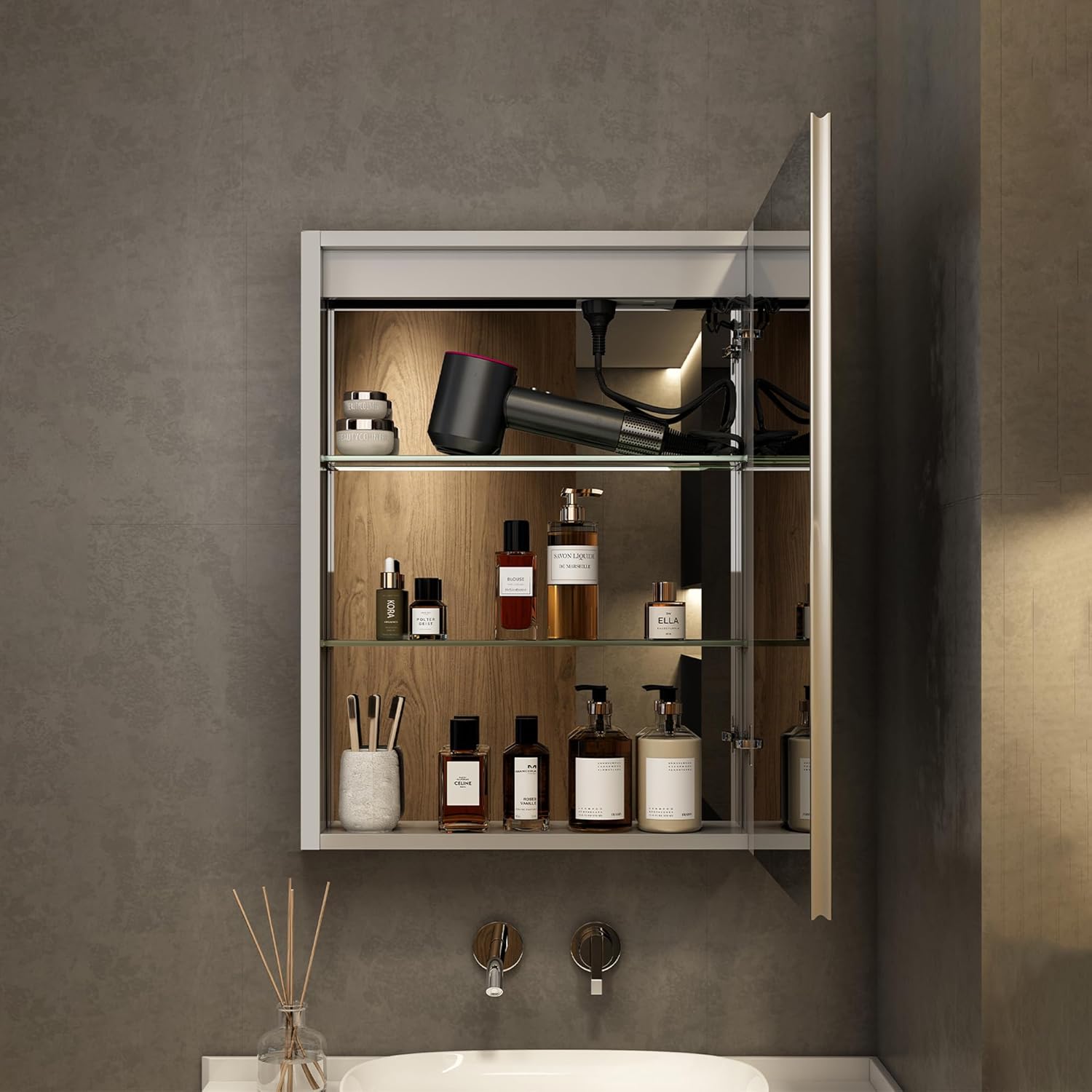
Image: The interior of the medicine cabinet showcasing its spacious storage and adjustable shelves filled with various items.
Product Feature Overview Video
Video: An official product video demonstrating the key features of the HBEZON Medicine Cabinet, including lighting, anti-fog, storage, and soft-close hinges.
4. Installation
The HBEZON Medicine Cabinet can be installed as either a recessed or surface wall-mounted unit. Ensure you have the necessary tools and assistance before beginning installation.
Dimensions and Cutout

Image: Detailed dimensions for the medicine cabinet and the required wall cutout for recessed installation.
Mounting Options

Image: Visual representation of the medicine cabinet installed in both recessed and wall-mounted configurations.
General Installation Steps:
- Preparation: Turn off power at the circuit breaker. Identify the desired location for the cabinet. For recessed mounting, mark and cut the wall opening according to the specified cutout dimensions. For surface mounting, mark the mounting points.
- Wiring: Route electrical wiring to the installation area. Connect the cabinet's electrical wires to your household wiring according to local electrical codes. Ensure all connections are secure and insulated.
- Mounting: Secure the cabinet to the wall studs using appropriate mounting hardware (included). For recessed installation, ensure the cabinet is flush with the wall. For surface mounting, attach the cabinet directly to the wall.
- Final Checks: Once securely mounted and wired, turn the power back on. Test all functions: lights, defogger, and electrical outlets/USB ports.
5. Operating Instructions
The medicine cabinet features intuitive touch controls integrated into the mirror surface.

Image: The medicine cabinet showing the touch control icons on the mirror surface.
- Power On/Off & Brightness Adjustment: Touch the power icon (circle with a dot) to turn the lights on or off. Press and hold the power icon to adjust the brightness (dimmer function).
- Color Temperature Change: Touch the light bulb icon to cycle through the three color modes: warm white, natural white, and cold white.
- Anti-Fog Function: Touch the steam icon (three wavy lines) to activate or deactivate the anti-fog feature.
- Memory Function: The cabinet automatically remembers your last light brightness and color temperature settings when powered off and on.
- Electrical Outlets & USB Ports: Located inside the cabinet, these ports are active when the cabinet is powered. Use the switch next to the outlets to control their power.
6. Maintenance
Regular cleaning and maintenance will ensure the longevity and optimal performance of your medicine cabinet.
- Cleaning the Mirror: Use a soft, damp cloth and a non-abrasive glass cleaner. Do not spray cleaner directly onto the mirror surface; apply it to the cloth first. Avoid harsh chemicals or abrasive materials that could damage the mirror or frame.
- Cleaning the Interior: Wipe down the interior surfaces and shelves with a soft, damp cloth. For stubborn stains, use a mild household cleaner. Ensure the cabinet is dry before closing the door.
- Hinge Maintenance: The soft-close hinges are designed for durability. Periodically check for any loose screws and tighten if necessary. Avoid applying excessive force when opening or closing the door.
- Electrical Components: Do not attempt to clean or service any electrical components while the cabinet is powered. If you notice any issues with the lights, outlets, or USB ports, contact qualified service personnel.
7. Troubleshooting
If you encounter any issues with your medicine cabinet, refer to the following common troubleshooting steps:
| Problem | Possible Cause | Solution |
|---|---|---|
| Lights not turning on | No power supply; loose connection; faulty LED driver. | Check circuit breaker. Ensure all wiring connections are secure. If problem persists, contact customer support. |
| Anti-fog not working | Anti-fog function not activated; power issue. | Ensure the anti-fog touch button is pressed. Check power supply to the cabinet. |
| Brightness not adjusting | Incorrect operation; internal fault. | Press and hold the power button to adjust brightness. If still unresponsive, contact customer support. |
| Outlets/USB not working | Outlet switch off; no power. | Ensure the internal switch for the outlets is in the ON position. Verify cabinet has power. |
| Door not closing smoothly | Hinges need adjustment; obstruction. | Check for any obstructions. Inspect hinges for damage or misalignment and adjust if possible. |
If the issue is not resolved by the above steps, please contact HBEZON customer support for assistance.
8. Specifications
| Feature | Detail |
|---|---|
| Brand | HBEZON |
| Model Number | 2028 |
| Color | Silver |
| Product Dimensions | 5"D x 19.99"W x 28"H |
| Mounting Type | Wall Mount or Recessed Mount |
| Weight Limit | 60 Pounds |
| Included Components | Shelves, LED lights, Clock, Temperature display, Defogger, Mounting hardware |
| Finish Type | High-Gloss |
| Number of Shelves | 3 |
| Frame Material | Aluminum |
| Item Weight | 42.1 pounds |
| Country of Origin | China |
| Special Features | Smart Touch Control, Lighting Memory Function, Dimmable, 3 Color Lighting Modes, Defogger, Space-saving, Soft-close Hinges, Electrical Outlet & USB Port, Adjustable Shelves |
9. Warranty and Support
HBEZON stands behind the quality of its products. For warranty information, technical support, or replacement parts, please contact HBEZON customer service through the retailer where the product was purchased or visit the official HBEZON website. Please have your model number and purchase date available when contacting support.
Related documents2028


Ask a question about this manual
Ask about setup, troubleshooting, compatibility, parts, safety, or missing instructions. Manuals+ will review the question and use this page’s manual context to help answer it.