
Introduction
This manual provides instructions for the safe and effective use of your Kircuit 12V AC/DC power adapter. This adapter is designed to convert standard AC wall power into the 12V DC power required by compatible devices, such as the MINISFORUM U500, U500-H, and U500H Mini PCs. It enables operation of your device or charging its internal battery from electrical power outlets.
Setup Instructions
Follow these steps to properly set up your AC/DC adapter:
- Inspect the Adapter: Before use, visually inspect the adapter and its cable for any signs of damage, such as cuts, frayed wires, or bent pins. Do not use if damaged.
- Connect to Device: Insert the barrel plug connector of the adapter cable firmly into the DC input port of your MINISFORUM U500, U500-H, or U500H Mini PC. Ensure a secure connection.
- Connect to Power Outlet: Plug the AC prongs of the adapter into a standard 100-240V AC electrical wall outlet. Ensure the outlet is easily accessible and not overloaded.
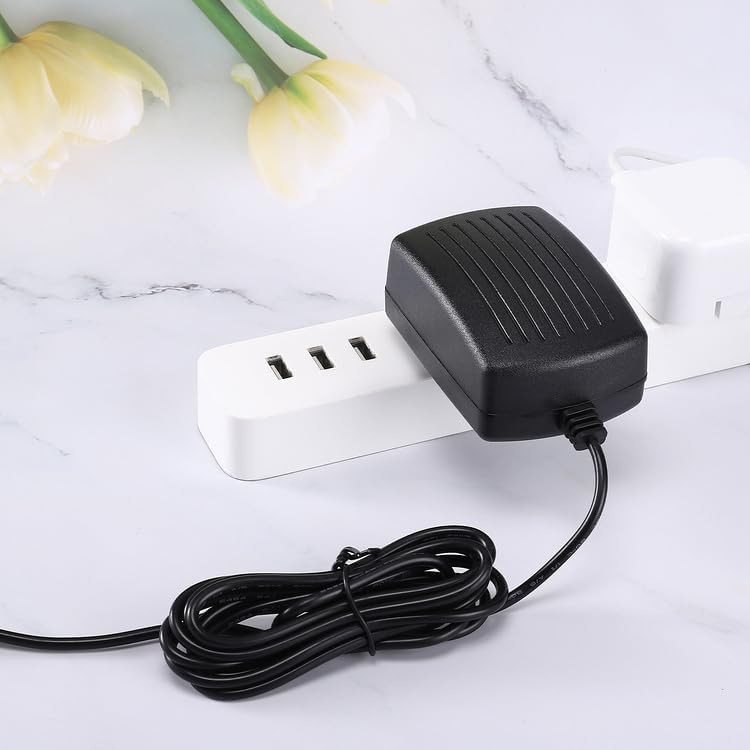
Image: The Kircuit AC/DC adapter connected to a power strip, illustrating proper connection to an electrical outlet.
Important Safety Notes:
- Use the adapter only with compatible devices that require 12V DC input.
- Operate the adapter in a well-ventilated area. Avoid covering it, as this can lead to overheating.
- This adapter is designed for indoor use only. Do not expose it to water, moisture, or extreme temperatures.
Operating Instructions
Once the adapter is properly connected to both the power outlet and your device, the device should receive power. If your device has an internal battery, the adapter will also facilitate charging.
- Power On: After connecting the adapter, power on your MINISFORUM Mini PC using its designated power button.
- Continuous Power: The adapter provides continuous power to your device as long as it is plugged into a live electrical outlet.
- Disconnecting: To disconnect, first power off your device, then unplug the adapter from the wall outlet, and finally disconnect the barrel plug from your device.
Maintenance
Proper maintenance ensures the longevity and safe operation of your adapter.
- Cleaning: Disconnect the adapter from all power sources before cleaning. Use a soft, dry cloth to wipe the exterior. Do not use liquid cleaners or solvents.
- Cable Care: Avoid bending, twisting, or crimping the power cable excessively. Do not place heavy objects on the cable.
- Storage: When not in use, store the adapter in a cool, dry place, away from direct sunlight and extreme temperatures. Coil the cable loosely; do not wrap it tightly around the adapter body.

Image: The Kircuit AC/DC adapter with its 6.5 ft power cord, illustrating the cable length for proper storage and use.
Troubleshooting
If you encounter issues with your adapter, refer to the following common problems and solutions:
- No Power to Device:
- Ensure the adapter is securely plugged into a working wall outlet. Test the outlet with another device.
- Verify the barrel plug is fully inserted into your Mini PC's DC input port.
- Check the adapter cable for any visible damage. If damaged, discontinue use.
- Adapter Overheating:
- Ensure the adapter is in a well-ventilated area and not covered by anything.
- Confirm your device is compatible with a 12V DC input. Using an incompatible device can cause overheating.
If problems persist after attempting these solutions, contact customer support.
Product Specifications
| Brand | Kircuit |
| Input Voltage | 100-240V AC, 50/60Hz, 0.3A |
| Output Voltage | 12V DC |
| Connector Type | Barrel Plug |
| Compatible Devices | MINISFORUM U500, U500-H, U500H Mini PCs |
| Cable Length | Approximately 6.5 ft (2 meters) |
| Color | Black |

Image: Close-up view of two Kircuit AC/DC adapters, highlighting the product label with detailed input (100-240V AC, 0.3A) and output (12V DC) specifications.
Warranty Information
Specific warranty details for this Kircuit AC/DC adapter are typically provided by the seller or manufacturer at the time of purchase. Please refer to your purchase documentation or contact the retailer for information regarding warranty coverage, terms, and conditions.
Customer Support
For technical assistance, troubleshooting beyond the scope of this manual, or warranty claims, please contact the retailer or the manufacturer directly. Have your product model and purchase information ready when contacting support.