
Kircuit SJ-15020001
Instruction Manual for Kircuit 15V AC/DC Adapter
Model: SJ-15020001 / SJ15020001
Brand: Kircuit
1. Product Overview
The Kircuit 15V AC/DC Adapter is designed to convert standard AC power from electrical outlets into the specific DC power required by compatible electronic devices. This adapter facilitates the operation of your device or the charging of its battery, serving as a reliable power source for various applications, whether at home, in the office, or during travel.
This adapter features a wide input voltage range of 100-240VAC, making it suitable for global use. It incorporates essential safety protections including Over Voltage Protection (OVP), Over Current Protection (OCP), and Short Circuit Protection (SCP) to ensure safe and stable power delivery.

Figure 1.1: Front view of the Kircuit 15V AC/DC Adapter, showing the main unit with integrated wall plug and the attached DC output cable with a barrel connector.
Key Features:
- Universal Input: World Wide Input Voltage 100-240VAC 50/60Hz.
- Safety Protections: Equipped with OVP (Over Voltage output Protection), OCP (Over Current output Protection), and SCP (Short Circuit output Protection).
- High Quality: 100% Brand New, High Quality AC/DC Power Charger.
- Integrated Circuitry: Built-in Dynamic IC, Charger IC & Power fuse for rapid charging and overcharge protection.
- Portability: Compact design suitable for travel, home, or office use.
2. Setup Instructions
Before connecting the adapter, ensure that your device requires a 15V DC input and has a compatible barrel plug receptacle. Refer to your device's specifications or original power supply for voltage and current requirements.
Steps for Connection:
- Verify Compatibility: Confirm that your device's power input specifications match the adapter's output (15V DC). Pay close attention to the current (Amperage) requirement of your device. This adapter provides 0.3A.
- Connect to Device: Insert the barrel connector of the Kircuit adapter firmly into the DC input port of your electronic device.
- Connect to Power Outlet: Plug the AC prongs of the adapter into a standard electrical wall outlet (100-240V AC).
- Power On: Once connected, your device should receive power or begin charging, indicated by its power indicator light (if applicable).
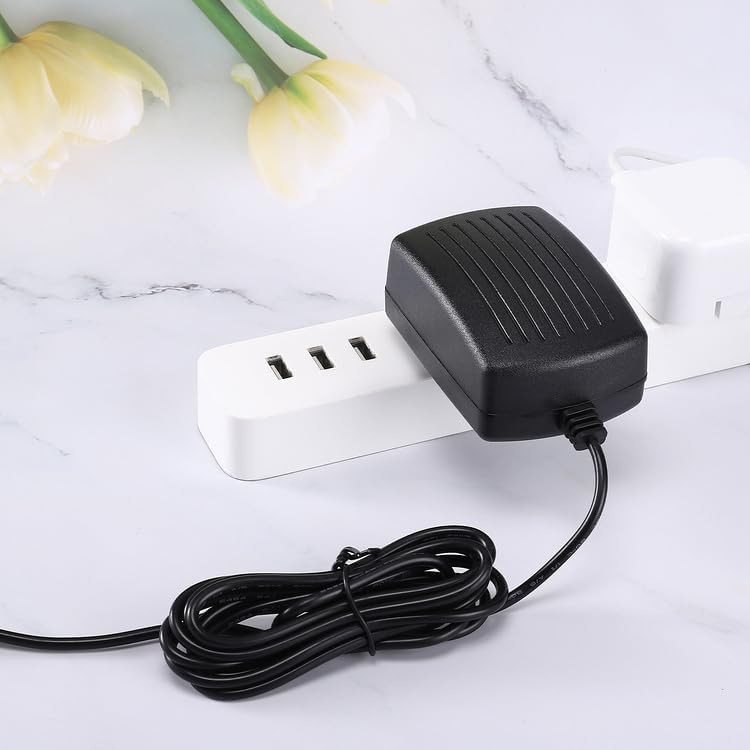
Figure 2.1: The Kircuit 15V AC/DC Adapter plugged into a power strip, demonstrating a typical setup for use.
3. Operating Instructions
The Kircuit 15V AC/DC Adapter operates automatically once connected to a power source and a compatible device. It provides a stable 15V DC output to power your device or charge its internal battery.
Usage Guidelines:
- Always ensure the adapter is used in a well-ventilated area to prevent overheating.
- Do not cover the adapter during operation.
- Disconnect the adapter from the power outlet when not in use for extended periods.
- Avoid bending or crimping the power cord excessively to prevent internal damage.
4. Maintenance
Proper maintenance ensures the longevity and safe operation of your Kircuit AC/DC adapter.
Care and Storage:
- Cleaning: Disconnect the adapter from all power sources before cleaning. Use a soft, dry cloth to wipe the surface. Do not use liquid cleaners or aerosols.
- Environment: Keep the adapter away from moisture, extreme temperatures, and direct sunlight.
- Storage: When not in use, store the adapter in a cool, dry place. Avoid wrapping the cable too tightly around the adapter.
- Inspection: Periodically inspect the adapter and its cable for any signs of damage, such as frayed wires or cracked casing. If damage is found, discontinue use immediately.
5. Troubleshooting
If you encounter issues with your Kircuit 15V AC/DC Adapter, please refer to the following common problems and solutions:
| Problem | Possible Cause | Solution |
|---|---|---|
| Device not powering on or charging. |
|
|
| Adapter feels hot during use. |
|
|
| Sparking when plugging in. |
|
|
6. Specifications
Technical specifications for the Kircuit 15V AC/DC Adapter:
| Specification | Value |
|---|---|
| Model | SJ-15020001 / SJ15020001 |
| Input Voltage | 100-240V AC, 50/60Hz |
| Output Voltage | 15V DC |
| Output Current | 0.3A |
| Connector Type | Barrel Plug |
| Compatible Devices | Devices requiring 15V DC with compatible barrel plug (e.g., SJ-15020001, SJ15020001 SHENGJI 15.0) |
| Special Feature | OVP, OCP, SCP Protection |
| Color | Black |
| Manufacturer | Shenzhen Waweis Technology Co., Ltd |

Figure 6.1: A pair of Kircuit 15V AC/DC Adapters, illustrating the standard US two-prong plug and the barrel connector for device input.

Figure 6.2: The Kircuit 15V AC/DC Adapter with its power cord extended, indicating a cord length of approximately 6.5 feet.
7. Warranty and Support
For information regarding warranty coverage, returns, or technical support for your Kircuit 15V AC/DC Adapter, please refer to the purchase documentation or contact the seller directly. Specific warranty terms and conditions are typically provided by the retailer or manufacturer at the time of purchase.
It is recommended to retain your proof of purchase for any warranty claims or support inquiries.
Ask a question about this manual
Ask about setup, troubleshooting, compatibility, parts, safety, or missing instructions. Manuals+ will review the question and use this page’s manual context to help answer it.