
Introduction
This instruction manual provides essential information for the safe and efficient use of your onerbl 24V AC-DC Power Adapter. Please read this manual thoroughly before use and retain it for future reference.
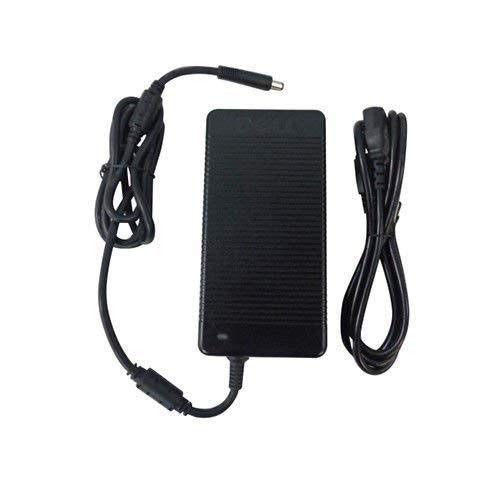
Image: The onerbl 24V AC-DC Power Adapter, showing the main unit and its attached power cord.
Important Safety Information
To prevent injury or damage to your device, observe the following safety precautions:
- Use only with compatible devices as specified.
- Do not expose the adapter to water or excessive moisture.
- Avoid dropping or subjecting the adapter to severe impact.
- Do not disassemble or attempt to repair the adapter.
- Ensure proper ventilation around the adapter during use.
- Unplug the adapter from the power outlet when not in use for extended periods.
Setup Instructions
- Verify Compatibility: Ensure your device requires a 24V DC input and has a compatible power port. This adapter is designed as a replacement for Jlink J-Link D34QR4K 34" Curved Gaming Monitor and Shenzhen Fujia FJ-SW202824007000 24V 7A power supplies.
- Connect to Device: Insert the DC output connector of the onerbl adapter firmly into the power input port of your device.
- Connect to Power Outlet: Plug the AC input cord of the adapter into a standard electrical wall outlet (100-240V AC, 50/60Hz).
- Power On: Once connected, your device should receive power.
Operating the Adapter
The onerbl 24V AC-DC Power Adapter operates automatically once connected to a power source and a compatible device. It converts AC power from the wall outlet to the DC power required by your device.
- The adapter is designed for continuous operation within its specified limits.
- Monitor the adapter for any unusual heat or noise during operation.
- Disconnect the adapter from the power outlet and device when not in use.
Maintenance and Care
Proper maintenance ensures the longevity and reliable performance of your power adapter:
- Cleaning: Use a soft, dry cloth to clean the adapter. Do not use liquid cleaners or solvents.
- Storage: Store the adapter in a cool, dry place away from direct sunlight and extreme temperatures.
- Cable Care: Avoid bending or crimping the power cords excessively. Do not place heavy objects on the cables.
Troubleshooting
| Problem | Possible Cause | Solution |
|---|---|---|
| Device not powering on. |
|
|
| Adapter feels excessively hot. |
|
|
Specifications
- Input: 100-240V AC, 50/60Hz
- Output: 24V DC, 7A (7000mA)
- Compatibility: Replacement for Jlink J-Link D34QR4K 34" Curved Gaming Monitor, Shenzhen Fujia FJ-SW202824007000, FJSW202824007000
- Manufacturer: Shenzhen Waweis Technology Co., Ltd (as per product information)
Warranty and Support
Information regarding warranty coverage and customer support for onerbl products can typically be found on the product packaging or the official onerbl website. For specific inquiries or technical assistance, please refer to the contact details provided with your purchase or visit the manufacturer's support page.
Protection plans are available for this product. For details, please refer to the options provided at the time of purchase, such as 2-Year Protection Plan or 3-Year Protection Plan.