
1. Introduction
This manual provides essential instructions for the safe and effective use of your GUAEVER Wrist Blood Pressure Monitor. Please read it thoroughly before first use and keep it for future reference. This device is designed for home use to measure blood pressure and heart rate on the wrist.
2. What's in the Box
Upon opening your GUAEVER Wrist Blood Pressure Monitor package, you should find the following items:
- Wrist Blood Pressure Monitor (x1)
- Storage Case (x1)
- Type-C Charging Cable (x1)
- User Manual (x1)
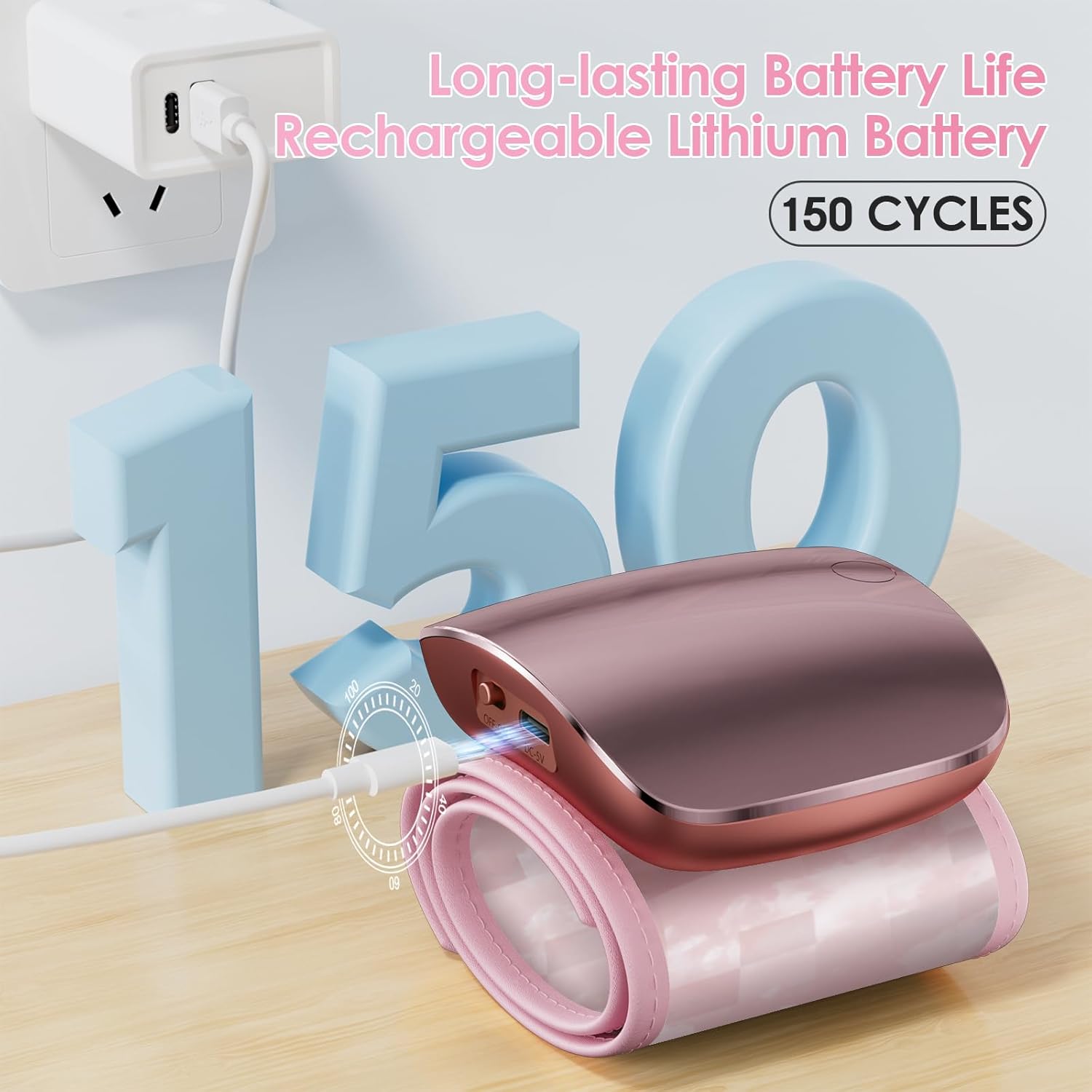
Image 2.1: Package contents of the GUAEVER Wrist Blood Pressure Monitor.
3. Product Features
The GUAEVER Wrist Blood Pressure Monitor is equipped with several features designed for convenient and accurate health monitoring:
- Curved LED Display: Provides clear and easy-to-read measurements.
- One-Button Operation: Simple controls for toggling voice prompts and switching between two users.
- Rechargeable Battery: Built-in lithium battery offers approximately 150 uses per full charge.
- Adjustable Wristband: Designed to fit wrist sizes from 5.31 to 9.25 inches (13.5 cm to 23.5 cm).
- Memory Function: Stores up to 99 sets of readings for two individual users, allowing for long-term tracking.
- Arrhythmia Monitoring: Detects irregular heartbeats during measurement.
- Blood Pressure Indicator: Provides a color-coded warning for high and low blood pressure levels based on World Health Organization standards.

Image 3.1: Dedicated buttons for voice and user selection.

Image 3.2: The monitor stores 99 readings for each of two users.
4. Setup
4.1 Charging the Device
Before first use, ensure the device is fully charged. Connect the provided Type-C charging cable to the charging port on the side of the monitor and plug the other end into a USB power source. The battery indicator on the display will show charging status.

Image 4.1: Charging the blood pressure monitor using the Type-C cable.
4.2 Initial Power On and Settings
To power on the device, locate the 'Open key' button. You can switch between User 1 and User 2, and toggle the voice broadcast function on or off using the dedicated buttons. Refer to the detailed instructions in the included User Manual for specific setting adjustments.

Image 4.2: Steps for initial setup and wearing the monitor.
5. Operation
5.1 Wearing the Cuff
Proper cuff placement is crucial for accurate readings:
- Wrap the cuff around your left wrist.
- Ensure the monitor's display is on the inside of your wrist.
- Leave a gap of approximately 1 to 2 cm between the cuff and your palm.
- Fasten the cuff snugly but not too tightly.

Image 5.1: Correct placement of the wrist blood pressure cuff.
5.2 Measurement Posture and Conditions
To ensure accurate results, follow these guidelines during measurement:
- Rest for 5 minutes before measuring.
- Sit up straight with your back supported.
- Rest your elbow on a table and hold your wrist at heart level.
- Do not talk or move during the measurement.
- Avoid drinking coffee or tea beforehand.

Image 5.2: Important guidelines for accurate blood pressure measurement.
5.3 Taking a Measurement
Once the cuff is correctly placed and you are in the proper posture, press the power button to begin the measurement. The device will automatically inflate and deflate. Your blood pressure (systolic and diastolic) and heart rate will be displayed on the screen, and if enabled, announced via voice broadcast.
Video 5.3: This video demonstrates the unboxing, features, and usage of the GUAEVER Wrist Blood Pressure Monitor, including how to wear the cuff and initiate a measurement.
6. Understanding Your Readings
The monitor displays your systolic blood pressure (SYS), diastolic blood pressure (DIA), and pulse rate (PUL). A color-coded bar on the display indicates whether your blood pressure falls within normal, moderate, or severe ranges, based on World Health Organization guidelines.

Image 6.1: Interpreting your blood pressure and heart rate readings with the color indicator.
7. Maintenance
7.1 Cleaning
Wipe the device and cuff with a soft, dry cloth. Do not use abrasive cleaners or immerse the device in water.
7.2 Storage
Store the blood pressure monitor in its provided storage case when not in use. Keep it in a cool, dry place away from direct sunlight and extreme temperatures.
8. Troubleshooting
If you encounter any issues with your blood pressure monitor, please refer to the following common solutions:
- Inaccurate Readings: Ensure correct cuff placement, proper posture, and that you remain still and silent during measurement. Re-measure after a few minutes of rest.
- Device Not Turning On: Check if the battery is charged. Connect the Type-C charging cable and allow it to charge for some time before attempting to power on again.
- Error Messages: Consult the full user manual for a list of specific error codes and their corresponding solutions.
If problems persist, please contact customer support.
9. Specifications
| Feature | Detail |
|---|---|
| Model Number | WEB 307 |
| Product Dimensions | 2 x 2 x 1 inches; 4.23 ounces |
| Wristband Size | 5.31 - 9.25 inches (13.5 - 23.5 cm) |
| Power Source | Rechargeable Lithium Battery |
| Display Type | LED |
| Target Use Body Part | Wrist |
| Material | ABS |
| UPC | 707630463730 |
10. Warranty and Support
The GUAEVER Wrist Blood Pressure Monitor comes with a 3-year warranty. For any questions, technical assistance, or warranty claims, please contact GUAEVER customer support. Measurement results can be affected by various factors; please observe all precautions mentioned in this manual. Your health is our priority.