
1. Product Overview
The Longer Nano Pro is a portable 12W laser engraver and cutter designed for high-speed and high-precision crafting. It features a 5000mm/s engraving speed and 0.01 x 0.01mm engraving precision, making it suitable for detailed work on a wide range of materials including wood, acrylic, leather, cloth, metal, and ceramics.
2. Safety Information
Always prioritize safety when operating the laser engraver. Failure to follow safety guidelines can result in serious injury or damage to the device.
- Eye Protection: Always wear the provided safety goggles during operation to protect your eyes from laser radiation.
- Enclosure: Use the red protective shield to contain the laser beam and minimize exposure.
- Ventilation: Operate the device in a well-ventilated area to dissipate smoke and fumes produced during engraving or cutting.
- Flammable Materials: Do not engrave or cut highly flammable materials without proper precautions. Keep a fire extinguisher nearby.
- Supervision: Never leave the laser engraver unattended during operation.
- Children and Pets: Keep children and pets away from the operating area.
3. Setup and Assembly
The Longer Nano Pro is designed for quick and easy setup. Follow these steps to assemble your device and prepare it for use.
3.1 Unboxing and Component Identification
Carefully remove all components from the packaging. Ensure all parts are present and undamaged.
3.2 Physical Assembly
- Attach the laser module to the vertical support arm. Secure it using the provided screws.
- Connect the vertical support arm to the base plate.
- Connect the necessary cables:
- Connect the blue cable from the laser module to the blue USB-C port on the base.
- Connect the green cable from the fan on the protective shield to the green USB-C port on the base.
- Connect the power adapter to the power input port on the base and plug it into a power outlet.
- Place the red protective shield over the engraving area. It attaches magnetically.
3.3 Software Installation (LightBurn / LaserGRBL)
The Nano Pro supports both LightBurn and LaserGRBL software. Follow the instructions below for your preferred software.
LightBurn Setup:
- Install LightBurn software on your computer.
- In LightBurn, navigate to the 'Devices' window and click 'Import'.
- Import the 'Longer Nano.lbdev' configuration file.
- Confirm the import by clicking 'OK'.
- Select 'Nano Pro' from the devices list.
- Go to 'Edit' > 'Device Settings' and set the unit to mm/min.
LaserGRBL Setup:
- Install LaserGRBL software on your computer.
- Import the 'Longer Nano.zbtn' device configuration and click 'Yes' to confirm.
- Click 'Nano' to switch to carving mode (this is very important for proper operation).
Video: Longer Nano Pro 12W Laser Engraver LightBurn User Guide. This video demonstrates the software setup process for LightBurn, including device configuration and unit settings.
Video: Longer Nano Pro 12W Laser Engraver Laser GRBL User. This video guides users through the LaserGRBL software setup and initial configuration steps.
4. Focus Adjustment
Accurate focusing is crucial for optimal engraving and cutting results. The Nano Pro offers two methods for focus adjustment:
- Automatic Focus: Press the infrared laser button on the laser unit. Adjust the height of the laser module until the two laser points overlap into one.
- Manual Focus (Ruler Method): Use a ruler to set the distance from the field lens to the material surface to 15mm.
Video: Longer Nano Pro Color Engraving on Keychains. This short video demonstrates the automatic focus adjustment feature of the Nano Pro.
5. Operating Instructions
Once the software is set up and the focus is adjusted, you can begin your engraving or cutting projects.
- Import Graphic: In your chosen software (LightBurn or LaserGRBL), import the graphic or text you wish to engrave.
- Adjust Size and Position: Set the desired size and position of your graphic within the workspace.
- Set Laser Parameters: Configure the laser power and speed settings based on your material and desired effect. Enable constant power mode for consistent results. For LightBurn, set Y interval to 0.06mm or 0.09mm for optimal precision.
- Switch Carving Mode (LaserGRBL only): Ensure 'Nano' is selected to switch to carving mode.
- Determine Engraving Range: Click 'Frame' in the software to preview the engraving area on your material. Adjust as needed.
- Start Engraving: Click 'Start' to begin the engraving or cutting process. Always wear safety goggles.
6. Material Compatibility and Performance
The Longer Nano Pro is versatile, capable of engraving and cutting a wide array of materials.
6.1 Engraving Capabilities
- High Speed: Achieves up to 5000mm/s engraving speed with dual galvanometer technology.
- High Precision: Engraving precision of 0.01 x 0.01mm for intricate details.
- Materials: Suitable for wood, acrylic, leather, cloth, metal, ceramics, paper, stone, and more.

Image: Nano Pro Ultra-Fast Engraving High-Speed Dual Galvanometer 5000mm/s. This image illustrates the high-speed engraving capability of the Nano Pro compared to other models.

Image: F-Theta Field Scanning Lens with Ultra-High Resolution up to 3.3K. This image highlights the precision of the Nano Pro's F-Theta lens, providing uniform and focused spots for laser marking.

Image: Multi-Material Engraving. This image displays various materials like aluminum, paper, leather, wood, ceramics, plastic, metal, and stone, demonstrating the engraver's versatility.
6.2 Cutting Capabilities
- 12W Optical Power: Provides stronger cutting ability.
- Cutting Depth: Capable of cutting 10mm wood and 4.5mm black acrylic.
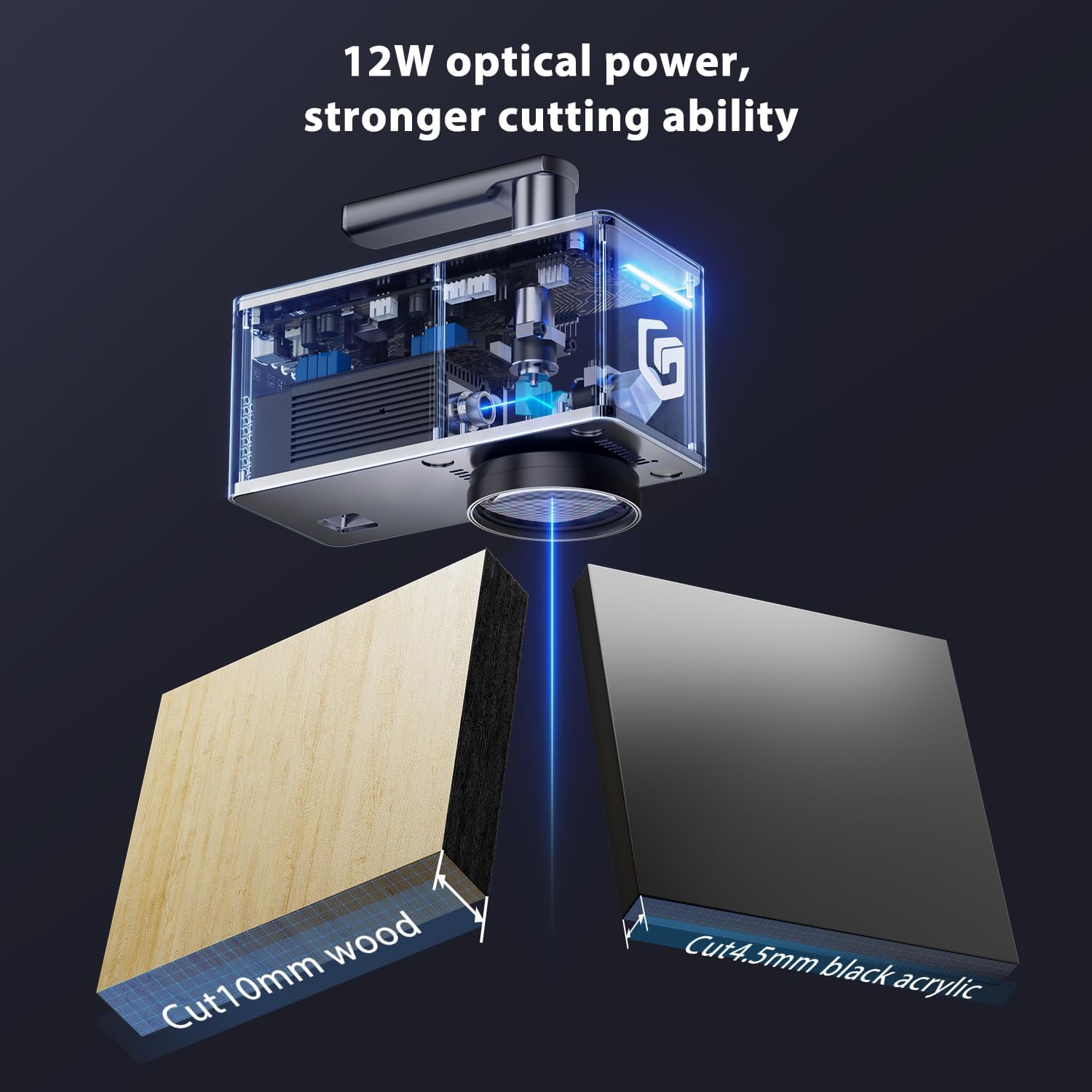
Image: 12W optical power, stronger cutting ability. This image visually represents the cutting capacity of the 12W laser on 10mm wood and 4.5mm black acrylic.
Video: Longer Nano Pro Portable Laser Engraver. This comprehensive video provides an in-depth look at the features and capabilities of the Nano Pro, including its cutting performance.
7. Safety Features
The Nano Pro incorporates multiple safety features to ensure user protection during operation.
- Position Detection: Blue light indicates working status, red light indicates alarm status.
- Limit Switch: Prevents the laser from moving beyond its designated working area.
- Exhaust Fan: Helps to remove smoke and fumes from the engraving area.
- Safety Goggles: Essential eye protection against laser radiation.
- Data Transmission Protection: Ensures secure and stable data transfer.

Image: Multiple Security Protection at the Same Time. This image visually details the various safety mechanisms integrated into the Nano Pro, including position detection, limit switch, exhaust fan, safety goggles, and data transmission protection.
8. Specifications
- Item Model Number: Nano Pro
- Optical Power: 12W
- Engraving Speed: Up to 5000mm/s
- Engraving Precision: 0.01 x 0.01mm
- Package Dimensions: 12.5 x 11 x 9.5 inches
- Item Weight: 9.83 pounds
- Batteries Required: No
9. Support and Warranty
For technical assistance, product inquiries, or warranty information, please contact Longer customer support.
- Technical Support: +1 888-575-9099
- Operating Hours:
- Mon-Fri: 9:00am-6:00pm (EST, UTC-5)
- Sun-Thu: 8:30pm-7:00am (EST, UTC-5)

Image: Strong After-Sales Support. This image highlights the availability of customer service and technical support for Longer products.


