
Introduction
The Ring Outdoor Cam Plus, Plug-In is a versatile outdoor security camera designed to provide comprehensive surveillance for your home or business. Featuring wide-angle 2K video, Ring Vision technology, and Low-Light Sight for full-color night vision, this camera offers enhanced clarity and detail. Its mount-anywhere versatility and multiple power options ensure flexible placement. This manual provides essential information for setting up, operating, maintaining, and troubleshooting your Ring Outdoor Cam Plus.
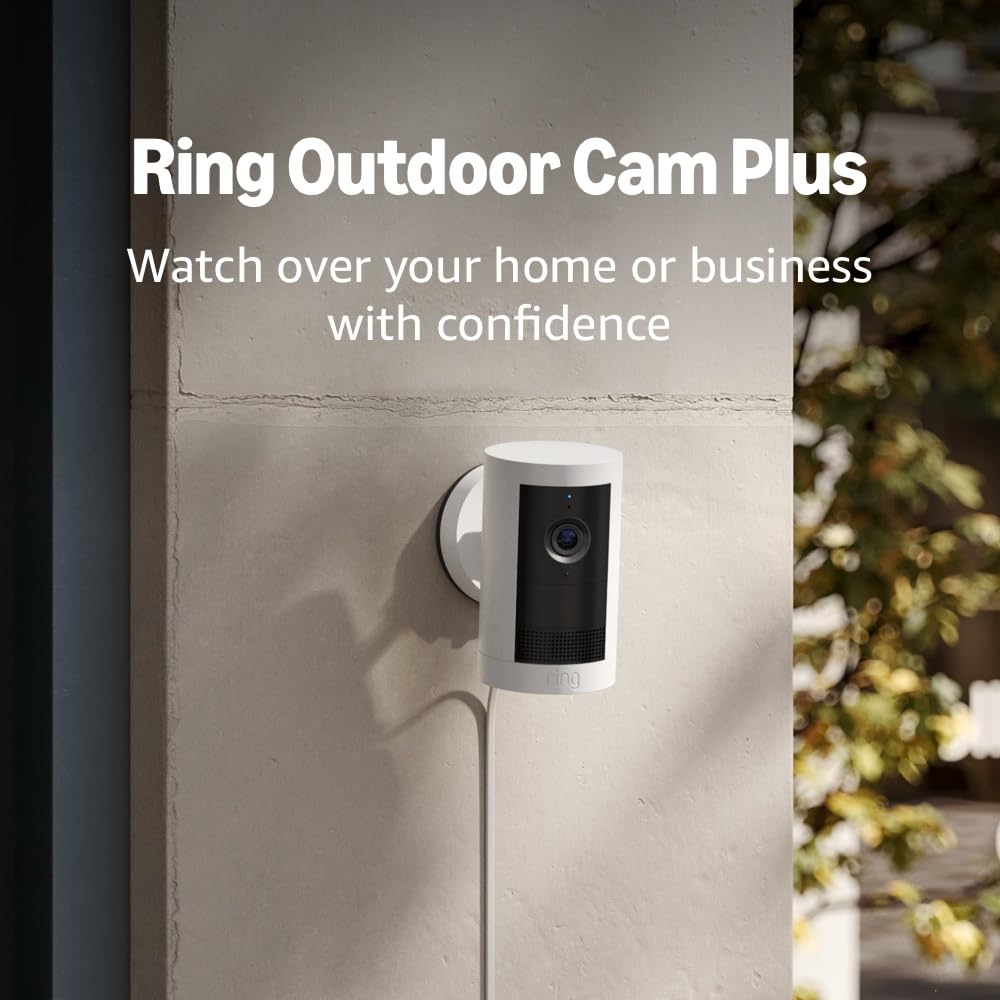
Image: The Ring Outdoor Cam Plus, Plug-In, demonstrating its discreet design and how it can be mounted on an outdoor surface.
What's Included
Your Ring Outdoor Cam Plus package includes the following components:
- Outdoor Cam Plus (Plug-In)
- Indoor/Outdoor Power Adapter (USB-C)
- Installation Hardware
- Setup Guide
- Warranty and Safety Document
- Security Sticker
Setup
Installation Requirements
Before beginning installation, ensure you have:
- A vertical or horizontal surface suitable for mounting.
- Access to a standard power outlet for the plug-in adapter.
- A recommended minimum upload speed of 3.5 Mbps for optimal internet performance.
The estimated installation time is approximately 10 minutes.
Mounting the Camera
The Ring Outdoor Cam Plus is designed for versatile placement. It can be placed on a flat surface or mounted on a wall or ceiling using the included installation hardware. Choose a location that provides the desired field of view and is within reach of a power outlet.

Image: A user installing the Ring Outdoor Cam Plus, highlighting its flexible mounting options on various surfaces.
Powering the Device
This model is a plug-in camera and requires continuous power from the included Indoor/Outdoor Power Adapter (USB-C). Connect the adapter to the camera and plug it into a standard power outlet.
Connectivity
The camera connects to your home network via dual-band Wi-Fi (2.4GHz and 5.0GHz) and supports Wi-Fi 6 for reliable performance. Ensure your Wi-Fi network is stable and provides adequate signal strength at the camera's chosen location.
Operating
Video and Field of View
The Ring Outdoor Cam Plus captures video in 2K resolution, providing clear and detailed footage. It features a wide field of view:
- Diagonal: 160°
- Horizontal: 140°
- Vertical: 80°
This wide angle allows you to monitor a larger area effectively. Video quality may vary based on internet bandwidth and device temperature.

Image: A visual comparison illustrating the expanded field of view offered by the Outdoor Cam Plus 2K, capturing more of the surrounding environment.
Ring Vision and Low-Light Sight
Ring Vision technology optimizes image quality, ensuring every moment is captured at its best. The Low-Light Sight feature enables full-color detail in near-dark conditions, requiring only minimal ambient light (e.g., street lighting) for a clear view at night.

Image: A demonstration of Low-Light Sight, showing how it provides full-color night vision compared to standard black and white night vision.
Motion Detection and Alerts
The Ring Outdoor Cam Plus features Advanced Motion Detection with customizable motion zones. You can define specific areas within the camera's view to monitor for activity, reducing unnecessary alerts. When motion is detected, you will receive notifications on your connected device.
Two-Way Talk and Siren
Engage with visitors or deter unwanted guests using the two-way talk feature with noise cancellation. This allows for clear communication through the camera's built-in speaker and microphone. Additionally, a remote-activated security siren can be triggered from the Ring app to alert others or scare off intruders.
Alexa Integration
Connect your Ring Outdoor Cam Plus with Alexa-enabled devices for enhanced home monitoring. You can receive custom notifications from Echo Dot, view live video feeds on Echo Show devices, and control the camera hands-free using voice commands.
Maintenance
The Ring Outdoor Cam Plus is weather-resistant and designed to operate in temperatures ranging from -4°F to 122°F (-20°C to 50°C). To ensure optimal performance and longevity:
- Periodically clean the camera lens and housing with a soft, damp cloth to remove dust and debris. Avoid abrasive cleaners.
- Ensure the power cable connection remains secure and free from damage.
- In extreme heat conditions, the camera may temporarily turn off if exposed to direct sunlight to prevent overheating. This is normal operation.
Troubleshooting
Connectivity Issues
- No Connection/Frequent Disconnections: Ensure your Wi-Fi router is within range and providing a strong signal. Try repositioning the camera or router, or consider a Wi-Fi extender. Verify your internet upload speed meets the recommended 3.5 Mbps.
- Slow Live View/Video Lag: This can be due to insufficient internet bandwidth. Check your internet speed and ensure other devices are not consuming excessive bandwidth.
Video Quality Concerns
- Blurry/Unclear Video: Clean the camera lens. Ensure there are no obstructions in the camera's field of view.
- Poor Night Vision: Ensure there is some ambient light for Low-Light Sight to function optimally. If the area is completely dark, the camera will revert to standard black and white night vision.
Power Issues
- Camera Not Powering On: Verify the power adapter is securely connected to both the camera and a working power outlet. Check the outlet with another device.
For further assistance, refer to the Ring app's help section or visit the official Ring support website.
Specifications
| Feature | Detail |
|---|---|
| Dimensions | 2.6 in x 2.6 in x 5.0 in (6.7 cm x 6.7 cm x 12.8 cm) including stand |
| Available Colors | White, Black |
| Video | 2K Video |
| Motion Detection | Advanced Motion Detection with Customizable Motion Zones |
| Field of View | 160° Diagonal, 140° Horizontal, 80° Vertical |
| Audio | Two-way talk with Noise Cancellation |
| Siren | Remote-activated security siren |
| Power | Indoor/Outdoor Power Adapter (USB-C) |
| Internet Requirements | Recommended minimum upload speed of 3.5 Mbps for optimal performance. Video resolution may vary depending on internet bandwidth. |
| Connectivity | Dual-band wifi connection @ 2.4GHz, 5.0GHz Wi-Fi 6 |
| Estimated Install Time | 10 minutes |
| Operating Conditions | -4°F to 122°F (-20°C to 50°C), Weather Resistant. Camera may temporarily turn off when exposed to direct sunlight in extreme heat conditions. |
| Setup Requirement | Vertical or horizontal surface for mounting, Standard power outlet |
Warranty and Support
Warranty Information
The Ring Outdoor Cam Plus comes with a one-year limited warranty.
Software Security Updates
This device receives guaranteed software security updates until at least four years after the device is last available for purchase as a new unit on our websites. For information specific to your device, visit the Software Security Updates section in the Ring Control Center if you already own a Ring device.
Important Disclaimers
- Video quality may vary based on internet bandwidth and device temperature.
- Ring videos stored in the cloud are temporary, up to 180 days. Adjusting your video storage time only affects videos recorded after the change. Refer to Ring Subscription Plans for more details.
- For customers in Illinois & Texas: Ring Smart Video Search is not available on Ring devices due to specific state legislation.


