
1. Introduction
Thank you for choosing the Beetel H27 Portable Hotel Cordless Landline Phone. This manual provides essential information for setting up, operating, and maintaining your new telephone. The H27 is designed for reliable communication with features tailored for convenience and clarity.
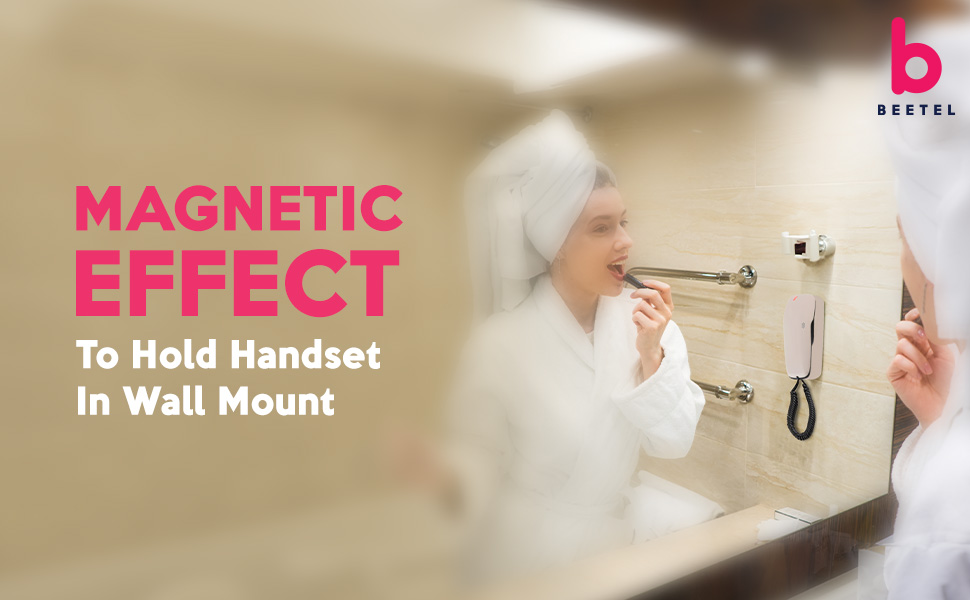
Figure 1: Beetel H27 Phone - Elegant Design
2. What's in the Box
Please check the package contents carefully. If any items are missing or damaged, contact your retailer.
- Beetel H27 Landline Phone Unit
- Handset Cord
- Line Cord
- User Manual (this document)
3. Setup
Follow these steps to set up your Beetel H27 phone:
- Connect the Line Cord: Plug one end of the telephone line cord into the jack labeled 'LINE' on the back or side of the phone unit. Plug the other end into your wall telephone jack.
- Connect the Handset Cord: Plug one end of the coiled handset cord into the handset and the other end into the jack labeled 'HANDSET' on the phone unit.
- Placement: Place the phone on a flat, stable surface (desk mount) or mount it on a wall using the integrated magnetic effect for secure holding. Ensure it is near a telephone wall jack.

Figure 2: Wall Mountable Design with Magnetic Hold
4. Operating Instructions
4.1 Making a Call
- Lift the handset.
- Listen for a dial tone.
- Dial the desired telephone number using the keypad.
4.2 Receiving a Call
- When the phone rings and the Ringer LED illuminates, lift the handset to answer.
- To end the call, place the handset back on the base.
4.3 Adjusting Volume
- Receiver Volume: The handset features a 3-step receiver volume adjustment for comfortable listening. Adjust as needed during a call.
- Ringer Volume: The phone offers a 2-step ringer volume control (Hi-Low) to suit your environment.

Figure 3: 3-Step Ringer Volume Control

Figure 4: 2-Step Adjustable Ringer Volume
4.4 Hold Function
During a call, press the HOLD button to place the call on hold. An LED indicator will illuminate to show the call is on hold. Press HOLD again to resume the conversation.
4.5 Speed Dial Memory
The phone supports 8 numbers for speed dial memory. Refer to the programming section (if available in a detailed manual) or contact support for instructions on how to program these numbers.

Figure 5: Handset with Speed Dial Capability
5. Features Overview
- 3-Step Headset and 2-Step Ringer Volume Adjustment: Customize audio levels for both incoming calls and your listening comfort.
- Hold Function with LED Indication: Easily place calls on hold with a clear visual indicator.
- Support Tone Dialing: Compatible with modern telephone systems for efficient dialing.
- 8 Numbers of Speed Dial Memory: Store frequently called numbers for quick access.
- Message Waiting Light (MWL): An indicator light notifies you of new messages (requires compatible PBX system).
- Hearing Aid Compatible (HAC) Handset: Designed for users with hearing aids, reducing interference.
- Programmable Flash Timing: Adjustable flash timing (100mS to 1000mS) for compatibility with various PBX systems. Default is 300ms.
- Ringer LED Indication: A visual alert for incoming calls, useful in noisy environments or for hearing-impaired users.

Figure 6: Ringer LED Indicator
Video 1: Overview of Beetel H27 Features. This video demonstrates key functionalities such as hold, tone dialing, speed dial, message waiting light, hearing aid compatibility, and programmable flash timing.
6. Maintenance
To ensure the longevity and optimal performance of your Beetel H27 phone, follow these maintenance guidelines:
- Cleaning: Wipe the phone's surface with a soft, damp cloth. Do not use abrasive cleaners or solvents.
- Avoid Liquids: Keep the phone away from water and other liquids.
- Temperature: Avoid exposing the phone to extreme temperatures or direct sunlight.
- Storage: If storing the phone for an extended period, disconnect it from the telephone line.
7. Troubleshooting
If you encounter issues with your Beetel H27 phone, try the following solutions:
- No Dial Tone:
- Ensure the line cord is securely connected to both the phone and the wall jack.
- Test the wall jack with another working phone to confirm line service.
- No Ring:
- Check the ringer volume setting; ensure it is not set to the lowest level.
- Verify the telephone line is active.
- Poor Sound Quality:
- Adjust the receiver volume.
- Check for interference from other electronic devices.
- Ensure the handset cord is securely connected.
- Hold Function Not Working:
- Ensure the phone is connected to a compatible telephone system.
If the problem persists after trying these steps, please contact customer support.
8. Specifications
| Feature | Description |
|---|---|
| Brand | Beetel |
| Model Number | H27 |
| Telephone Type | Corded Landline Phone |
| Power Source | Corded Electric |
| Material | Plastic |
| Dialer Type | Single Keypad (Tone Dialing) |
| Receiver Volume | 3-Step Adjustable |
| Ringer Volume | 2-Step Adjustable (Hi-Low) |
| Hold Function | Yes, with LED Indication |
| Speed Dial Memory | 8 Numbers |
| Message Waiting Light (MWL) | Yes |
| Hearing Aid Compatible (HAC) | Yes |
| Programmable Flash Timing | 100mS to 1000mS (Default 300ms) |
| Ringer LED Indication | Yes |
| Item Dimensions | 5.5 x 20 x 5.5 Centimeters |
| Item Weight | 300 Grams |
| Country of Origin | India |
9. Warranty and Support
Your Beetel H27 Portable Hotel Cordless Landline Phone comes with a 1 Year Manufacturer Warranty from the date of purchase. This warranty covers manufacturing defects under normal use.
For warranty claims, technical support, or further assistance, please contact Beetel Teletech Limited customer service. Keep your purchase receipt as proof of purchase.
Manufacturer Contact Information: Beetel Teletech Limited

