
ELECTROPRIME IP7G0708R
ELECTROPRIME HOPESTAR P14 Pro Portable Outdoor Waterproof Wireless Bluetooth Speaker User Manual
Model: IP7G0708R
1. Introduction
Thank you for purchasing the ELECTROPRIME HOPESTAR P14 Pro Portable Outdoor Waterproof Wireless Bluetooth Speaker. This manual provides essential information for setting up, operating, and maintaining your speaker. Please read it carefully before use to ensure optimal performance and longevity of the device.
2. Key Features
- Wireless Connectivity: Bluetooth 5.0 for stable and efficient wireless connection up to 10 meters.
- Versatile Playback: Supports U disk, TF card, and 3.5mm AUX input for various audio sources.
- Built-in Battery: Integrated 18650 Li-ion 2400mAh rechargeable battery for portable use.
- Hands-Free Calling: Built-in microphone for convenient hands-free phone calls.
- Audio Decoding: Compatible with MP3, WAV, WMA, FLAC, and APE music formats.
- High-Fidelity Sound: Equipped with two 57mm, 4 Ohm 5W speakers for natural and delicate audio.
- TWS Function: Supports 1+1 serial function for true wireless stereo pairing with another identical speaker.
- Water Resistance: IPX6 rated for protection against powerful water jets, suitable for outdoor use.
- FM Radio: Integrated FM function for listening to radio stations.
3. Package Contents
Please check the package for the following items:
- ELECTROPRIME HOPESTAR P14 Pro Bluetooth Speaker
- USB Charging Cable
- 3.5mm AUX Audio Cable
- User Manual (this document)
Note: U disk and TF card are not included and must be purchased separately.
4. Product Overview
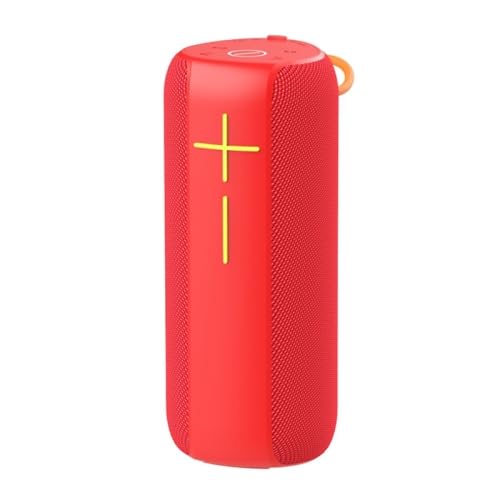
This image displays the main unit of the speaker in a vibrant red color. It features a cylindrical shape with a mesh grille covering the speaker drivers. On the front, there are clearly marked '+' and '-' buttons, likely for volume control or track navigation, and a central button, possibly for play/pause or power. A small loop for carrying is visible at the top.
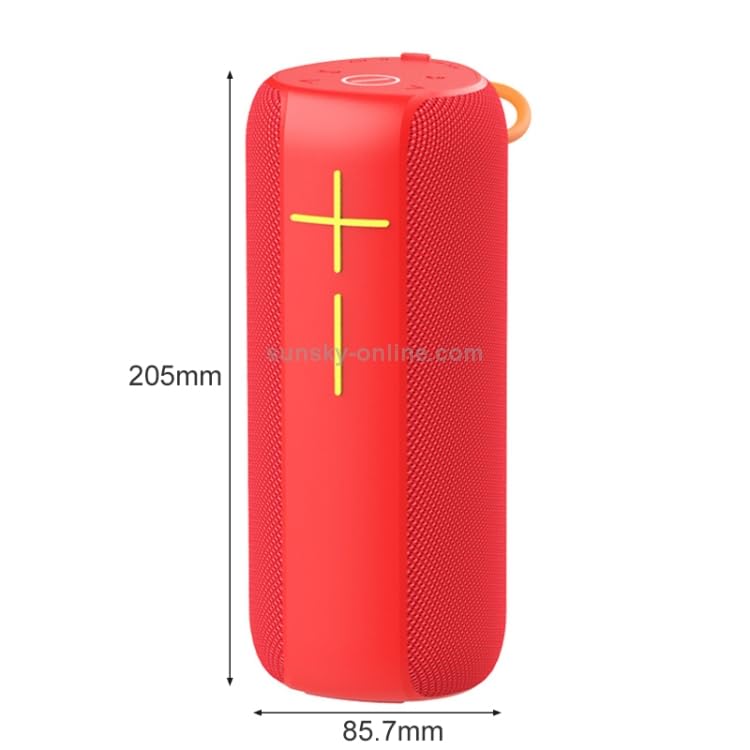
This image provides the physical dimensions of the speaker. The height is indicated as 205mm (approximately 8.07 inches) and the diameter/width as 85.7mm (approximately 3.37 inches). This helps users understand the compact and portable nature of the speaker.
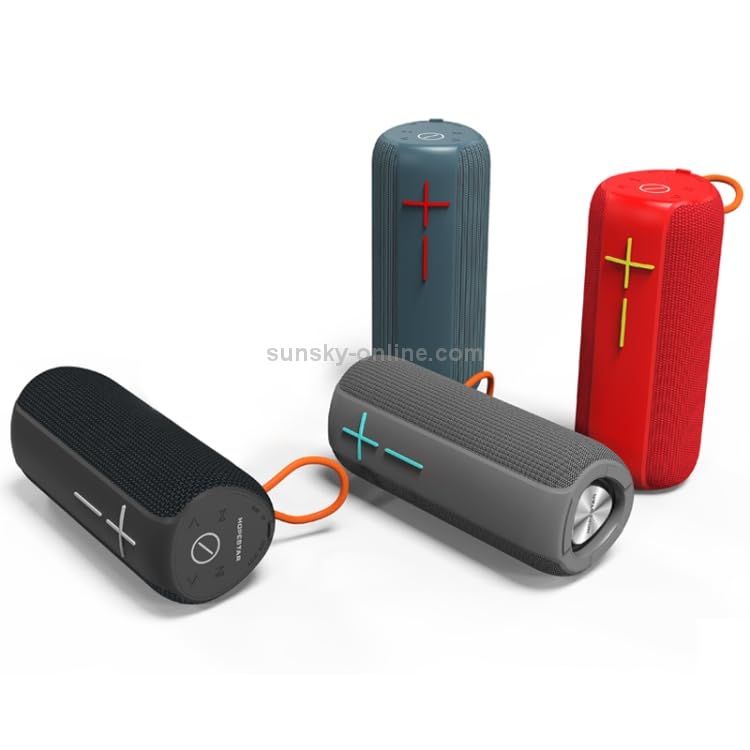
This image showcases three speakers in different colors: red, grey, and black. This illustrates the available color options for the product. The speakers are shown both upright and lying down, giving a better perspective of their form factor.
4.1. Controls and Ports
While specific button functions are not detailed in the product description, typical controls for this type of speaker include:
- Power Button: Usually long-press to turn on/off.
- Volume Buttons (+/-): Short-press for volume adjustment, long-press for track skip.
- Play/Pause Button: For controlling music playback and answering/ending calls.
- Mode Button (M): To switch between Bluetooth, AUX, TF card, U disk, and FM radio modes.
- Charging Port: Typically a USB-C or Micro-USB port for charging.
- AUX Input: 3.5mm jack for wired audio connection.
- TF Card Slot: For playing music directly from a MicroSD card.
- USB Port: For playing music directly from a USB flash drive.
5. Setup
5.1. Charging the Speaker
Before first use, fully charge the speaker. Connect the provided USB charging cable to the speaker's charging port and the other end to a USB power adapter (DC5V, 500mA recommended) or a computer's USB port. The charging indicator light will typically turn off or change color once fully charged.
5.2. Powering On/Off
To Power On: Long-press the Power button until you hear an audible prompt or see an indicator light.
To Power Off: Long-press the Power button again until the speaker shuts down.
6. Operating Instructions
6.1. Bluetooth Pairing
- Turn on the speaker. It will automatically enter Bluetooth pairing mode, indicated by a flashing LED light.
- Enable Bluetooth on your smartphone, tablet, or other Bluetooth-enabled device.
- Search for "HOPESTAR P14 Pro" (or similar name) in the list of available devices.
- Select the speaker to connect. Once paired, you will hear a confirmation sound, and the LED light will become solid.
6.2. TWS (True Wireless Stereo) Function
To pair two HOPESTAR P14 Pro speakers for stereo sound:
- Ensure both speakers are powered on and not connected to any Bluetooth device.
- On one speaker (this will be the primary speaker), double-press the Mode button (or a dedicated TWS button if available). It will search for the second speaker.
- The two speakers will automatically pair with each other. You will hear a confirmation sound once connected.
- Now, connect your device to the primary speaker via Bluetooth as described in section 6.1. Both speakers will play audio in stereo.
6.3. Playing Music from TF Card/U Disk
Insert a TF card (MicroSD) or U disk (USB flash drive) with MP3/WAV/WMA/FLAC/APE music files into the respective slot. The speaker will automatically switch to the corresponding mode and begin playing music.
6.4. AUX Input Mode
Connect one end of the 3.5mm AUX audio cable to the speaker's AUX input port and the other end to the audio output jack of your device (e.g., laptop, MP3 player). The speaker will automatically switch to AUX mode.
6.5. FM Radio Mode
Press the Mode button to switch to FM radio mode. Short-press the Play/Pause button to auto-scan and save available radio stations. Use the Volume +/- buttons to navigate between saved stations.
6.6. Hands-Free Calling
When connected via Bluetooth, if a call comes in, short-press the Play/Pause button to answer. Short-press again to end the call. Long-press to reject an incoming call.
7. Maintenance
- Cleaning: Use a soft, dry cloth to clean the speaker. Do not use abrasive cleaners or solvents.
- Water Resistance: While IPX6 rated, avoid submerging the speaker in water. Ensure the charging port cover is securely closed when near water.
- Storage: Store the speaker in a cool, dry place away from direct sunlight and extreme temperatures.
- Battery Care: To prolong battery life, charge the speaker regularly, even if not in use for extended periods. Avoid fully discharging the battery frequently.
8. Troubleshooting
| Problem | Possible Cause | Solution |
|---|---|---|
| Speaker does not turn on. | Low battery. | Charge the speaker fully. |
| Cannot pair via Bluetooth. | Speaker is not in pairing mode; Bluetooth is off on device; Speaker is too far from device. | Ensure speaker is in pairing mode. Turn on Bluetooth on your device. Move speaker closer to device (within 10m). Forget previous pairings on your device and try again. |
| No sound. | Volume too low; Incorrect mode selected; Device not playing audio. | Increase speaker and device volume. Ensure correct input mode (Bluetooth, AUX, TF, U disk). Check if audio is playing on the source device. |
| FM radio reception is poor. | Weak signal; Environmental interference. | Move to an open area. Extend the antenna if available (or use the AUX cable as an antenna). Auto-scan again. |
9. Specifications
| Feature | Specification |
|---|---|
| Wireless Standard | Bluetooth 5.0 |
| Transmission Distance | Up to 10 meters (33 feet) |
| Output Power | 5W x 2 |
| Play Time | Approximately 4 hours (at 70% volume) |
| Frequency Effect | 100Hz~10KHz |
| Speaker Size | 57mm x 2 |
| Speaker Impedance | 4 Ohm |
| Input Power | DC5V, 500mA |
| Maximum Current Consumption | 1A |
| Battery Type | 18650 Li-ion |
| Battery Capacity | 2400mAh |
| Audio Input Interface | Standard 3.5mm headphone jack (stereo) |
| Water Resistance Rating | IPX6 |
| Dimensions (H x D) | 205mm x 85.7mm (approx.) |
| Weight | 0.86 kg (1.89 lb) |
10. Warranty and Support
For warranty information, please refer to the specific warranty policy provided at the time of purchase or contact your retailer. ELECTROPRIME products typically come with a standard manufacturer's warranty covering defects in materials and workmanship.
For technical support or further assistance, please contact ELECTROPRIME customer service through the contact information provided on their official website or your purchase platform.
Ask a question about this manual
Ask about setup, troubleshooting, compatibility, parts, safety, or missing instructions. Manuals+ will review the question and use this page’s manual context to help answer it.