
Introduction
This manual provides instructions for the ELECTROPRIME D Monster D08 Wireless Bluetooth 5.2 Earphones. It covers setup, operation, maintenance, and technical specifications to ensure optimal use of your device.
Package Contents
- ELECTROPRIME D Monster D08 Earphones
- Charging Case
- Ear Cushions
- USB Type-C Charging Cable
- User Manual
Product Overview
The ELECTROPRIME D Monster D08 earphones feature an ergonomic design for comfortable long-term wear. They incorporate ANC+ENC dual noise reduction technology and a 13mm large dynamic coil for HiFi sound quality. The earphones are equipped with Bluetooth 5.2 for stable and fast transmission.
Key Features
- Ergonomic Design
- ANC+ENC Dual Noise Reduction (up to 30dB noise reduction depth)
- 13mm Large Dynamic Coil for HiFi Sound
- Bluetooth 5.2 Connectivity
- Automatic Connection upon Booting
- IPX4 Water Resistance
Product Images
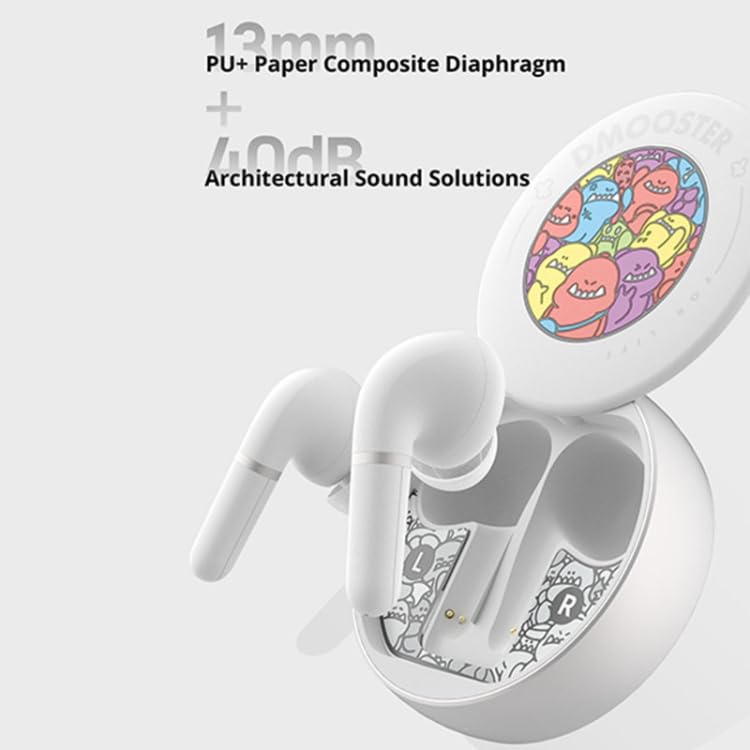
Image: The ELECTROPRIME D Monster D08 earphones in their charging case, highlighting the 13mm PU+ Paper Composite Diaphragm for enhanced audio and architectural sound solutions.
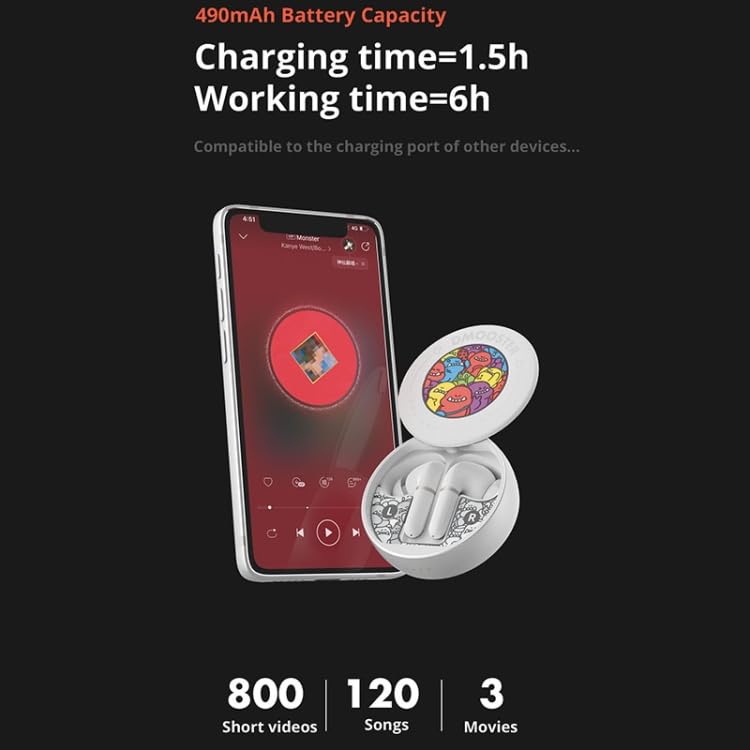
Image: The ELECTROPRIME D Monster D08 earphones and charging case, demonstrating battery capacity and charging time. Note: Product specifications state 350mAh case battery and 7-8 hours listening time, which may differ from visual representation.
Setup
Charging the Earphones and Case
- Connect the provided USB Type-C charging cable to the charging port on the case and to a compatible USB power source.
- The charging case has a battery capacity of 350mAh. Each earphone has a 40mAh battery.
- A full charge for both the earphones and the charging case typically takes approximately 1-2 hours.
- Ensure the earphones are properly seated in the charging case for them to charge.
Bluetooth Pairing
- Open the charging case. The earphones will automatically power on and enter pairing mode.
- On your device (smartphone, tablet, etc.), enable Bluetooth.
- Search for available Bluetooth devices and select "D Monster D08" (or similar name) from the list.
- Once connected, the earphones will automatically connect to your device when removed from the case and Bluetooth is enabled on your device.
Operating Instructions
Specific control functions (e.g., play/pause, track skip, call answer/end, volume adjustment) are typically managed via touch controls on the earphones. Please refer to your device's Bluetooth settings or the earphone's quick start guide for detailed touch control mappings, as these can vary.
Noise Reduction (ANC+ENC)
The earphones feature ANC (Active Noise Cancellation) and ENC (Environmental Noise Cancellation) for an improved listening and call experience. ANC reduces ambient noise for the listener, while ENC enhances call clarity by reducing background noise for the person you are speaking with. The active noise reduction depth reaches up to 30dB.
Maintenance
- Keep the earphones and charging case clean and dry.
- Use a soft, dry cloth to wipe the surfaces. Avoid using abrasive cleaners or solvents.
- Regularly clean the ear cushions and ear tips to prevent wax buildup.
- Store the earphones in their charging case when not in use to protect them and keep them charged.
- Avoid exposing the earphones to extreme temperatures or direct sunlight.
Troubleshooting
Earphones not pairing:
- Ensure both earphones are charged.
- Turn off Bluetooth on your device and turn it back on.
- Forget the "D Monster D08" device from your device's Bluetooth settings and attempt to pair again.
- Ensure the earphones are in pairing mode (usually indicated by a flashing light).
No sound from earphones:
- Check the volume level on both your device and the earphones.
- Ensure the earphones are properly connected to your device.
- Try playing audio from a different application or source.
Charging issues:
- Verify the charging cable is securely connected to both the case and the power source.
- Ensure the power source is functional.
- Clean the charging contacts on both the earphones and the case.
Specifications
| Feature | Detail |
|---|---|
| Model | IP6D9857W |
| Bluetooth Version | V5.2 |
| Transmission Distance | 24 meters (without obstacles) |
| Earphone Battery Capacity | 40mAh |
| Charging Case Battery Capacity | 350mAh |
| Charging Time | Approximately 1-2 hours |
| Listening Time | Approximately 7-8 hours |
| Talk Time | Approximately 7-8 hours |
| Charging Type | Type-C |
| Single Earphone Weight | Approximately 5.2g |
| Earphones + Case Weight | Approximately 61g |
| Special Features | ANC+ENC Noise Cancellation |
| Form Factor | In-Ear |
| Water Resistance | IPX4 |
Safety Information
- Do not disassemble or modify the product.
- Keep away from water and high humidity (IPX4 rating protects against splashes, not immersion).
- Avoid prolonged exposure to high volume levels to prevent hearing damage.
- Keep out of reach of children.
- Dispose of the product responsibly according to local regulations.
Warranty and Support
For warranty information and customer support, please refer to the documentation provided at the time of purchase or contact ELECTROPRIME customer service.