
Introduction
This manual provides essential information for the safe and efficient operation of your ELECTROPRIME XDOBO Hero 1999 IPX7 Waterproof TWS Wireless Bluetooth Speaker. Please read this manual thoroughly before using the product and retain it for future reference.
Key features of your speaker include:
- 50W ultra-high power output with double speakers and bass diaphragm for powerful sound.
- Bluetooth V5.0 for stable wireless connectivity.
- IPX7 waterproof rating, suitable for outdoor use.
- TWS (True Wireless Stereo) interconnection for 360-degree surround sound.
- Multiple playback modes: Bluetooth, audio cable (AUX), TF card, U disk.
- Built-in 6600mAh battery providing up to 20 hours of playtime.
- Emergency charging function for mobile devices.
Product Overview
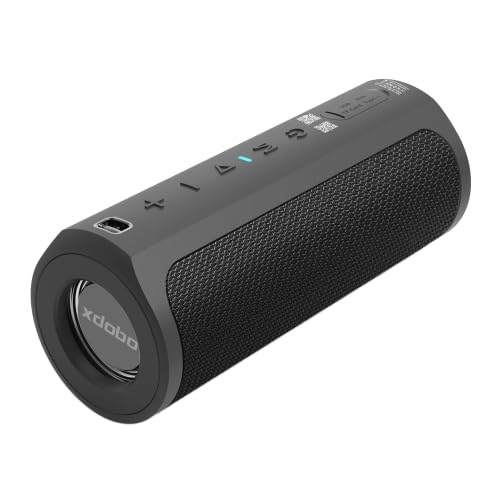
Figure 1: Front angled view of the ELECTROPRIME XDOBO Hero 1999 Bluetooth Speaker, showcasing its cylindrical design and speaker grille.
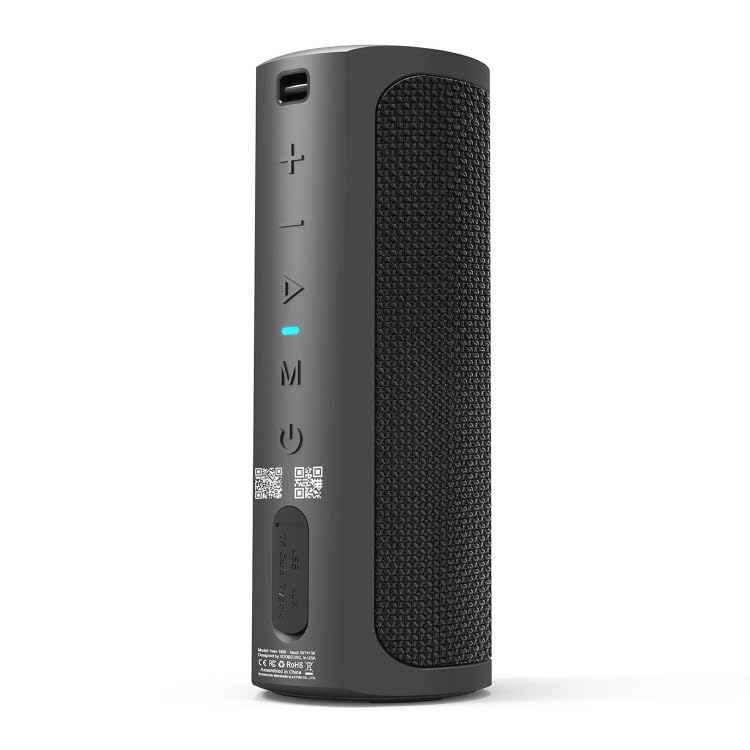
Figure 2: Top view of the speaker, displaying the control panel with buttons for volume, play/pause, mode selection, and power, along with input ports.
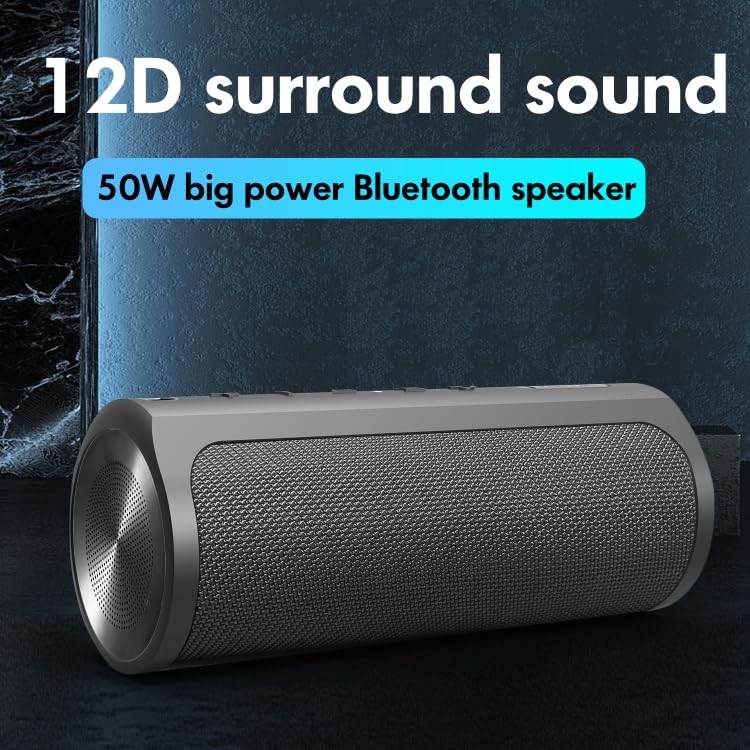
Figure 3: Image illustrating the speaker's capability for 12D surround sound, highlighting its powerful audio output.
Setup
- Initial Charging: Before first use, fully charge the speaker using the provided Type-C cable. Connect the cable to the speaker's Type-C port and a 5V-3A power adapter. The charging time is approximately 3 hours.
- Power On/Off: Press and hold the power button (usually marked with a power symbol) for a few seconds to turn the speaker on or off. An indicator light or sound will confirm the status.
- Bluetooth Pairing:
- Turn on the speaker. It will automatically enter Bluetooth pairing mode (indicated by a flashing LED).
- On your device (smartphone, tablet, etc.), enable Bluetooth and search for available devices.
- Select "XDOBO Hero 1999" (or similar name) from the list.
- Once paired, the LED indicator will become solid, and a confirmation sound may play.
- TWS Interconnection (for two speakers):
- Ensure both XDOBO Hero 1999 speakers are powered on and not connected to any other Bluetooth device.
- On one speaker, press the TWS button (if available, or follow specific instructions for TWS pairing, often a long press of the mode button or a dedicated TWS button).
- The speakers will attempt to connect to each other. Once connected, one speaker will act as the master and the other as the slave.
- Then, pair your device to the master speaker via Bluetooth as described above.
Operating Instructions
- Volume Control: Use the '+' button to increase volume and the '-' button to decrease volume.
- Play/Pause: Press the Play/Pause button (often a triangle or 'M' for mode/multi-function) to play or pause audio.
- Track Navigation: Long press the '+' button for next track, and long press the '-' button for previous track (functionality may vary, refer to button icons).
- Mode Switching: Press the 'M' (Mode) button to cycle through available playback modes: Bluetooth, Audio Cable (AUX), TF Card, U Disk.
- Audio Cable (AUX) Playback: Insert a 3.5mm audio cable into the AUX port of the speaker and connect the other end to your audio source. The speaker will automatically switch to AUX mode or require manual mode selection.
- TF Card/U Disk Playback: Insert a TF card or U disk (USB flash drive) containing supported audio files (APE / FLAC / WAV / MP3) into the respective slot. The speaker will automatically detect and play the audio files or require manual mode selection.
- Emergency Charging: Connect your mobile phone or other compatible device to the speaker's USB output port (if available) using a suitable charging cable. The speaker's internal battery can provide emergency power.
Maintenance
- Waterproof Care (IPX7): The speaker is IPX7 waterproof, meaning it can be submerged in water up to 1 meter for 30 minutes. However, it is not designed for continuous underwater use. Ensure all port covers are securely closed before exposure to water. After exposure to water, especially saltwater or chlorinated water, rinse the speaker with fresh water and dry it thoroughly before charging or using ports.
- Cleaning: Use a soft, damp cloth to clean the speaker's surface. Do not use abrasive cleaners, alcohol, or chemical solvents, as these may damage the finish or internal components.
- Storage: Store the speaker in a cool, dry place away from direct sunlight, extreme temperatures, and high humidity. If storing for an extended period, charge the battery to about 50% every few months to maintain battery health.
- Battery Care: Avoid fully discharging the battery frequently. For optimal battery life, charge the speaker before the battery is completely depleted.
Troubleshooting
| Problem | Possible Cause / Solution |
|---|---|
| Speaker does not power on. | Battery is depleted. Charge the speaker fully. |
| Cannot pair via Bluetooth. |
|
| No sound from speaker. |
|
| TWS pairing fails. |
|
| Short battery life. |
|
Specifications
| Product Weight | Approximately 870g (1.92 lbs) |
| Product Size | 220mm x 80mm (8.66 inch x 3.15 inch) |
| Bluetooth Version | V5.0 |
| Output Power | 50W |
| Battery Capacity | 6600mAh |
| Effective Distance | Approximately 18m (59 feet) |
| Charging Time | Approximately 3 hours |
| Playing Time | Approximately 20 hours |
| Waterproof Level | IPX7 |
| Input Power | Type-C 5V-3A |
| Supported Audio Formats | APE / FLAC / WAV / MP3 |
| Play Modes | Bluetooth, Audio Cable, TF Card, U Disk, TWS Interconnection |
| Compatible Devices | Tablet, Smartphone |
| Model Number | IP7G1904 |
Warranty and Support
This product is covered by a standard warranty. Please refer to the warranty policy provided at the time of purchase for details regarding coverage and duration. For technical support, troubleshooting assistance, or warranty claims, please contact your retailer or the manufacturer directly.
Keep your purchase receipt as proof of purchase for warranty purposes.