
ELECTROPRIME IP6D1244B
User Manual
ELECTROPRIME WEKOME VB07 Mecha Series Blade Wireless Bluetooth Earphone
Model: IP6D1244B
Introduction
Thank you for choosing the ELECTROPRIME WEKOME VB07 Mecha Series Blade Wireless Bluetooth Earphone. This manual provides essential information for the proper use, setup, and maintenance of your new earphones. Please read this manual thoroughly before using the product to ensure optimal performance and longevity.
The WEKOME VB07 earphones feature Bluetooth V5.3 connectivity, a unique mecha design with cool illusion lighting effects, and a comfortable semi-in-ear fit. Enjoy low latency and high synchronization for an immersive audio experience.
Safety Information
- Do not expose the earphones or charging case to extreme temperatures, humidity, or liquids.
- Avoid dropping or subjecting the device to strong impacts.
- Do not disassemble or attempt to repair the device yourself. This will void the warranty.
- Use only the provided or certified charging cables and adapters.
- Prolonged listening at high volume levels may cause hearing damage. Adjust volume to a safe level.
- Keep out of reach of children and pets.
Package Contents
Please check the package for the following items:
- WEKOME VB07 Mecha Series Blade Wireless Bluetooth Earphones (Left and Right)
- Charging Case
- USB Charging Cable
- User Manual (this document)
- Protective Case (as per product specifications)
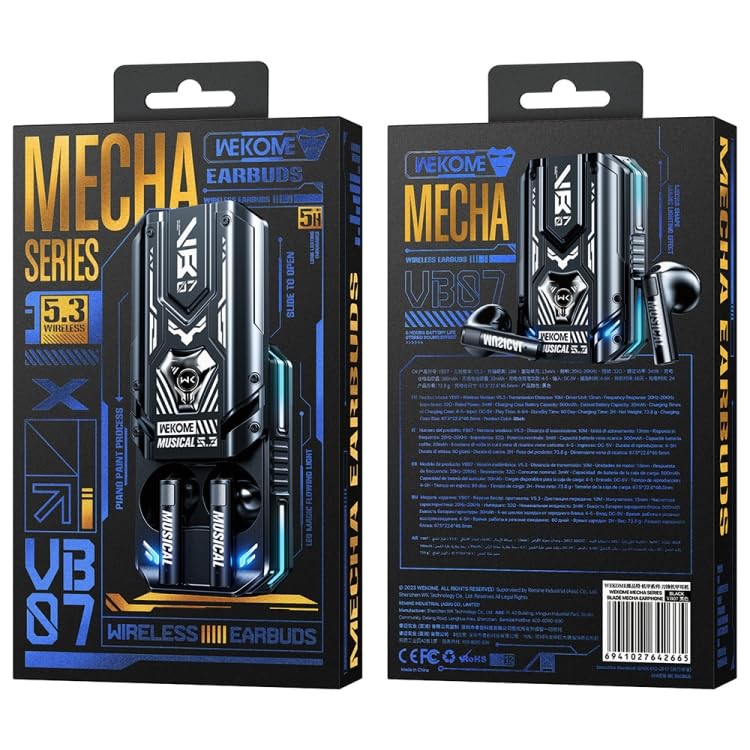
Image: The retail packaging of the WEKOME VB07 Mecha Series Blade Wireless Bluetooth Earphones, showing the front and back of the box with product details and branding.
Product Overview
The WEKOME VB07 earphones are designed for a comfortable and immersive audio experience. The charging case features a unique mecha shape with cool illusion lighting effects and a slide compartment for easy access to the earbuds.
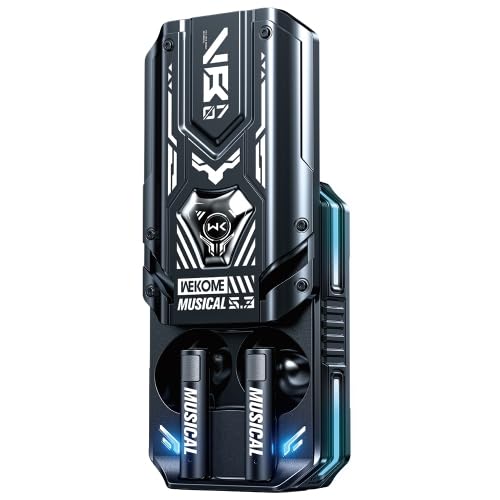
Image: A close-up view of the black WEKOME VB07 Mecha Series Blade Wireless Bluetooth Earphone charging case with the earbuds inserted. The case features a futuristic design with illuminated accents.
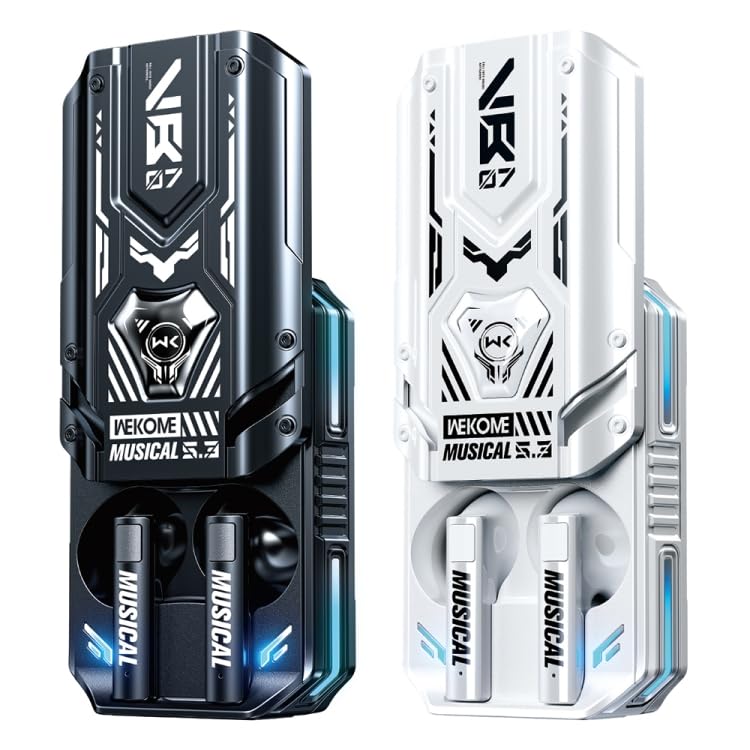
Image: Two versions of the WEKOME VB07 Mecha Series Blade Wireless Bluetooth Earphones, one in black and one in white, displayed side-by-side, showcasing their distinct mecha-inspired charging cases and earbuds.
Setup
1. Charging the Device
Before first use, fully charge the earphones and the charging case.
- Place both earphones into the charging case.
- Connect the USB charging cable to the charging port on the case and plug the other end into a USB power source (e.g., computer, wall adapter).
- The indicator lights on the case will show charging status.
- Charging time for earphones is approximately 1 hour. Charging time for the case is approximately 2 hours.
2. Pairing with a Bluetooth Device
Follow these steps to pair your earphones with your smartphone or other Bluetooth-enabled device:
- Ensure the earphones are fully charged.
- Open the charging case. The earphones will automatically enter pairing mode (indicator lights will flash).
- On your device, go to Bluetooth settings and turn Bluetooth on.
- Search for available devices. You should see "WEKOME VB07" or similar in the list.
- Select "WEKOME VB07" to connect. Once connected, the earphone indicator lights will stop flashing.
- The earphones will automatically reconnect to the last paired device when taken out of the case, if Bluetooth is enabled on the device.
Operating Instructions
Power On/Off
- Power On: Open the charging case, and the earphones will automatically power on.
- Power Off: Place the earphones back into the charging case and close the lid. They will automatically power off and begin charging.
Music Playback Controls
The earphones feature touch controls for easy management of your audio:
- Play/Pause: Single tap on either earbud.
- Next Track: Double tap on the right earbud.
- Previous Track: Double tap on the left earbud.
- Volume Up: Triple tap on the right earbud.
- Volume Down: Triple tap on the left earbud.
Call Management
- Answer/End Call: Single tap on either earbud.
- Reject Call: Press and hold either earbud for 2 seconds.
Maintenance
- Cleaning: Use a soft, dry, lint-free cloth to clean the earphones and charging case. Do not use harsh chemicals or abrasive materials.
- Storage: When not in use, store the earphones in their charging case to protect them and keep them charged. Store in a cool, dry place away from direct sunlight.
- Battery Care: To prolong battery life, avoid fully discharging the battery frequently. Charge the device regularly, even if not in use for extended periods.
Troubleshooting
| Problem | Solution |
|---|---|
| Earphones not pairing |
|
| No sound from one earbud |
|
| Charging case not charging |
|
| Poor audio quality |
|
Specifications
| Model | IP6D1244B |
| Bluetooth Version | V5.3 |
| Transmission Distance | 10 meters |
| Driver Unit | 13mm |
| Frequency Response | 20Hz-20kHz |
| Charging Box Battery Capacity | 500mAh |
| Headphone Battery Capacity | 30mAh |
| Playing Time | 4-5 hours |
| Standby Time (off state) | 60 days |
| Earphone Charging Time | 1 hour |
| Charging Case Charging Time | 2 hours |
| Material | Plastic |
| Special Features | Lightweight, Mecha shape, Illusion lighting effect, Low latency, Semi-in-ear design |
Warranty and Support
This product is covered by a standard warranty as per the terms and conditions of ELECTROPRIME. Please refer to your purchase documentation or the official ELECTROPRIME website for detailed warranty information and support contacts.
For technical assistance, troubleshooting, or warranty claims, please contact ELECTROPRIME customer support through their official channels.
Ask a question about this manual
Ask about setup, troubleshooting, compatibility, parts, safety, or missing instructions. Manuals+ will review the question and use this page’s manual context to help answer it.