
ELECTROPRIME EDA003874501B
User Manual
ELECTROPRIME Bone Conduction Wireless Bluetooth Earphones
Model: EDA003874501B
Introduction
Thank you for choosing the ELECTROPRIME Bone Conduction Wireless Bluetooth Earphones. These earphones are designed to provide a unique audio experience by transmitting sound through your cheekbones, leaving your ears open to ambient sounds. This manual will guide you through the setup, operation, and maintenance of your new earphones.
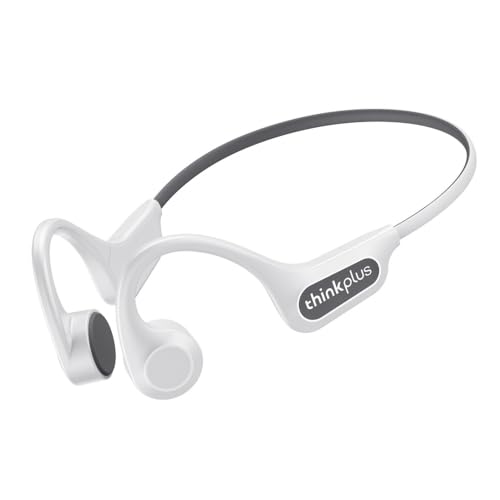
Image: The ELECTROPRIME Bone Conduction Wireless Bluetooth Earphones in white, showcasing their ergonomic, open-ear design.
Product Features
- Bone Conduction Technology: Delivers sound through vibrations to your cheekbones, ensuring an open-ear listening experience for situational awareness.
- Privacy Protection: Effectively reduces sound leakage, providing a more private listening experience.
- Bluetooth 5.3: Offers stronger anti-interference ability, stable connection, and low latency for seamless audio.
- HIFI Sound Quality: Equipped with a 16mm large moving coil unit for deep bass, delicate treble, and strong penetration, delivering an immersive audio experience.
- IP56 Water and Dust Resistance: Designed to withstand sweat and light rain, making them suitable for sports and outdoor activities.
- Comfortable Wearing Experience: Non-in-ear design ensures comfort during extended use and prevents ear fatigue.
- Integrated Microphone: Allows for hands-free calls.
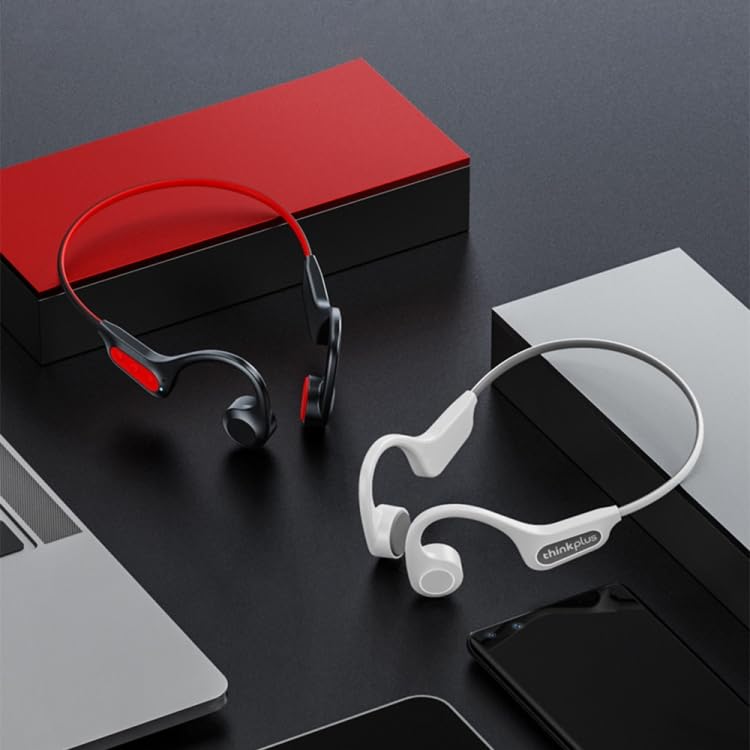
Image: A visual representation of the earphones' design, showing both white and black versions, highlighting their suitability for various settings.
Setup
1. Initial Charging
Before first use, fully charge your earphones. Connect the charging cable (not specified, assuming USB-C or similar) to the charging port on the earphones and the other end to a USB power source (e.g., computer, wall adapter). The charging indicator light will show the charging status and turn off or change color when fully charged. Charging time is approximately 2 hours.
2. Bluetooth Pairing
- Ensure the earphones are powered off.
- Press and hold the multi-function button (usually the power button) for approximately 3-5 seconds until the indicator light flashes red and blue alternately, indicating pairing mode.
- On your device (smartphone, tablet, computer), enable Bluetooth and search for available devices.
- Select "ELECTROPRIME X3 Pro" or a similar name from the list of found devices.
- Once connected, the indicator light will stop flashing and remain solid blue or turn off, and you may hear a confirmation tone.
3. Wearing the Earphones
Place the ear hooks over your ears and rest the transducers (the parts that vibrate) on your cheekbones, just in front of your ears. Adjust the band around the back of your head for a comfortable and secure fit. Ensure the transducers are in firm contact with your cheekbones for optimal sound transmission.
Operating Instructions
Power On/Off
- Power On: Press and hold the multi-function button for 2 seconds. The indicator light will flash blue.
- Power Off: Press and hold the multi-function button for 3 seconds. The indicator light will flash red and then turn off.
Music Playback
- Play/Pause: Press the multi-function button once.
- Next Track: Double-press the multi-function button.
- Previous Track: Triple-press the multi-function button.
Call Management
- Answer/End Call: Press the multi-function button once during an incoming call or during an active call.
- Reject Call: Press and hold the multi-function button for 2 seconds during an incoming call.
Volume Control
Use the volume buttons (usually '+' and '-' buttons) located on the earphones to adjust the volume. Press '+' to increase volume, and '-' to decrease volume.
Maintenance
- Cleaning: Wipe the earphones with a soft, damp cloth. Do not use harsh chemicals or abrasive cleaners.
- Storage: Store the earphones in a cool, dry place away from direct sunlight and extreme temperatures.
- Water Resistance: The earphones are IP56 rated, meaning they are resistant to sweat and light splashes. Do not submerge them in water or expose them to heavy rain. Ensure the charging port cover is securely closed when not charging.
- Battery Care: To prolong battery life, avoid fully discharging the battery frequently. Charge the earphones regularly, even if not in use for extended periods.
Troubleshooting
| Problem | Solution |
|---|---|
| Earphones do not power on. | Ensure the battery is charged. Connect to a power source and try again after a few minutes. |
| Cannot pair with device. |
|
| No sound or low volume. |
|
| Connection is unstable or drops. |
|
Specifications
| Model Number | EDA003874501B |
| Bluetooth Version | 5.3 |
| Effective Distance | > 10 meters |
| Battery Capacity | 135mAh |
| Rated Input | 5V 100mA |
| Charging Time | Approximately 2 hours |
| Playing Time | Approximately 7 hours |
| Speaker Specifications | 0.5W, 8 Ohm, 86+/-3db |
| Frequency Response | ISM band (2.402-2.480GHZ) |
| Water Resistance Rating | IP56 |
| Material | Plastic |
| Weight | 0.12kgs / 0.26lb (Package Weight) |
Safety Information
- Do not disassemble, repair, or modify the product.
- Keep the product away from extreme temperatures, humidity, and corrosive substances.
- Avoid dropping or subjecting the product to strong impacts.
- Do not use the earphones at excessively high volumes for prolonged periods to prevent hearing damage.
- Be aware of your surroundings when using the earphones, especially in traffic or other potentially hazardous situations, as they allow ambient sound.
Warranty and Support
For warranty information and customer support, please refer to the purchase documentation or contact ELECTROPRIME customer service. Keep your proof of purchase for any warranty claims.
For further assistance, please visit the ELECTROPRIME official website or contact their support team directly.
Ask a question about this manual
Ask about setup, troubleshooting, compatibility, parts, safety, or missing instructions. Manuals+ will review the question and use this page’s manual context to help answer it.