
ELECTROPRIME EDA0036935
User Manual: ELECTROPRIME WEKOME V60 True Wireless Stereo Bluetooth Earphones
Model: EDA0036935
1. Introduction
Thank you for choosing the ELECTROPRIME WEKOME V60 True Wireless Stereo Bluetooth Earphones. This manual provides essential information for setting up, operating, and maintaining your new earphones to ensure optimal performance and longevity.
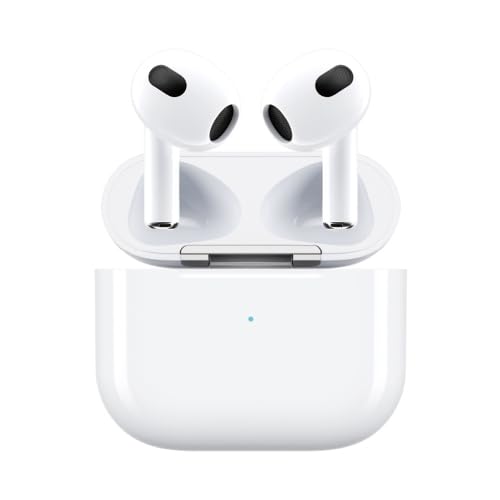
Image 1: ELECTROPRIME WEKOME V60 True Wireless Stereo Bluetooth Earphones with charging case. The earphones are white, in-ear style, and are placed inside their white charging case, which has a small LED indicator light.
1.1. Product Overview
The ELECTROPRIME WEKOME V60 earphones feature Bluetooth 5.0 for stable transmission, a touch-sensitive design for easy operation, and titanium membrane speakers for an immersive audio experience. Their ergonomic semi-in-ear design ensures a comfortable and secure fit.
1.2. Package Contents
Please check the package for the following items:
- ELECTROPRIME WEKOME V60 True Wireless Stereo Bluetooth Earphones
- Charging Case
- Ear Cushions
- User Manual (this document)
- Charging Cable
2. Safety Information
To ensure safe and proper use of your earphones, please read and follow these guidelines:
- Do not expose the earphones or charging case to extreme temperatures, humidity, or liquids.
- Avoid dropping or subjecting the device to strong impacts.
- Do not attempt to disassemble or repair the earphones or charging case yourself. This may void the warranty and cause damage.
- Clean the earphones with a soft, dry cloth. Do not use harsh chemicals or abrasive materials.
- Prolonged listening at high volume levels may cause hearing damage. Adjust the volume to a moderate level.
- Keep out of reach of children and pets.
3. Setup
3.1. Charging the Earphones and Charging Case
Before first use, fully charge both the earphones and the charging case.
- Insert the charging cable into the 8-Pin charging port on the case and connect the other end to a USB power source.
- The charging time for the earphones is approximately 1 hour.
- The charging time for the charging compartment is approximately 1.5 hours.
- The charging case provides additional power, extending the total playback time up to approximately 20 hours.
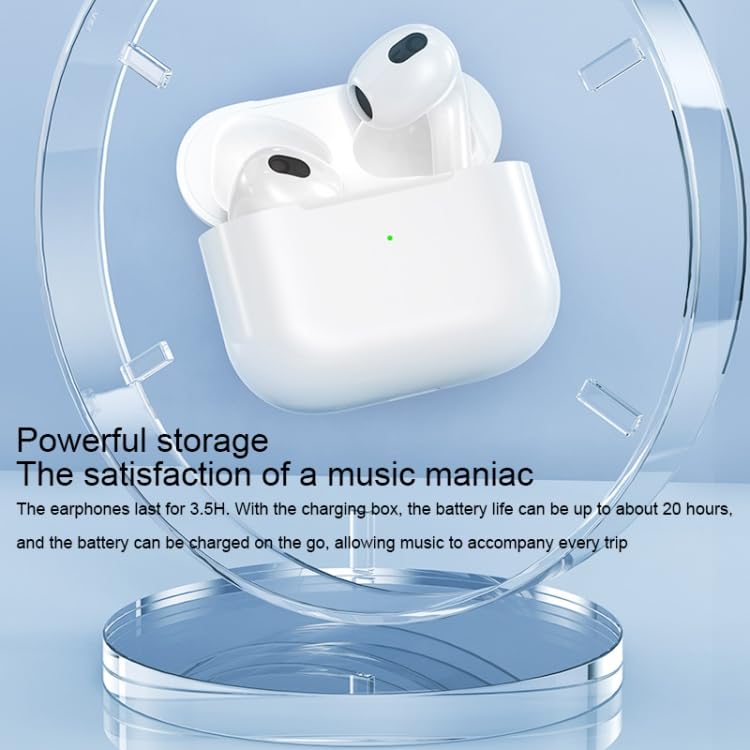
Image 2: The ELECTROPRIME WEKOME V60 earphones resting in their open charging case, highlighting the powerful storage and extended battery life provided by the case. A green indicator light is visible on the case.
3.2. Initial Pairing
To pair your earphones with a Bluetooth-enabled device:
- Ensure the earphones are charged.
- Open the charging case. The earphones will automatically power on and enter pairing mode.
- On your device (smartphone, tablet, etc.), enable Bluetooth and search for available devices.
- Select "WEKOME V60" (or similar name) from the list of found devices.
- Once connected, the earphones will indicate successful pairing (e.g., a voice prompt or LED indicator change).
- After the first successful pairing, the earphones will automatically connect to the last paired device when taken out of the case.
4. Operating the Earphones
The WEKOME V60 earphones feature a touch-sensitive design for various operations. Both the left and right earphones have separate touch controls.
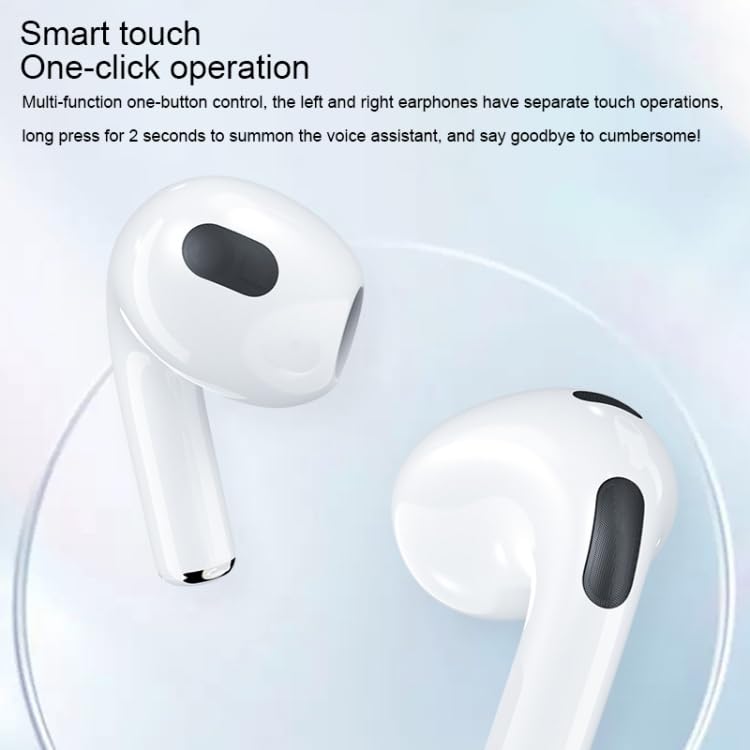
Image 3: Close-up of the ELECTROPRIME WEKOME V60 earphones, highlighting the smart touch control area on the stem of each earbud. Text overlay indicates "Smart touch One-click operation".
4.1. Music Playback Controls
- Play/Pause: Single tap on either earphone.
- Next Track: Double tap on the right earphone.
- Previous Track: Double tap on the left earphone.
4.2. Call Management
- Answer/End Call: Single tap on either earphone.
- Reject Call: Press and hold either earphone for 2 seconds.
4.3. Voice Assistant
- Activate Voice Assistant: Press and hold either earphone for 2 seconds (when not on a call).
5. Maintenance
Proper maintenance ensures the longevity and performance of your earphones.
5.1. Cleaning
- Regularly clean the earphones, especially the ear tips and charging contacts, with a soft, dry, lint-free cloth.
- Do not use liquids, sprays, or chemical cleaners.
- Ensure no moisture enters the openings.
5.2. Storage
- When not in use, store the earphones in their charging case to protect them from dust and damage.
- Store in a cool, dry place, away from direct sunlight and extreme temperatures.
6. Troubleshooting
If you encounter issues with your earphones, refer to the following common problems and solutions:
| Problem | Possible Cause | Solution |
|---|---|---|
| Earphones do not power on. | Low battery. | Charge the earphones and charging case fully. |
| Cannot pair with device. | Bluetooth is off on device; earphones not in pairing mode; interference. | Ensure Bluetooth is enabled. Place earphones back in case, then take them out to re-enter pairing mode. Move closer to the device. Clear previous Bluetooth connections on your device. |
| No sound or low volume. | Volume too low; earphones not connected; dirty ear tips. | Adjust volume on both earphones and connected device. Reconnect earphones. Clean ear tips and speaker mesh. |
| One earphone has no sound. | Connection issue between earphones; low battery in one earphone. | Place both earphones back in the charging case, close the lid, wait a few seconds, then take them out again. Ensure both are charged. |
7. Specifications
| Feature | Detail |
|---|---|
| Product Model | EDA0036935 |
| Product Material | ABS+PC |
| Bluetooth Version | V 5.0 |
| Playing Time | Approximately 3.5 hours (earphones) |
| Total Playback Time (with case) | Approximately 20 hours |
| Earphone Charging Time | Approximately 1 hour |
| Charging Case Charging Time | Approximately 1.5 hours |
| Charging Port | 8 Pin |
| Input | DC3.7V-300mA |
| Bluetooth Distance | 10 meters |
| Speaker Type | Titanium membrane speakers |
| Form Factor | In-Ear, Semi-in-ear design |
| Special Features | Lightweight, Touch Control |
8. Warranty and Support
This product is covered by a warranty policy. For detailed information regarding warranty terms and conditions, please refer to the official ELECTROPRIME warranty policy available on their website or contact their customer support.
For technical support, troubleshooting assistance, or any other inquiries, please contact ELECTROPRIME customer service through the contact information provided with your purchase or on the official brand website.
You can find more information about the warranty policy here.
Ask a question about this manual
Ask about setup, troubleshooting, compatibility, parts, safety, or missing instructions. Manuals+ will review the question and use this page’s manual context to help answer it.