
1. Introduction
This manual provides detailed instructions for the operation and maintenance of your ELECTROPRIME BS56 LED Portable Subwoofer TWS Wireless Bluetooth Speaker. Please read this manual thoroughly before using the product to ensure proper functionality and to extend the lifespan of your device.
2. Product Overview
2.1 Key Features
- Bluetooth 5.0 Connectivity: Ensures high-speed transmission, low power consumption, and stable signal.
- 52mm Unit Speaker: Delivers clear and loud sound with advanced audio decoding.
- IPX7 Waterproof Technology: Provides protection against water immersion, suitable for outdoor use.
- TWS Interconnection: Allows connection of two BS56 speakers simultaneously for stereo surround sound.
- Portable Design: Compact body with an integrated lanyard for easy carrying.
- Multiple Playback Modes: Supports Bluetooth, TF card, TWS interconnection, and AUX input.
- Long Battery Life: Built-in 800mAh battery provides 2-3 hours of music playback on a full charge.
- LED Lighting: Integrated LED lights for visual enhancement.
2.2 Package Contents
Please check the package for the following items:
- ELECTROPRIME BS56 Bluetooth Speaker
- USB Charging Cable
- User Manual
- Auxiliary Cable (if included, not explicitly stated but common)
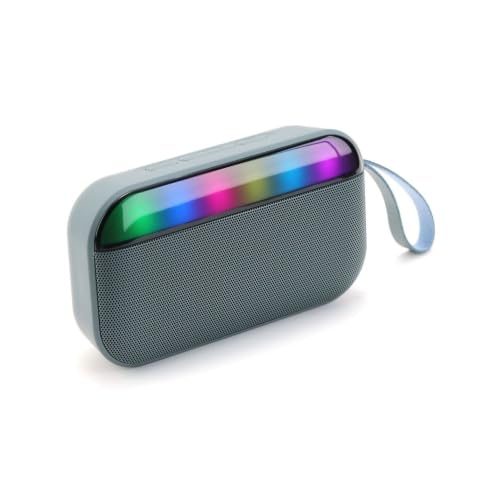
Image 1: ELECTROPRIME BS56 LED Portable Bluetooth Speaker. This image displays the speaker's compact design and integrated LED light bar.
3. Setup
3.1 Charging the Speaker
- Connect the provided USB charging cable to the charging port on the speaker.
- Connect the other end of the USB cable to a USB power adapter (not included) or a computer's USB port.
- The LED indicator will illuminate during charging and turn off or change color when fully charged.
- A full charge typically takes approximately 2-3 hours.
3.2 Powering On/Off
- To Power On: Press and hold the Power button for a few seconds until you hear an audible prompt and the LED lights activate.
- To Power Off: Press and hold the Power button again for a few seconds until you hear an audible prompt and the LED lights turn off.
4. Operating Instructions
4.1 Bluetooth Pairing
- Ensure the speaker is powered on and in Bluetooth pairing mode (indicated by a flashing LED light).
- On your mobile device (smartphone, tablet, etc.), enable Bluetooth.
- Search for available Bluetooth devices.
- Select "BS56" from the list of devices.
- Once paired, you will hear a confirmation sound, and the LED light will stop flashing.
4.2 TWS (True Wireless Stereo) Interconnection
To achieve a stereo sound experience, you can connect two BS56 speakers together:
- Ensure both BS56 speakers are powered on and not connected to any other Bluetooth device.
- On one of the speakers (this will be the primary speaker), press and hold the TWS button (if available, or a specific button combination as per product design) until you hear a pairing prompt.
- The two speakers will automatically search for and connect to each other. Once connected, you will hear a confirmation sound.
- Now, connect your mobile device to the primary speaker via Bluetooth as described in Section 4.1.
- Audio will now play in stereo through both speakers.
4.3 Playback Modes
The speaker supports multiple playback options:
- Bluetooth Mode: Connect wirelessly to your device.
- TF Card Mode: Insert a TF (microSD) card with audio files into the designated slot. The speaker will automatically switch to TF card mode and begin playback.
- AUX Mode: Connect an audio device using a 3.5mm auxiliary cable to the AUX input port. The speaker will automatically switch to AUX mode.
4.4 Volume Control and Track Navigation

Image 2: ELECTROPRIME BS56 Speaker showing volume adjustment. The image highlights the buttons for controlling volume and playback.
- Volume Up: Short press the "+" button.
- Volume Down: Short press the "-" button.
- Next Track: Long press the "+" button.
- Previous Track: Long press the "-" button.
- Play/Pause: Short press the Play/Pause button.
5. Maintenance
- Cleaning: Use a soft, dry cloth to clean the speaker's surface. Do not use abrasive cleaners or solvents.
- Storage: Store the speaker in a cool, dry place away from direct sunlight and extreme temperatures.
- Water Resistance: While the speaker is IPX7 waterproof, avoid prolonged submersion and ensure charging ports are dry before charging.
- Battery Care: To prolong battery life, avoid fully discharging the battery frequently. Charge the speaker regularly, even if not in use for extended periods.
6. Troubleshooting
| Problem | Possible Solution |
|---|---|
| Speaker does not power on. | Ensure the battery is charged. Connect the speaker to a power source and try again. |
| Cannot pair via Bluetooth. |
|
| No sound or low volume. |
|
| TWS pairing fails. |
|
7. Specifications
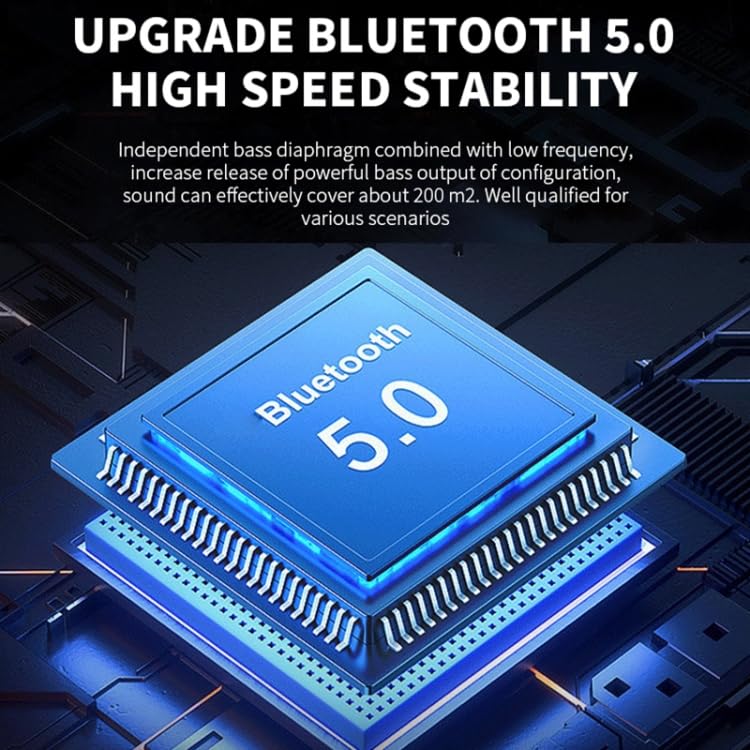
Image 3: Diagram of Bluetooth 5.0 chip. This image visually represents the advanced Bluetooth 5.0 technology integrated into the speaker.
| Feature | Detail |
|---|---|
| Brand | ELECTROPRIME |
| Model Name | BS56 |
| Item Model Number | EDA005699601C |
| Bluetooth Version | 5.0 |
| Effective Distance | 10 meters |
| Speaker Unit | 52mm |
| Frequency Response Range | 100Hz-20KHz |
| Signal-to-Noise Ratio | >85dB |
| Battery Capacity | 800 mAh |
| Playing Time | 2-3 hours |
| Dimensions | 146 x 40 x 81mm |
| Weight | 257g |
| Waterproof Rating | IPX7 |
| Compatible Devices | Smartphone, Tablet |
| Power Source | Battery Powered |
| Connector Type | Auxiliary, Bluetooth |
8. Warranty and Support
This product is covered by a standard warranty policy. For detailed information regarding warranty terms, conditions, and how to claim support, please refer to the warranty card included with your product or visit the official ELECTROPRIME website. For technical assistance or customer service inquiries, please contact ELECTROPRIME customer support.
Note: Specific warranty duration and contact details are subject to regional policies and may be found on the product packaging or official brand resources.