
1. Product Overview
The Airpher Cordless Vacuum Cleaner is a versatile and lightweight cleaning solution designed for both carpet and hard floor surfaces. Featuring a powerful 350W brushless motor and up to 30Kpa suction, it effectively tackles dust, debris, and pet hair. The integrated LED display provides real-time information on battery level, speed, and potential issues like brush tangles or airflow blockages. Its anti-tangle design and included dual batteries ensure extended cleaning sessions and consistent performance.

2. Package Contents
Before assembly, ensure all components are present in the package:
- Main Motor Unit with Dustbin
- Extension Wand
- Motorized Brush Head with LED Lights
- Crevice Tool
- 2-in-1 Brush Tool
- Flexible Hose Attachment
- Wall Mount Bracket
- Power Adapter
- 2 x Rechargeable Batteries
- 2 x HEPA Filters (additional)
- User Manual

3. Setup and Assembly
3.1 Charging the Battery
The vacuum comes with two rechargeable batteries to ensure extended runtime. Fully charge both batteries before first use.
- Connect the power adapter to a wall outlet.
- Attach the battery to the charging port on the wall mount or directly to the main motor unit.
- The LED indicator on the battery will show charging status. A full charge is indicated when all lights are solid.

3.2 Assembling the Vacuum
Assemble the vacuum according to your desired cleaning configuration:
- Stick Vacuum Mode: Connect the extension wand to the main motor unit until it clicks into place. Then, attach the motorized brush head to the other end of the extension wand.
- Handheld Vacuum Mode: Attach desired accessories (crevice tool, 2-in-1 brush tool, or flexible hose) directly to the main motor unit.

3.3 Wall Mount Installation
Install the wall mount bracket in a convenient location for storage and charging. Ensure it is securely fastened to a stud or using appropriate wall anchors.
4. Operating Instructions
4.1 Powering On/Off and Suction Adjustment
To power on the vacuum, press the trigger. The LED display will illuminate, showing the current battery level and suction mode. Tap the '+' or '-' touch controls on the LED display to cycle through different suction power levels (e.g., Eco, Standard, Max).

4.2 Cleaning Various Surfaces
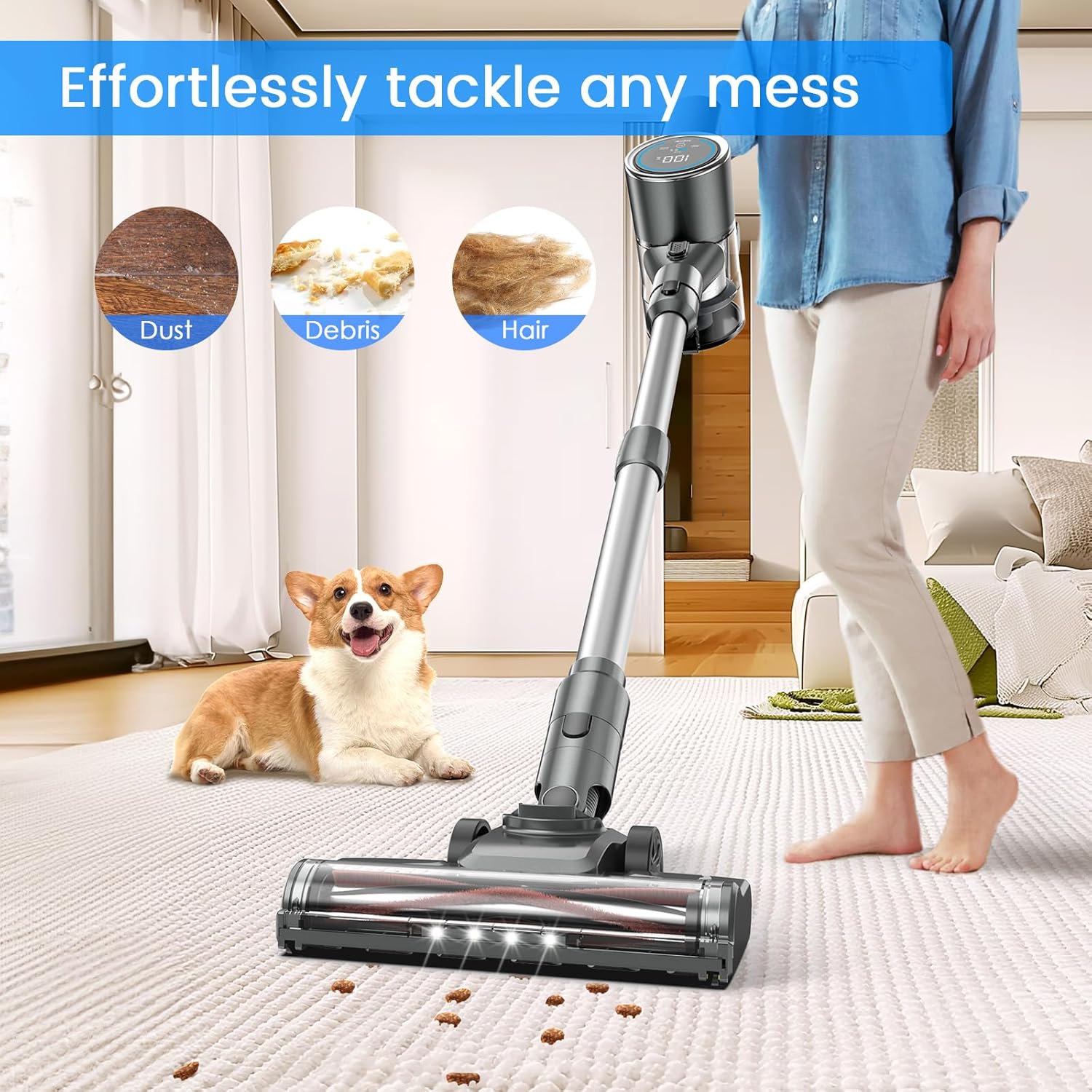
The motorized brush head is designed for effective cleaning on both carpets and hard floors. The LED headlights on the brush head illuminate dark areas, ensuring no dirt is missed.
- Hard Floors: Use Standard or Eco mode for everyday dust and debris.
- Carpets: Use Standard or Max mode for deeper cleaning and pet hair removal. The anti-tangle design helps prevent hair from wrapping around the brush.
4.3 Using Attachments
Switch to handheld mode and attach the appropriate tool for specific cleaning tasks:
- Crevice Tool: Ideal for narrow gaps, corners, and edges.
- 2-in-1 Brush Tool: Use the brush for delicate surfaces like upholstery or curtains, and the nozzle for general dusting.
- Flexible Hose: Provides extended reach and flexibility for cleaning car interiors, high shelves, or awkward spaces.

5. Maintenance
Regular maintenance ensures optimal performance and extends the lifespan of your vacuum cleaner.
5.1 Emptying the Dustbin
Empty the dustbin after each use or when the MAX line is reached.
- Hold the main motor unit over a trash can.
- Press the one-touch release button on the dustbin to open the bottom flap and release debris.
- Close the flap securely after emptying.

5.2 Cleaning Filters
The vacuum features a five-stage filtration system including a cyclone system, stainless steel strainer, pre-HEPA filter, HEPA filter, and grid filter. Clean filters regularly to maintain suction power.
- Twist and pull to remove the dustbin from the main motor unit.
- Remove the internal filters (HEPA, pre-HEPA, stainless steel strainer).
- Tap filters to remove loose dust. Rinse washable filters under cold water. Ensure they are completely dry before reassembling.
- Replace filters every 3-6 months depending on usage.

5.3 Cleaning the Brush Roller
The brush roller is water washable. Regularly check for tangled hair or debris and remove it.
- Unlock the brush head cover and remove the brush roller.
- Remove any tangled hair or fibers.
- Rinse the brush roller under cold water if necessary. Allow it to air dry completely before reinserting.
6. Troubleshooting
Refer to the LED display for error indicators and follow these steps for common issues:
- No Power / Vacuum Not Turning On:
- Ensure the battery is fully charged.
- Check if the battery is securely inserted into the main motor unit.
- If using dual batteries, try swapping to the other charged battery.
- Reduced Suction Power:
- Check the dustbin and empty if full.
- Inspect all filters (HEPA, pre-HEPA, stainless steel strainer) for clogs and clean them.
- Ensure all parts are correctly assembled and sealed.
- Brush Roller Not Spinning (LED display shows "Brush clogged"):
- Turn off the vacuum.
- Remove the brush head and inspect the brush roller for tangled hair or obstructions. Clear any blockages.
- Ensure the brush roller is correctly reinserted.
- Airflow Blocked (LED display shows "Airflow blocked"):
- Check the extension wand and all attachments for blockages.
- Inspect the air inlet and outlet for any obstructions.
7. Specifications
| Feature | Specification |
|---|---|
| Brand | Airpher |
| Model Number | B0D22T6TG4 |
| Motor Horsepower | 350 Watts |
| Maximum Suction | 30Kpa (23.3 Inches) |
| Battery Type | Lithium-Ion |
| Battery Life | Up to 100 minutes (with 2 batteries) |
| Noise Level | 63 Decibels |
| Filter Type | Cartridge (HEPA) |
| Form Factor | Stick / Handheld |
| Product Dimensions | 17.44 x 13.7 x 7.76 inches |
| Item Weight | 9.61 pounds |
| Power Source | Battery Powered |
| Control Method | Touch / Push Button |
| Number of Power Levels | 2 |
| Surface Recommendation | Carpet, Hard Floor |
8. Warranty and Support
Airpher is committed to providing quality products and customer satisfaction.
- 2-Year Free Replacement: Your Airpher Cordless Vacuum Cleaner is covered by a 2-year free replacement warranty for manufacturing defects.
- 30-Day Return Policy: Enjoy a 30-day no-reason return policy from the date of purchase.
- Lifetime Support: Airpher offers lifetime support and aims to provide satisfied solutions for any product-related inquiries.
- Customer Service: For quick response and assistance, please contact Airpher customer service via phone or email. Refer to the product packaging or official Airpher website for contact details.
