
Introduction
This manual provides essential instructions for the proper use, setup, and maintenance of your Marea B54225/4 Men's Multifunction Gold Watch. Please read this manual thoroughly to ensure optimal performance and longevity of your timepiece.
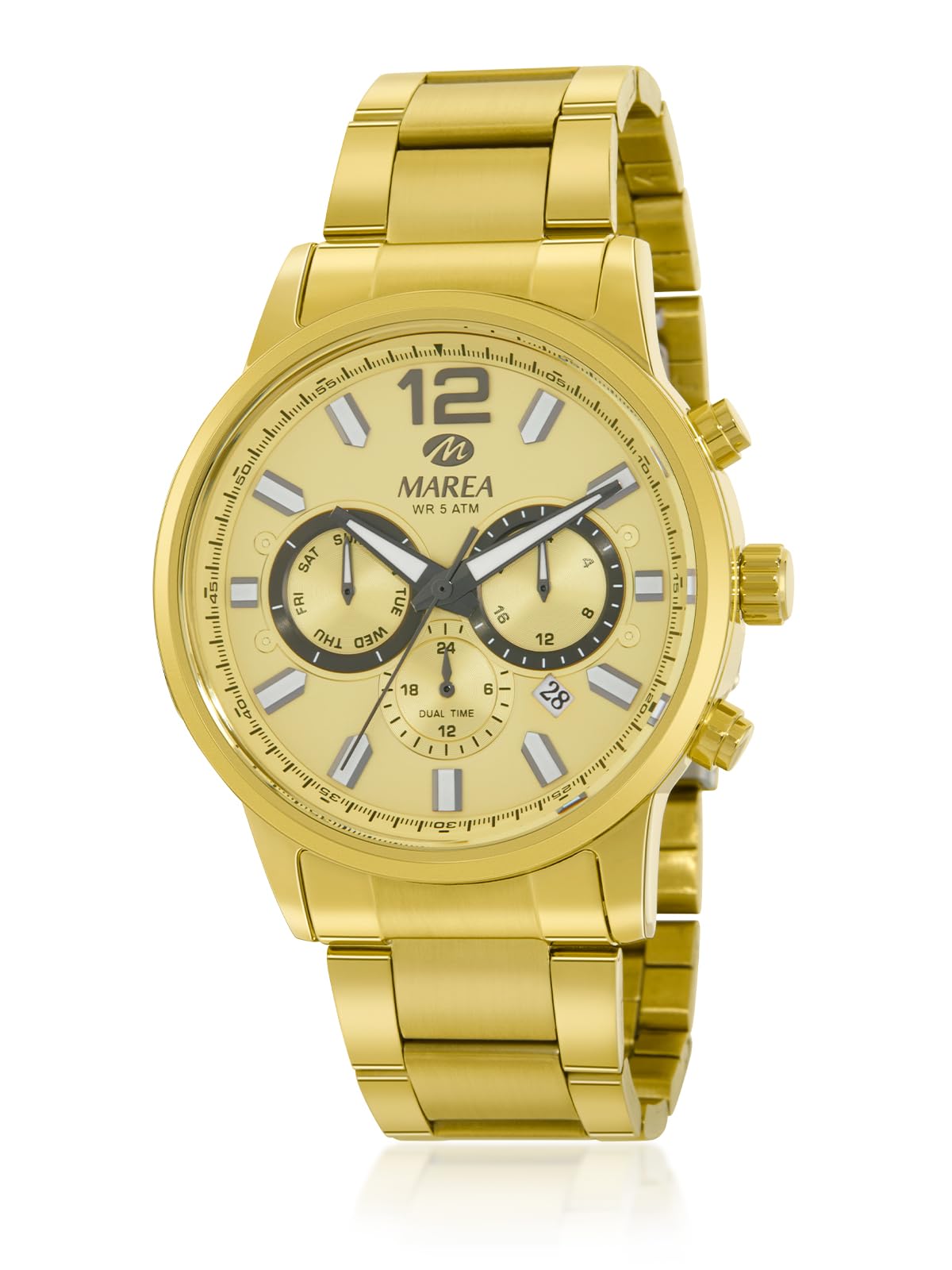
Image of the Marea B54225/4 men's watch, showcasing its gold-toned case, bracelet, and dial with grey accents. This watch features a 43mm case diameter and a multifunction Japanese movement.
Product Features
- Water Resistance: 5 ATM water resistance, suitable for daily use such as splashes, hand washing, or rain. Not suitable for swimming or showering.
- Elegant Design: Gold-toned metal case and bracelet for a sophisticated appearance.
- Precise Movement: Japanese three-hand multifunction movement ensures accurate timekeeping.
- Durable Construction: Manufactured with high-quality materials for daily wear resistance and long lifespan.
- Comfortable Fit: 43mm case diameter and ergonomic design for comfortable wear.
Setup
Setting the Time
- Pull the crown out to the second click position (farthest out).
- Rotate the crown to set the hour and minute hands to the desired time. Ensure to set AM/PM correctly if your watch has a 24-hour indicator or date changes at midnight.
- Push the crown back into the normal position to start the watch.
Setting the Date/Day (Multifunction Dials)
Your watch features multifunction sub-dials, typically for day, date, or 24-hour display. The exact setting procedure may vary slightly, but generally follows these steps:
- Pull the crown out to the first click position.
- Rotate the crown clockwise or counter-clockwise to adjust the date or day sub-dial. Some models may require pressing specific pushers on the side of the watch to adjust individual sub-dials. Refer to the specific markings on your watch for guidance.
- Once the date and day are set, push the crown back into the normal position.
- Note: Avoid setting the date between 9 PM and 3 AM, as this can interfere with the automatic date change mechanism and potentially damage the movement.
Operating the Watch
Your Marea B54225/4 watch is designed for straightforward operation. Once the time and date are set, the watch will operate continuously, powered by its quartz movement.
Reading the Multifunction Dials
- Day Dial: Indicates the current day of the week.
- Date Dial: Indicates the current day of the month.
- 24-Hour Dial (if present): Displays the time in a 24-hour format, often synchronized with the main hour hand to indicate AM/PM.
Ensure the crown is always pushed in completely to maintain water resistance.
Maintenance
Cleaning Your Watch
- Wipe the watch case and bracelet regularly with a soft, dry cloth to remove dust and dirt.
- For more stubborn dirt, a slightly damp cloth can be used, followed immediately by a dry cloth.
- Avoid using chemical cleaners, solvents, or abrasive materials, as these can damage the watch's finish.
Water Resistance (5 ATM)
Your Marea B54225/4 watch has a water resistance rating of 5 ATM (50 meters). This means it is suitable for:
- Accidental splashes
- Washing hands
- Rain
It is not suitable for:
- Showering or bathing
- Swimming or diving
- Any water activities where the watch might be submerged for extended periods or subjected to high-pressure water.
Always ensure the crown is fully pushed in before any contact with water. Water resistance is not a permanent condition and may decrease over time due to wear and tear or impact. It is recommended to have the water resistance checked periodically by a qualified watchmaker.
Battery Replacement
The watch is powered by a button-cell battery. When the watch stops or the second hand starts skipping (indicating low battery), it's time for a replacement. Battery replacement should be performed by a qualified watch technician to ensure proper sealing and maintain water resistance.
Troubleshooting
| Problem | Possible Cause | Solution |
|---|---|---|
| Watch has stopped or runs intermittently. | Low battery. | Replace the battery (recommended by a professional). |
| Time is incorrect. | Crown is not fully pushed in, or time was not set correctly. | Ensure the crown is fully pushed in. Reset the time as per the "Setup" section. |
| Date/Day is incorrect. | Date/Day was not set correctly, or it's between 9 PM and 3 AM. | Adjust the date/day as per the "Setup" section. Avoid setting during the restricted hours. |
| Condensation inside the watch. | Loss of water resistance, extreme temperature change. | Immediately take the watch to a qualified watchmaker for inspection and repair to prevent further damage. |
Specifications
| Feature | Detail |
|---|---|
| Model Number | B54225/4 |
| Movement | Japanese 3-hand Multifunction Quartz |
| Case Diameter | 43 mm |
| Case Material | Gold-toned Metal |
| Bracelet Material | Gold-toned Steel |
| Dial Color | Gold with Grey Accents |
| Water Resistance | 5 ATM (50 meters) |
| Battery | 1 Product Specific Battery (included) |
| Weight | 200 g |
Warranty and Support
Your Marea B54225/4 watch is covered by the manufacturer's warranty against defects in materials and workmanship. The duration and terms of the warranty may vary by region and retailer. Please retain your proof of purchase for warranty claims.
For warranty service, technical support, or any inquiries not covered in this manual, please contact the authorized Marea retailer where you purchased the watch or visit the official Marea website for customer service contact information.
Note: Damage resulting from improper use, accidents, unauthorized repairs, or normal wear and tear may not be covered under warranty.