
Introduction
Thank you for choosing the ELECTROPRIME WEKOME V51 Vanguard Series Transparent Wireless Bluetooth Earphones. These earphones are designed for a superior audio experience with a focus on comfort and innovative design. This manual provides essential information for setting up, operating, and maintaining your new earphones.
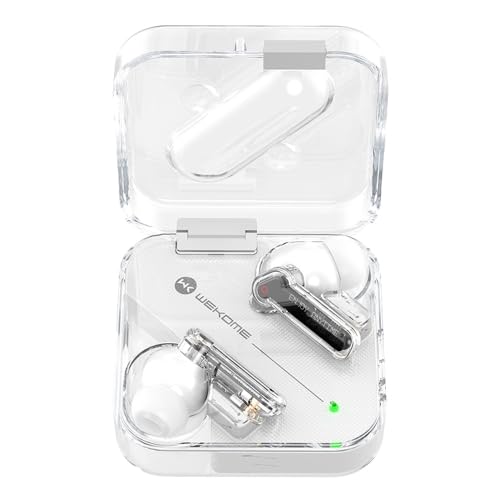
Image: The WEKOME V51 Vanguard Series earphones displayed in their transparent charging case, showcasing their unique design.
Package Contents
Please check the package for the following items:
- WEKOME V51 Vanguard Series Transparent Wireless Bluetooth Earphones (Left and Right)
- Charging Case
- Ear Cushions (pre-installed or in various sizes)
- USB Type-C Charging Cable
- User Manual (this document)
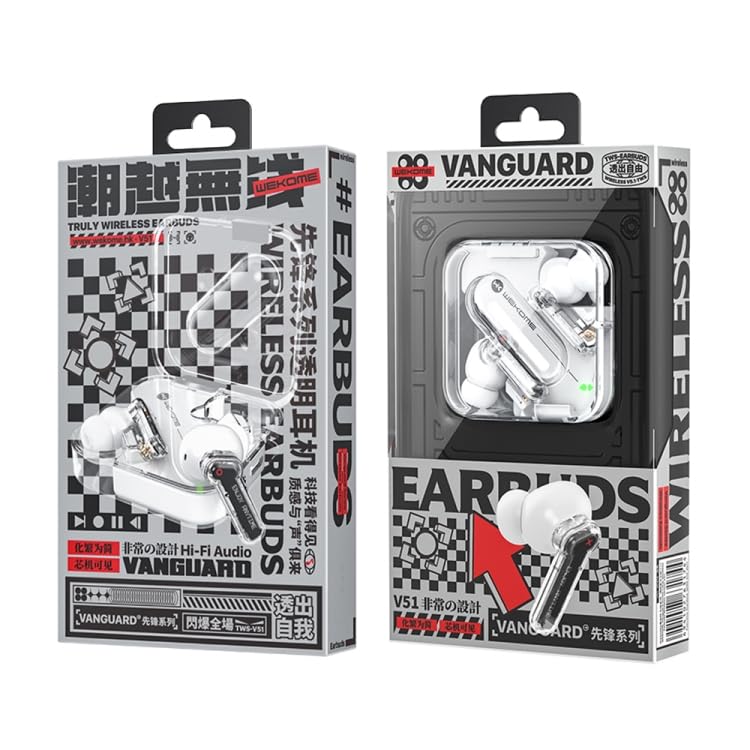
Image: The retail packaging for the WEKOME V51 Vanguard Series earphones, indicating the product's branding and key features.
Product Features
- Bluetooth Version V5.1: Ensures stable and efficient wireless connectivity.
- Extended Playtime: Up to 5 hours of playback on a single charge, extended to 15 hours with the charging compartment.
- Type-C Charging Port: Modern and convenient charging interface.
- High-Transparent Shell: Unique design with a sense of technology.
- Ergonomic In-Ear Design: Provides a stable and comfortable fit, preventing easy falls.
- Lightweight: Designed for comfortable, extended wear.
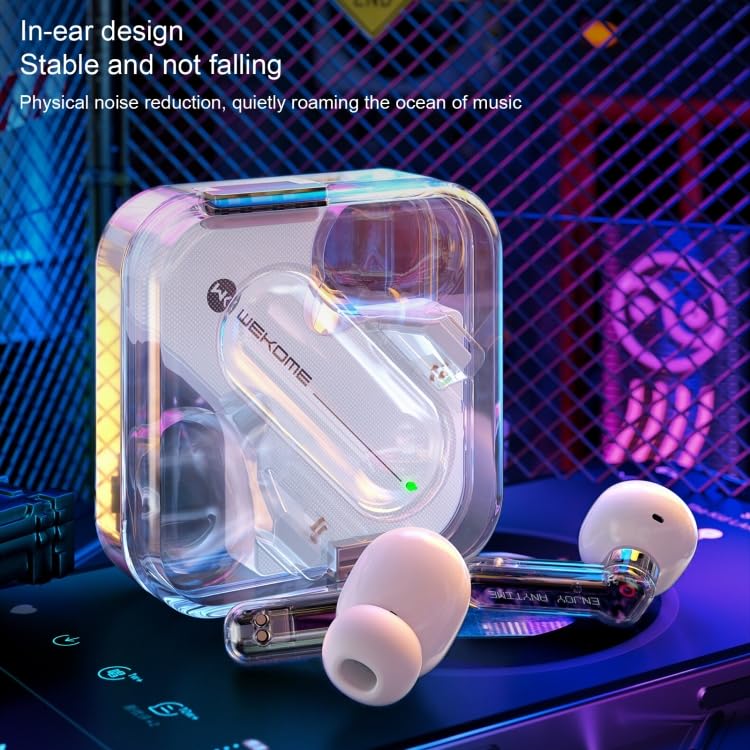
Image: A close-up view of the earphones, emphasizing their ergonomic in-ear design for stability and comfort, along with the transparent casing.
Setup Guide
1. Initial Charging
- Place both earphones into the charging case.
- Connect the Type-C charging cable to the charging port on the case and plug the other end into a USB power source (e.g., wall adapter, computer USB port).
- The charging indicator light on the case will illuminate.
- Allow approximately 2 hours for the charging compartment to fully charge, and about 1.5 hours for the earphones themselves.
- Once fully charged, the indicator light may change or turn off. Disconnect the charging cable.
2. Pairing with a Device
- Ensure the earphones are charged.
- Open the charging case. The earphones will automatically enter pairing mode (indicated by a flashing light on the earphones).
- On your device (smartphone, tablet, computer), go to the Bluetooth settings.
- Search for available devices. You should see "WEKOME V51" or a similar name appear in the list.
- Select "WEKOME V51" to connect. Once connected, a voice prompt will confirm the connection, and the earphone indicator lights will stop flashing.
- If pairing fails, place the earphones back into the case, close the lid, wait a few seconds, and then repeat the steps.
Operating Instructions
Power On/Off
- Power On: Open the charging case, and the earphones will automatically power on. Alternatively, long-press the touch area on both earphones for a few seconds.
- Power Off: Place the earphones back into the charging case and close the lid. They will automatically disconnect and power off. Alternatively, long-press the touch area on both earphones for a few seconds until you hear a power-off prompt.
Music Playback
- Play/Pause: Tap the touch area on either earphone once.
- Next Track: Double-tap the touch area on the right earphone.
- Previous Track: Double-tap the touch area on the left earphone.
Call Management
- Answer/End Call: Tap the touch area on either earphone once.
- Reject Call: Long-press the touch area on either earphone for 2 seconds.
Voice Assistant
- Activate Voice Assistant: Triple-tap the touch area on either earphone.
Maintenance
- Cleaning: Use a soft, dry, lint-free cloth to clean the earphones and charging case. Do not use abrasive cleaners or solvents.
- Storage: When not in use, store the earphones in their charging case to protect them and keep them charged. Store in a cool, dry place away from direct sunlight and extreme temperatures.
- Avoid Water: The earphones are not waterproof. Avoid exposure to water, rain, or excessive moisture.
- Charging: Only use the provided or certified Type-C charging cable and a compatible power adapter.
Troubleshooting
| Problem | Possible Solution |
|---|---|
| Earphones not powering on. | Ensure the earphones and charging case are fully charged. Place earphones in the case and close the lid, then open again. |
| Cannot pair with device. |
|
| No sound or low volume. |
|
| Earphones disconnect frequently. |
|
Specifications
| Model Number | EDA003692101A |
| Product Weight | 53g |
| Bluetooth Version | V5.1 |
| Playing Time (Earphones) | 5 hours |
| Playing Time (with Charging Case) | 15 hours |
| Charging Port | Type-C |
| Earphone Charging Time | Approx. 1.5 hours |
| Charging Case Charging Time | Approx. 2 hours |
| Earphone Input | 20mA |
| Charging Compartment Input | 150mA |
| Rated Power | 6mW |
| Impedance | 32Ω |
| Material | Plastic |
| Form Factor | In Ear |
Warranty Information
ELECTROPRIME products are manufactured to the highest quality standards. This product is covered by a standard warranty against manufacturing defects from the date of purchase. Please refer to the "Warranty Policy" section on the product's Amazon listing or contact customer support for detailed warranty terms and conditions.
Please retain your proof of purchase for warranty claims.
Customer Support
For any questions, technical assistance, or warranty claims, please contact ELECTROPRIME customer support through the platform where you purchased the product or refer to the contact information provided on the product packaging.
We are committed to providing you with the best possible experience.