
ELECTROPRIME NR-5017
ELECTROPRIME NR-5017 Bluetooth Portable Speaker User Manual
Model: NR-5017
Introduction
This manual provides detailed instructions for the safe and efficient use of your ELECTROPRIME NR-5017 LED Bluetooth Portable Speaker. Please read this manual thoroughly before operating the device and retain it for future reference.
The ELECTROPRIME NR-5017 is a versatile portable speaker featuring Bluetooth 5.0 connectivity, TWS (True Wireless Stereo) support, an LED display, FM radio, and a built-in microphone for hands-free calls. It delivers 10W stereo sound with a 360-degree surround effect.
Package Contents
Upon opening the package, please verify that all items listed below are present and in good condition:
- ELECTROPRIME NR-5017 Bluetooth Speaker x 1
- Audio Cable x 1
- Charging Cable x 1
- User Manual x 1
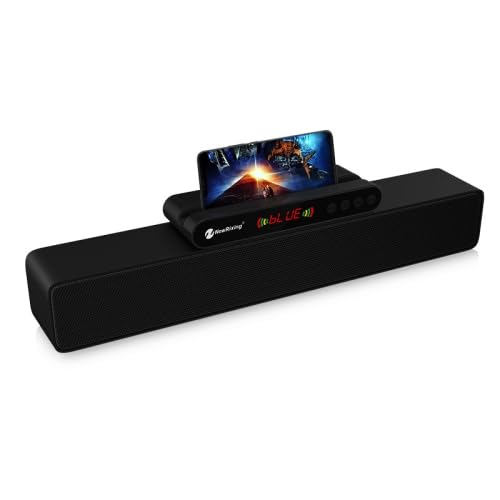
Image: The ELECTROPRIME NR-5017 Bluetooth Speaker, showcasing its sleek black design and integrated smartphone holder with a phone displaying content.
Product Overview
Familiarize yourself with the main components and features of your speaker.
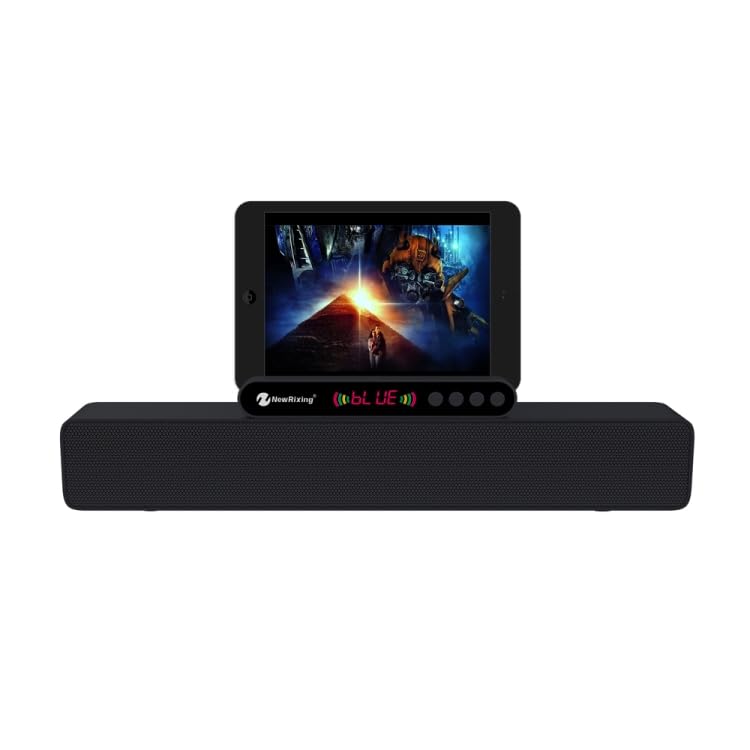
Image: Front view of the ELECTROPRIME NR-5017 Bluetooth Speaker, demonstrating its tablet compatibility and control panel.
- LED Display: Shows current mode, battery status, and time.
- Control Panel: Buttons for power, volume, mode selection, play/pause, and track control.
- Smartphone/Tablet Holder: Integrated slot for convenient device placement.
- Speaker Grille: Protects the dual 5W speakers.
- Ports (Rear/Side): USB port, TF card slot, AUX input, Charging port.
Setup
Charging the Speaker
Before first use, fully charge the speaker. Connect the supplied charging cable to the speaker's charging port and the other end to a USB power adapter (not included) or a computer's USB port. The LED display will indicate charging status.
Powering On/Off
- To Power On: Press and hold the Power button for approximately 3 seconds. You will hear an audible prompt.
- To Power Off: Press and hold the Power button for approximately 3 seconds.
Operating Instructions
Bluetooth Mode
- Ensure the speaker is powered on. It will automatically enter Bluetooth pairing mode, indicated by a flashing Bluetooth icon on the LED display.
- On your mobile device (smartphone, tablet, etc.), enable Bluetooth and search for available devices.
- Select "NR-5017" from the list of devices. Once connected, you will hear a confirmation sound, and the Bluetooth icon will stop flashing.
- You can now play audio from your device through the speaker.
TWS (True Wireless Stereo) Connection
To achieve true wireless stereo sound, you need two ELECTROPRIME NR-5017 speakers.
- Ensure both speakers are powered on and not connected to any Bluetooth device.
- On one speaker (this will be the primary speaker), double-press the "M" (Mode) button. The speaker will search for another NR-5017 speaker.
- Once connected, both speakers will emit a confirmation sound. The primary speaker's Bluetooth indicator will flash, and the secondary speaker's indicator will be solid.
- Now, connect your mobile device to the primary speaker via Bluetooth as described in the "Bluetooth Mode" section. Audio will play simultaneously through both speakers.
FM Radio Mode
- Press the "M" (Mode) button repeatedly until "FM" appears on the LED display.
- Press the Play/Pause button to automatically scan and save available FM stations.
- Use the Previous/Next track buttons to switch between saved stations.
USB Drive / TF Card Mode
- Insert a USB flash drive or TF (microSD) card with MP3 audio files into the respective port.
- The speaker will automatically switch to USB/TF card mode and begin playing audio. If not, press the "M" (Mode) button to select the correct mode.
- Use the Play/Pause and Previous/Next track buttons to control playback.
AUX Input Mode
- Connect one end of the supplied audio cable to the speaker's AUX input port and the other end to the audio output of your external device (e.g., laptop, MP3 player).
- Press the "M" (Mode) button until "AUX" appears on the LED display.
- Control playback from your external device.
Hands-Free Calling
- When connected via Bluetooth, incoming calls will be announced by the speaker.
- Press the Play/Pause button to answer an incoming call.
- Press the Play/Pause button again to end the call.
- Press and hold the Play/Pause button to reject an incoming call.
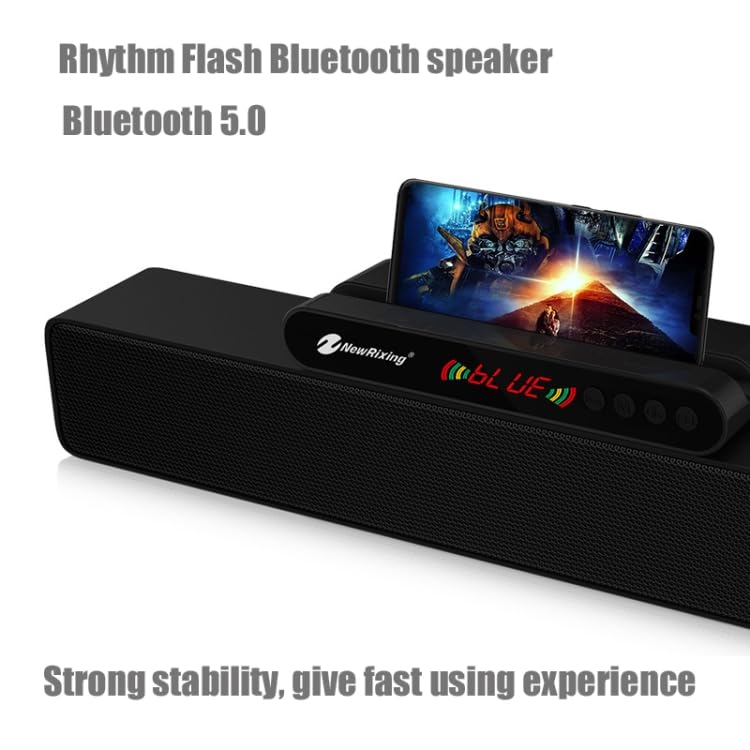
Image: A detailed view of the ELECTROPRIME NR-5017's control panel and LED display, highlighting the user interface.
Maintenance
- Cleaning: Use a soft, dry cloth to clean the speaker's surface. Do not use abrasive cleaners or solvents.
- Storage: Store the speaker in a cool, dry place away from direct sunlight and extreme temperatures.
- Battery Care: To prolong battery life, avoid fully discharging the speaker frequently. Charge it regularly, even if not in use for extended periods.
- Water Resistance: This speaker is not waterproof. Avoid exposure to water or high humidity.
Troubleshooting
| Problem | Possible Cause | Solution |
|---|---|---|
| Speaker does not power on. | Low battery. | Charge the speaker fully. |
| No sound. | Volume too low; incorrect mode; device not connected. | Increase volume on speaker and connected device. Ensure correct mode (Bluetooth, AUX, USB/TF). Reconnect Bluetooth device. |
| Bluetooth connection fails. | Speaker too far from device; interference; speaker not in pairing mode. | Ensure speaker is within 10 meters of device. Move away from other wireless devices. Ensure speaker is in Bluetooth pairing mode. Forget "NR-5017" on your device and re-pair. |
| FM radio reception is poor. | Weak signal; environmental interference. | Relocate the speaker to an area with better signal. Extend the charging cable (if used as antenna) for better reception. |
| TWS connection fails. | Speakers not in TWS pairing mode; one speaker already connected to a device. | Ensure both speakers are disconnected from other devices. Follow TWS pairing steps carefully. |
Specifications
| Feature | Detail |
|---|---|
| Model Number | SYA00692501A (NR-5017) |
| Bluetooth Version | 5.0 + EDR |
| Output Power | 10W (5W x 2) |
| Speaker Size | 52 mm |
| Frequency Response | 100 Hz - 18 kHz |
| FM Frequency Band | 87 MHz - 108 MHz |
| Coverage Area (Bluetooth) | Up to 10 meters |
| Input Voltage | DC 5V (1A) |
| Battery Capacity | 1800 mAh |
| Signal-to-Noise Ratio | > 80 dB |
| Product Dimensions (L x W x H) | 43.7 x 9.6 x 6.6 cm |
| Net Weight | 990g |
| Material | Plastic |
| Compatible Devices | Tablet, Smartphone |
Warranty and Support
Warranty Information
This product is covered by a standard warranty policy. For details regarding warranty terms, duration, and claims, please refer to the warranty information provided at the time of purchase or visit the official ELECTROPRIME website. Please retain your purchase receipt as proof of purchase.
Note: Warranty terms may vary by region and retailer.
Customer Support
Should you encounter any issues or have questions regarding your ELECTROPRIME NR-5017 speaker that are not covered in this manual, please contact our customer support team:
- Online Support: Visit the ELECTROPRIME official website for FAQs, support articles, and contact forms.
- Email Support: Refer to your product packaging or purchase documentation for specific email addresses.
- Phone Support: Check the ELECTROPRIME website for regional customer service phone numbers.
When contacting support, please have your product model number (NR-5017 or SYA00692501A) and purchase details ready.
Ask a question about this manual
Ask about setup, troubleshooting, compatibility, parts, safety, or missing instructions. Manuals+ will review the question and use this page’s manual context to help answer it.