
1. Introduction
Thank you for purchasing the ELECTROPRIME HOCO HC21 Shadow Outdoor Bluetooth Speaker. This manual is designed to help you understand the features, setup, and operation of your new speaker. Please read this manual carefully before use and keep it for future reference.
2. Product Overview
2.1 What's in the Box
- ELECTROPRIME HOCO HC21 Shadow Outdoor Bluetooth Speaker
- Charging Cable
- User Manual
2.2 Component Identification
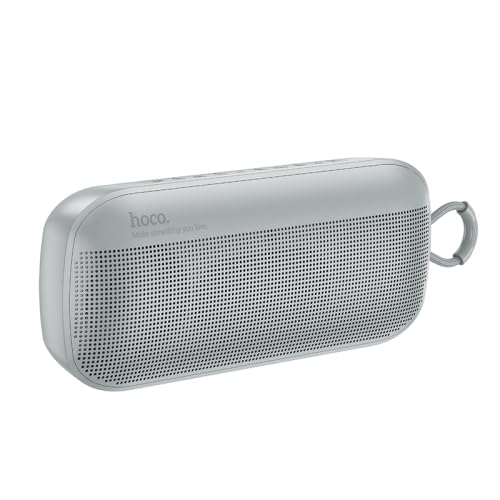
Image: Front view of the ELECTROPRIME HOCO HC21 Shadow Outdoor Bluetooth Speaker in grey, showing the speaker grille and control panel on top.
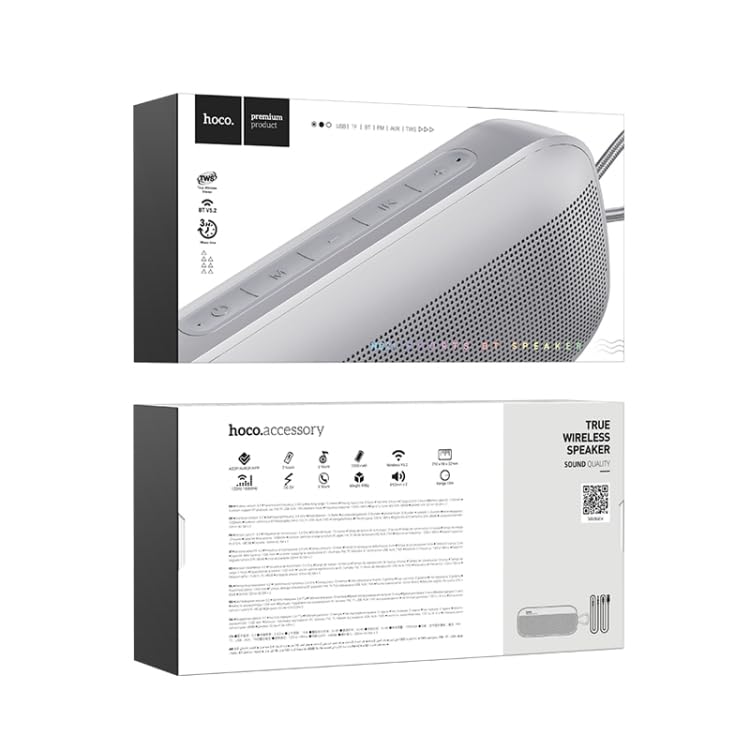
Image: Top and bottom views of the ELECTROPRIME HOCO HC21 Shadow Outdoor Bluetooth Speaker's retail packaging, displaying product information and features.
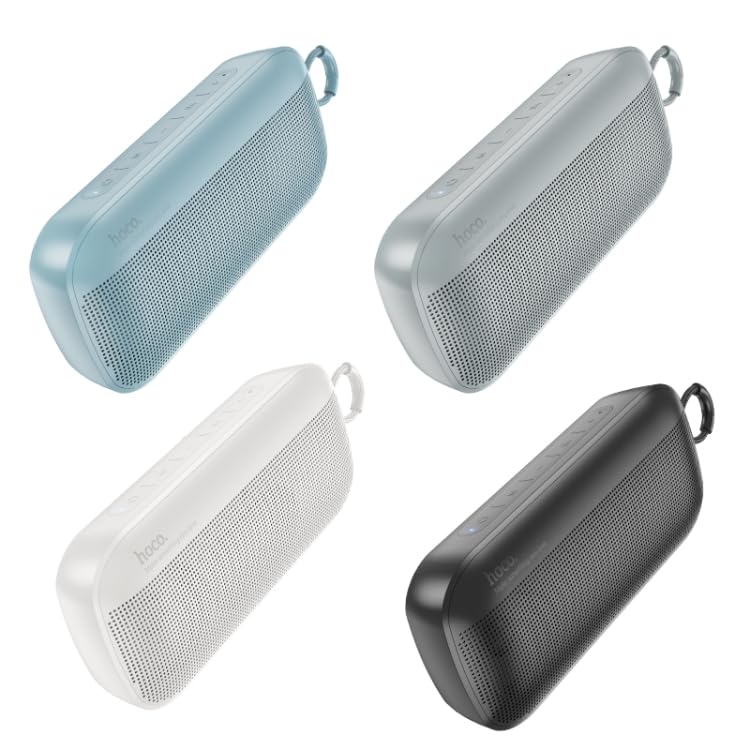
Image: Four different color variants of the ELECTROPRIME HOCO HC21 Shadow Outdoor Bluetooth Speaker (blue, grey, white, black) arranged diagonally.
Familiarize yourself with the buttons and ports on your speaker. Typically, you will find power, volume, play/pause, mode buttons, and charging/AUX ports.
3. Features
- Bluetooth 5.2 Connectivity: For stable and efficient wireless audio streaming.
- Dual 5W Speakers: Equipped with two 52mm speaker units for clear and powerful sound.
- Multi-Mode Playback: Supports Bluetooth, FM radio, TF card, U disk, and AUX input.
- True Wireless Stereo (TWS): Pair two HC21 speakers for an immersive stereo experience.
- Portable Design: Compact and lightweight, ideal for outdoor use.
- Long Battery Life: 1200mAh battery provides approximately 3 hours of usage.
4. Setup
4.1 Charging the Speaker
- Connect the charging cable to the speaker's charging port.
- Connect the other end of the cable to a USB power adapter (not included) or a computer's USB port.
- The charging indicator light will illuminate. It takes approximately 2 hours for a full charge.
- The indicator light will turn off or change color once fully charged.
4.2 Powering On/Off
- To Power On: Press and hold the Power button for a few seconds until you hear an audible prompt or see the indicator light turn on.
- To Power Off: Press and hold the Power button again for a few seconds until you hear an audible prompt or the indicator light turns off.
5. Operating Instructions
5.1 Bluetooth Pairing
- Ensure the speaker is powered on and in Bluetooth pairing mode (indicated by a flashing blue LED). If not, press the Mode button to switch to Bluetooth mode.
- On your smartphone, tablet, or other Bluetooth device, enable Bluetooth and search for available devices.
- Select "HOCO HC21" from the list of devices.
- Once paired, the speaker will provide an audible confirmation, and the LED indicator will stop flashing and remain solid blue.
5.2 TWS (True Wireless Stereo) Pairing
To pair two HOCO HC21 speakers for stereo sound:
- Ensure both speakers are powered on and in Bluetooth mode, but not connected to any device.
- On one of the speakers (this will be the primary speaker), double-press the TWS button (or a designated button, refer to speaker markings).
- The speakers will automatically search and pair with each other. You will hear an audible confirmation once TWS pairing is successful.
- Now, connect your Bluetooth device to the primary speaker as described in Section 5.1. Audio will play through both speakers in stereo.
5.3 Using TF Card / U Disk
- Insert a TF card or U disk (USB flash drive) with MP3 audio files into the corresponding slot.
- The speaker will automatically switch to TF card or U disk mode and begin playing music.
- Use the Play/Pause, Next, and Previous buttons to control playback.
5.4 FM Radio Mode
- Press the Mode button to switch to FM radio mode.
- Press the Play/Pause button to automatically scan and save available FM stations.
- Use the Next and Previous buttons to navigate between saved stations.
5.5 AUX Input
- Connect one end of a 3.5mm audio cable (not included) to the speaker's AUX port.
- Connect the other end to the audio output jack of your device (e.g., MP3 player, computer).
- The speaker will automatically switch to AUX mode.
6. Maintenance and Care
- Keep the speaker away from extreme temperatures, direct sunlight, and humid environments.
- Do not expose the speaker to water or other liquids. While designed for outdoor use, it is not fully waterproof.
- Clean the speaker with a soft, dry cloth. Do not use abrasive cleaners or solvents.
- Store the speaker in a cool, dry place when not in use for extended periods.
- Avoid dropping or subjecting the speaker to strong impacts.
7. Troubleshooting
| Problem | Possible Cause | Solution |
|---|---|---|
| Speaker does not power on. | Low battery. | Charge the speaker fully. |
| No sound. | Volume too low; Incorrect mode; Device not connected. | Increase volume on speaker and device; Ensure correct mode (Bluetooth, AUX, etc.); Reconnect device. |
| Bluetooth pairing fails. | Speaker not in pairing mode; Device too far; Interference. | Ensure speaker is in pairing mode; Move device closer; Turn off other Bluetooth devices. |
| Poor FM reception. | Weak signal. | Relocate the speaker; Extend any external antenna if available. |
8. Specifications
- Bluetooth Version: 5.2
- Bluetooth Chip: Bluetrum AB5602B
- Battery Capacity: 1200mAh
- Charging Time: Approximately 2 hours
- Usage Time: Approximately 3 hours
- Speaker Unit: 52mm x 2
- Output Power: 5W x 2
- Dimensions: 210mm x 90mm x 52mm
- Weight: 498g
- Supported Modes: Bluetooth, FM, TF Card, U Disk, AUX, TWS
- Compatible Devices: Tablet, Smartphone
- Power Source: Battery Powered
- Connector Type: Bluetooth, Auxiliary
9. Safety Information
- Do not disassemble, repair, or modify the speaker yourself. This may void the warranty and cause damage.
- Keep the speaker away from children and pets.
- Avoid listening at high volumes for extended periods to prevent hearing damage.
- Dispose of the speaker and its battery responsibly according to local regulations. Do not dispose of in general waste.
- Use only the provided or recommended charging cables.
10. Warranty and Support
ELECTROPRIME products are designed and manufactured to the highest quality standards. For warranty information and customer support, please refer to the warranty card included with your purchase or visit the official ELECTROPRIME website. Please retain your proof of purchase for any warranty claims.