
ELECTROPRIME EDA005816701A
ELECTROPRIME ONIKUMA T37 Neck-Mounted Sports Bluetooth Earphone User Manual
Model: EDA005816701A
1. Introduction
Thank you for choosing the ELECTROPRIME ONIKUMA T37 Neck-Mounted Sports Bluetooth Earphone. This manual provides essential information for setting up, operating, and maintaining your new earphones. Please read it carefully before use and keep it for future reference.
The ONIKUMA T37 features Bluetooth 5.2 connectivity, a comfortable neck-mounted design, and long battery life, making it ideal for sports and daily use. Its lightweight design ensures comfort during extended wear, and its stable connection with low delay provides an optimal audio experience.
2. Safety Information
- Do not expose the earphones to extreme temperatures, humidity, or corrosive substances.
- Avoid dropping or subjecting the earphones to strong impacts.
- Do not disassemble or modify the earphones. This will void the warranty.
- Clean the earphones with a soft, dry cloth. Do not use harsh chemicals.
- Listen at moderate volume levels to prevent hearing damage.
- Keep out of reach of children.
3. Package Contents
Please check the package for the following items:
- ELECTROPRIME ONIKUMA T37 Neck-Mounted Sports Bluetooth Earphone
- Ear Cushions
- USB Type-C Charging Cable
- User Manual
4. Product Overview
Familiarize yourself with the components of your ONIKUMA T37 earphones.
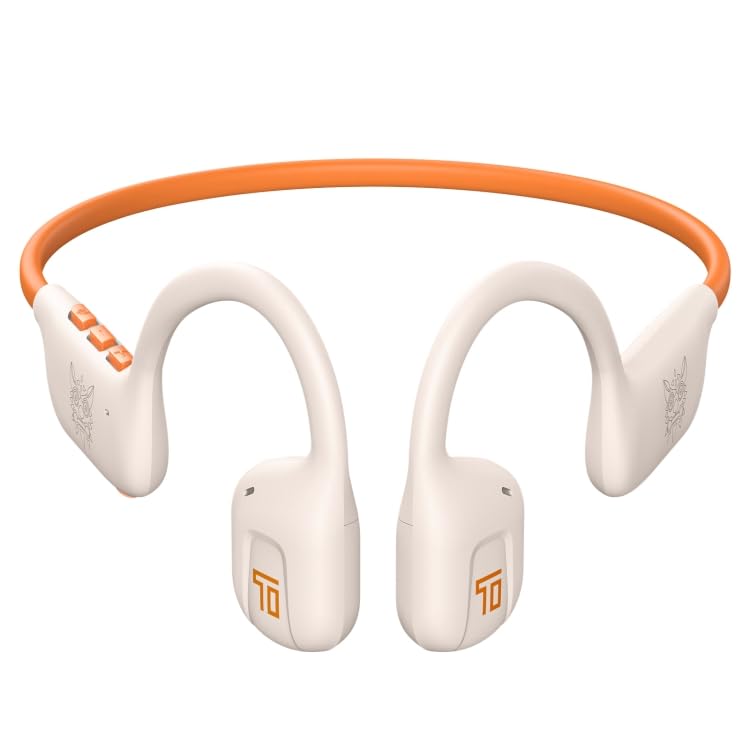
Figure 4.1: Front view of the ONIKUMA T37 earphones, showing the neckband and earbud design.
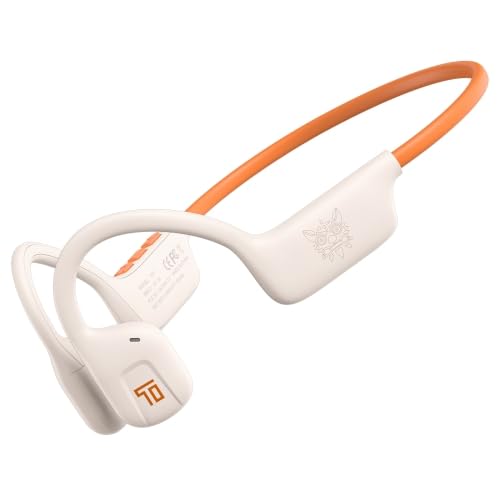
Figure 4.2: Side view illustrating the ergonomic shape and control button placement on one side of the neckband.
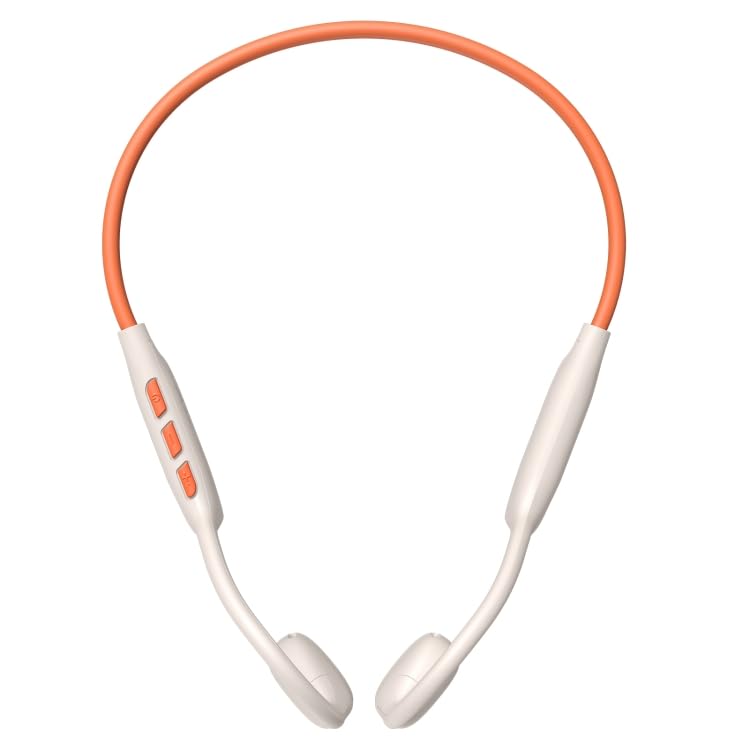
Figure 4.3: Top view showing the full neckband structure and the position of the earbuds.
4.1 Controls and Indicators
- Power Button: On/Off, Play/Pause, Answer/End Call.
- Volume Up (+): Increase volume, Next track (long press).
- Volume Down (-): Decrease volume, Previous track (long press).
- LED Indicator: Shows power status, pairing mode, and charging status.
- Type-C Charging Port: For charging the device.
5. Setup
5.1 Charging the Earphones
- Connect the USB Type-C charging cable to the charging port on the earphones.
- Connect the other end of the cable to a USB power adapter (5V/1A recommended) or a computer's USB port.
- The LED indicator will show red during charging and turn off or blue when fully charged.
- A full charge takes approximately 1.5-2 hours.
5.2 Powering On/Off
- Power On: Press and hold the Power button for 3 seconds until the LED indicator flashes blue and you hear a "Power On" prompt.
- Power Off: Press and hold the Power button for 5 seconds until the LED indicator flashes red and you hear a "Power Off" prompt.
5.3 Bluetooth Pairing
- Ensure the earphones are powered off.
- Press and hold the Power button for 5-7 seconds until the LED indicator flashes red and blue alternately, indicating pairing mode.
- On your device (smartphone, tablet, computer), enable Bluetooth.
- Search for available Bluetooth devices. Select "ONIKUMA T37" from the list.
- Once paired, the LED indicator will flash blue slowly, and you will hear a "Connected" prompt.
- The earphones will automatically reconnect to the last paired device when powered on, if Bluetooth is enabled on the device.
6. Operating Instructions
6.1 Music Playback
- Play/Pause: Press the Power button once.
- Next Track: Long press the Volume Up (+) button.
- Previous Track: Long press the Volume Down (-) button.
- Volume Up: Short press the Volume Up (+) button.
- Volume Down: Short press the Volume Down (-) button.
6.2 Phone Calls
- Answer Call: Press the Power button once.
- End Call: Press the Power button once during a call.
- Reject Call: Press and hold the Power button for 2 seconds.
- Redial Last Number: Double-press the Power button.
6.3 Voice Assistant
- Activate Voice Assistant (Siri/Google Assistant): Triple-press the Power button.
7. Maintenance and Care
- Clean the earphones regularly with a soft, lint-free cloth.
- Do not use abrasive cleaners, alcohol, or chemical solvents.
- Store the earphones in a cool, dry place away from direct sunlight and extreme temperatures.
- Avoid exposing the earphones to water or excessive moisture.
- Charge the earphones at least once every three months if not used for a long period to preserve battery life.
8. Troubleshooting
| Problem | Possible Cause | Solution |
|---|---|---|
| Cannot power on | Low battery | Charge the earphones fully. |
| Cannot pair with device | Earphones not in pairing mode; Device Bluetooth off; Too far from device | Ensure earphones are in pairing mode (flashing red/blue). Turn on device Bluetooth. Move earphones closer to device (within 10m). Forget "ONIKUMA T37" on device and re-pair. |
| No sound or intermittent sound | Volume too low; Earphones not connected; Interference | Increase volume on earphones and device. Reconnect earphones. Move away from sources of interference (Wi-Fi routers, other Bluetooth devices). |
| Poor call quality | Weak signal; Microphone obstructed | Move to an area with better signal. Ensure microphone is not covered. |
9. Specifications
| Feature | Detail |
|---|---|
| Model | EDA005816701A |
| Bluetooth Version | 5.2 |
| Bluetooth Chip | JL7003 |
| Material | ABS Plastic |
| Support Protocols | HSP1.2, HFP1.7, A2DP1.3, AVRCP1.6 |
| Decoding Format | AAC SBC |
| Bluetooth Range | 10 meters |
| Headphone Battery Capacity | 85mAh |
| Working Hours (Music) | Up to 10 hours |
| Talk Time | Up to 8 hours |
| Standby Time | Up to 80 hours |
| Frequency Response | 20-20KHz |
| Charging Port | Type-C |
| Special Features | Lightweight, Physical Button Design, Stable Connection (low delay ~85ms), Compatible with multiple systems |
10. Warranty and Support
ELECTROPRIME products are designed for reliability and performance. For information regarding warranty coverage and support, please refer to the warranty policy provided at the time of purchase or visit the official ELECTROPRIME website.
For technical assistance or customer service inquiries, please contact ELECTROPRIME customer support through the details provided on your purchase receipt or the brand's official contact channels.
Note: For any missing parts or defects, please contact customer support immediately.
Ask a question about this manual
Ask about setup, troubleshooting, compatibility, parts, safety, or missing instructions. Manuals+ will review the question and use this page’s manual context to help answer it.