
1. Introduction
This manual provides detailed instructions for the ELECTROPRIME HOCO EW55 True Wireless Bluetooth Gaming Earphones. These earphones feature Bluetooth 5.3 connectivity, a compact charging case, and a unique mecha-inspired design with a fingertip gyroscope structure for a cool, decompression experience. They are designed for both general audio use and an enhanced gaming experience.
2. Package Contents
- ELECTROPRIME HOCO EW55 True Wireless Bluetooth Gaming Earphones (Left and Right)
- Charging Case
- Ear Cushions
- Protective Case
- User Manual (this document)
3. Product Overview
The ELECTROPRIME HOCO EW55 earphones combine advanced audio technology with a distinctive aesthetic. The charging case features a robust, mecha-inspired design, housing the two true wireless earbuds. The earbuds themselves are ergonomically designed for comfortable in-ear fit.
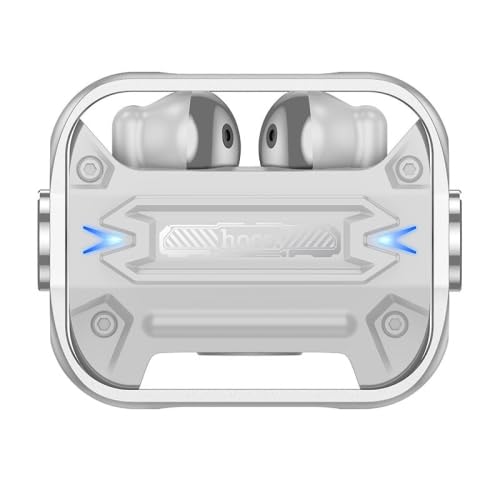
Figure 3.1: Top view of the ELECTROPRIME HOCO EW55 charging case with earbuds inserted. Note the blue indicator lights on either side, signifying power or charging status.
The earbuds are equipped with touch controls for easy management of music playback, calls, and voice assistant activation. The charging case not only protects the earbuds but also provides multiple charges on the go.
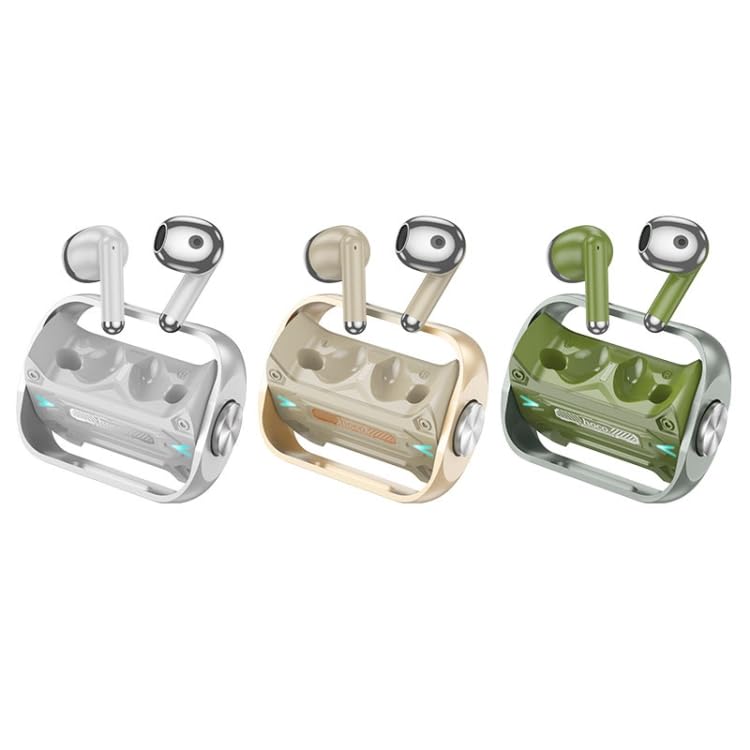
Figure 3.2: The ELECTROPRIME HOCO EW55 earphones are available in multiple color options, including silver, gold, and green, each with a matching charging case.
4. Setup
4.1. Charging the Earphones and Case
- Initial Charge: Before first use, fully charge both the earphones and the charging case.
- Charging the Case: Connect the charging case to a USB power source using a compatible cable (not included). The indicator lights on the case will show charging status.
- Charging the Earphones: Place the earphones into their respective slots in the charging case. Ensure they are properly seated. The earphones will begin charging automatically. The case has a 300mAh battery capacity, and each headset has a 30mAh capacity.
4.2. Pairing with a Device
- Power On: Open the charging case lid and take out both earphones. They will automatically power on and enter pairing mode.
- Activate Bluetooth: On your device (smartphone, tablet, laptop), enable Bluetooth.
- Select Device: In the Bluetooth settings of your device, search for available devices. Select "HOCO EW55" (or similar name) from the list.
- Confirm Pairing: Once selected, the earphones will connect to your device. A voice prompt or indicator light change may confirm successful pairing.
- Master-Slave Switching: The earphones support master-slave switching, meaning either earbud can be used independently.
5. Operating Instructions
5.1. Basic Controls
The earphones feature touch-sensitive controls. Specific functions may vary slightly based on your device and application.
- Play/Pause: Single tap on either earbud.
- Next Track: Double tap on the right earbud.
- Previous Track: Double tap on the left earbud.
- Answer/End Call: Single tap on either earbud during an incoming call.
- Reject Call: Press and hold either earbud for 2 seconds during an incoming call.
- Activate Voice Assistant (Siri/Google Assistant): Triple tap on either earbud.
5.2. Gaming Mode
The HOCO EW55 earphones are optimized for gaming. While specific activation steps for a dedicated gaming mode are not detailed, the low-latency Bluetooth 5.3 chip (Jerry AC6973D4) and the overall design contribute to a responsive audio experience crucial for gaming.
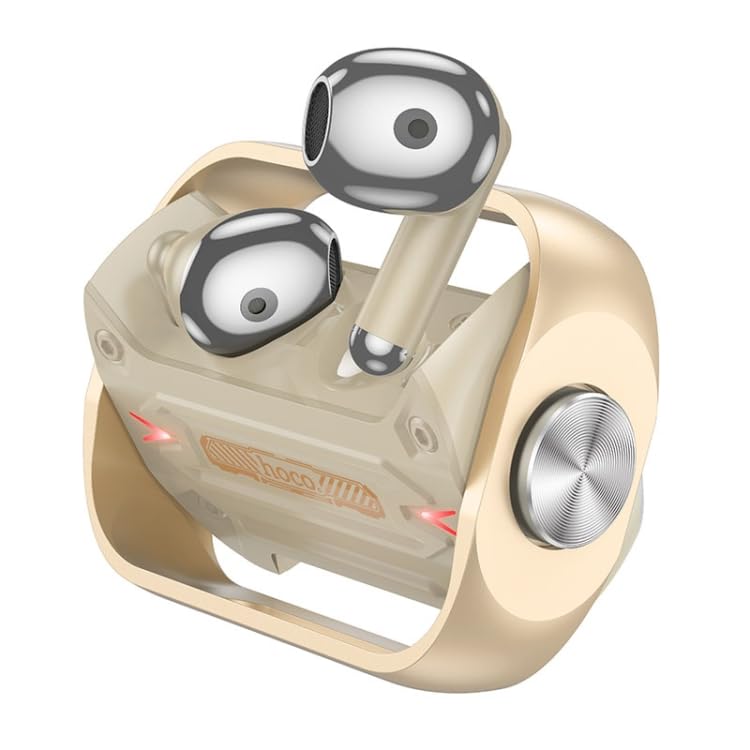
Figure 5.1: Detailed view of the gold variant, showcasing the earbud's design and its fit within the charging case, emphasizing the unique mecha aesthetic.
6. Maintenance
- Cleaning: Use a soft, dry, lint-free cloth to clean the earphones and charging case. Do not use abrasive cleaners or solvents.
- Ear Tips: Regularly remove and clean the ear tips with a damp cloth. Ensure they are completely dry before reattaching.
- Storage: When not in use, always store the earphones in their charging case to protect them and keep them charged.
- Avoid Water: These earphones are not waterproof. Avoid exposure to water, moisture, or extreme temperatures.
7. Troubleshooting
| Problem | Possible Cause | Solution |
|---|---|---|
| Earphones not turning on | Low battery; not properly seated in case | Charge the earphones and case fully. Ensure earbuds are correctly placed in the charging case. |
| Cannot pair with device | Bluetooth off; earphones not in pairing mode; interference | Ensure Bluetooth is enabled on your device. Place earphones back in case, close lid, then open to re-enter pairing mode. Move closer to your device. |
| No sound from one earbud | Low battery; connection issue | Charge both earbuds. Try re-pairing the earphones with your device. |
| Charging case not charging | Faulty cable/adapter; dirty charging port | Try a different USB cable and power adapter. Clean the charging port gently. |
8. Specifications
| Feature | Detail |
|---|---|
| Brand | ELECTROPRIME |
| Model | EDA006045901B |
| Bluetooth Version | 5.3 |
| Bluetooth Chip | Jerry AC6973D4 |
| Charging Case Battery Capacity | 300mAh |
| Headset Battery Capacity | 30mAh |
| Use Time | 4 hours |
| Standby Time | 150 hours |
| Special Features | Lightweight, Master-slave switching, Siri support, Trendy mecha appearance, Fingertip gyroscope structure |
| Form Factor | In Ear |
| Item Weight | 0.13 kgs / 0.30 lb (One Package Weight) |
| Package Dimensions | 13cm x 10cm x 4cm / 5.12inch x 3.94inch x 1.57inch |
9. Warranty and Support
For information regarding warranty coverage and policies, please refer to the warranty details provided at the point of purchase or contact ELECTROPRIME customer support directly. Keep your proof of purchase for any warranty claims.
For technical support, troubleshooting assistance beyond this manual, or service inquiries, please contact ELECTROPRIME customer service through their official channels. Contact information can typically be found on the product packaging or the brand's official website.