
1. Introduction
Thank you for choosing the TECKNET Small Wireless Mouse. This manual provides essential information for setting up, operating, and maintaining your new wireless mouse. Designed for portability and ergonomic comfort, this mouse offers a reliable 2.4G wireless connection for seamless use with various devices.
Please read this manual thoroughly before using the product to ensure optimal performance and longevity.

Figure 1.1: TECKNET Small Wireless Mouse with its compact USB receiver.
2. Package Contents
- 1 x TECKNET Small Wireless Mouse
- 1 x USB Nano Receiver (stored inside the mouse)
- 1 x User Manual (this document)
Note: 1x AA battery is required and not included in the package.
3. Setup Guide
3.1. Installing the Battery
- Locate the battery compartment cover on the bottom of the mouse.
- Gently slide the cover open.
- Insert one (1) AA battery, ensuring the positive (+) and negative (-) terminals align correctly with the markings inside the compartment.
- Close the battery compartment cover until it clicks securely into place.

Figure 3.1: Illustration of battery insertion into the mouse.
3.2. Connecting the USB Receiver
- The USB Nano Receiver is conveniently stored inside the battery compartment of the mouse for safekeeping during transport.
- Remove the USB receiver from its storage slot.
- Plug the USB receiver into an available USB port on your computer (PC, Mac, Chromebook, etc.).
- The mouse is plug-and-play; no drivers are required. Your computer should automatically detect and install the necessary software.

Figure 3.2: Location of the USB receiver inside the mouse's battery compartment.
4. Operating Instructions
4.1. Basic Operation
- Once the USB receiver is plugged in and the battery is installed, the mouse is ready for use.
- Move the mouse on a flat surface to control the cursor on your screen.
- Use the left button for primary clicks (e.g., selecting items, opening files).
- Use the right button for secondary clicks (e.g., opening context menus).
- Scroll the wheel up or down to navigate through documents or web pages.

Figure 4.1: The mouse provides a stable 2.4G wireless connection up to 10 meters (33 feet).
4.2. Power Saving Features
The TECKNET Wireless Mouse is designed with energy efficiency in mind to extend battery life:
- Automatic Sleep Mode: The mouse will automatically enter sleep mode after 10 minutes of inactivity.
- Waking Up: To wake the mouse from sleep mode, simply press any button.
5. Product Features
5.1. Compact and Portable Design
With dimensions of approximately 3.9 x 2.3 x 1.5 inches, this mouse is designed for maximum portability, making it an ideal companion for travel and on-the-go use.

Figure 5.1: Compact dimensions and comfortable fit for various hand sizes.
5.2. Ergonomic Comfort
The contoured shape of the mouse is designed to fit naturally into your palm, reducing wrist fatigue during prolonged use. Its symmetric design makes it suitable for both left and right-handed users.
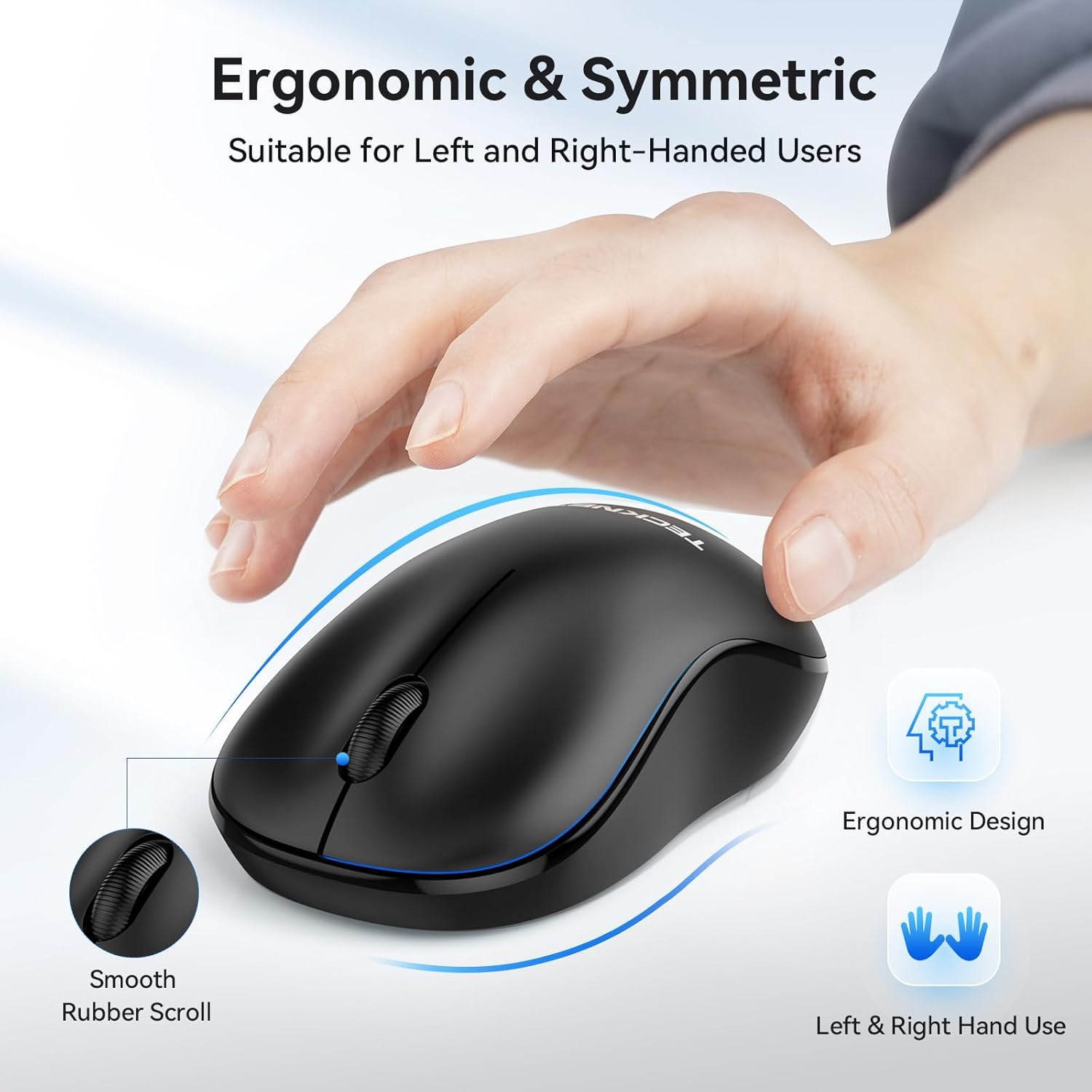
Figure 5.2: The ergonomic design ensures comfort for both left and right-handed users.
5.3. Long Battery Life and Durability
Enjoy up to 18 months of battery life with typical usage, thanks to its low power consumption design and automatic sleep mode. The mouse is built for durability, tested to withstand 5,000,000 keystrokes.

Figure 5.3: Highlighting the 18-month battery life and 5 million click lifespan.
5.4. Wide Compatibility
The mouse is compatible with a broad range of operating systems, including Windows XP, Windows Vista, Windows 11/10/8/7, Chromebook, Mac OS, and Linux.
6. Specifications
| Feature | Description |
|---|---|
| Brand | TECKNET |
| Model | WM01 (Small Wireless Mouse) |
| Color | Black |
| Connectivity Technology | 2.4G Wireless (USB Receiver) |
| Movement Detection Technology | Optical |
| Wireless Range | Up to 10 meters (33 feet) |
| Battery Type | 1 x AA (not included) |
| Battery Life | Up to 18 months |
| Keystroke Durability | 5,000,000 clicks |
| Dimensions (L x W x H) | Approx. 3.9 x 2.3 x 1.5 inches |
| Compatibility | Windows XP/Vista/7/8/10/11, Chromebook, Mac OS, Linux |
7. Maintenance
7.1. Cleaning Your Mouse
- To clean the mouse, use a soft, lint-free cloth slightly dampened with water or a mild cleaning solution.
- Avoid using harsh chemicals, abrasive cleaners, or solvents, as these may damage the surface.
- Ensure no liquid enters the mouse's internal components.
7.2. Battery Replacement
When the mouse performance degrades or stops responding, it's likely time to replace the battery. Follow the steps in Section 3.1 to replace the AA battery.
8. Troubleshooting
- Mouse not responding:
- Ensure the battery is correctly inserted and has sufficient charge. Replace if necessary.
- Make sure the USB receiver is securely plugged into a working USB port on your computer. Try a different USB port.
- Restart your computer.
- Ensure the mouse is within the 10-meter (33 feet) wireless range of the receiver.
- Erratic cursor movement:
- Clean the optical sensor on the bottom of the mouse with a soft, dry cloth.
- Use the mouse on a clean, non-reflective, and uniform surface. A mouse pad is recommended.
- Check for any strong electromagnetic interference nearby.
- Connection issues:
- Unplug the USB receiver and plug it back in.
- If you have multiple wireless devices, ensure they are not causing interference.
9. Warranty and Support
TECKNET provides a 36-month warranty for this product upon registration. If you encounter any issues or have questions, please do not hesitate to contact TECKNET customer support.
TECKNET is committed to providing lifetime support for its products. For assistance, please visit the official TECKNET website or contact their customer service team through the contact information provided on their packaging or website.
Note: Warranty terms may vary. Please refer to the official TECKNET warranty policy for full details.
10. Safety Information
- Do not expose the mouse to extreme temperatures, humidity, or direct sunlight.
- Avoid dropping or subjecting the mouse to strong impacts.
- Do not attempt to disassemble or modify the mouse. This will void the warranty.
- Keep the mouse and its components out of reach of small children.
- Dispose of batteries according to local regulations. Do not dispose of batteries in fire.