
EIGIIS KE5
EIGIIS KE5 Military Smart Watch User Manual
Model: KE5 | Brand: EIGIIS
Introduction
The EIGIIS KE5 Military Smart Watch is a rugged and versatile device designed for active lifestyles. It features a durable build, advanced health monitoring, extensive sports modes, and practical tools like a flashlight, compass, altimeter, and barometer. This manual provides detailed instructions to help you get the most out of your KE5 smartwatch.
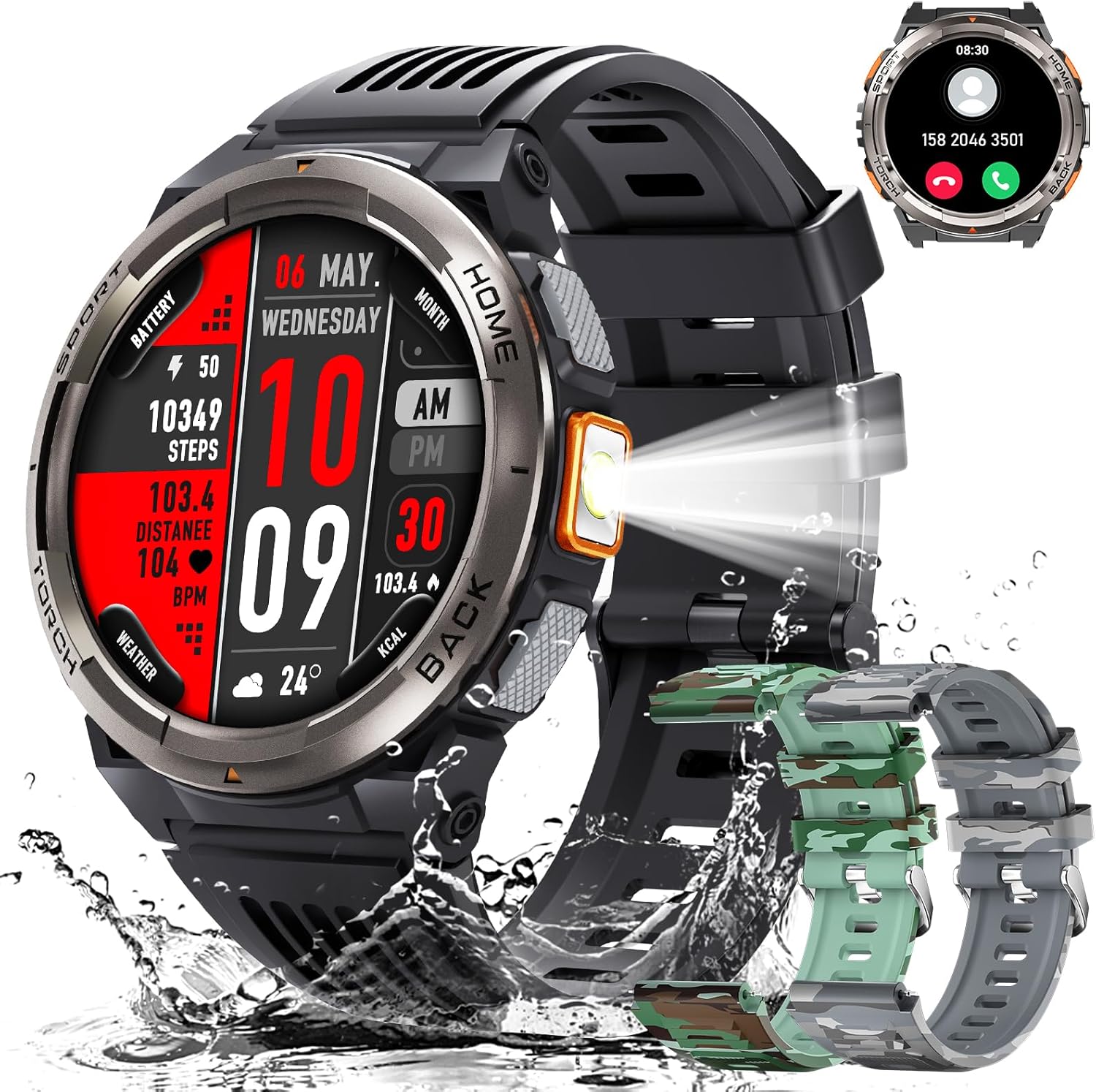
Image: The EIGIIS KE5 Military Smart Watch, showcasing its robust design, integrated flashlight, and included interchangeable watch bands.
What's in the Box
- 1 x EIGIIS Smart Watch Body KE5
- 3 x EIGIIS Smart Watch Bands
- 1 x Charging Cable
- 1 x User Manual (this document)
- 1 x Customized Box
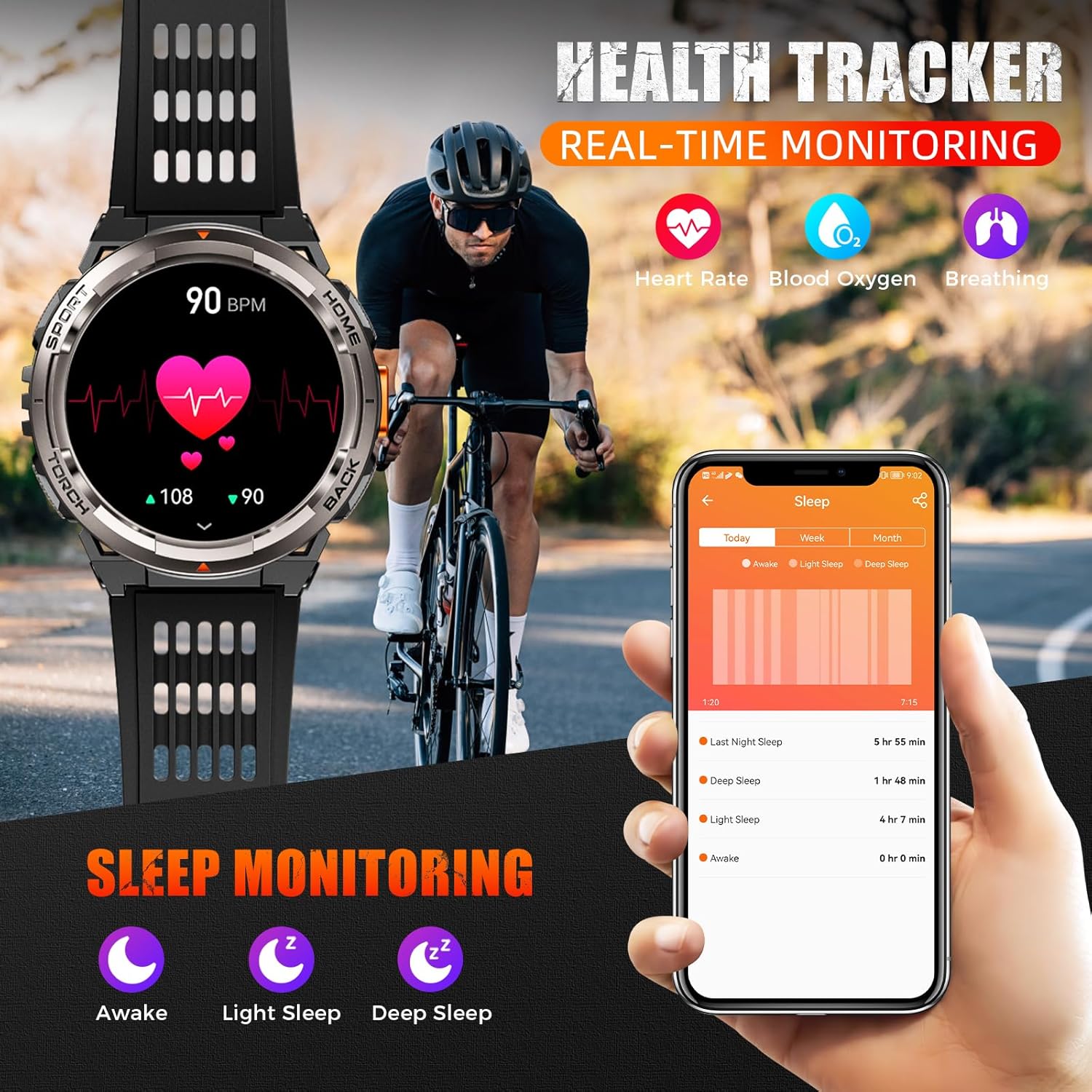
Image: A visual representation of the EIGIIS KE5 Smart Watch package contents, including the watch, multiple bands, charging cable, and manual.
Setup Guide
1. Charging the Smartwatch
Before first use, fully charge your EIGIIS KE5 smartwatch. Connect the magnetic charging cable to the charging points on the back of the watch and plug the USB end into a compatible power adapter (not included) or a computer USB port. A full charge typically takes about 2 hours.
Image: The EIGIIS KE5 Smart Watch connected to its magnetic charging cable, indicating the charging process.
2. Downloading the App
The EIGIIS KE5 smartwatch uses the FitCloudPro application for full functionality and data synchronization. Download the app from your device's app store:
- For iPhone users: Search "FitCloudPro" in the Apple App Store.
- For Android users: Search "FitCloudPro" in the Google Play Store.
Alternatively, you can scan the QR code provided in the quick start guide included with your watch to directly download the app.
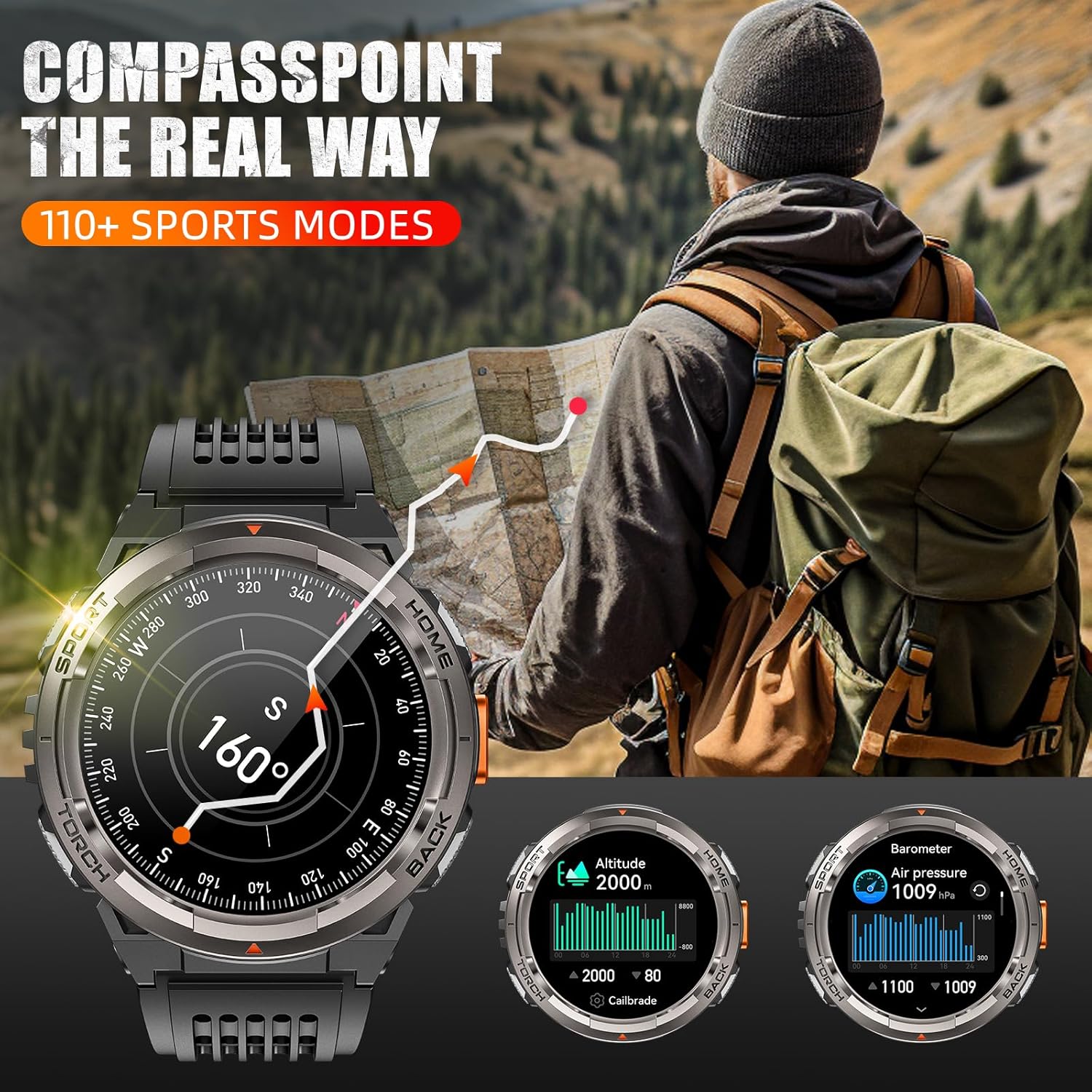
Image: A smartphone screen displaying the FitCloudPro app icon and a QR code, illustrating the app download process.
3. Pairing with Your Phone
To enable all smart features, pair your KE5 smartwatch with your smartphone via Bluetooth using the FitCloudPro app. Follow these steps:
- Ensure Bluetooth is enabled on your smartphone.
- Open the FitCloudPro app.
- Navigate to the "Device" section (usually found at the bottom or top of the app interface).
- Tap "Add Peripheral Now" or "Bind Smartwatch".
- The app will search for nearby devices. Select "KE5" from the list.
- Confirm the pairing request on both your phone and the smartwatch.
- Allow necessary permissions for notifications, call audio, and media audio when prompted by the app.
For a visual guide on connecting your KE5 smartwatch to your phone, please watch the official tutorial video below:
Video: Official EIGIIS Store tutorial on how to connect the KE5 smart watch to your phone, demonstrating the pairing process step-by-step.
Compatibility: The EIGIIS KE5 is compatible with iPhones (iOS 12.0 and above) and Android phones (Android 8.0 and above) with Bluetooth 5.2 or higher. It is not compatible with PCs, iPads, or tablets.
Operating Instructions
Basic Navigation
- Touch Screen: Swipe left, right, up, or down to navigate through menus and features. Tap to select.
- Side Buttons: The watch features physical buttons on the side for quick access to functions like Home, Back, Sport, and Torch.
- Raise to Wake: The screen automatically lights up when you raise your wrist. This feature can be configured in the app.
Key Features and Functions
Bluetooth Call & Message Notification
Once paired, you can make and receive calls directly from your wrist. The watch also vibrates to deliver real-time notifications from various social apps (SMS, Facebook, WhatsApp, Instagram, etc.). Ensure "Call audio" and "Media audio" are enabled in the watch's Bluetooth settings on your phone for full call functionality.
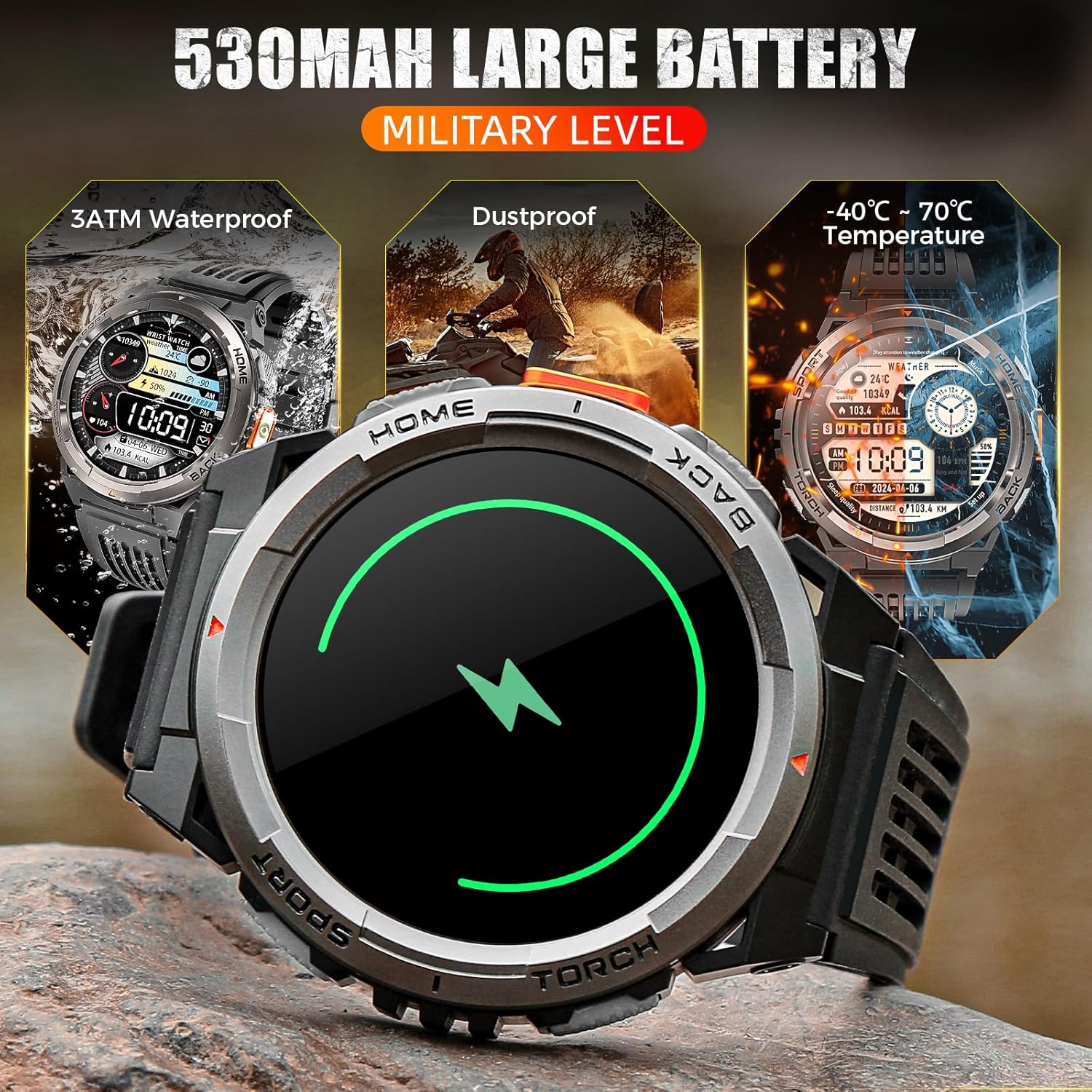
Image: The EIGIIS KE5 Smart Watch displaying an incoming call and message notifications from various social media applications.
LED Flashlight & SOS Alarm
The KE5 features a convenient side-mounted LED flashlight for illumination. It also includes an SOS alarm function, ideal for outdoor survival situations. The flashlight has an effective range of 6-10 meters and outputs 80-100 lumens.
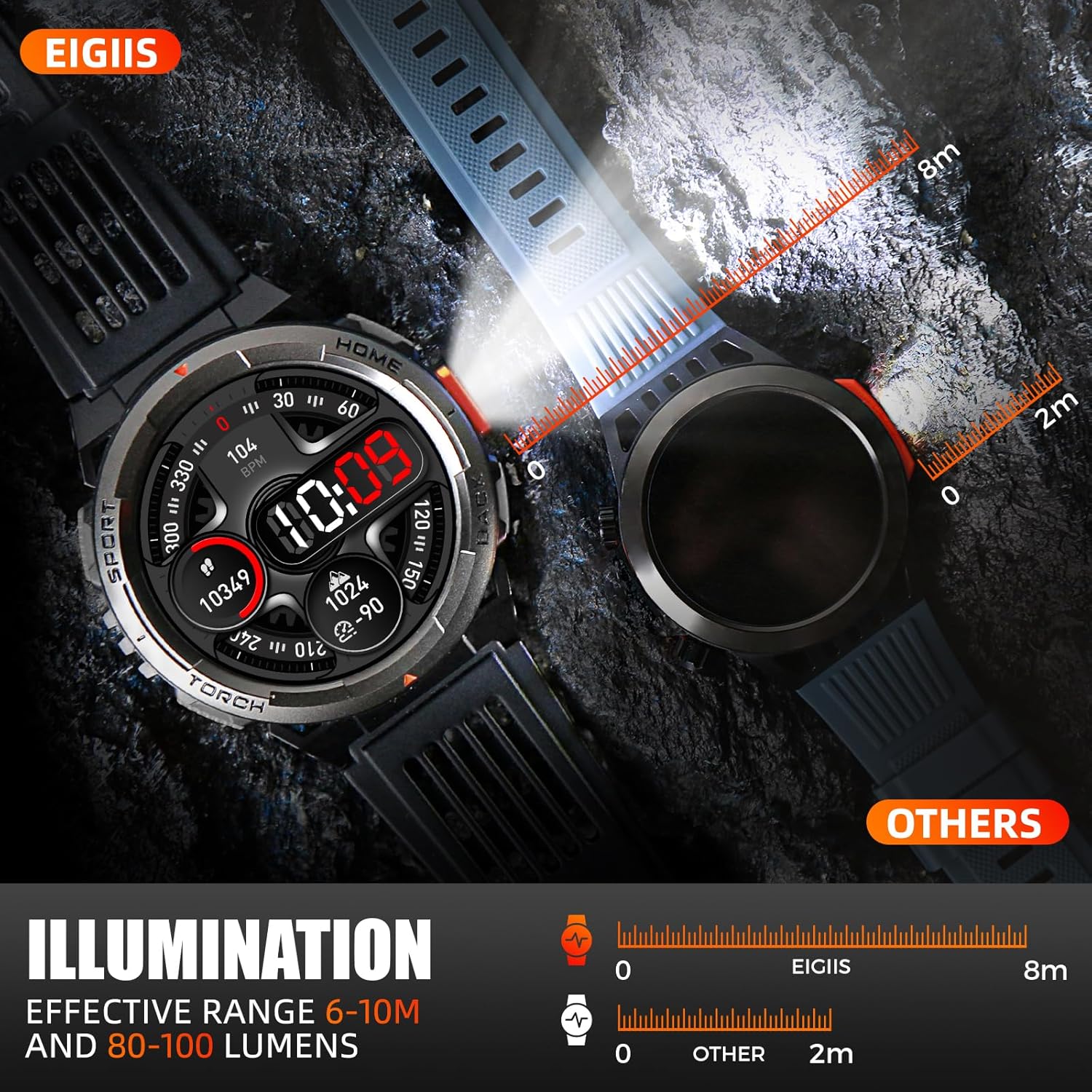
Image: The EIGIIS KE5 Smart Watch demonstrating its powerful LED flashlight, highlighting its illumination range compared to other devices.
Compass, Altimeter, Barometer
Engineered for outdoor adventures, the KE5 includes a digital compass, altimeter (for elevation), and barometer (for air pressure). These tools provide essential environmental data to help you navigate and stay informed during your activities.
Image: The EIGIIS KE5 Smart Watch interface showing readings for compass direction, altitude, and barometric pressure, useful for outdoor navigation.
Health Monitoring
The smartwatch offers real-time monitoring of key health metrics:
- Heart Rate: Continuously tracks your heart rate throughout the day.
- Blood Oxygen (SpO2): Measures your blood oxygen saturation levels.
- Sleep Tracking: Monitors your sleep patterns, including awake, light sleep, and deep sleep stages.
- Breathing Exercises: Guided breathing exercises to help you relax and manage stress.

Image: The EIGIIS KE5 Smart Watch displaying heart rate data and a smartphone screen showing detailed sleep monitoring statistics from the FitCloudPro app.
110+ Sports Modes
The KE5 supports over 110 sports modes, including running, swimming, basketball, yoga, and more. You can select and switch between modes via the FitCloudPro app to accurately track your workout data.
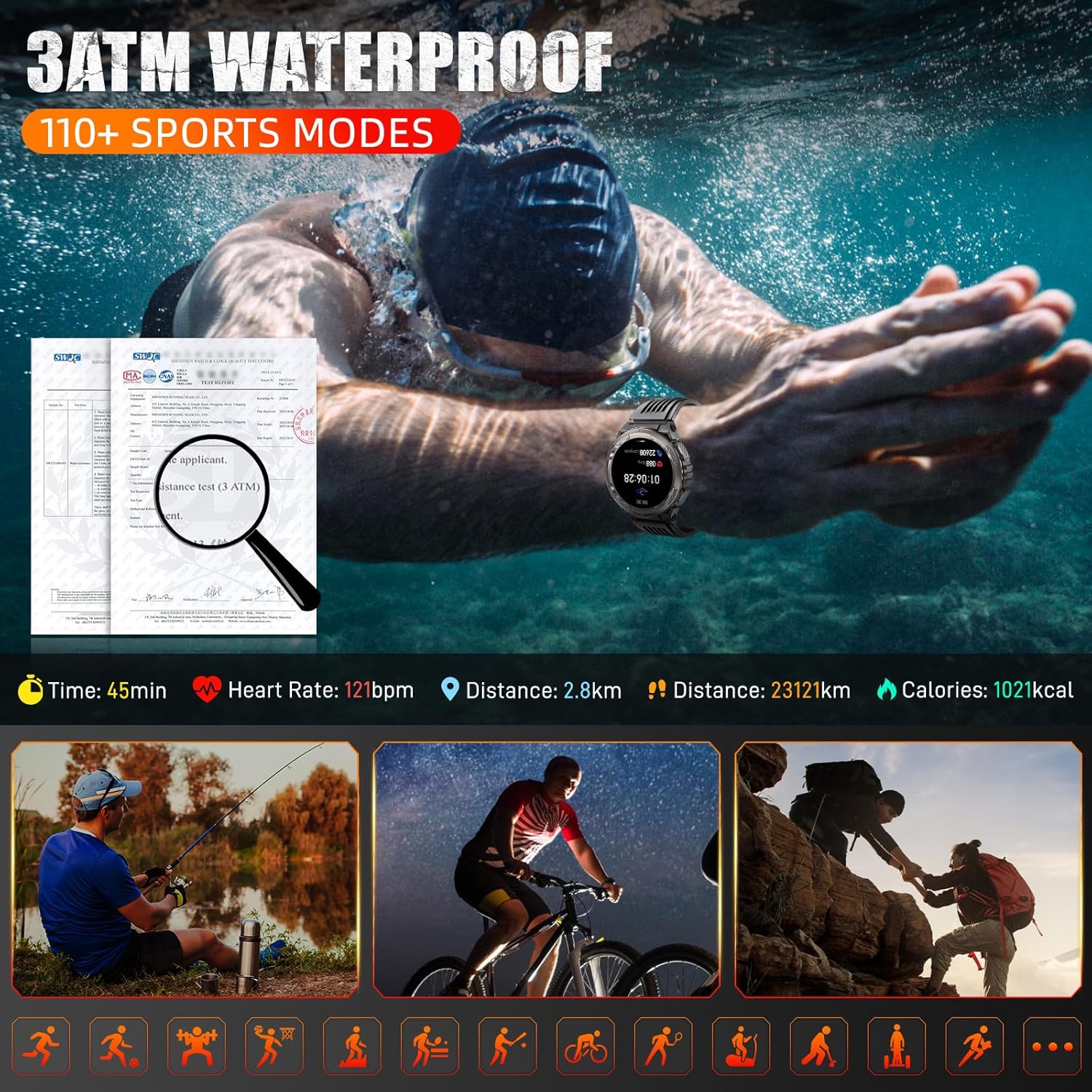
Image: The EIGIIS KE5 Smart Watch being used during swimming, highlighting its 3ATM waterproof rating and the availability of over 110 sports modes for various activities.
Other Multifunctional Features
The EIGIIS KE5 offers a wide range of additional features:
- AI Voice Assistant: Control your watch and phone with voice commands.
- Remote Camera Control: Use your watch as a remote shutter for your phone's camera.
- Music Control: Play, pause, skip tracks, and adjust volume for music playing on your phone.
- Weather Forecasting: Get real-time weather updates.
- Stopwatch & Timer: Essential tools for timing activities.
- Alarm & Calendar: Set alarms and manage your schedule.
- Calculator: Perform basic calculations on your wrist.
- Sedentary Reminders: Prompts to move after periods of inactivity.
- Drink Water Reminders: Helps you stay hydrated.
- Multi-dial Switching: Customize your watch face from a variety of options or use your own photos.

Image: A collage illustrating various multifunctional features of the EIGIIS KE5 Smart Watch, including weather display, music control, camera remote, and SOS function.
Maintenance and Care
- Cleaning: Regularly clean your watch and strap with a soft, damp cloth. Avoid harsh chemicals or abrasive materials.
- Water Resistance: The KE5 is 3ATM waterproof, suitable for swimming, snorkeling, and showering. Note: Do not use it in the sea (saltwater) or hot water, such as baths or saunas, as this can compromise the seals.
- Temperature: Avoid exposing the watch to extreme temperatures (below -40°C or above 70°C).
- Storage: When not in use for extended periods, store the watch in a cool, dry place and ensure it has some charge to prevent deep discharge.
- Charging: Use only the provided charging cable.

Image: The EIGIIS KE5 Smart Watch submerged in water, illustrating its 3ATM waterproof capability for activities like swimming and washing hands.
Troubleshooting
- Watch not connecting to phone:
- Ensure Bluetooth is on for both devices.
- Make sure the FitCloudPro app is open and searching.
- Check if the watch is within 0.5 meters of the phone during initial pairing.
- Restart both the watch and the phone.
- Forget the device in your phone's Bluetooth settings and try pairing again through the app.
- Notifications not appearing:
- Check app permissions on your phone to ensure FitCloudPro has access to notifications.
- Verify that push notifications are enabled within the FitCloudPro app settings for specific applications.
- Ensure the watch is properly connected via Bluetooth.
- Call audio not working:
- After pairing, go to your phone's Bluetooth settings, find "KE5", and ensure "Call audio" and "Media audio" are toggled on.
- Inaccurate health data:
- Ensure the watch is worn snugly on your wrist, but not too tight.
- Clean the sensor on the back of the watch regularly.
- Note that smartwatches are not medical devices and readings are for reference only.
- Battery drains quickly:
- Reduce screen brightness.
- Limit continuous heart rate monitoring if not needed.
- Turn off "Raise to Wake" if you frequently move your wrist.
- Ensure no background apps are excessively using watch resources.
- Watch not waterproof as expected:
- While 3ATM rated, avoid using the watch in saltwater or hot water (e.g., hot showers, saunas) as this can damage seals.
- Ensure the watch is not subjected to high-pressure water jets.
Specifications
| Feature | Detail |
|---|---|
| Model Number | KE5 |
| Screen Size | 1.45 Inches TFT HD Touch Screen |
| Resolution | 360x360 |
| Battery Capacity | 530mAh Lithium Polymer |
| Battery Life (Daily Use) | 5-7 days |
| Standby Time | Up to 20 days |
| Charging Time | Approx. 2 hours |
| Water Resistance | 3ATM (up to 30 meters) |
| Connectivity | Bluetooth 5.2 |
| Compatibility | Android 8.0+ / iOS 12.0+ |
| Item Weight | 58 Grams (2.05 ounces) |
| Memory Storage Capacity | 128 MB |
| Supported Languages | English, German, French, Italian, Spanish, etc. |
Warranty and Support
EIGIIS provides a 12-month money-back or free replacement guarantee for the KE5 Military Smart Watch. If you encounter any issues or have questions regarding your product, please do not hesitate to contact our professional service team via email. We are committed to providing the best solution and will reply to you within 24 hours.
For support, please refer to the contact information provided in your product packaging or visit the official EIGIIS store on Amazon: EIGIIS Store
Related documentsKE5


Ask a question about this manual
Ask about setup, troubleshooting, compatibility, parts, safety, or missing instructions. Manuals+ will review the question and use this page’s manual context to help answer it.