
SWAN SAC16800OAT
Swan Nordic 2-in-1 Evaporative Air Cooler
Model: SAC16800OAT
Brand: SWAN
1. Introduction
Thank you for choosing the Swan Nordic 2-in-1 Evaporative Air Cooler. This appliance is designed to provide efficient cooling and air circulation for your home or office. It combines the functions of an air cooler and a fan, offering multiple settings and modes for optimal comfort.

Image: Front view of the Swan Nordic 2-in-1 Evaporative Air Cooler in Oatmeal color.
This manual provides important information regarding the safe operation, setup, maintenance, and troubleshooting of your new air cooler. Please read it thoroughly before use and retain it for future reference.
2. Important Safety Information
Always follow basic safety precautions when using electrical appliances to reduce the risk of fire, electric shock, and personal injury.
- Ensure the power supply voltage matches the rating label on the appliance.
- Do not immerse the appliance, cord, or plug in water or other liquids.
- Unplug from the outlet when not in use, before cleaning, or before moving.
- Keep the appliance out of reach of children and pets.
- Do not operate with a damaged cord or plug.
- Place the appliance on a stable, flat surface.
- Do not block air inlets or outlets.
- Only use clean water in the water tank.
- Do not move the appliance when the water tank is full.
3. Product Components
Familiarize yourself with the main parts of your Swan Nordic Air Cooler:
- Control Panel with Digital Display
- Air Outlet with Oscillating Grill
- Water Tank (5 Litre capacity)
- Water Level Indicator
- Honeycomb Filter (Evaporative Pad)
- Remote Control
- Power Cord
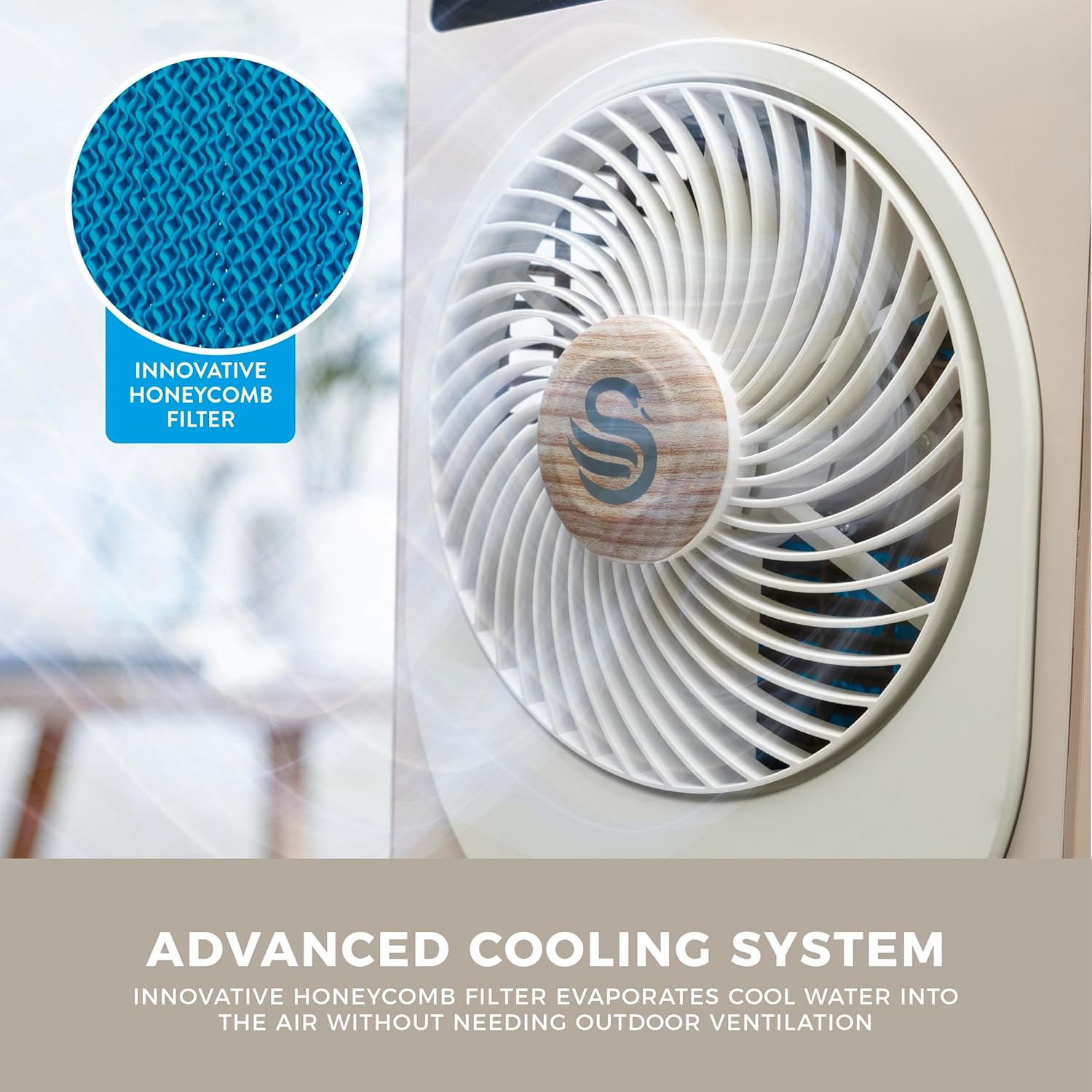
Image: Close-up view of the innovative honeycomb filter, a key component of the advanced cooling system.
4. Setup
- Unpacking: Carefully remove the air cooler from its packaging. Retain packaging for future storage or transport.
- Placement: Place the air cooler on a firm, level surface, ensuring there is adequate space around it for proper airflow. Avoid placing it directly against walls or furniture.
- Filling the Water Tank:
- Pull out the water tank from the bottom rear of the unit.
- Fill the tank with clean, cool water. Do not exceed the "MAX" fill line indicated on the tank.
- For enhanced cooling, you may add ice packs (not included) to the water tank.
- Carefully slide the water tank back into the unit until it clicks into place.
- Power Connection: Plug the power cord into a standard electrical outlet.
5. Operating Instructions
Your air cooler can be operated using the soft touch controls on the top panel or the included remote control.

Image: The air cooler providing cooling in a modern living room, demonstrating its 2-in-1 air cooling capability.
Control Panel Functions:
- Power Button (⏻): Turns the unit ON or OFF.
- Mode Button (☼): Cycles through 3 airflow modes: Normal, Natural, and Sleep.
- Speed Button (☀): Adjusts fan speed. Offers 24 fan settings for precise control.
- Cooling Button (❄): Activates or deactivates the evaporative cooling function. Ensure water tank is filled for this mode.
- Oscillation Button (↻): Turns the 360° oscillating grill ON or OFF for wider air distribution.
- Timer Button (⏱): Sets the automatic shut-off timer for up to 24 hours.
The digital display will show the current settings, such as fan speed or timer duration.
6. Maintenance
Regular cleaning and maintenance will ensure optimal performance and longevity of your air cooler.
Cleaning the Water Tank:
- Unplug the unit from the power outlet.
- Remove the water tank and empty any remaining water.
- Clean the tank with a soft cloth and mild detergent. Rinse thoroughly with clean water.
- Allow the tank to air dry completely before reinserting.
- Clean the water tank at least once a week, or more frequently if used regularly.
Cleaning the Honeycomb Filter:
- Unplug the unit.
- Carefully remove the honeycomb filter (refer to product diagram for location).
- Rinse the filter under running water to remove dust and mineral deposits. For stubborn dirt, use a soft brush.
- Allow the filter to dry completely before placing it back into the unit.
- Clean the filter every 2-4 weeks, depending on usage and water quality.
General Cleaning:
- Wipe the exterior of the unit with a soft, damp cloth. Do not use abrasive cleaners or solvents.
- Ensure no water enters the control panel or other electrical components.
7. Troubleshooting
| Problem | Possible Cause | Solution |
|---|---|---|
| Unit does not turn on. | No power supply; Power cord not properly plugged in. | Check power outlet; Ensure power cord is securely plugged in. |
| No cooling effect. | Water tank empty; Cooling function not activated; Honeycomb filter clogged. | Fill water tank; Press the Cooling button; Clean the honeycomb filter. |
| Weak airflow. | Air inlets/outlets blocked; Fan speed too low. | Clear any obstructions; Increase fan speed. |
| Unusual noise. | Unit not on a level surface; Foreign object inside; Water pump issue. | Place on a flat surface; Unplug and check for obstructions (if safe); Contact customer support if noise persists. |
| Water leakage. | Water tank not properly seated; Water tank overfilled. | Ensure water tank is securely in place; Do not overfill past MAX line. |
8. Specifications
| Feature | Detail |
|---|---|
| Model Number | SAC16800OAT |
| Product Dimensions | 23.5 x 29 x 66.8 cm |
| Weight | 4.2 kg |
| Power Consumption | 28W |
| Reservoir Capacity | 5 Litres |
| Fan Settings | 24 |
| Airflow Modes | 3 (Normal, Natural, Sleep) |
| Timer | Up to 24 hours |
| Controls | Touch, Remote |
| Special Feature | Oscillating Fan |
| Colour | Oatmeal |

Image: Visual representation of the air cooler's dimensions (Height: 680mm, Width: 290mm, Depth: 180mm).
9. Warranty and Support
This Swan Nordic Air Cooler comes with a 2-year manufacturer's guarantee. Please retain your proof of purchase for warranty claims.

Image: Symbol representing the 2-year guarantee provided with the product.
For product support, spare parts, or to register your product for an additional year of guarantee, please visit the official SWAN website or contact their customer service department. You can find more information on the SWAN Store on Amazon.
Ask a question about this manual
Ask about setup, troubleshooting, compatibility, parts, safety, or missing instructions. Manuals+ will review the question and use this page’s manual context to help answer it.