
1. Introduction
The HASBRO Furby Tie-Dye Interactive Toy (Model F8900) is a cheerful, colorful plush companion designed for children aged 6 and up. This animatronic toy responds to your voice and touch, offering over 600 different phrases, songs, and interactive play modes. Furby speaks both Japanese and Furbish, making it a unique and engaging friend. The more you interact with your Furby, the more its personality and abilities will develop.

Image: Furby Tie-Dye in its vibrant packaging, highlighting its interactive nature.
2. Package Contents
Your Furby Tie-Dye Interactive Toy package includes:
- 1 x Furby Tie-Dye Interactive Toy
- 1 x Accessory String
- 1 x Brush
- 1 x Pizza Charm
- 12 x Bead Clips
Note: 4 AA alkaline batteries are required and sold separately.
3. Setup
3.1 Battery Installation
- Locate the battery compartment on the underside of your Furby.
- Using a Phillips head screwdriver (not included), open the battery compartment cover.
- Insert 4 new AA alkaline batteries, ensuring correct polarity (+/-).
- Replace the battery compartment cover and secure it with the screw.
3.2 Initial Activation
To wake up your Furby and begin interaction:
- Press the heart button located on Furby's forehead.
- Say "Hey Furby!" when its ears glow green and it makes a sound.
- Furby will respond, indicating it's ready to play.

Image: Furby with glowing ears, ready for interaction.
4. Operating Instructions
Furby offers a variety of interactive modes and responses. Experiment with different interactions to discover all its features.
4.1 Voice Commands and Phrases
Speak these phrases to Furby to activate specific modes:
- "Let's Dance": Furby will play music and dance.
- "Mimic Me": Furby will repeat what you say in a funny voice.
- "Tell My Fortune": Ask Furby a question, and it will give you a fun answer.
- "Let's Relax": Furby will guide you through breathing exercises and offer encouraging words.
- "Light Show": Furby's ears will light up in various colors, reacting to touch.
4.2 Physical Interactions
Furby responds to various physical touches:
- Touching its Belly: Furby will react with giggles or other sounds.
- Patting its Head: Furby will make happy sounds.
- Shaking Furby: It may react with playful sounds or movements.
- Feeding the Pizza Charm: Place the pizza charm near its mouth, and Furby will make eating sounds.
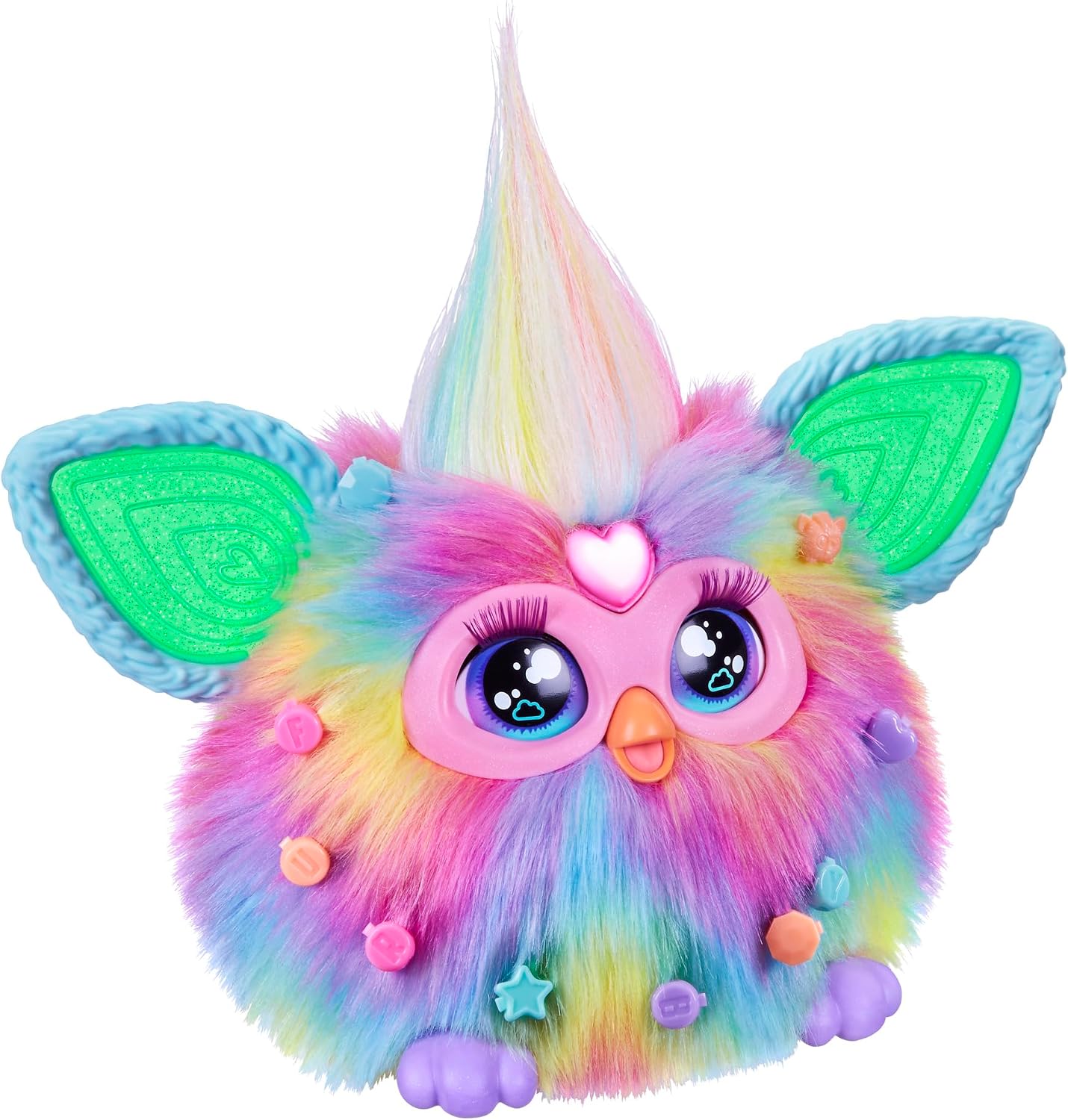
Image: A child playing with Furby, demonstrating its interactive nature.
4.3 Sleep Mode
To put Furby to sleep, lay it on its back. You will hear snoring and yawning sounds, indicating it has entered sleep mode.

Image: Furby in sleep mode, with 'Zzz' graphic.
4.4 Customization with Accessories
Use the included accessories to personalize your Furby. Brush its fur with the comb and attach the bead clips and pizza charm to its fur or ears for a unique look.

Image: Furby with accessories, demonstrating customization.
5. Care and Maintenance
- Wipe the surface of your Furby gently with a soft, dry cloth.
- Do not immerse Furby in water or any other liquids.
- Avoid exposing Furby to extreme temperatures or direct sunlight for prolonged periods.
- Remove batteries if the toy will not be used for an extended period to prevent leakage.
6. Troubleshooting
6.1 Furby is not responding or turning on.
- Check if the batteries are inserted correctly with the correct polarity.
- Replace old batteries with new AA alkaline batteries.
- Ensure the heart button has been pressed and you've said "Hey Furby!" clearly.
6.2 Furby's movements or sounds are erratic.
- Replace the batteries with fresh ones. Low battery power can affect performance.
- Ensure Furby is on a flat, stable surface if it's meant to move.
6.3 Furby is not connecting to the internet or other devices.
Note: Furby is designed as a standalone interactive toy and cannot connect to the internet or external devices.
7. Specifications
| Feature | Detail |
|---|---|
| Brand | HASBRO |
| Model Number | F8900 |
| GTIN (UPC) | 195166273051 |
| Product Category | Interactive Plush Toy |
| Color | Tie-Dye |
| Minimum Age | 6 years (72 months) |
| Maximum Age | 100 years (1200 months) |
| Dimensions (L x W x H) | 22.8 cm x 12.7 cm x 22.8 cm |
| Material | Plastic |
| Batteries Required | Yes |
| Number of Batteries | 4 AAA batteries (sold separately) |
8. Safety Warnings
- Choking Hazard: Small parts. Not for children under 3 years.
- Battery Safety: Do not mix old and new batteries. Do not mix alkaline, standard (carbon-zinc), or rechargeable (nickel-cadmium) batteries. Insert batteries with correct polarity. Remove exhausted batteries from the toy. Do not short-circuit the supply terminals.
- Product Variation: The product's appearance and specifications may vary slightly from the images and illustrations on the packaging.
- No Internet/Device Connection: This Furby model cannot connect to the internet or other electronic devices.
9. Warranty and Support
For warranty information or customer support, please refer to the contact details provided on the product packaging or visit the official HASBRO website. Keep your purchase receipt as proof of purchase.
10. Official Product Video
Watch this video for a demonstration of Furby's interactive features and play modes.
Video: A demonstration of the Furby's interactive features and play modes.


