
1. Product Overview
The Spigen Liquid Air Case is designed to provide protection for your iPhone 16. It features a slim profile and a matte textured finish for enhanced grip. This case is engineered with Air Cushion Technology for drop protection and includes raised edges to safeguard the screen and camera.
Key Features:
- Made from Thermoplastic Polyurethane (TPU) for durability and flexibility.
- Integrated Air Cushion Technology in corners for impact absorption.
- Matte textured surface provides a non-slip grip and resists fingerprints.
- Raised bezels protect the screen and camera lenses from direct surface contact.
- Supports wireless charging. Note: This case is NOT compatible with MagSafe accessories.

Figure 1: Spigen Liquid Air Case for iPhone 16 (Matte Black).
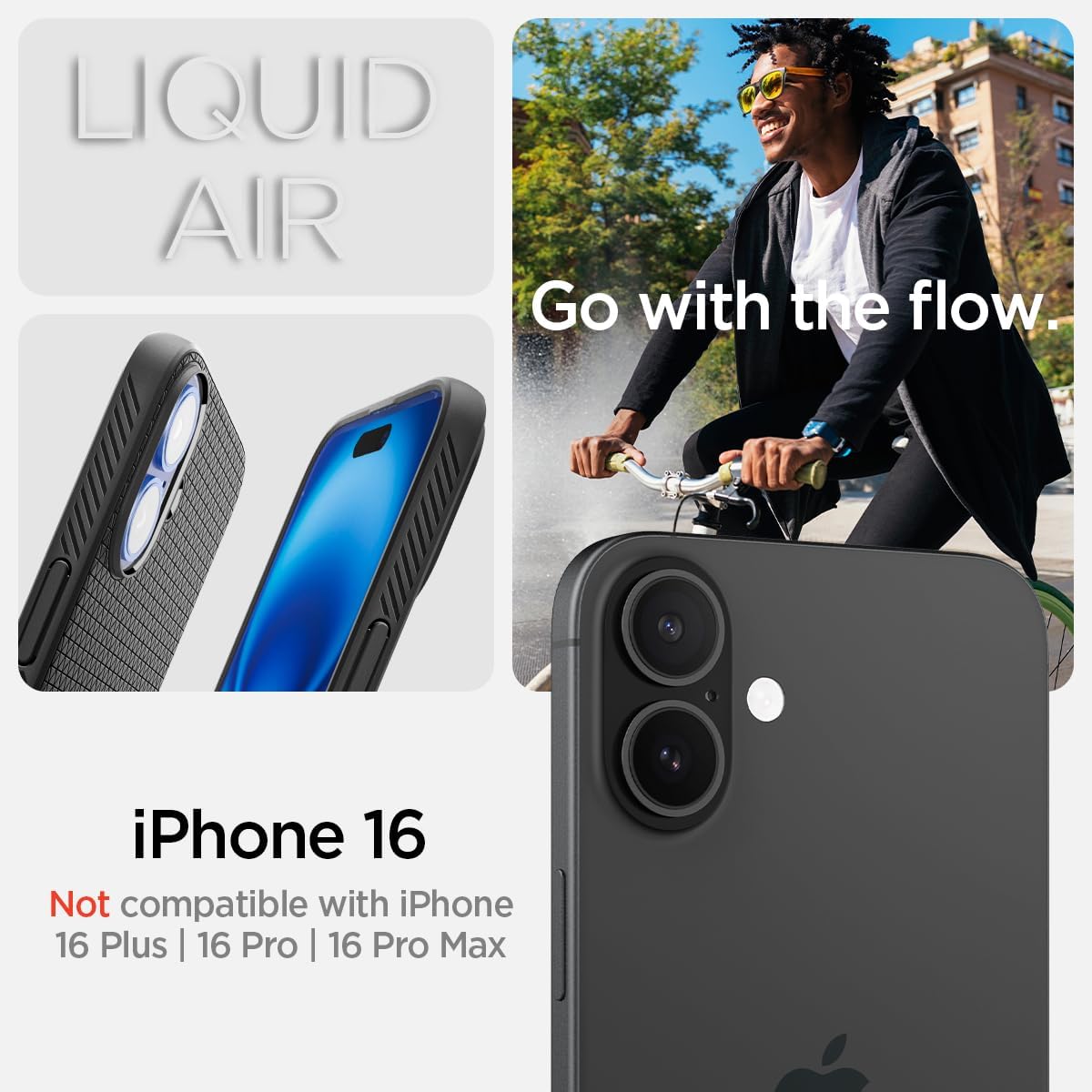
Figure 2: Compatibility information for the Spigen Liquid Air Case, specifically for iPhone 16.
2. Installation
Installing the Spigen Liquid Air Case on your iPhone 16 is a straightforward process.
- Ensure your iPhone 16 is clean and free of dust or debris.
- Align the top edge of your iPhone 16 with the top edge of the case.
- Gently push the phone into the case, starting from the top, ensuring all corners snap securely into place.
- Verify that all buttons (power, volume) and ports (charging, speakers) are properly aligned with the case cutouts.
Figure 3: Illustration of case installation, demonstrating the flexible design for easy application.
3. Operating the Case
The Spigen Liquid Air Case is designed for seamless integration with your iPhone 16, enhancing its usability and protection.
- Button Accessibility: The case features precise button covers that maintain the tactile feedback of your iPhone's power and volume buttons.
- Grip: The matte textured surface provides a secure and comfortable grip, reducing the likelihood of accidental drops.
- Wireless Charging: The case is designed to be thin enough to support standard wireless charging without needing to remove the case.
- MagSafe Compatibility: Please note that this specific model of the Spigen Liquid Air Case is NOT compatible with MagSafe accessories. For MagSafe compatibility, please refer to other Spigen case models.
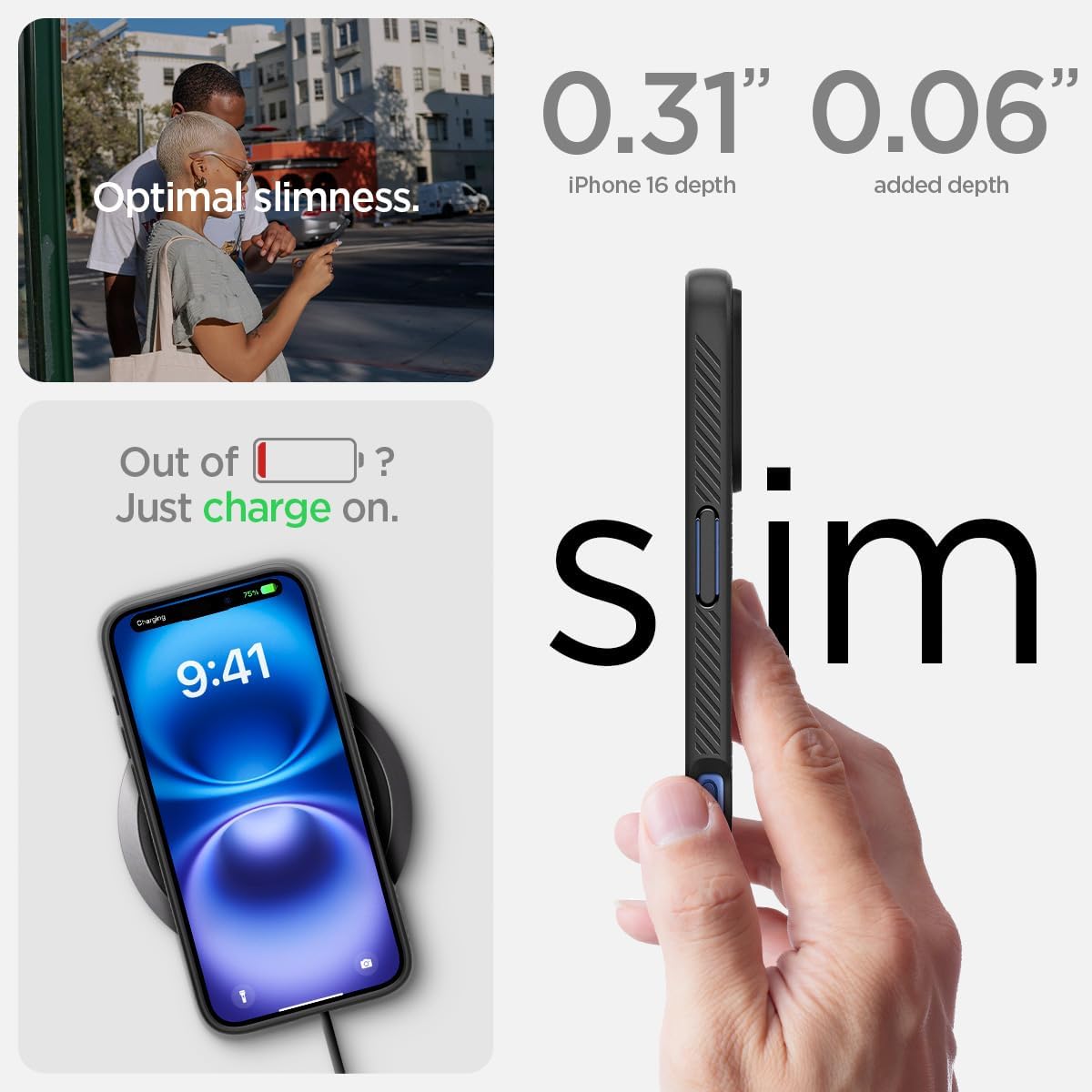
Figure 4: The case maintains a slim profile and supports wireless charging.

Figure 5: The case design ensures easy access and tactile response for all buttons.
4. Maintenance
To maintain the appearance and functionality of your Spigen Liquid Air Case, follow these simple cleaning instructions:
- Remove the case from your iPhone 16.
- Wipe the case with a soft, damp cloth. For stubborn dirt, a small amount of mild soap can be used.
- Rinse the case thoroughly with clean water to remove any soap residue.
- Allow the case to air dry completely before re-installing it on your phone.
- Avoid using harsh chemicals, abrasive cleaners, or excessive scrubbing, as these can damage the case's finish.
5. Troubleshooting
If you encounter any issues with your Spigen Liquid Air Case, consider the following:
- Case does not fit: Ensure you have the correct model case for your iPhone 16. This case is specifically designed for the iPhone 16 and is not compatible with iPhone 16 Plus, 16 Pro, or 16 Pro Max.
- Wireless charging issues: Confirm your wireless charger is functioning correctly. While the case supports wireless charging, it is not compatible with MagSafe. If using a MagSafe charger, it may not align or charge effectively.
- Dirt accumulation: If dirt or dust accumulates between the case and phone, remove the case and clean both the phone and case as described in the Maintenance section.
6. Specifications
| Attribute | Detail |
|---|---|
| Product Dimensions | 3 x 0.4 x 6 inches |
| Item Weight | 0.988 ounces |
| Model Number | ACS08194 |
| Compatible Phone Models | iPhone 16 |
| Color | Matte Black |
| Material | Thermoplastic Polyurethane (TPU) |
| Manufacturer | Spigen |
| Date First Available | September 9, 2024 |
7. Warranty Information
Spigen products typically come with a manufacturer's warranty covering defects in materials and workmanship. For specific warranty terms and conditions, including duration and claim procedures, please refer to the official Spigen website or contact their customer support directly. Proof of purchase may be required for warranty claims.
8. Customer Support
For further assistance, product inquiries, or technical support, please visit the official Spigen website or contact their customer service department.
- Spigen Official Website: www.spigen.com
- Amazon Store: Spigen Store on Amazon
9. Additional Information
This manual provides essential information for the Spigen Liquid Air Case. For the most up-to-date product details and support, always refer to the official Spigen resources.
