1. Important Safety Information
Please read all instructions carefully before using the Ginity XJQ-5001 Ear & Nose Hair Trimmer. Retain this manual for future reference.
- Avoid Contact: Do not allow the trimmer blades to come into direct contact with eyes or sensitive skin areas to prevent injury.
- Water Safety: While the trimmer is IPX7 waterproof for cleaning, avoid prolonged submersion or using it in situations where electrical hazards could occur. Ensure the charging port is dry before connecting the USB cable.
- Children: This device is not intended for use by infants or children. Keep out of reach of children.
- Charging: Use only the provided Type-C USB charging cable. Do not charge the device for more than 12 hours to prevent battery damage.
- Maintenance: Follow recommended cleaning and maintenance procedures to ensure the trimmer's longevity and safe operation.
- Disassembly: Do not attempt to disassemble or repair the trimmer yourself. Contact customer support for assistance.
2. Product Overview
The Ginity XJQ-5001 is a versatile, USB rechargeable hair trimmer designed for nose, ear, eyebrow, and facial hair. It features an LED display for battery status and interchangeable heads.
Key Features:
- Dual-Head System: Includes two interchangeable trimming heads for various grooming needs.
- Powerful Motor: Equipped with a copper-core motor operating at 12,000-13,000 RPM for efficient and painless trimming.
- Precision Blades: 360° rotating dual-edge stainless steel blades designed to prevent pulling or snagging hair.
- USB-C Rechargeable: Convenient Type-C USB charging with a 2-hour fast charge time.
- LED Display: Digital LED screen indicates the current battery level.
- Waterproof Design: IPX7 waterproof rating allows for easy rinsing under running water.
- Portable: Compact, pen-like design for easy storage and travel.
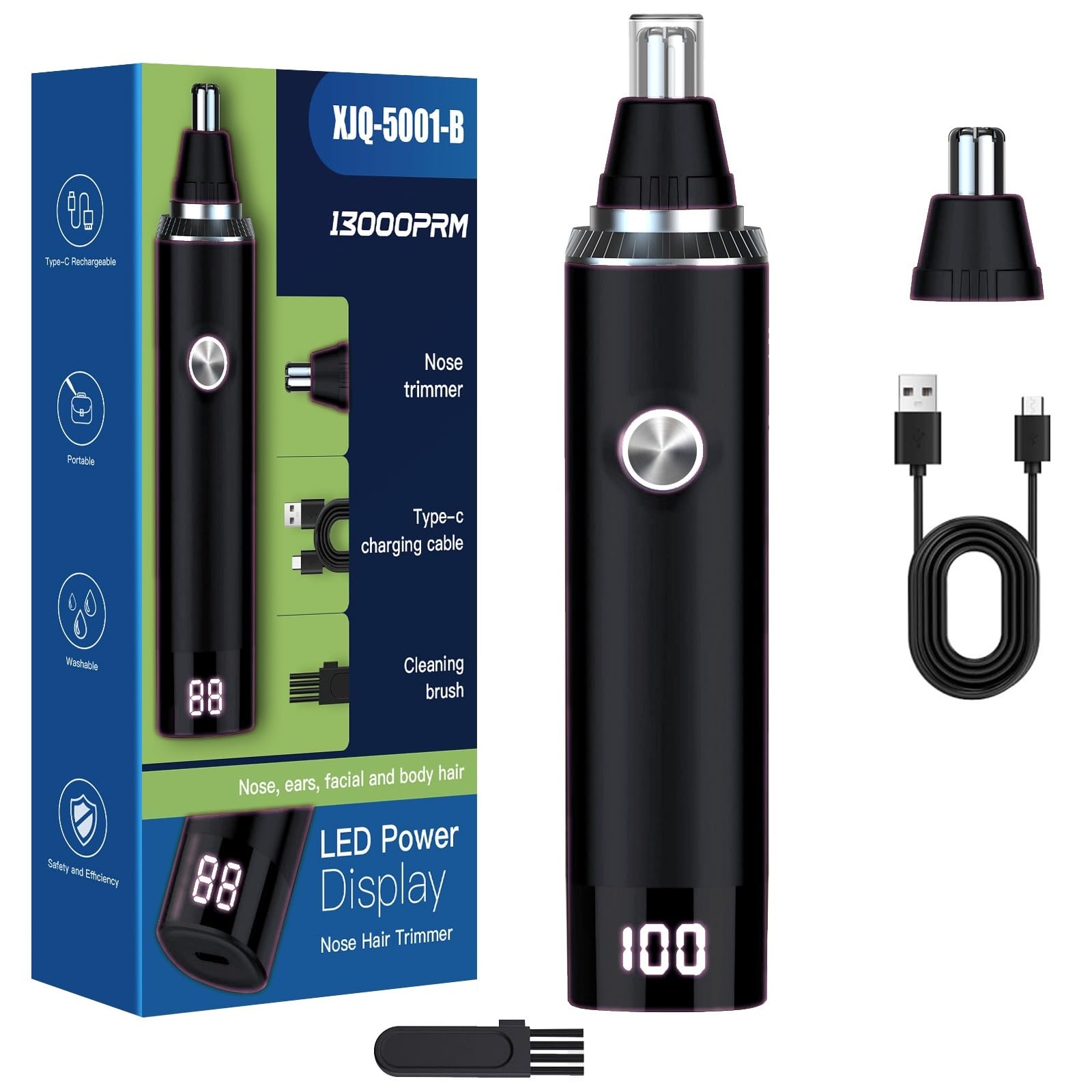
Image: The Ginity XJQ-5001 trimmer, showcasing its sleek design and LED battery display.
3. Setup
3.1 Initial Charging
- Before first use, fully charge the trimmer.
- Connect the provided Type-C USB cable to the charging port at the bottom of the trimmer.
- Plug the other end of the USB cable into a compatible USB power source (e.g., computer, wall adapter, power bank).
- The LED display will illuminate, showing the charging progress. A full charge is indicated by '100' on the display.
- Once fully charged, disconnect the cable. Do not charge for more than 12 hours.

Image: The trimmer connected via USB-C cable to a power source, with the LED display showing charging status.
3.2 Attaching/Removing Trimmer Heads
The trimmer comes with two interchangeable heads for different grooming needs.
- To Remove: Hold the trimmer body firmly. Twist the attached trimmer head counter-clockwise until it detaches.
- To Attach: Align the desired trimmer head with the trimmer body. Push it down gently and twist clockwise until it clicks securely into place.

Image: Visual guide demonstrating how to twist and remove/attach the trimmer heads.

Image: The Ginity XJQ-5001 trimmer displayed with its two distinct interchangeable heads.
4. Operation
Ensure the trimmer is charged and the desired head is securely attached before use.
- Power On/Off: Press the power button located on the front of the trimmer to turn it on. Press again to turn it off.
- Nose/Ear Hair Trimming: For nose or ear hair, use the standard cylindrical trimming head. Gently insert the trimmer tip into the nostril or ear canal, ensuring not to insert too deeply. Move the trimmer in a circular motion to trim unwanted hair.
- Eyebrow/Facial Hair Trimming: For eyebrows or other facial hair, attach the flat trimming head. Carefully guide the trimmer along the desired area, using light pressure.
- Trimming Technique: Always trim against the direction of hair growth for best results. Avoid pressing the trimmer too hard against the skin.
- Post-Use: After trimming, turn off the device and clean the trimmer head as described in the Maintenance section.

Image: Demonstrates the use of the trimmer for nose and ear hair removal.
5. Maintenance and Cleaning
Regular cleaning ensures optimal performance and hygiene of your trimmer.
- Turn Off: Always turn off the trimmer before cleaning.
- Remove Head: Detach the trimming head by twisting it counter-clockwise.
- Rinse: Rinse the detached trimming head under running water to remove hair clippings. The trimmer body is IPX7 waterproof and can also be rinsed, but ensure the charging port is sealed and dry before charging.
- Dry: Shake off excess water and allow the head and body to air dry completely before reattaching or storing. You may use a soft cloth to wipe the body.
- Brush Cleaning: Use the small cleaning brush (if included) to remove stubborn hair from the blades or inside the trimmer head.
- Storage: Store the trimmer with its dust cover on in a clean, dry place.

Image: Step-by-step guide for detaching, rinsing, and reinstalling the trimmer head for cleaning.
6. Charging
The Ginity XJQ-5001 features a Type-C USB rechargeable battery with an LED display for monitoring battery levels.
- Battery Indicator: The LED display shows the percentage of battery charge remaining.
- Charging Time: A full charge typically takes approximately 2 hours.
- Overcharge Protection: The device is designed with protection against overvoltage, overcharging, and short circuits. However, it is recommended to unplug the charger once the display shows '100'.
- Charging Sources: Can be charged using various USB power sources such as mobile power supplies, car chargers, computers, or AC adapters.
7. Specifications
| Feature | Detail |
|---|---|
| Model Number | XJQ-5001 |
| Product Dimensions | 5 x 0.5 x 0.5 inches |
| Item Weight | 4.66 ounces |
| Power Source | Battery Powered (USB-C Rechargeable) |
| Motor Speed | 12,000 - 13,000 RPM |
| Waterproof Rating | IPX7 |
| Material | High-quality ABS Material, Stainless Steel |
| Recommended Uses | Ear, Nose, Eyebrow, Facial Hair Trimming |
8. Troubleshooting
If you encounter issues with your Ginity XJQ-5001 trimmer, please refer to the following common solutions:
- Trimmer Not Turning On:
- Ensure the battery is charged. Connect the trimmer to a power source and check the LED display.
- Press the power button firmly.
- Poor Trimming Performance / Pulling Hair:
- The battery might be low. Recharge the trimmer.
- The blades may be clogged with hair. Clean the trimmer head thoroughly as per the Maintenance section.
- Ensure the trimmer head is securely attached.
- Trimmer Not Charging:
- Check if the USB cable is properly connected to both the trimmer and the power source.
- Try a different USB cable or power adapter to rule out a faulty accessory.
- Ensure the charging port on the trimmer is clean and dry.
If the issue persists after attempting these steps, please contact customer support.
9. Warranty and Support
The Ginity XJQ-5001 Ear & Nose Hair Trimmer comes with a One Year After-sales Service from the date of purchase.
This warranty covers manufacturing defects under normal use. It does not cover damage caused by misuse, accidents, unauthorized repairs, or normal wear and tear.
For warranty claims, technical support, or any inquiries, please contact Ginity customer service through your purchase platform or the official Ginity website.

Image: Information regarding the one-year after-sales service and global voltage compatibility.


