
Introduction
The PerfectAire 3PFD50 50-pint dehumidifier is designed to efficiently control moisture in spaces up to 4,500 sq ft. This portable unit features quiet operation, a convenient timer, and continuous drainage options to enhance comfort and air quality in your home. It utilizes R-32 refrigerant and operates on 115V AC, providing reliable performance with a low noise level. No assembly is required, allowing for immediate use.

Image: The PerfectAire 2PFDP50 dehumidifier positioned in a bedroom, highlighting its portable, efficient, and quiet operation.
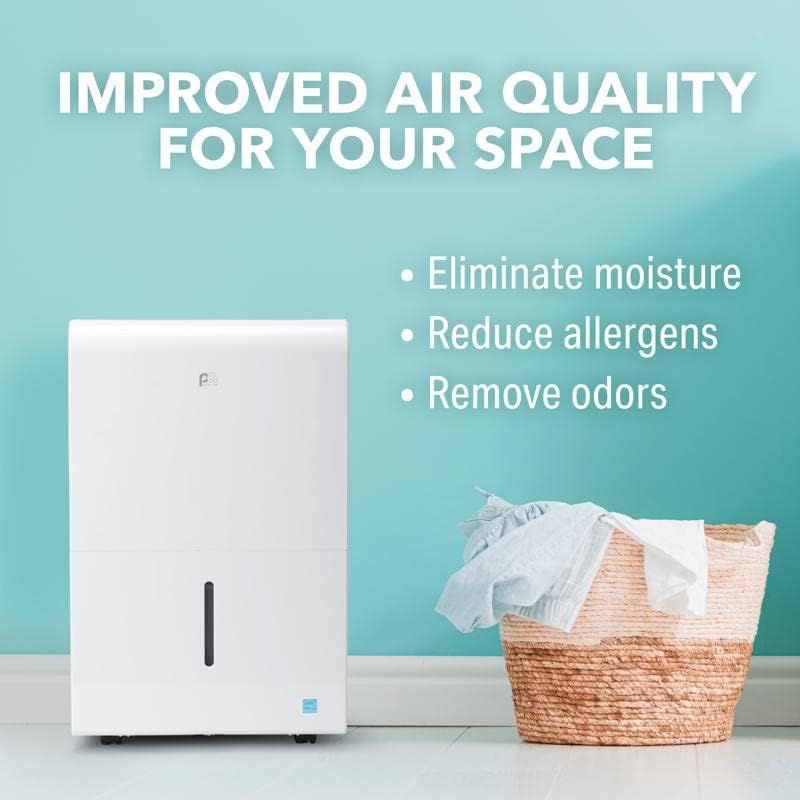
Image: The PerfectAire 2PFDP50 dehumidifier shown next to a laundry basket, illustrating its benefits for improved air quality by eliminating moisture, reducing allergens, and removing odors.
Safety Information
WARNING: RISK OF FIRE, EXPLOSION OR INJURY IF REFRIGERANT TUBING IS PUNCTURED. DO NOT USE NEAR FLAMMABLE REFRIGERANT. CAUTION: USE ON SINGLE OUTLET ONLY. REFER TO THE RATING LABEL FOR REFRIGERANT TYPE AND QUANTITY. DO NOT PUNCTURE REFRIGERANT TUBING. SERVICING SHOULD BE PERFORMED ONLY BY AUTHORIZED SERVICE PERSONNEL. USE ONLY FOR COMFORT/DRYING PURPOSES.
Always ensure the unit is placed on a stable, level surface. Keep the dehumidifier away from water sources and ensure proper ventilation around the unit. Do not block air inlets or outlets. Unplug the unit before cleaning or performing any maintenance.
Setup
- Unpacking: Carefully remove the dehumidifier from its packaging. Inspect for any shipping damage.
- Placement: Place the unit on a firm, level floor in the area where humidity control is desired. Ensure there is at least 8 inches of space around the unit for proper airflow.
- Power Connection: Plug the 5 ft power cord into a grounded 115V AC electrical outlet. Ensure the outlet meets the unit's power requirements.
- Initial Operation: The unit is ready for use immediately after plugging in. No assembly is required.
Operating Instructions
The control panel on top of the unit allows for easy management of the dehumidifier's functions.
- Power Button: Press to turn the unit On or Off.
- Comfort Mode: This mode automatically adjusts the humidity level to maintain optimal comfort (typically between 45% and 55% relative humidity).
- Continuous Mode (CONT): For continuous operation, the unit will run constantly regardless of the ambient humidity level. This is useful for very damp environments or for continuous drainage.
- Turbo Mode: Activates the fan at its highest speed for rapid moisture removal. Use this mode when you need to quickly reduce humidity in a space.
- Timer Function: Set a specific time for the unit to turn On or Off. Use the up/down arrows to adjust the desired time.
- Humidity Setting: In manual mode, use the up/down arrows to set your desired humidity level. The unit will operate until this level is reached and then cycle On/Off to maintain it.
- Auto Defrost: The unit features an automatic defrost function to prevent ice buildup on the coils, ensuring efficient operation in cooler temperatures.
- Full Indicator: An indicator light will illuminate when the water tank is full, and the unit will automatically shut off until the tank is emptied.
Maintenance
- Emptying the Water Tank: When the "Full" indicator light illuminates, carefully pull out the water tank from the front of the unit. Empty the collected water into a sink or drain. Reinsert the tank firmly until it clicks into place.
- Continuous Drainage Option: For hands-free operation, connect a standard garden hose (not included) to the drain outlet at the back of the unit. Ensure the hose is sloped downwards to allow gravity drainage into a floor drain or suitable receptacle.
- Cleaning the Washable Filter: The dehumidifier is equipped with a washable filter located at the back of the unit. Periodically remove the filter, rinse it under running water, and allow it to air dry completely before reinserting. Regular cleaning ensures optimal performance and air quality.
- Exterior Cleaning: Wipe the exterior of the unit with a soft, damp cloth. Do not use harsh chemicals or abrasive cleaners.
Troubleshooting
If your dehumidifier is not operating as expected, please consult the following common issues before contacting customer support:
- Unit does not turn on:
- Ensure the power cord is securely plugged into a working electrical outlet.
- Check if the water tank is full or improperly seated. Empty and re-seat the tank.
- Verify that the power button has been pressed.
- Dehumidifier is running but not collecting water:
- Check the humidity setting. If the ambient humidity is below the set level, the unit will not actively dehumidify.
- Ensure the air filter is clean and not obstructed.
- Verify that the room temperature is within the operating range (typically above 41°F / 5°C).
- Unit is noisy:
- Ensure the unit is on a stable, level surface.
- Check for any obstructions in the air inlets or outlets.
For further assistance, please refer to the full user manual or contact PerfectAire customer support.
Specifications
| Feature | Detail |
|---|---|
| Brand | PerfectAire |
| Model Number | 3PFD50 |
| Capacity | 50 Pints per Day |
| Coverage Area | Up to 4500 Square Feet |
| Product Dimensions (D x W x H) | 11"D x 15.5"W x 24.25"H |
| Item Weight | 46 Pounds |
| Operation Modes | Comfort, Continuous, Turbo |
| Special Features | Quiet Operation, Timer, Auto Defrost |
| Refrigerant Type | R-32 |
| Voltage | 115V AC |
| Power Cord Length | 5 ft |
Warranty and Support
For warranty information or technical support regarding your PerfectAire 3PFD50 dehumidifier, please contact PerfectAire customer service. Keep your purchase receipt for warranty claims.
You may also visit the PerfectAire Store on Amazon for additional product information and support resources.


