
Introduction
This manual provides comprehensive instructions for the safe and efficient operation of your KXD A10 Unlocked Cell Phone. Please read this manual thoroughly before using your device to ensure proper functionality and to prevent damage.
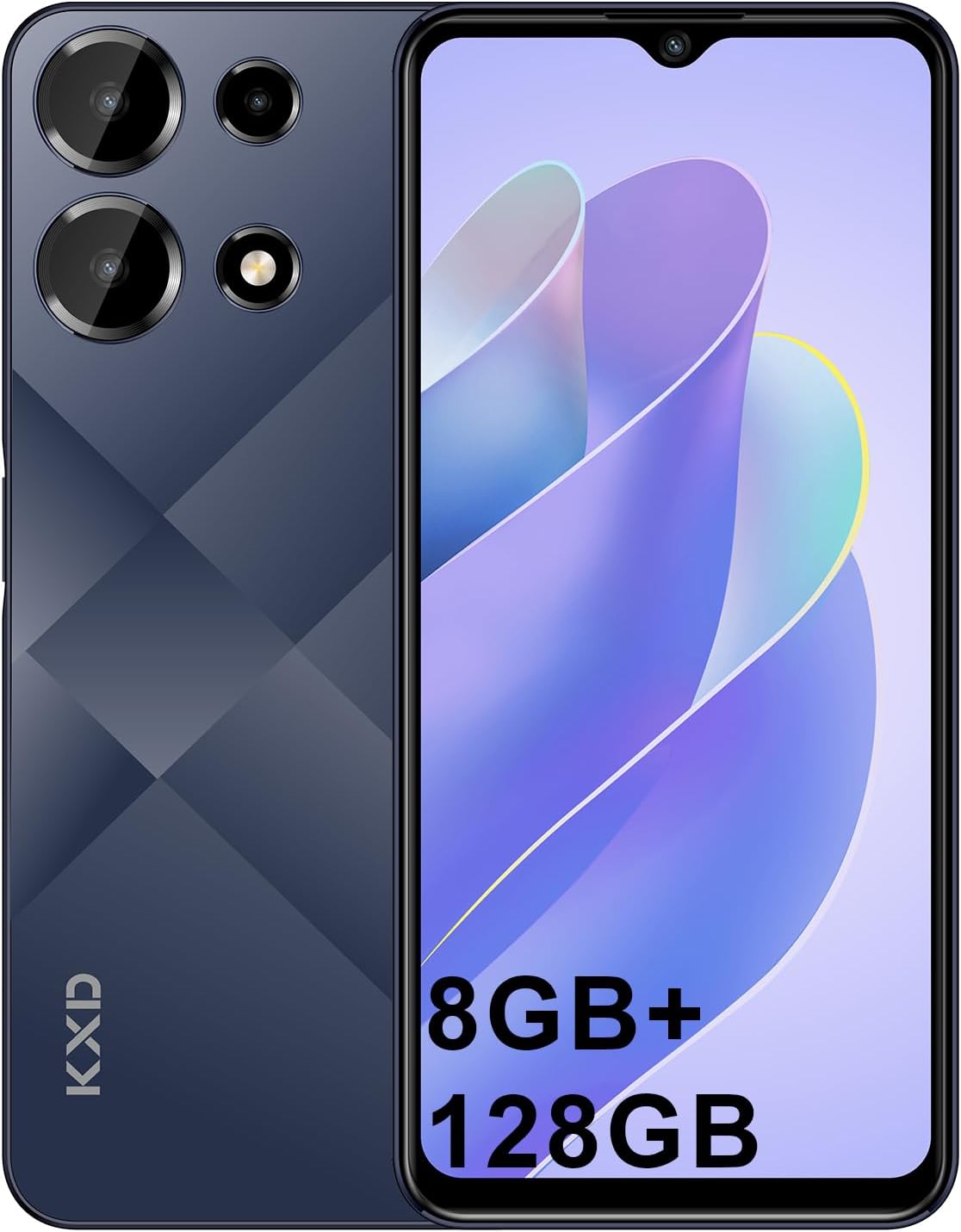
Image: Front and back view of the KXD A10 Unlocked Cell Phone, showcasing its sleek design and camera module.
Package Contents
Verify that all items listed below are present in your product package:
- 1 x KXD A10 Phone
- 1 x Adapter
- 1 x USB Cable
- 1 x TPU Protective Case
- 1 x SIM Eject Tool
- 1 x Warranty Card
- 1 x User Guide (this manual)

Image: Visual representation of all items included in the KXD A10 phone package, including the phone, charger, cable, case, and documentation.
Setup
1. SIM Card and Micro SD Card Installation
The KXD A10 supports dual SIM cards and a Micro SD card for expandable storage up to 256GB.
- Locate the SIM card tray on the side of the phone.
- Insert the provided SIM eject tool into the small hole next to the tray and press gently until the tray pops out.
- Place your Nano-SIM cards and/or Micro SD card into the designated slots on the tray, ensuring correct orientation.
- Carefully push the tray back into the phone until it is flush with the device body.

Image: Diagram illustrating the placement of two SIM cards and one TF (Micro SD) card in the phone's tray.
2. Charging the Device
Before first use, it is recommended to fully charge the KXD A10. Use the provided adapter and USB cable.
- Connect the USB cable to the adapter.
- Plug the adapter into a power outlet.
- Connect the USB-C end of the cable to the charging port on the bottom of the phone.
- The charging indicator will appear on the screen.
3. Powering On/Off
- To Power On: Press and hold the Power button (located on the right side) until the KXD logo appears.
- To Power Off: Press and hold the Power button until the power options menu appears, then select "Power off".
Operating Instructions
Basic Navigation (Android 13 OS)
Your KXD A10 runs on the Android 13 operating system, offering an intuitive user interface.
- Touchscreen Gestures: Tap to select, swipe to scroll, pinch to zoom.
- Home Screen: Access your apps and widgets.
- Notifications Panel: Swipe down from the top of the screen to view notifications and quick settings.

Image: Screenshot of the KXD A10's display showing the Android 13 operating system interface with various app icons and system notifications.
Camera Usage
The KXD A10 features a 13MP rear camera and an 8MP front camera for capturing photos and videos.
- Open the "Camera" application from your home screen or app drawer.
- Switch between front and rear cameras using the camera toggle icon.
- Tap the shutter button to take a photo.
- Explore various modes such as Portrait, Video, and Panorama within the camera app.

Image: Visual representation of the KXD A10's camera capabilities, highlighting the 13MP rear camera and 8MP front camera.
Connectivity
The device supports 4G cellular networks, Wi-Fi, and Bluetooth.
- Cellular Network: Compatible with most GSM carriers such as T-Mobile, Speedtalk, and Mint Mobile. Not compatible with CDMA carriers like AT&T, Cricket Wireless, Verizon, Straight Talk, or U.S. Cellular.
- Wi-Fi: Go to Settings > Network & internet > Wi-Fi to connect to available Wi-Fi networks.
- Bluetooth: Go to Settings > Connected devices > Connection preferences > Bluetooth to pair with Bluetooth devices.
Face ID Unlock
For convenient and secure unlocking, the KXD A10 features Face ID.
- Navigate to Settings > Security & privacy > Device unlock > Face unlock.
- Follow the on-screen instructions to register your face.
- Once registered, simply look at your phone to unlock it.
RAM Expansion Technology
The KXD A10 utilizes advanced RAM expansion technology, allowing you to virtually expand the RAM up to 12GB for smoother multitasking.
- This feature is typically managed automatically by the Android system.
- For optimal performance, ensure sufficient internal storage is available.

Image: Diagram illustrating the Octa-Core processor, 8GB (4+4GB) RAM, and 128GB ROM with up to 256GB extension capabilities.
Maintenance
Battery Care
The KXD A10 is equipped with a 4500mAh high-capacity battery.
- Avoid exposing the phone to extreme temperatures (below 0°C or above 45°C).
- Use only the provided charger and cable to prevent battery damage.
- Do not leave the phone charging for extended periods after it reaches 100%.
- For optimal battery longevity, try to keep the charge level between 20% and 80%.

Image: Visual representation highlighting the 4500mAh high-capacity battery of the KXD A10, indicating long-lasting power.
Cleaning Your Device
To maintain the appearance and functionality of your phone:
- Use a soft, lint-free cloth to wipe the screen and body.
- Avoid using harsh chemicals, abrasive cleaners, or aerosol sprays.
- Ensure ports are free of dust and debris.
Software Updates
Regular software updates provide security enhancements and new features.
- Connect to a stable Wi-Fi network.
- Go to Settings > System > System update to check for and install available updates.
Using the Protective Case
The included TPU protective case helps to reduce damage from drops and impacts.
- Carefully place your phone into the protective case, ensuring all edges are covered.
- Remove the case periodically to clean both the phone and the case.
Troubleshooting
| Problem | Possible Cause | Solution |
|---|---|---|
| Phone does not power on | Low battery; software crash | Charge the phone for at least 30 minutes. Press and hold the Power button for 10-15 seconds to force restart. |
| Cannot connect to network | Incorrect SIM installation; incompatible carrier; network signal issue | Reinsert SIM card. Verify your carrier is GSM compatible (T-Mobile, Speedtalk, Mint Mobile). Move to an area with better signal. |
| Apps are slow or crashing | Too many apps running; low storage; outdated software | Close background apps. Clear app cache. Free up storage. Check for system updates. |
| Battery drains quickly | High screen brightness; background apps; poor signal | Reduce screen brightness. Close unused apps. Turn off Wi-Fi/Bluetooth when not in use. |
Specifications
| Feature | Detail |
|---|---|
| Model Name | A10 |
| Operating System | Android 13 |
| Processor | Octa-core, 1.6 GHz CPU Speed |
| RAM | 4 GB (expandable to 12 GB with RAM expansion technology) |
| Internal Storage | 128 GB (expandable up to 256 GB via Micro SD) |
| Display | 6.6-inch HD+ (720 x 1440 resolution), 20:9 aspect ratio, 60Hz refresh rate, 520 nit brightness |
| Rear Camera | 13 MP |
| Front Camera | 8 MP |
| Battery Capacity | 4500 mAh Lithium Polymer |
| Connectivity | 4G FDD (B2/B4/B5/B7/B12/B28A/B), 3G WCDMA (B2/B5), 2G GSM (850/900/1800), Wi-Fi, Bluetooth, GPS |
| SIM Support | Dual SIM |
| Dimensions | 8.28mm thickness, 197g weight |
| Audio Jack | 3.5 mm |
| Special Features | Built-In GPS, Dual SIM, Expandable Memory, Face ID Unlock |

Image: Summary of KXD A10's key specifications including screen size, camera, storage, OS, battery, processor, and unlock method.
Warranty and Support
Warranty Information
Your KXD A10 phone comes with a warranty. Please refer to the included "Warranty Card" in your package for detailed terms, conditions, and duration of the warranty.
Keep your proof of purchase for warranty claims.
Customer Support
For technical assistance, troubleshooting beyond this manual, or warranty inquiries, please contact KXD customer support. You can typically find contact information on the warranty card or by visiting the official KXD website.
For more information, visit the KXD Mobiles Store on Amazon.


