
1. Introduction
Thank you for choosing the SUNPOW OT-MD13 Metal Detector. This device is designed for efficient and accurate metal detection, suitable for both adults and children. It features a waterproof search coil, a large LCD display, and multiple detection modes to enhance your treasure hunting experience. Please read this manual thoroughly before operating the device to ensure proper use and optimal performance.

Image: The SUNPOW OT-MD13 Metal Detector in use by two individuals in an outdoor setting, demonstrating its versatility.
2. Safety Information
- Always obtain permission before searching on private property.
- Avoid searching in areas with known underground cables, pipes, or hazardous materials.
- Exercise caution when digging to prevent injury or damage to property.
- Do not use the control box underwater; only the search coil is waterproof (IP68 rated).
- Dispose of batteries responsibly according to local regulations.
- Keep the device out of reach of small children when not in use.
3. Package Contents
Upon unpacking, please ensure all the following items are present:
- SUNPOW OT-MD13 Metal Detector Unit
- Folding Shovel
- Headphones
- 2 x AA Batteries (or similar, depending on model)
- User Manual

Image: The SUNPOW OT-MD13 Metal Detector displayed with its complete set of accessories.
4. Assembly and Setup
4.1. Assembling the Detector
- Attach the search coil to the lower stem using the provided bolt and nut. Ensure it is securely fastened but allows for slight angle adjustment.
- Connect the lower stem to the middle stem, and then the middle stem to the upper stem (control box assembly).
- Wrap the search coil cable neatly around the stem, ensuring it is not loose or tangled, and plug the connector into the port on the control box.
4.2. Battery Installation
Open the battery compartment on the control box. Insert the 2 AA batteries, ensuring correct polarity (+/-). Close the compartment securely.
4.3. Adjusting the Stem Length
The detector's stem is adjustable to accommodate users of different heights, from children to adults. Loosen the locking collar(s) on the stem, extend or retract the stem to a comfortable length, and then tighten the collar(s) to secure it.
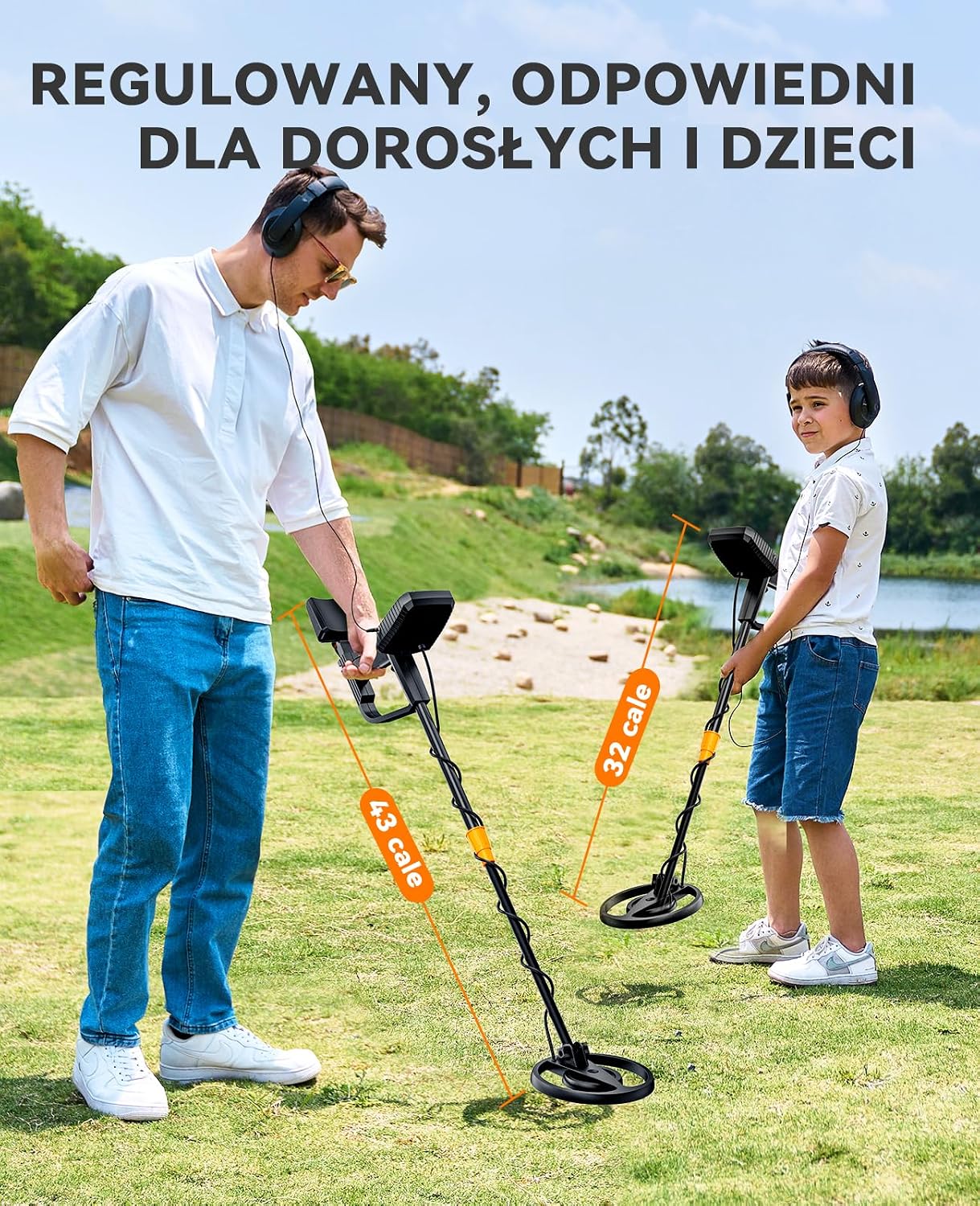
Image: The SUNPOW OT-MD13 Metal Detector demonstrating its adjustable stem for comfortable use by both adults and children.
5. Operating Instructions
5.1. Controls and Display Overview
The control box features a large LCD screen and intuitive buttons for easy operation.

Image: Detailed view of the SUNPOW OT-MD13 LCD display and control buttons.
- Power Button: Turns the detector ON/OFF.
- MENU Button: Cycles through settings or modes.
- +/- Buttons: Adjust sensitivity, volume, or other settings.
- PP (Pinpoint) Button: Activates pinpoint mode for precise target location.
- LCD Display: Shows target ID, depth, battery level, sensitivity, volume, and current mode.
5.2. Powering On/Off
Press and hold the Power button to turn the detector ON. Repeat to turn OFF.
5.3. Adjusting Sensitivity and Volume
Use the MENU button to navigate to sensitivity or volume settings, then use the +/- buttons to adjust the levels. Higher sensitivity increases detection depth but may also increase false signals. Adjust volume to a comfortable level, especially when using headphones.
5.4. Detection Modes
The OT-MD13 offers four distinct detection modes:

Image: Visual guide to the four detection modes of the SUNPOW OT-MD13 Metal Detector.
- ALL Metal Mode: Detects all types of metal without discrimination. Ideal for general searching when you want to find everything.
- Notch Mode: Allows you to eliminate specific unwanted metals from detection. Use the MENU and +/- buttons to select and deselect target categories.
- Memory Mode: This mode detects only the type of metal that has been previously 'memorized' by the detector. Useful for focusing on specific targets.
- Pinpoint (PP) Mode: Press the PP button to activate. This mode helps to precisely locate the exact position of a detected target, making recovery easier.
5.5. Using the Search Coil
Sweep the search coil slowly and steadily from side to side, keeping it parallel to the ground and approximately 1-2 inches above the surface. The IP68 waterproof search coil allows for detection in shallow water, such as rivers, streams, and beaches. Note: The control box is NOT waterproof.

Image: The IP68 waterproof search coil of the SUNPOW OT-MD13 being used for underwater detection.
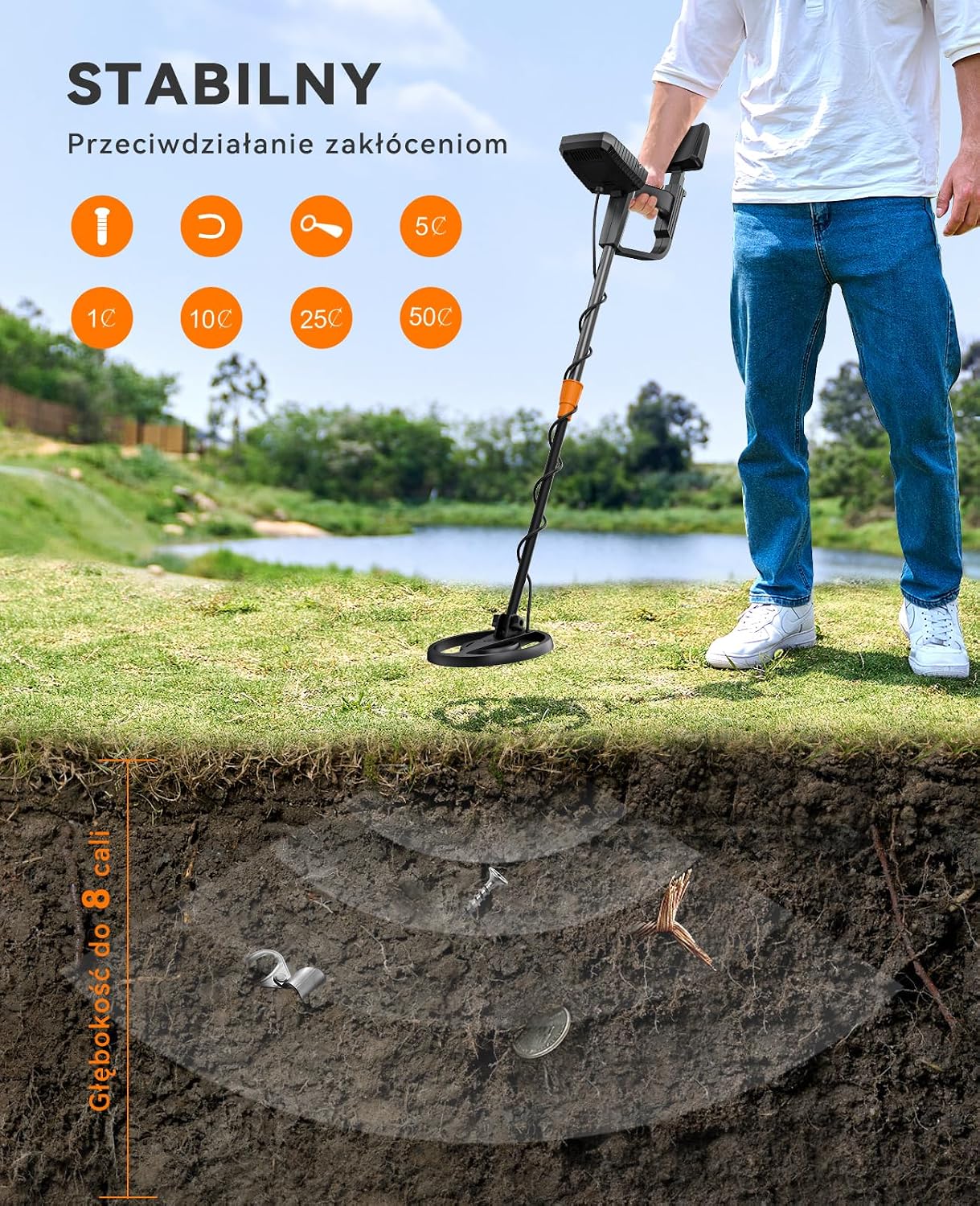
Image: Illustration of the metal detector's ability to detect objects at various depths underground.
6. Maintenance
- Cleaning: Wipe the detector's stem and control box with a damp cloth after each use. The search coil can be rinsed with fresh water. Ensure all parts are dry before storage.
- Battery Care: Remove batteries if the detector will not be used for an extended period to prevent leakage.
- Storage: Store the detector in a cool, dry place, away from direct sunlight and extreme temperatures.
- Cable Inspection: Periodically check the search coil cable for any signs of wear or damage.
7. Troubleshooting
| Problem | Possible Cause | Solution |
|---|---|---|
| Detector does not power on | Dead or incorrectly installed batteries | Replace batteries or check polarity. |
| False signals or erratic behavior | High sensitivity, electromagnetic interference, mineralized ground | Reduce sensitivity. Move away from power lines or other electronics. Try ground balancing if available (not explicitly mentioned for this model, but general advice). |
| Poor detection depth | Low sensitivity, small target, deeply buried object | Increase sensitivity. Sweep slower. |
| No sound from headphones | Headphones not plugged in, volume too low, faulty headphones | Ensure headphones are fully plugged in. Increase volume. Test with different headphones. |
8. Specifications
| Feature | Detail |
|---|---|
| Brand | SUNPOW |
| Model Number | OT-MD13 |
| Color | B-Black |
| Material | Plastic |
| Power Source | Battery Powered |
| Batteries Required | Yes |
| Product Weight | 2 Kilograms |
| Product Dimensions (LxWxH) | 40 x 24.3 x 11.3 cm |
| IP Rating (Search Coil) | IP68 |
| Display Type | LCD |
| Detection Modes | ALL Metal, Notch, Pinpoint, Memory |
| UPC | 730198246668 |
9. Warranty and Support
For warranty information, technical support, or any inquiries regarding your SUNPOW OT-MD13 Metal Detector, please refer to the contact information provided with your purchase documentation or visit the official SUNPOW website. Please retain your proof of purchase for warranty claims.


