
VIHELM AVD07
VIHELM AVD07 Non-Contact Voltage Detector Test Pen User Manual
Model: AVD07
1. Introduction
1.1 Product Overview
The VIHELM AVD07 is a non-contact voltage detector test pen designed for safe and efficient electrical testing. Its pen-shaped design makes it convenient to operate and carry, providing a reliable solution for detecting AC voltage without direct contact.
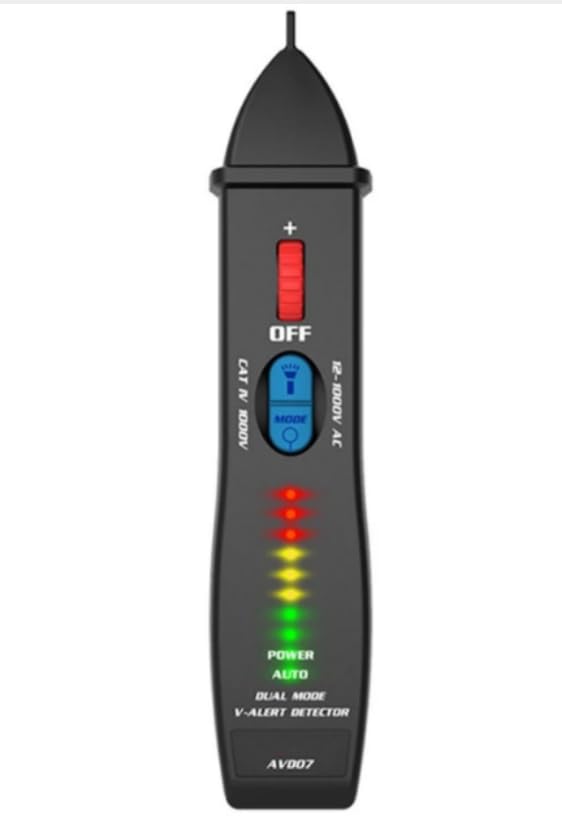
Image: The VIHELM AVD07 Non-Contact Voltage Detector Test Pen, showcasing its sleek, pen-shaped design with LED indicators and control buttons.
1.2 Key Features
- Non-Contact Detection: Safely detects AC voltage without physical contact.
- Dual Mode Operation: Features both automatic and manual sensitivity adjustment for various testing scenarios.
- Adjustable Sensitivity: The sensitivity can be adjusted freely according to the actual scene used.
- Dangerous Voltage Alarm: Provides clear indications for dangerous voltage, live/neutral wire distinction, and live wire breakpoint location.
- Continuity Check: Capable of performing continuity checks.
- Integrated Flashlight: Built-in LED spotlight for illumination in dark environments.
- Self-Test Function: Performs a self-test upon boot-up to ensure proper functionality.
- 8 LED Indicators: Features 8 LED indicators in 3 colors (Red/Yellow/Green) for easy judgment of detected voltage strength.
- Audible and Visual Alarm: Alarms with both sound and LED lights (Red/Yellow/Green).
- Battery Reminder: Low battery voltage reminder.
- Auto Power Off: Automatically powers off to conserve battery life.
- Safety Standard: Complies with international safety standards, rated CAT II 1000V.
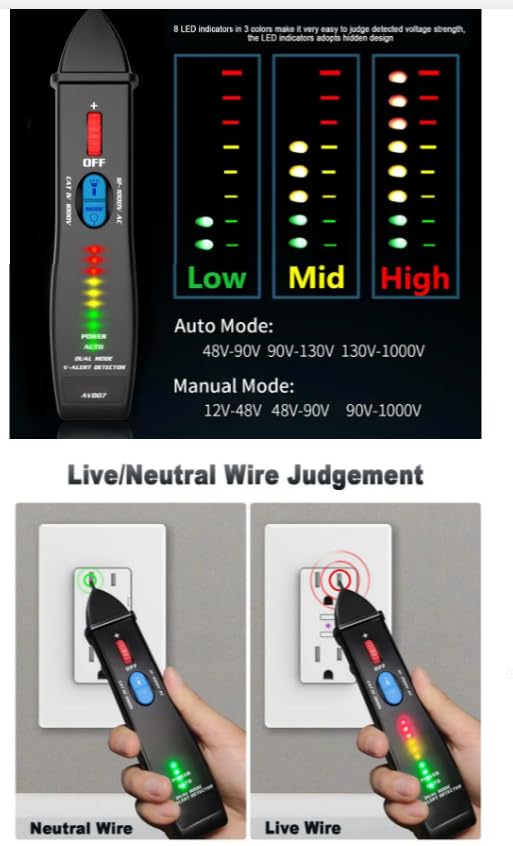
Image: A detailed view of the AVD07, highlighting its features such as the LED indicators, mode button, and overall ergonomic design.
1.3 Package Contents
Please check the package contents upon unboxing:
- 1 x VIHELM AVD07 Dual-mode Voltage Detector
- 1 x English User Manual
Note: 2 x 1.5V AAA batteries are required for operation and are not included in the package.

Image: The VIHELM AVD07 packaging box alongside the device and its included English manual.
2. Safety Information
To ensure safe operation and prevent personal injury or damage to the device, please read and understand all safety instructions before use.
- Always assume that any circuit is live until it has been confirmed otherwise.
- Do not use the device if it appears damaged or is not operating properly.
- Do not exceed the maximum rated voltage of CAT II 1000V.
- Keep the device dry and clean.
- Do not attempt to repair or modify the device. Refer to qualified personnel for service.
- When using the flashlight function, avoid directing the light directly into eyes.
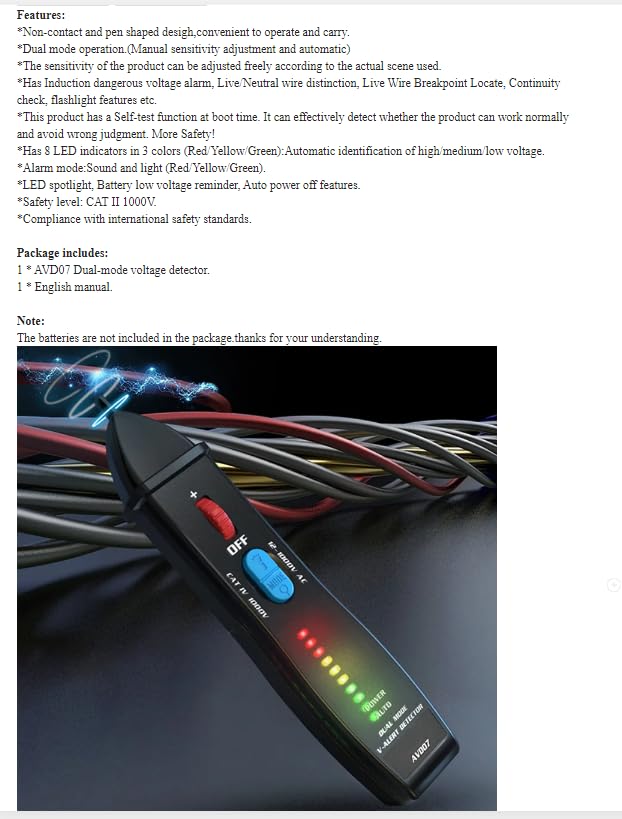
Image: The AVD07's flashlight illuminating a dark area, with a warning to avoid direct eye exposure.
3. Setup
3.1 Battery Installation
The AVD07 requires two 1.5V AAA batteries (not included) for operation.
- Locate the battery compartment cover at the bottom of the device.
- Slide or unclip the cover to open the battery compartment.
- Insert two 1.5V AAA batteries, ensuring correct polarity (+ and -) as indicated inside the compartment.
- Close the battery compartment cover securely.
Image: The open battery compartment of the AVD07, showing where to insert the two AAA batteries.
4. Operating Instructions
4.1 Power On/Off
To power on the device, slide the power switch to the "ON" position. The device will perform a self-test. To power off, slide the switch to "OFF". The device also features an auto power-off function to conserve battery life if inactive for a period.
4.2 Mode Selection (Auto/Manual)
The AVD07 operates in two modes: Auto Mode and Manual Mode. Press the "MODE" button to switch between these modes.
- Auto Mode: Automatically adjusts sensitivity to detect voltage within the range of 48V-1000V AC. This is suitable for general detection.
- Manual Mode: Allows for more precise detection with adjustable sensitivity, covering a range of 12V-1000V AC. This mode is useful for distinguishing between different voltage levels or in noisy electrical environments.
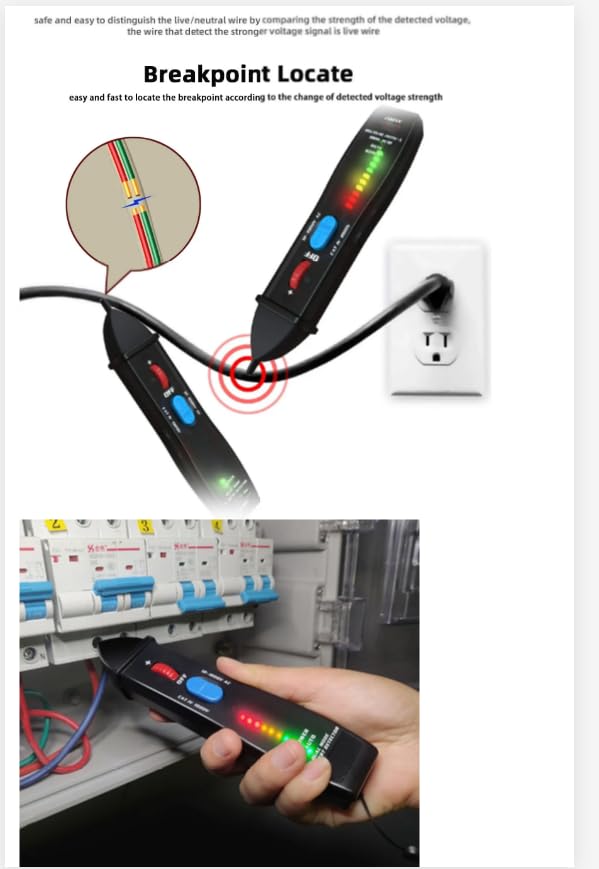
Image: A graphic illustrating the voltage detection ranges for Auto Mode (48V-1000V) and Manual Mode (12V-1000V), along with the corresponding LED indicator levels (Low, Mid, High).
4.3 Voltage Detection and Indication
When the detector senses AC voltage, the LED indicators will light up and an audible alarm will sound. The number and color of illuminated LEDs indicate the strength of the detected voltage:
- Green LEDs: Indicate low voltage or weak signal.
- Yellow LEDs: Indicate medium voltage or moderate signal.
- Red LEDs: Indicate high voltage or strong signal.
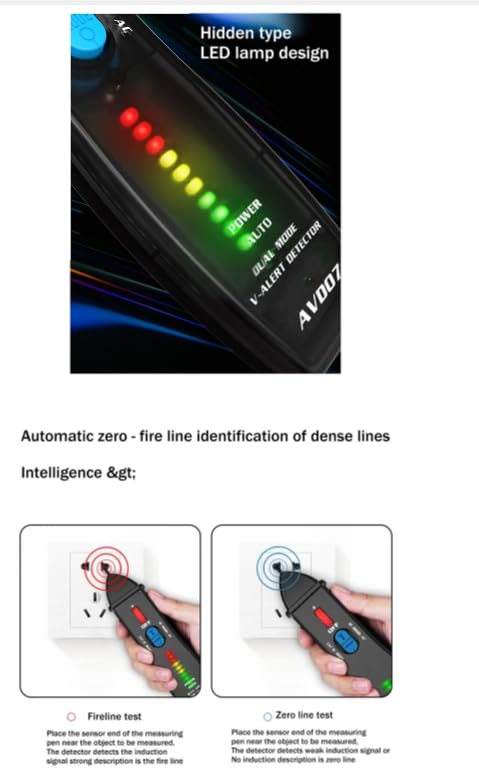
Image: A close-up view of the AVD07's LED indicator bar, showing the progression of green, yellow, and red lights to signify increasing voltage strength.
4.4 Live/Neutral Wire Identification
The AVD07 can help distinguish between live and neutral wires. When testing an outlet or wire:
- Live Wire: The detector will show a strong signal (more LEDs, typically red/yellow) and a rapid audible alarm.
- Neutral Wire: The detector will show a weaker or no signal (fewer or no LEDs, typically green) and a slower or no audible alarm.
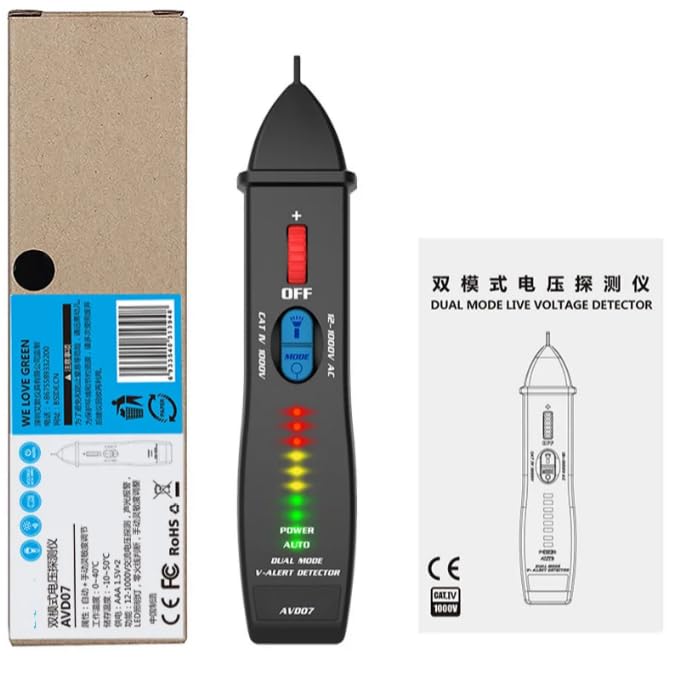
Image: Two illustrations demonstrating the AVD07's ability to differentiate between a neutral wire (minimal LED activity) and a live wire (strong LED activity and alarm).
4.5 Fireline/Zero Line Test
This feature assists in identifying the fireline (live) and zero line (neutral) in dense wiring environments.
- Fireline Test: Place the sensor end of the measuring pen near the wire. If it's the fireline, the detector will show a strong induction signal (more LEDs, rapid alarm).
- Zero Line Test: If the detector shows a weak induction signal or no induction, it indicates the zero line.
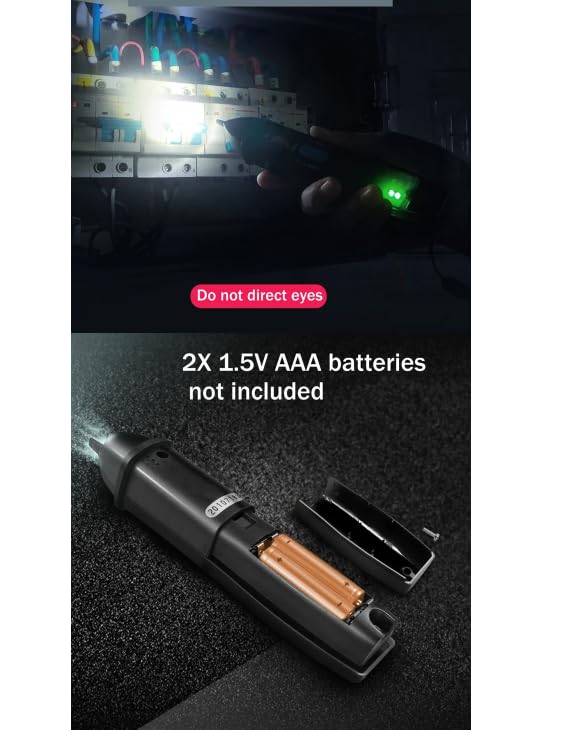
Image: Illustrations showing the AVD07 performing a fireline test (strong signal) and a zero line test (weak or no signal) on an electrical outlet.
4.6 Breakpoint Location
The AVD07 can help locate breakpoints in live wires by detecting changes in voltage strength along the wire.
- Move the detector along the insulated wire.
- The point where the signal (LEDs and sound) abruptly stops or significantly weakens indicates a potential breakpoint.

Image: A diagram illustrating how the AVD07 can be used to pinpoint a breakpoint in a live wire by detecting the sudden loss of voltage signal.
4.7 Flashlight Function
The integrated LED spotlight can be activated to illuminate dark work areas. Refer to the safety section regarding direct eye exposure.
Image: The AVD07's flashlight actively illuminating a dark electrical panel, demonstrating its utility in low-light conditions.
5. Maintenance
- Cleaning: Wipe the device with a dry, clean cloth. Do not use abrasive cleaners or solvents.
- Battery Replacement: Replace batteries when the low battery indicator appears or if the device does not power on. Always use new 1.5V AAA batteries.
- Storage: Store the device in a cool, dry place away from direct sunlight and extreme temperatures. If storing for extended periods, remove the batteries to prevent leakage.
6. Troubleshooting
| Problem | Possible Cause | Solution |
|---|---|---|
| Device does not power on. | Dead or incorrectly installed batteries. | Replace batteries with new 1.5V AAA batteries, ensuring correct polarity. |
| Inconsistent or no voltage detection. | Low battery; incorrect mode selected; interference from strong electromagnetic fields. | Replace batteries; switch between Auto and Manual modes; move away from sources of interference. |
| Alarm sounds continuously without voltage. | High sensitivity in Manual Mode; strong ambient electrical noise. | Switch to Auto Mode or reduce sensitivity in Manual Mode if applicable; move to a less noisy environment. |
7. Specifications
| Parameter | Detail |
|---|---|
| Power Supply | 2 x 1.5V AAA Battery (Not Included) |
| Display Type | Analog Only (LED Indicators) |
| Brand Name | VIHELM (also listed as BSIDE in some specifications) |
| Origin | Mainland China |
| Certification | CE |
| Dimensions | 170 x 30 x 30 mm |
| Operating Temperature | 0-40°C |
| Accuracy Class | 1 |
| Model Number | AVD07 |
| Detect Mode | Auto/Manual |
| Manual Mode Voltage Range | 12V~1000V AC |
| Auto Mode Voltage Range | 48V~1000V AC |
| Indicator Light Colors | Green (Low), Yellow (Mid), Red (High) |
| Flashlight Color | White LED |
| Alarm Type | Sound and LED light |
| Sensitivity Adjustable | Yes |
| Self-test function | Yes |
| Auto Power Off | Yes |
| Low battery reminder | Yes |
| Item Weight | Approx. 68g |
| Package Weight | Approx. 100g (without battery) |
8. Warranty and Support
For warranty information and technical support, please refer to the documentation included with your product or visit the official VIHELM website. Keep your purchase receipt as proof of purchase for any warranty claims.
If you encounter any issues not covered in this manual, please contact VIHELM customer service for assistance.
Ask a question about this manual
Ask about setup, troubleshooting, compatibility, parts, safety, or missing instructions. Manuals+ will review the question and use this page’s manual context to help answer it.