
1. Product Overview
The Midea MM12S2ASZ is a 1.2 cubic foot, 1000-watt built-in microwave drawer designed for seamless integration into your kitchen cabinetry. It features a stainless steel finish, one-touch controls, auto-menus, and a child safety lock for convenient and safe operation.

Image: Front view of the Midea MM12S2ASZ Built-in Microwave Drawer, showcasing its sleek stainless steel design and control panel.
2. Safety Information
Before operating this appliance, read all instructions thoroughly to prevent property damage or personal injury. Keep this manual for future reference.
- Do not attempt to operate this microwave with the door open or if the door is damaged.
- Ensure the microwave is properly installed and grounded by a qualified technician.
- Do not heat sealed containers, as they may explode.
- Always supervise children when the appliance is in use.
- Use only microwave-safe cookware.
3. Installation and Setup
This microwave is designed for built-in installation. Proper installation is crucial for safety and optimal performance. It is recommended that installation be performed by a qualified professional.
3.1 Unpacking
- Carefully remove all packaging materials from the microwave and its interior.
- Inspect the microwave for any damage. Do not install if damaged.
3.2 Location Requirements
- Ensure the cabinet opening dimensions match the microwave's specifications.
- The microwave requires a dedicated, properly grounded electrical outlet.
- Maintain adequate ventilation around the appliance as specified in the detailed installation guide (not included in this manual).

Image: Diagram illustrating the dimensions of the Midea MM12S2ASZ Microwave Drawer, showing height, width, and depth measurements for installation planning.
4. Operating Instructions
The Midea MM12S2ASZ microwave drawer offers intuitive controls for various cooking needs.
4.1 Control Panel Overview
The control panel features a digital display and touch-sensitive buttons for various functions. Refer to the detailed diagram in your full product manual for specific button layouts.

Image: Close-up view of the microwave's clean touch display and control panel, showing various function buttons and the digital readout.
4.2 One-Touch Drawer Open System
To open or close the microwave drawer, simply press the OPEN or CLOSE button on the control panel. The drawer will smoothly slide in or out.

Image: A hand pressing the 'OPEN' button on the microwave's control panel, demonstrating the one-touch drawer opening system.
4.3 Power Levels and Cooking
The microwave operates at 1000 watts and offers 11 power levels for precise cooking control. Select the desired power level using the control panel before setting the cooking time.

Image: Visual representation of the 11 power levels, indicating recommended uses for different food types such as melting, defrosting, reheating, and cooking meat or vegetables.
4.4 Auto-Menus
Utilize the convenient auto-menus for common food items. These settings automatically adjust cooking time and power for optimal results.
- Popcorn: For popping microwave popcorn.
- Melt: Ideal for melting butter, chocolate, or cheese.
- Soften: For softening ice cream or cream cheese.
- Beverage: For heating drinks.
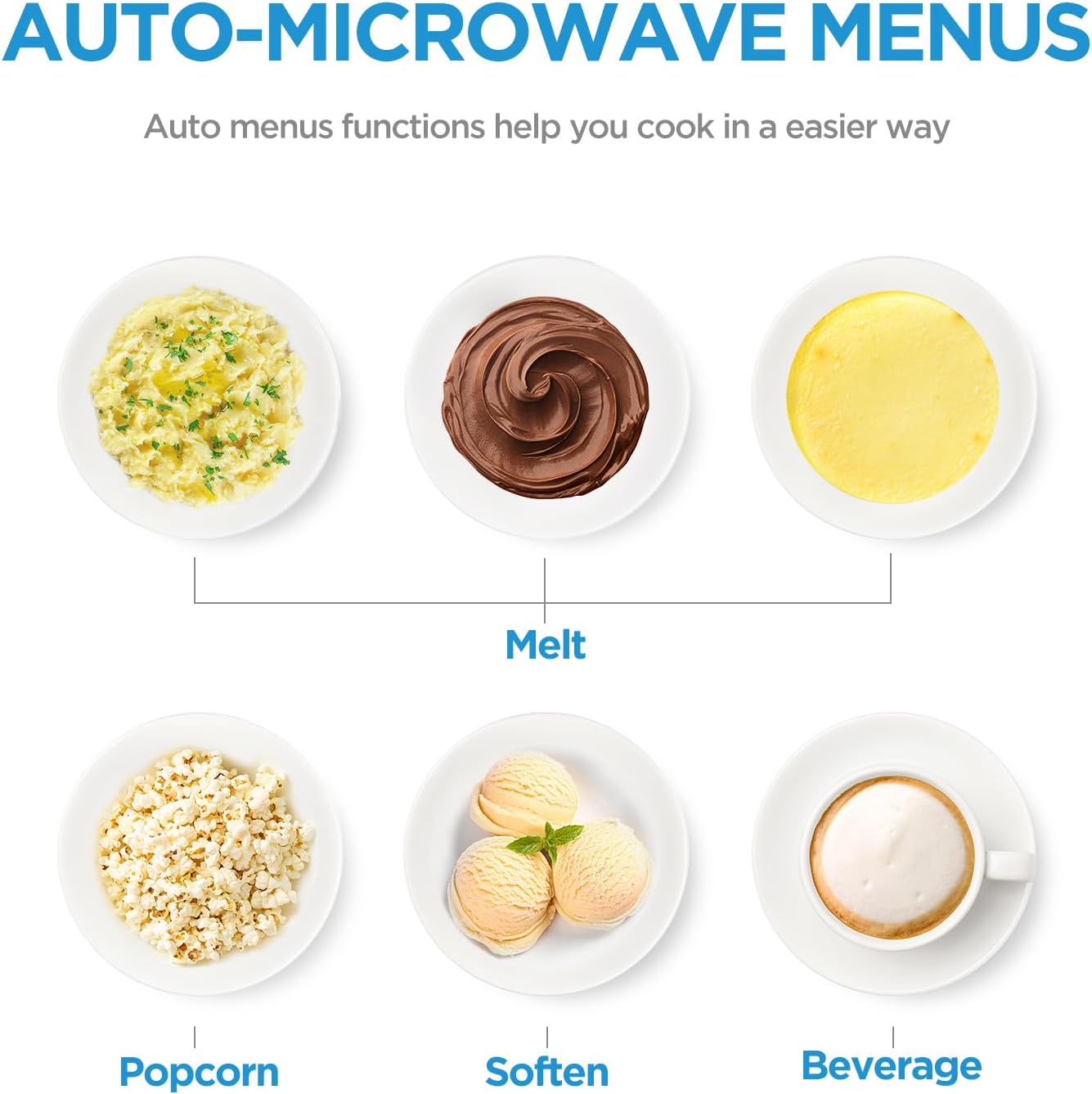
Image: Display of various auto-menu options including Melt (for mashed potatoes, chocolate, cheese), Popcorn, Soften (for ice cream), and Beverage.
4.5 Defrost Function
Defrost food evenly by selecting either the weight defrost or time defrost option. Follow the instructions on the control panel to input the weight or desired defrosting time.

Image: A visual comparison of a raw steak and a frozen steak, illustrating the microwave's gentle defrost function for even thawing.
4.6 Child Safety Lock
Activate the child lock function to prevent accidental operation by children. Consult your full manual for specific instructions on how to engage and disengage the child lock.

Image: A young child standing in front of the microwave drawer, with a glowing lock icon superimposed on the appliance, symbolizing the child safety lock feature.
5. Maintenance and Cleaning
Regular cleaning helps maintain the performance and appearance of your microwave drawer.
5.1 Easy Clean Cavity
The microwave features an easy-clean cavity. For general cleaning:
- Wipe the interior with a damp cloth and mild detergent after each use.
- For stubborn food spills, place a bowl of water with lemon slices inside and microwave for a few minutes to loosen residue, then wipe clean.
- Do not use abrasive cleaners or scouring pads, as they can damage the interior finish.

Image: A hand wiping the interior of the microwave drawer with a blue cloth, demonstrating the ease of cleaning the cavity.
5.2 Exterior Cleaning
- Clean the exterior stainless steel surfaces with a soft cloth and a stainless steel cleaner.
- Wipe the control panel with a soft, damp cloth. Avoid excessive moisture.
6. Troubleshooting
If you encounter issues with your microwave drawer, refer to the following common problems and solutions. For more complex issues, contact customer support.
| Problem | Possible Cause | Solution |
|---|---|---|
| Microwave does not start | No power; Door not closed properly; Child lock engaged | Check power supply; Ensure drawer is fully closed; Deactivate child lock. |
| Food not heating | Incorrect power level/time; Microwave-safe cookware not used | Adjust settings; Use appropriate cookware. |
| Drawer not opening/closing smoothly | Obstruction; Mechanical issue | Check for obstructions; Contact service if issue persists. |
| Display not working | Power interruption; Internal fault | Reset power by unplugging for 30 seconds; Contact service. |
7. Specifications
Key technical specifications for the Midea MM12S2ASZ Microwave Drawer:
| Feature | Specification |
|---|---|
| Model Number | MM12S2ASZ |
| Capacity | 1.2 Cubic Feet |
| Wattage | 1000 Watts |
| Product Dimensions (D x W x H) | 25.2" x 23.62" x 14.96" |
| Item Weight | 79.8 pounds |
| Material | Stainless Steel |
| Installation Type | Built-In |
| Special Feature | Child Safety Lock |
8. Warranty and Support
For detailed warranty information, please refer to the warranty card included with your product or visit the official Midea website. Keep your purchase receipt as proof of purchase.
8.1 Customer Support
If you require assistance, have questions, or need to report a service issue, please contact Midea customer support. Contact details can typically be found on the Midea official website or in your product packaging.
For online resources, visit: www.midea.com


