
1. Introduction
Thank you for choosing the JYX 66 PRO Portable Bluetooth Speaker. This manual provides essential information for the safe and efficient operation of your device. Please read it thoroughly before use and retain it for future reference.
Package Contents:
- 1 x JYX 66 PRO Bluetooth Speaker
- 2 x Wireless Microphones
- 1 x User Manual
- 1 x Charging Cable
- 1 x Audio Cable
- 1 x Remote Control
- 1 x Shoulder Strap
2. Product Overview
Familiarize yourself with the components of your JYX 66 PRO speaker and wireless microphones.

Figure 2.1: JYX 66 PRO Portable Bluetooth Speaker and Wireless Microphones.

Figure 2.2: Internal speaker components, including a 2-inch tweeter and 5.25-inch subwoofer for balanced sound output.

Figure 2.3: The speaker system features anti-interference and anti-whistling technology for clear audio, along with dual microphones and EQ effects.
3. Setup
3.1 Charging the Speaker
- Connect the provided charging cable to the speaker's charging port.
- Plug the other end into a suitable power adapter (not included) or USB port.
- The charging indicator will illuminate. A full charge takes approximately 6 hours.
- The speaker offers up to 12 hours of playing time on a full charge, powered by a 5200mAh battery.

Figure 3.1: Battery life and charging details for the JYX 66 PRO speaker.
3.2 Powering On/Off
- To power on, press and hold the power button located on the control panel.
- To power off, press and hold the power button again.
3.3 Microphone Setup
- Insert batteries into each wireless microphone (battery type not specified, typically AA or AAA).
- Power on the microphones. They should automatically pair with the speaker. If not, refer to the troubleshooting section.
4. Operating Instructions
4.1 Bluetooth Pairing
- Ensure the speaker is powered on and in Bluetooth mode (indicated by a 'BLUE' display).
- On your smartphone, tablet, or laptop, enable Bluetooth and search for available devices.
- Select "JYX-66 Pro" from the list of devices.
- Once connected, the speaker will emit an audible confirmation.
4.2 Microphone Usage
- Once paired, the wireless microphones are ready for use.
- Adjust microphone volume using the dedicated controls on the speaker's panel.
- The microphones feature anti-interference and anti-whistling capabilities for clear vocal performance.
4.3 Ambience Light Modes
The speaker features 6 distinct ambience light modes to enhance your audio experience:
- Circling light
- Energy light
- Flashing light
- Breathing light
- Mono-color rhythm
- Multi-color rhythm
Use the dedicated light mode button on the speaker or remote control to cycle through these modes.
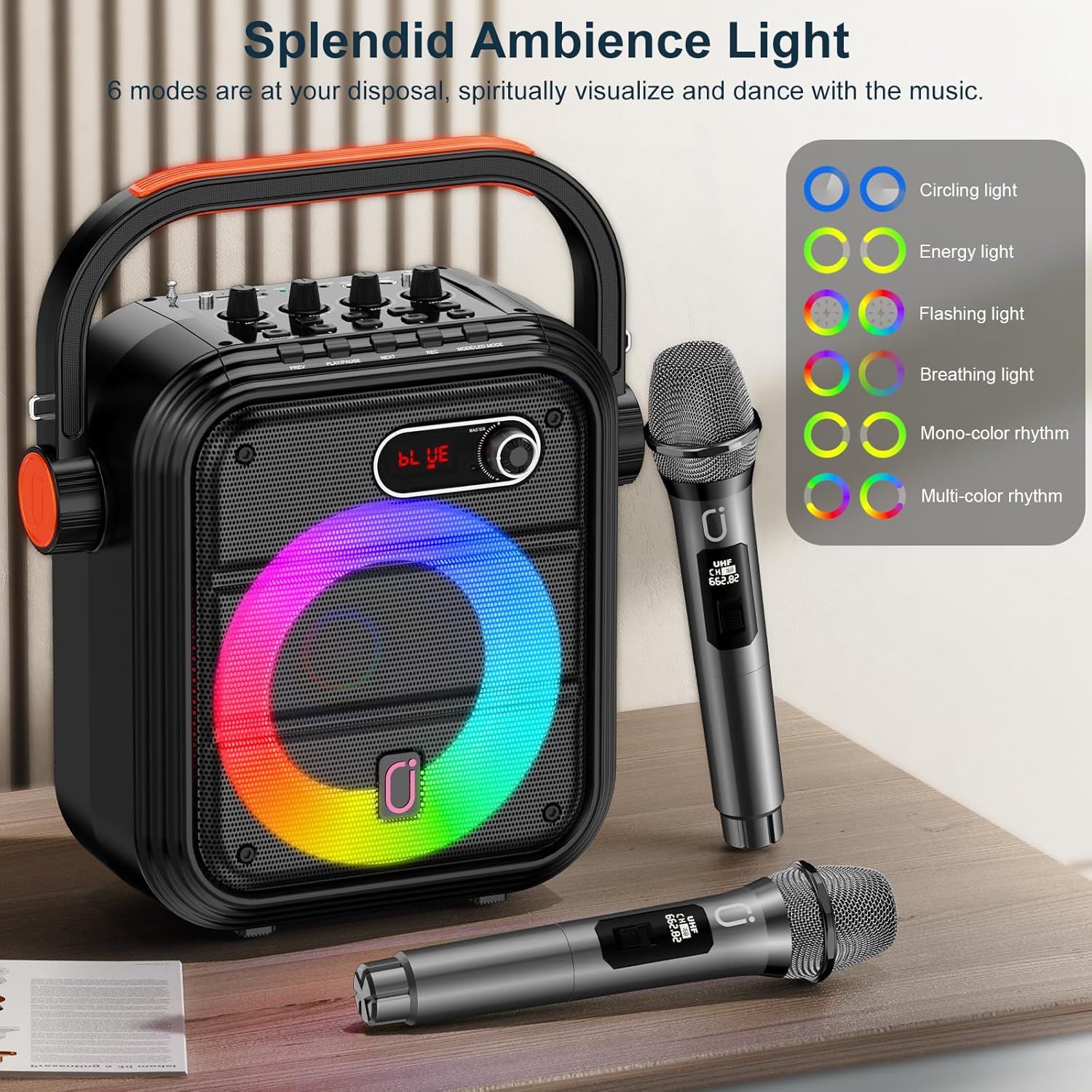
Figure 4.1: Visual representation of the 6 ambience light modes.
4.4 Karaoke Function
To use the speaker for karaoke:
- Turn on the Microphones: Ensure both wireless microphones are powered on and connected to the speaker.
- Connect to Your Device: Pair your smartphone or tablet via Bluetooth to play instrumental tracks.
- Adjust Volume: Use the speaker's controls to adjust music volume and microphone volume independently.
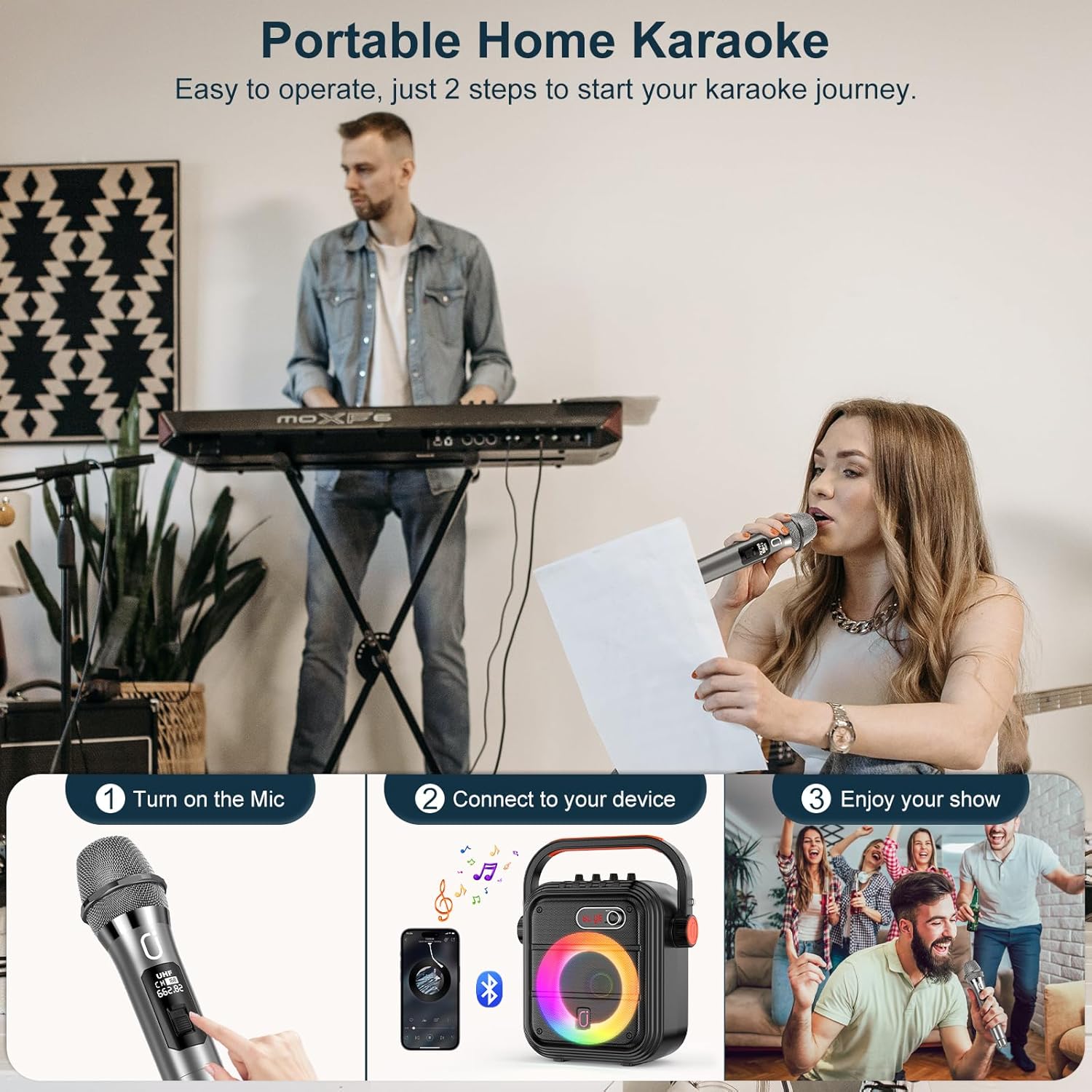
Figure 4.2: Simple steps to set up and enjoy karaoke with your JYX 66 PRO speaker.
4.5 Live Broadcasting
The JYX 66 PRO includes a built-in sound card and sound effects, making it suitable for live broadcasting. Connect your device and use the microphone for enhanced audio during live streams.

Figure 4.3: The speaker's features support live broadcasting with integrated sound effects.
5. Maintenance
5.1 Cleaning
- Wipe the speaker and microphones with a soft, dry cloth.
- Do not use abrasive cleaners, alcohol, or solvents, as these may damage the surface.
5.2 Storage
- Store the device in a cool, dry place away from direct sunlight and extreme temperatures.
- If storing for an extended period, charge the speaker periodically to maintain battery health.
6. Troubleshooting
| Problem | Possible Cause | Solution |
|---|---|---|
| Speaker does not power on | Low battery; Power button not pressed correctly | Charge the speaker; Press and hold the power button for a few seconds |
| No sound from speaker | Volume too low; Incorrect input mode; Device not connected | Increase volume; Switch to correct input mode (e.g., Bluetooth); Ensure device is paired |
| Microphones not working | Microphone batteries low/dead; Microphones not powered on; Not paired | Replace microphone batteries; Power on microphones; Ensure microphones are within range and paired |
| Bluetooth connection unstable | Device too far from speaker; Interference | Move device closer to speaker; Avoid obstacles; Disconnect and reconnect Bluetooth |
7. Specifications
- Model Name: JYX-66 Pro
- Brand: JYX
- Connectivity Technology: Bluetooth
- Compatible Devices: Laptop, Smartphone
- Mounting Type: Floor Standing
- Power Source: Battery Powered
- Speaker Amplification Type: Active
- Audio Input: Wireless Microphone
- Connector Type: XLR, 1/4" TRS, RCA
- Battery Capacity: 5200mAh (approximate, derived from 12H playing time)
- Charging Time: Approximately 6 hours
- Playing Time: Up to 12 hours
8. Warranty and Support
8.1 Warranty Information
The JYX 66 PRO Portable Bluetooth Speaker comes with a 1-Year Warranty from the date of purchase. This warranty covers manufacturing defects and workmanship under normal use. It does not cover damage caused by misuse, accidents, unauthorized modifications, or normal wear and tear.
8.2 Customer Support
For technical assistance, warranty claims, or any questions regarding your JYX 66 PRO speaker, please refer to the contact information provided with your purchase or visit the official JYX website for support resources.