
1. Introduction
This manual provides essential information for the safe and effective operation of your KJDEYT Anysecu W8pro 4G Network Radio. This device combines the functionality of a mobile phone with a walkie-talkie, supporting Zello and Real PTT applications over 4G networks and Wi-Fi. Please read this manual thoroughly before using the device.
2. Safety Information
- Do not expose the device to extreme temperatures, direct sunlight, or excessive moisture.
- Use only manufacturer-approved accessories, including batteries and chargers.
- Avoid dropping or subjecting the device to severe impact.
- Do not attempt to disassemble or modify the device, as this will void the warranty and may cause damage.
- Ensure proper network data services are activated on your SIM card for full functionality.
3. Package Contents
Verify that all items are present in your product package:
- Anysecu W8pro 4G Network Radio
- Lithium Ion Battery (pre-installed or separate)
- USB Type-C Charging Cable
- Power Adapter
- User Manual
- Camera (integrated)
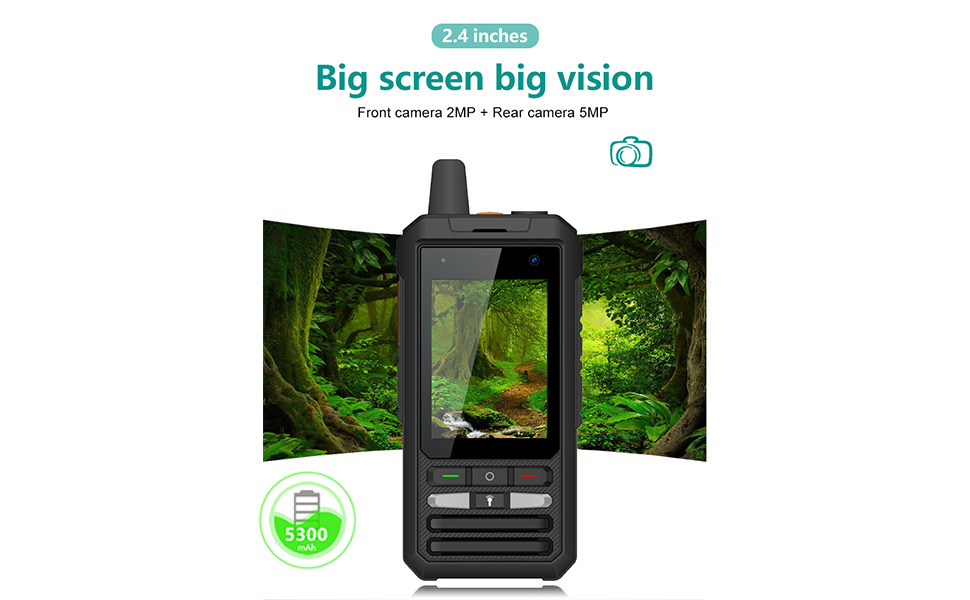
Image: Standard package contents for the Anysecu W8pro, showing the device, charging cable, power adapter, and user manual.
4. Device Overview
Familiarize yourself with the physical components and controls of your W8pro device.
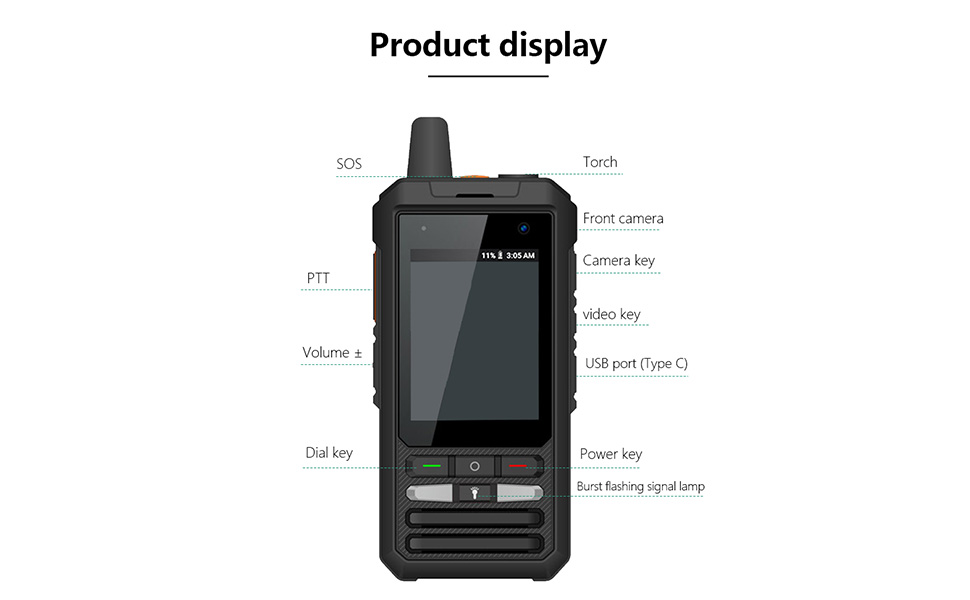
Image: Front view of the Anysecu W8pro, highlighting key features such as the SOS button, Torch, Front Camera, PTT button, Volume controls, Camera key, Video key, USB Type-C port, Dial key, Power key, and Burst flashing signal lamp.
Key Components:
- SOS Button: For emergency signaling.
- Torch: Integrated flashlight function.
- Front Camera: 2MP camera for video calls or selfies.
- PTT (Push-to-Talk) Button: Dedicated button for walkie-talkie communication.
- Volume Controls: Adjust audio output.
- Camera Key: Quick access to camera functions.
- Video Key: Quick access to video recording.
- USB Port (Type-C): For charging and data transfer.
- Dial Key: For phone functions.
- Power Key: Power on/off and screen lock.
- Burst Flashing Signal Lamp: Visual indicator.
- Rear Camera: 5MP camera for photos and videos.
- Dual Card Slot: Supports two SIM cards for network connectivity.
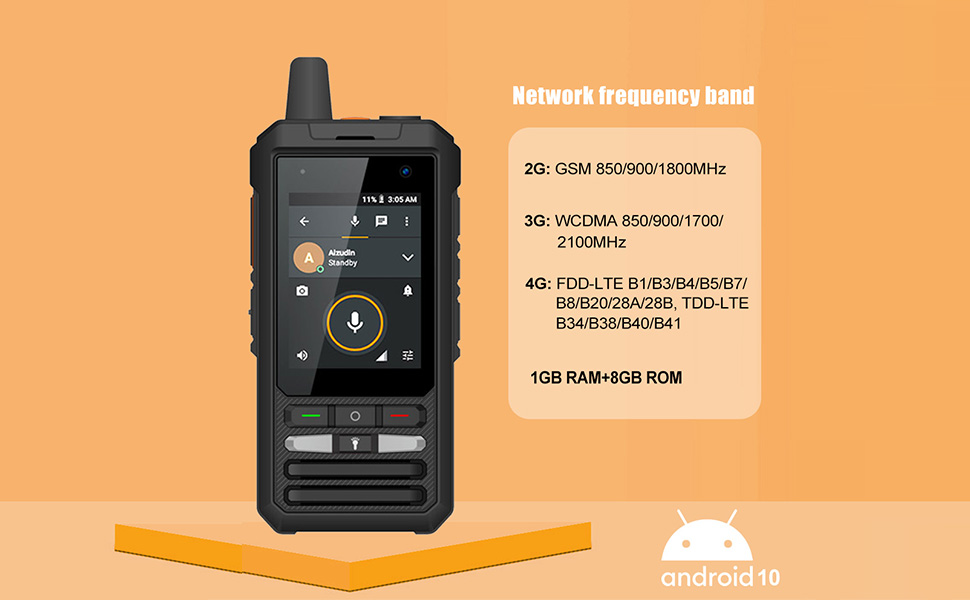
Image: Detailed views of the Anysecu W8pro, illustrating the dual SIM card slot, the PTT button, and the Zello application interface on the screen.
5. Setup
5.1. Battery Installation and Charging
- If the battery is not pre-installed, open the battery compartment cover on the back of the device.
- Insert the Lithium Ion battery, ensuring the contacts align correctly.
- Replace the battery compartment cover.
- Connect the USB Type-C cable to the device's USB port and the power adapter. Plug the adapter into a power outlet.
- Allow the device to charge fully before first use. The charging indicator will show the status.
5.2. SIM Card Installation
- Power off the device.
- Locate the dual card slot, typically under the battery or on the side.
- Insert your 2G/3G/4G SIM card(s) into the designated slots. Ensure the SIM card is correctly oriented.
- Close the SIM card slot cover securely.
5.3. Initial Power On and Network Configuration
- Press and hold the Power Key until the device vibrates and the screen turns on.
- Follow the on-screen prompts for initial setup, including language selection and Wi-Fi connection.
- Ensure your SIM card has activated data services for 4G network functionality. If you encounter network issues, verify your data plan.
6. Operating Instructions
6.1. Basic Functions
- Power On/Off: Press and hold the Power Key. Select 'Power off' from the menu.
- Screen Lock/Unlock: Briefly press the Power Key.
- Volume Adjustment: Use the Volume Up/Down buttons on the side of the device.
6.2. Push-to-Talk (PTT) Operation
The dedicated PTT button allows for instant communication using compatible applications like Zello or Real PTT.
- Open your preferred PTT application (e.g., Zello, Real PTT).
- Ensure you are logged in and connected to a channel or group.
- Press and hold the PTT button to transmit your voice. Release the button to listen.
6.3. Making Calls (Zello/Real PTT)
The device supports various call types through Zello and Real PTT applications:
- Single Call (One-to-One): Select a specific contact within the application to initiate a private call.
- Group Call (One-to-Many): Communicate with all members in a pre-defined group.
- Multi-Group Call (Many-to-Many): Engage with members across multiple groups simultaneously.
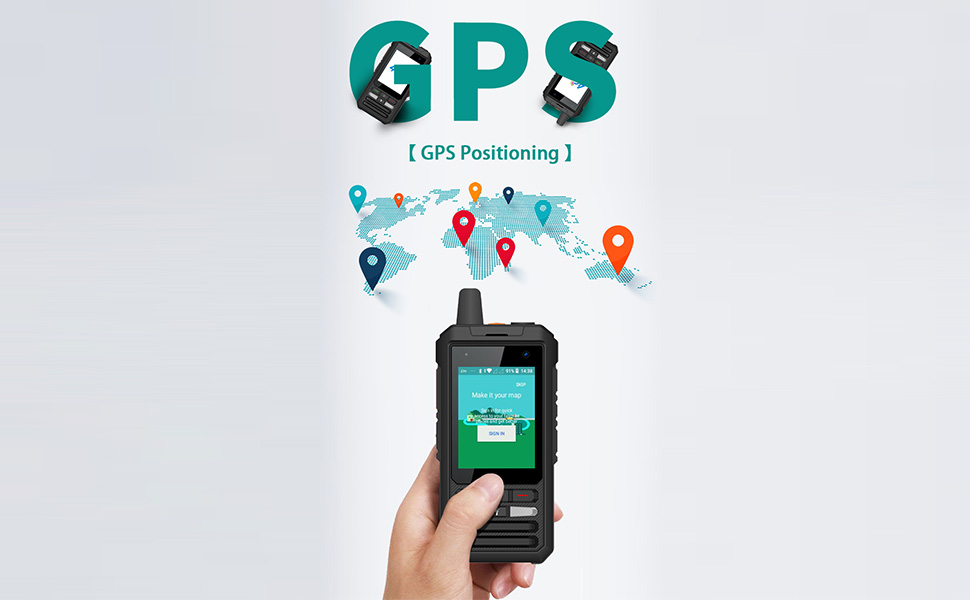
Image: The Anysecu W8pro screen showing options for quick calls, including single member one-to-one, group member one-to-many, and group member many-to-many communication.
6.4. GPS Functionality
The W8pro includes GPS for location tracking and navigation. Compatible applications can utilize this feature to display your position on a map or share your location.
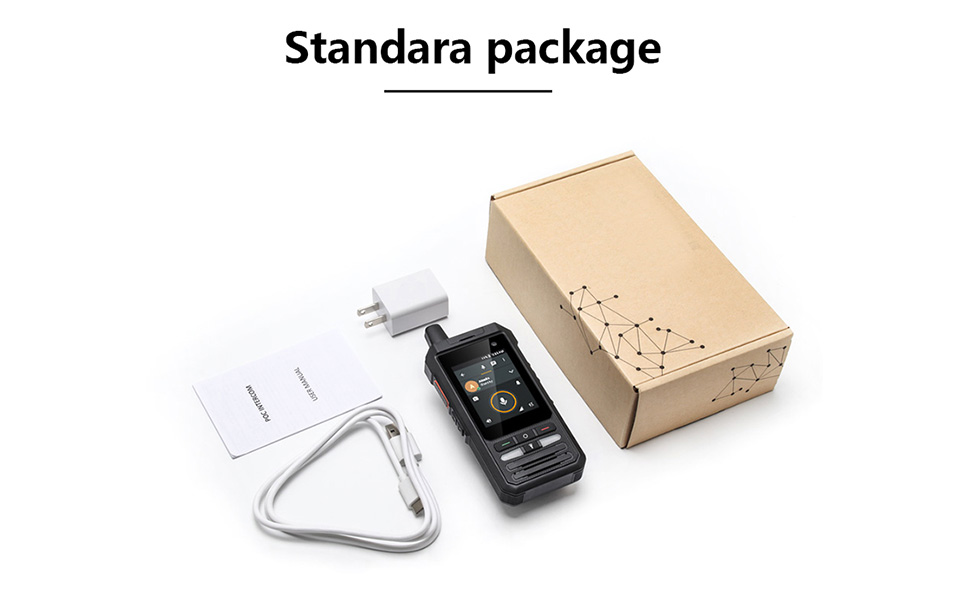
Image: The Anysecu W8pro displaying a map interface, indicating its GPS positioning capabilities.
6.5. Camera Usage
The device features a 2.4-inch screen and integrated cameras:
- Front Camera: 2MP, suitable for video calls.
- Rear Camera: 5MP, for capturing photos and videos.
Access the camera application from the home screen or by using the dedicated Camera Key/Video Key.

Image: The Anysecu W8pro showcasing its 2.4-inch screen with a vibrant display, emphasizing its front 2MP and rear 5MP camera capabilities.
6.6. SOS and Torch Function
- SOS: Press the dedicated SOS button in emergencies to activate a pre-configured alert.
- Torch: Activate the flashlight function for illumination in low-light conditions.
Image: The Anysecu W8pro demonstrating its emergency button and the integrated flashlight function, providing illumination.
7. Maintenance
7.1. Cleaning
Wipe the device with a soft, dry cloth. Avoid using harsh chemicals or abrasive materials that could damage the screen or casing.
7.2. Battery Care
- Avoid fully discharging the battery frequently.
- Store the device in a cool, dry place when not in use for extended periods.
- If the battery performance significantly degrades, consider replacing it with an authorized battery.
7.3. Software Updates
The device runs on Android 10. Periodically check for system updates to ensure optimal performance and security. Updates can typically be found in the device's 'Settings' menu under 'System' or 'About phone'.
8. Troubleshooting
8.1. Network Connectivity Issues
- No Signal/Limited Service: Ensure your SIM card is properly inserted and has an active data plan. Check network coverage in your area.
- Wi-Fi Connection Problems: Verify your Wi-Fi password and router settings. Try restarting the device and your Wi-Fi router.
8.2. Audio Issues (Choppy/Low Volume)
- Adjust the volume using the side buttons.
- Ensure the microphone and speaker are not obstructed.
- If using PTT apps, check the app's audio settings. Some users have reported microphone gain issues; ensure your firmware is up to date.
8.3. Zello Login Issues (Android Low Version)
If you experience difficulties logging into Zello on an older Android version, follow these steps:
- Enter the Zello 'Settings Menu'.
- Select 'Options'.
- Go to 'Support'.
- Enter 'Advanced settings'.
- Select 'Tap TLS'.
- Untick 'Enable TLS'.
- Restart the Radio and Zello application.

Image: Visual guide for troubleshooting Zello login issues on Android low version, detailing steps to adjust TLS settings within the Zello application.
9. Specifications
| Feature | Specification |
|---|---|
| Model Number | W8pro |
| Operating System | Android 10 |
| Display | 2.4 inch MIPI QVGA Touch Screen |
| 2G Network | GSM 850/900/1800MHz |
| 3G Network | WCDMA 850/900/1700/2100MHz |
| 4G Network | FDD-LTE B1/3/4/5/7/8/20/28A/28B, TDD-LTE B34/38/40/41 |
| RAM | 1GB |
| ROM | 8GB |
| Front Camera | 2MP |
| Rear Camera | 5MP |
| Battery | Lithium Ion (5300 mAh, included) |
| Connectivity | WiFi, GPS |
| Special Feature | Long Range |
| Frequency Range | 700 MHz to 2.6 GHz |
| Voltage | 3.7 Volts (DC) |
| Water Resistance Level | Not Water Resistant |
| Product Dimensions | 1 x 2.3 x 1 inches (2.54 x 5.84 x 2.54 cm) |
| Item Weight | 10.2 ounces (290 Grams) |

Image: The Anysecu W8pro screen showing detailed network frequency bands (2G, 3G, 4G) and memory specifications (1GB RAM + 8GB ROM).
10. Warranty Information
The KJDEYT Anysecu W8pro typically includes a limited warranty. Please refer to the warranty card included in your package or contact the seller for specific details regarding warranty duration and coverage. Keep your proof of purchase for warranty claims.
11. Support
For technical assistance, troubleshooting beyond this manual, or warranty inquiries, please contact the retailer or manufacturer directly. Refer to the contact information provided with your purchase or on the manufacturer's official website.