
Introduction
The SPYPOINT Flex-Plus Cellular Trail Camera is designed for advanced outdoor monitoring, capturing high-resolution photos and videos of wildlife. This manual provides comprehensive instructions for setting up, operating, maintaining, and troubleshooting your Flex-Plus camera, ensuring optimal performance in various outdoor conditions.

Image: The SPYPOINT Flex-Plus camera, showing its robust design, included strap, and a smartphone displaying the camera's app interface with a deer photo and a "FREE PHOTO TRANSMISSION PLAN INCLUDED!" badge. A "2 YEAR WARRANTY" badge is also visible.
Product Features
- Extended Battery Life: Enhance your hunting experience with the FLEX-PLUS cellular trail camera, an essential addition to your hunting equipment. Featuring twice the battery capacity, this game camera offers Instant Mode and on-demand photo and video requests. Plus, activation is effortless using the mobile application and on-camera buttons.
- Free Photo Transmission Plan: Enjoy SPYPOINT's FREE PLAN, transmitting up to 100 photos monthly with zero fees and no long-term commitment. This is the only free photo transmission plan for cellular cameras available. Need more? Opt for our flexible paid plans and join the Insiders Club for even greater savings!
- Stunning Photos & Videos with Sound: Capture incredible 36MP photos and crystal-clear 1080p videos with sound, delivered straight to your SPYPOINT app. The FLEX-PLUS' responsive trigger ensures perfect shots in any condition, ideal for hunting night vision, while the trail cam’s simultaneous send-and-capture feature guarantees you never miss a moment of the action.
- Instant Mode & Versatile Capture Options: The FLEX-PLUS trail camera features Instant Mode, allowing you to adjust settings and request high-definition photos and videos instantly via the SPYPOINT app. Explore additional capture options with other included modes: Photo, Video, Time-Lapse, and Time-Lapse+.
- Cross-Carrier Coverage: Experience uninterrupted connectivity with the Dual-SIM configuration designed for your trail camera needs. Seamlessly switch carriers for optimal signal strength, no need to choose a carrier model. With two pre-activated SIM cards included with your cellular trail camera, enjoy hassle-free connectivity monitoring, ensuring you're always connected, even in challenging conditions.
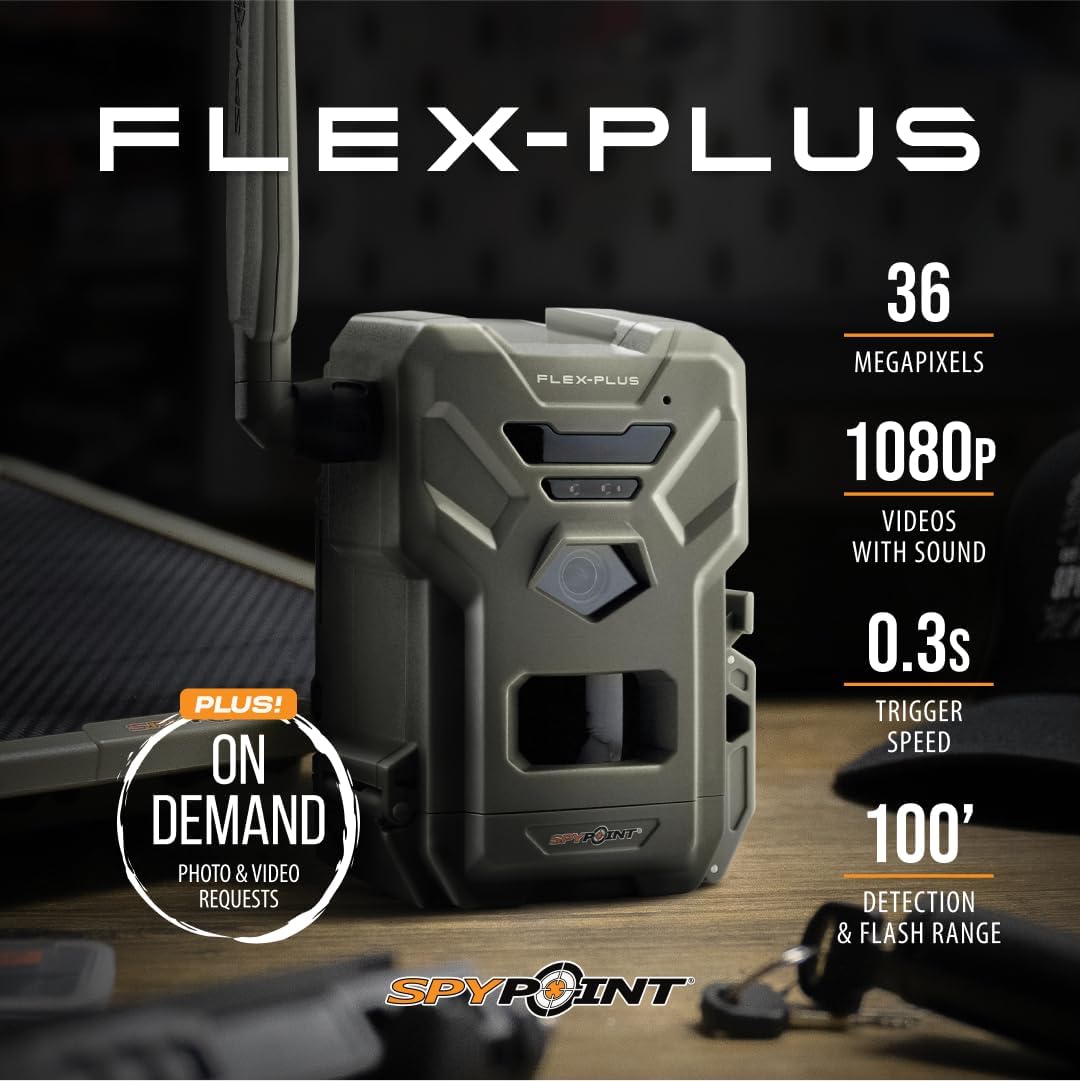
Image: The SPYPOINT Flex-Plus camera with key specifications overlaid, including 36 Megapixels for photos, 1080p video with sound, a 0.3-second trigger speed, and a 100-foot detection and flash range. It also notes "ON DEMAND PHOTO & VIDEO REQUESTS."
What's in the Box
Upon unboxing your SPYPOINT Flex-Plus Cellular Trail Camera, you should find the following components:
- One (1) SPYPOINT Flex-Plus Camera
- One (1) Installation Strap
- Two (2) Preactivated SIM Cards

Image: A top-down view of the SPYPOINT Flex-Plus camera, showing the camera unit, the included installation strap, and the two preactivated SIM cards.
Setup Guide
Follow these steps to set up your SPYPOINT Flex-Plus camera for the first time:
- Install Batteries: Open the battery compartment and insert the required batteries (not included). The Flex-Plus supports double battery capacity for extended use.
- Screw in the Antenna: Attach the antenna to the designated port on the camera.

Image: A close-up of the SPYPOINT Flex-Plus camera indicating where to screw in the antenna (labeled A).
- Insert MicroSD Card: Insert a compatible microSD card (up to 512 GB, Class 10) into the card slot.
Image: A close-up of the SPYPOINT Flex-Plus camera indicating where to insert the microSD card (labeled B).
- Turn On Your Camera: Locate the ON/OFF switch and turn the camera on.
Image: A close-up of the SPYPOINT Flex-Plus camera indicating the ON/OFF switch (labeled C).
- Format MicroSD Card: It is recommended to format the microSD card directly from the camera. Press the "FORMAT" button.

Image: A close-up of the SPYPOINT Flex-Plus camera showing the "FORMAT" button (labeled A).
- Push the Test Button: Press the "TEST" button to initiate a test photo and confirm basic functionality.
Image: A close-up of the SPYPOINT Flex-Plus camera showing the "TEST" button (labeled B).
- Download SPYPOINT App: Download the SPYPOINT app from your device's app store.
- Add Camera to App: Open the app and follow the instructions to add your new camera. You will typically scan a QR code located inside the camera's battery compartment for device identification.

Image: A hand holding a smartphone displaying the SPYPOINT app, with an arrow pointing to a plus icon, indicating the option to add a new camera.

Image: A smartphone screen showing the "Device Identification" prompt within the SPYPOINT app, with an arrow pointing to a QR code located inside the camera's battery compartment for scanning.
- Check Status in App: Once added, monitor the camera's status and receive photos/videos directly through the SPYPOINT app.
Operating Instructions
Capture Modes
The Flex-Plus offers four primary capture modes to suit various monitoring needs:
- Photo Mode: Captures still images at 36MP resolution.
- Video Mode: Records 1080p videos with sound.
- Time-Lapse Mode: Captures images at set intervals over a period.
- Time-Lapse+ Mode: Combines time-lapse with motion-triggered captures.
Instant Mode and On-Demand Requests
Utilize the Instant Mode feature via the SPYPOINT app to adjust camera settings remotely and request high-definition photos or videos on demand. This allows for real-time monitoring and immediate access to captures.

Image: The SPYPOINT Flex-Plus camera alongside a smartphone displaying the SPYPOINT app, illustrating the "On Demand" feature for requesting photos and videos, with a confirmation pop-up for a photo request.
Connectivity
The camera's dual-SIM configuration automatically connects to the best available network, ensuring reliable data transmission even in challenging conditions. This cross-carrier coverage eliminates the need to select a specific carrier model.

Image: The SPYPOINT Flex-Plus camera with text highlighting "CROSS-CARRIER COVERAGE" and "AUTO CONNECTS TO BEST NETWORK," visually representing its ability to connect to various cellular networks.
Maintenance
- Cleaning: Regularly wipe the camera lens and housing with a soft, damp cloth to remove dirt, dust, and debris. Avoid abrasive cleaners.
- Battery Management: Monitor battery levels via the SPYPOINT app. Replace or recharge batteries as needed to ensure continuous operation, especially given the extended battery capacity.
- MicroSD Card Care: Periodically format your microSD card using the camera's format function to maintain optimal performance and prevent data corruption. Back up important files before formatting.
- Environmental Protection: While water-resistant, avoid submerging the camera. Ensure the battery compartment and other seals are properly closed to protect against moisture and dust.
Troubleshooting
| Issue | Possible Cause | Solution |
|---|---|---|
| Camera not sending photos/videos | Low signal strength, expired data plan, low battery, incorrect settings. | Check signal strength in the app. Verify your data plan status. Ensure batteries are charged. Review camera settings in the app. Relocate camera for better signal. |
| Poor image/video quality | Dirty lens, improper lighting, camera movement, incorrect resolution settings. | Clean the camera lens. Ensure adequate lighting or adjust night vision settings. Securely mount the camera to prevent movement. Check resolution settings in the app. |
| Camera not turning on | Dead or improperly installed batteries. | Replace batteries with fresh ones or ensure they are correctly inserted. |
| Settings not applying via app | Connectivity issues, outdated firmware. | Ensure stable cellular connection. Check for and apply any available firmware updates through the SPYPOINT app. |
Specifications
- Model: Flex-Plus-US
- Effective Still Resolution: 36 MP
- Video Capture Resolution: 1080p with sound
- Flash & Detection Range: 100 feet
- Connectivity: Cellular (Dual-SIM, Cross-Carrier Coverage)
- Power Source: Battery Powered (supports extended battery capacity)
- Capture Modes: Photo, Video, Time-Lapse, Time-Lapse+, Instant Mode
- Mounting Type: Tree Mount
- Water Resistance Level: Water Resistant
- Dimensions (L x W x H): 4.34 x 3.94 x 5.5 inches
- Item Weight: 1 pound
- Included Components: Camera, Installation Strap, 2 Preactivated SIM Cards
Warranty and Support
The SPYPOINT Flex-Plus Cellular Trail Camera comes with a 2-Year Warranty, ensuring peace of mind regarding your investment.
For further assistance, technical support, or warranty claims, please visit the official SPYPOINT website or contact their customer service. The SPYPOINT mobile application also provides resources and direct support options.
Online Resources:www.spypoint.com


