
Product Overview
The Tilta Khronos Mini LED Panel (Daylight) is a compact and versatile lighting accessory designed for use with the Tilta Khronos iPhone 15 Pro / Pro Max case. It features a rotatable structure for flexible light direction and offers three adjustable brightness levels. This panel is engineered for secure attachment and efficient performance, providing accurate color representation for various shooting scenarios.
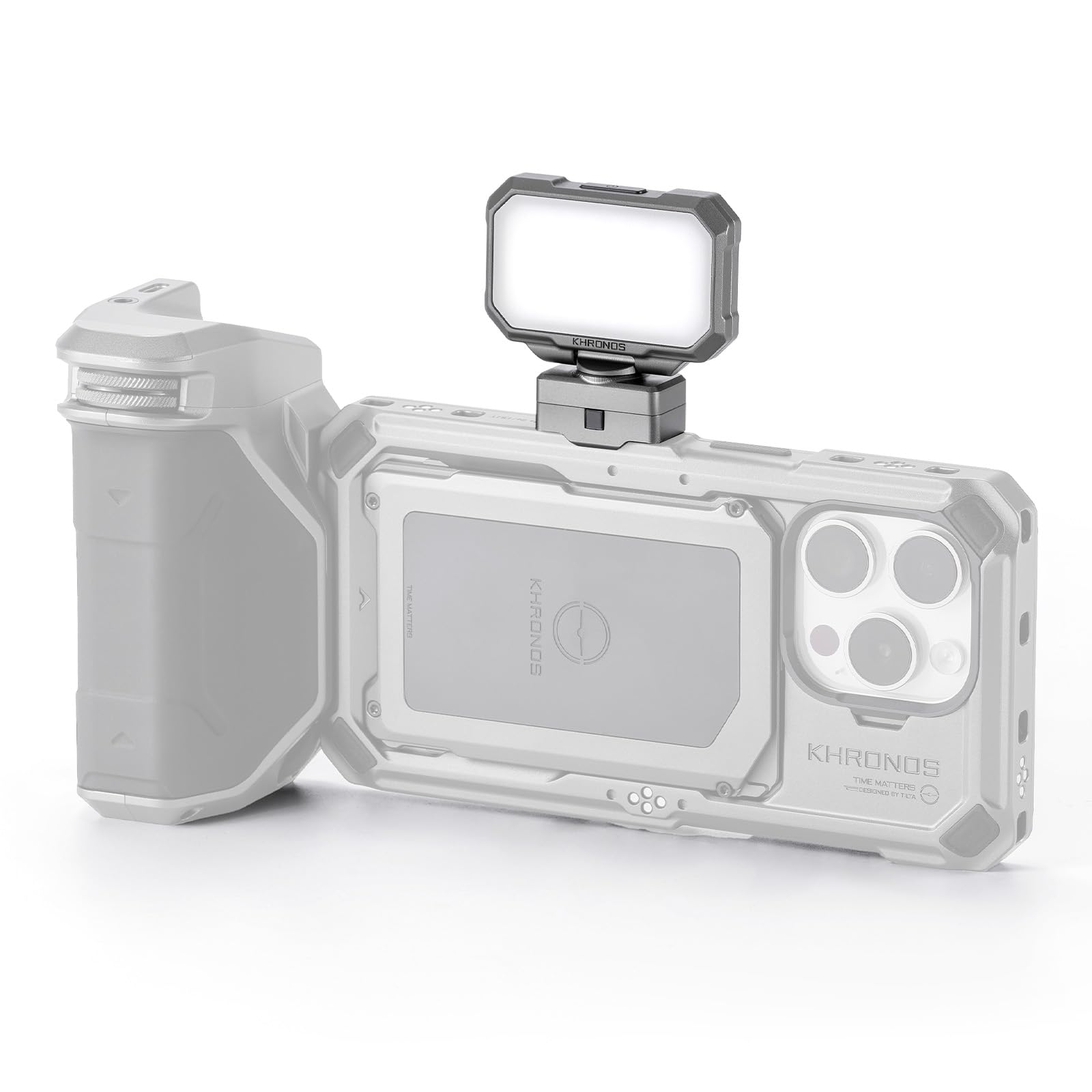
Image: The Tilta Khronos Mini LED Panel (Daylight) in Space Gray, shown attached to its base.
Setup
The Khronos Mini LED Panel is designed for easy and secure attachment to your compatible Tilta Khronos smartphone case. It utilizes an innovative locking clamp mechanism.
- Identify Mounting Point: Locate an available mounting point on your Tilta Khronos iPhone 15 Pro / Pro Max case. These points are designed for various Khronos accessories.
- Align Pins: Press the release button on the LED panel's base and align its pins with the chosen mounting point on the smartphone case.
- Secure Attachment: Release the button once the pins are aligned and the panel is in place. Ensure the panel is firmly locked to prevent accidental detachment.
Video: This video demonstrates the mobile filmmaking capabilities of the Khronos Ecosystem for iPhone 15 Pro, including the attachment of various accessories like the LED panel.
Operating Instructions
The Khronos Mini LED Panel offers intuitive controls for adjusting light output and direction.
- Power On/Off: Long-press the power button located on the panel to turn the LED light on or off.
- Adjust Brightness: Short-press the power button to cycle through the three available brightness levels. Select the level appropriate for your shooting environment.
- Adjust Light Direction: The panel features a rotatable structure, allowing for approximately ±30° tilt and 350° horizontal rotation. Adjust the panel to direct light precisely where needed.
Video: This video provides an overview of the Tilta Khronos Ecosystem for iPhone 15 Pro / Pro Max, showcasing various accessories and their functionalities, including the LED panel.
Maintenance
To ensure the longevity and optimal performance of your Tilta Khronos Mini LED Panel, follow these maintenance guidelines:
- Cleaning: Use a soft, dry cloth to gently wipe the surface of the LED panel. Avoid using abrasive cleaners or solvents that may damage the finish or electronic components.
- Storage: When not in use, store the LED panel in a cool, dry place away from direct sunlight and extreme temperatures. Ensure it is detached from the smartphone case if storing for extended periods.
- Handling: Handle the panel with care to avoid dropping or subjecting it to strong impacts, which could damage the internal components or the rotatable mechanism.
Troubleshooting
If you encounter issues with your Khronos Mini LED Panel, refer to the following common troubleshooting steps:
- Panel Not Turning On:
- Ensure the panel is securely attached to the Khronos case and that the case is properly powered.
- Verify that the power button is being long-pressed for sufficient duration (typically 2-3 seconds).
- Brightness Not Changing:
- Confirm that the power button is being short-pressed to cycle through brightness levels.
- Check for any obstructions or debris around the button.
- Loose Attachment:
- Re-attach the LED panel, ensuring the release button is fully pressed during alignment and completely released once in place.
- Inspect the locking clamp mechanism and the case's mounting points for any damage or wear.
Specifications
| Feature | Detail |
|---|---|
| Model Number | TK-MLP-DL-SG |
| Color | Space Gray |
| Power Input | 9-12V, 1A |
| Power Consumption | 5W |
| Color Rendering Index (CRI) | ≥95RA |
| Brightness Levels | 3 |
| Rotational Adjustment | ±30° Tilt, 350° Horizontal Rotation |
| Item Weight | 4.8 ounces |
| Package Dimensions | 5 x 3.5 x 3 inches |
Warranty and Support
For warranty information and customer support, please refer to the official Tilta website or contact your authorized Tilta dealer. Keep your purchase receipt as proof of purchase for any warranty claims.
Online Resources: Visit the Tilta Store for additional product information and accessories.
