
CERAGEM M4
CERAGEM M4 Massage Chair Instruction Manual
Model: M4
1. Important Safety Information
Please read all instructions carefully before using the CERAGEM M4 Massage Chair. Retain this manual for future reference.
- Weight Limit: Do not exceed the maximum weight limit of 250 pounds (113 kg). Exceeding this limit may cause damage to the chair or injury to the user.
- Intended Use: Use the chair only as described in this manual. Any other use may result in injury or damage.
- Power Source: Ensure the chair is connected to a grounded power outlet with the correct voltage. Do not use extension cords or adapters unless specifically approved.
- Children and Pets: Keep children and pets away from the chair, especially during operation.
- Medical Conditions: Consult a physician before use if you have any medical conditions, are pregnant, have a pacemaker, or are undergoing medical treatment.
- Avoid Water: Do not expose the chair to water or excessive moisture.
- Maintenance: Do not attempt to repair the chair yourself. Contact qualified service personnel for any repairs.
2. Product Overview
The CERAGEM M4 Massage Chair is designed to provide a comprehensive massage experience with innovative features and enhanced comfort. This section outlines the main components and key functionalities.

Figure 2.1: CERAGEM M4 Massage Chair with Ottoman. The chair features a sleek, modern design in brown, accompanied by a matching ottoman.
Key Features:
- Ergonomic SL Track Frame: The S- and L-shaped frame follows the natural spinal curve, ensuring consistent contact and pressure for an effective, full-back massage.
- Abdominal Thermal Massager: A dedicated abdominal unit provides targeted warmth up to 140°F (60°C) with gentle vibration, supporting deep muscle comfort and core relaxation.
- Airbag Compression: Embedded airbags in the pelvis and calves provide gentle compression, enhancing circulation and relieving tension in the lower body.
- Electric Reclining: Enjoy electric reclining up to 145° for ergonomic relaxation.
- 8 Personalized Massage Modes: Pre-programmed massage programs featuring techniques such as kneading and tapping.
- Intuitive OLED Remote Control: Effortlessly navigate through massage modes and settings.
- Two-Way Surround Speaker: Integrated speakers for an immersive audio experience.
- Natural Cow Leather: Crafted with natural cow leather for a luxurious feel and durable quality.
3. Setup and Assembly
Follow these steps to set up your CERAGEM M4 Massage Chair.
- Unpacking: Carefully remove all components from the packaging. Ensure all parts are present: main chair unit, ottoman, remote control, and power cord.
- Placement: Position the chair on a flat, stable surface. Ensure there is sufficient space around the chair for reclining and safe operation (approximately 10 inches from a wall for full recline).
- Ottoman Assembly: If the ottoman is not pre-assembled, attach the base to the cushion following the included quick-start guide.
- Power Connection: Connect the power cord to the chair's power input, then plug it into a grounded electrical outlet.
- Remote Control: Ensure the remote control is connected to the chair (if wired) or has fresh batteries (if wireless).

Figure 3.1: The CERAGEM M4 Massage Chair (Beige variant shown) blends into a modern living space, demonstrating its minimalist design suitable for various home aesthetics.
4. Operating Instructions
This section details how to operate your CERAGEM M4 Massage Chair using the OLED displayed remote control.
4.1 Powering On/Off
- To power on, press the Power button on the remote control. The OLED display will illuminate.
- To power off, press and hold the Power button until the chair powers down.
4.2 Selecting Massage Modes
The CERAGEM M4 offers 8 pre-programmed massage modes. Use the remote control to navigate and select your desired mode.

Figure 4.1: The intuitive OLED displayed remote control allows users to easily select from 8 personalized massage modes, including kneading and tapping techniques.
- Use the arrow keys on the remote to scroll through the available massage programs displayed on the OLED screen.
- Press the OK/Select button to activate the chosen mode.
- Adjust intensity or specific massage areas using the dedicated buttons on the remote, if available for the selected mode.
4.3 Reclining Function
The chair features an electric reclining function for optimal comfort.

Figure 4.2: A person reclining in the CERAGEM M4 Massage Chair, demonstrating the chair's ability to recline up to 145 degrees for ergonomic relaxation.
- Use the Recline Up and Recline Down buttons on the remote to adjust the chair's angle.
- The chair can recline up to 145 degrees.
4.4 Abdominal Thermal Massager
Activate the abdominal thermal massager for targeted heat and vibration.

Figure 4.3: A user demonstrating the abdominal care feature, where a dedicated unit provides targeted warmth up to 140°F with gentle vibration for core relaxation.
- Locate the abdominal massager unit. Place it over your abdominal area.
- Press the dedicated Abdominal Heat/Vibration button on the remote to activate.
- The unit provides warmth up to 140°F (60°C).
4.5 Airbag Compression
The chair includes airbag compression for the pelvis and calves.
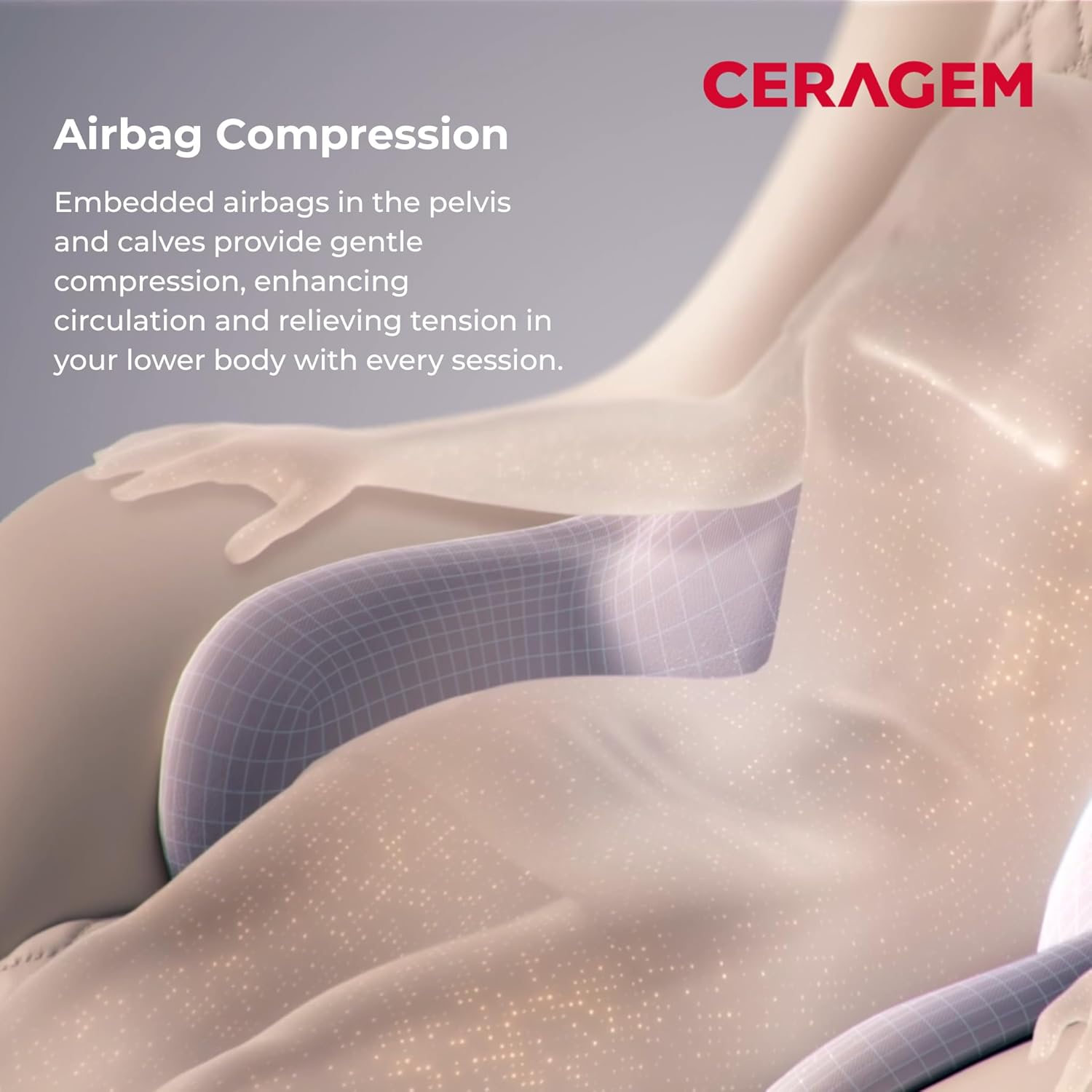
Figure 4.4: A visual representation of the airbag compression system, showing embedded airbags in the pelvis and calves providing gentle compression to enhance circulation.
- Press the Airbag button on the remote to activate or deactivate the compression.
- Adjust the intensity of the airbag compression using the remote, if applicable.
4.6 Bluetooth Speaker
Connect your device to the chair's integrated two-way surround speakers.
- Ensure the chair is powered on.
- On your mobile device, search for Bluetooth devices and select "CERAGEM M4" (or similar name).
- Once paired, audio from your device will play through the chair's speakers.
5. Maintenance
Proper maintenance ensures the longevity and optimal performance of your massage chair.
5.1 Cleaning
- Exterior: Wipe the chair's exterior with a soft, damp cloth. Do not use abrasive cleaners, solvents, or harsh chemicals, as these can damage the natural cow leather and other surfaces.
- Leather Care: For the natural cow leather, use a specialized leather cleaner and conditioner periodically to maintain its quality and appearance.
- Dust: Regularly dust the chair to prevent accumulation, especially in crevices.
- Power Off: Always unplug the chair from the power outlet before cleaning.
5.2 Storage
- If storing the chair for an extended period, ensure it is clean and dry.
- Store in a cool, dry place away from direct sunlight and extreme temperatures.
- Cover the chair with a dust cover to protect it from dust and debris.
6. Troubleshooting
If you encounter issues with your CERAGEM M4 Massage Chair, refer to the following common problems and solutions.
| Problem | Possible Cause | Solution |
|---|---|---|
| Chair does not power on. | Power cord not securely plugged in. No power from outlet. | Check power cord connection to chair and wall outlet. Test outlet with another device. |
| Massage function not working. | Incorrect mode selected. Safety feature activated. | Ensure a massage mode is selected on the remote. Check for obstructions. Power cycle the chair. |
| Remote control not responding. | Batteries low/dead (if wireless). Loose connection (if wired). | Replace batteries. Check remote cable connection. |
| Abdominal massager not heating. | Feature not activated. | Ensure the abdominal heat function is turned on via the remote. Allow a few minutes for heating. |
| Bluetooth speaker not connecting. | Chair not in pairing mode. Device already paired to another speaker. | Ensure chair is on. Forget previous Bluetooth connections on your device and try pairing again. |
If the problem persists after attempting these solutions, please contact CERAGEM customer support for assistance.
7. Specifications
Detailed technical specifications for the CERAGEM M4 Massage Chair.
| Feature | Detail |
|---|---|
| Brand | CERAGEM |
| Model Name | M4 |
| Product Dimensions (D x W x H) | 44" x 29" x 39" (111.76 cm x 73.66 cm x 99.06 cm) |
| Item Weight | 80 pounds (36.29 kg) |
| Maximum Weight Recommendation | 250 Pounds (113 kg) |
| Color | Brown |
| Fill Material | Foam |
| Surface Material | Natural Cow Leather |
| Reclining Position Count | 2 (up to 145°) |
| Abdominal Thermal Massager Temperature | Up to 140°F (60°C) |
| Massage Modes | 8 pre-programmed modes (kneading, tapping, etc.) |
| UPC | 761734777605 |
| Manufacturer | CERAGEM |
8. Warranty and Support
For warranty information and customer support, please refer to the documentation included with your purchase or visit the official CERAGEM website.
- Customer Service: For technical assistance, troubleshooting beyond this manual, or warranty claims, please contact CERAGEM customer support.
- Online Resources: Additional support and FAQs may be available on the CERAGEM Brand Store or official website.
Related documentsM4


Ask a question about this manual
Ask about setup, troubleshooting, compatibility, parts, safety, or missing instructions. Manuals+ will review the question and use this page’s manual context to help answer it.