
Klipsch CORE 100 + SUB 100
Klipsch Flexus Sound System: CORE 100 + SUB 100 User Manual
Model: CORE 100 + SUB 100 | Brand: Klipsch
Introduction
The Klipsch Flexus Core 100 Sound System, powered by Onkyo, is designed to enhance your home entertainment experience. This 2.1-channel sound bar and subwoofer system provides exceptional acoustics and features proprietary Klipsch Transport technology, serving as a foundational component for a comprehensive home audio setup.
Package Contents
Before you begin, ensure all components are present:
- Klipsch Flexus CORE 100 Sound Bar
- Klipsch Flexus SUB 100 Subwoofer
- Power Cables
- Remote Control
- HDMI Cable

Image: The Klipsch Flexus CORE 100 Sound Bar and SUB 100 Subwoofer, showing both units together.
Setup
1. Placement
Position the CORE 100 Sound Bar centrally below your television. The SUB 100 Subwoofer can be placed anywhere in the room, ideally near a wall or corner for optimal bass performance. Ensure both units have adequate ventilation.
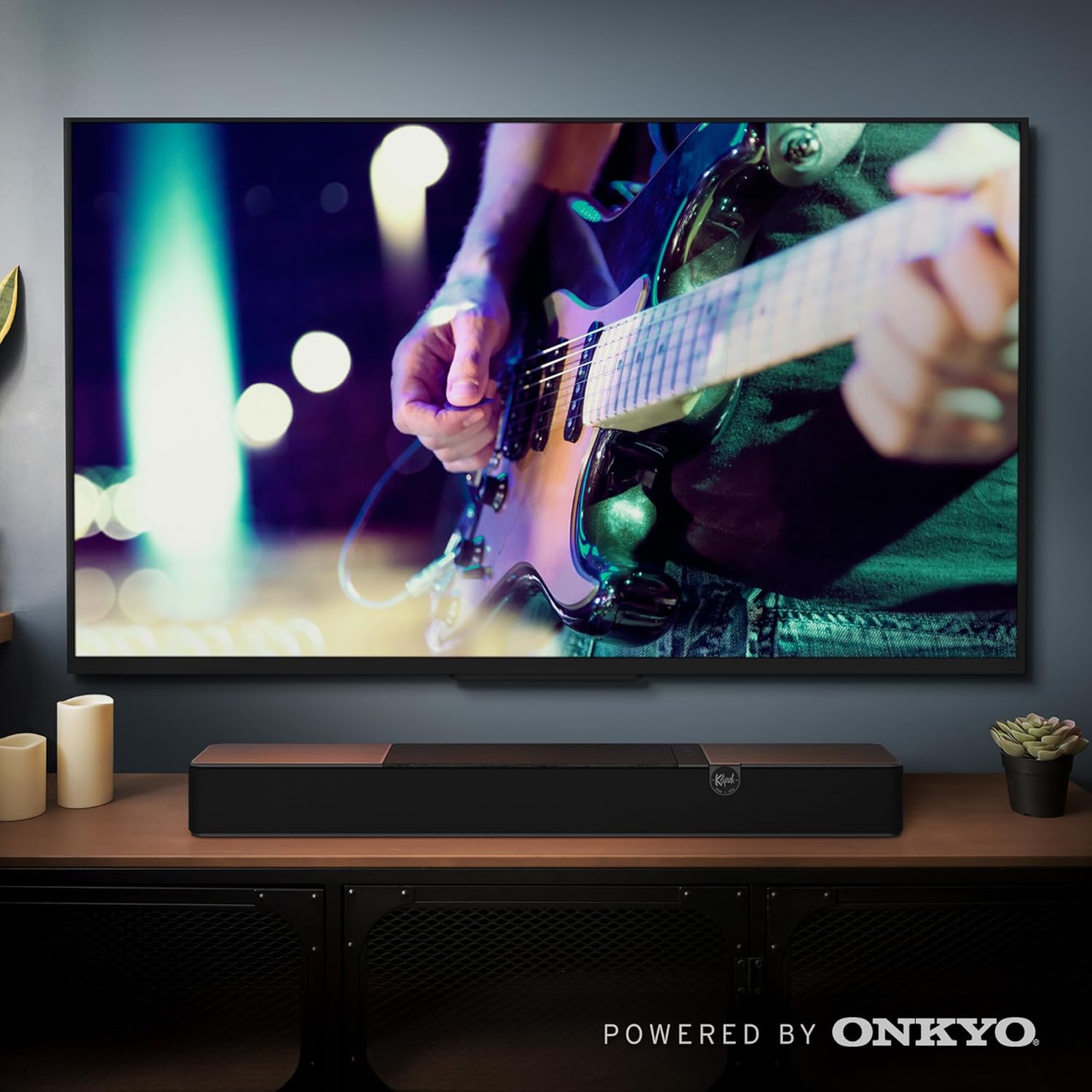
Image: A Klipsch Flexus Sound Bar positioned on a media console beneath a television, with the subwoofer placed on the floor to the left. This illustrates a typical setup for home entertainment.
2. Connections
Connect the sound bar to your television using one of the following methods:
- HDMI eARC: For the best audio quality and control, connect an HDMI cable from the HDMI eARC port on the sound bar to the HDMI eARC/ARC port on your TV.
- Digital Optical: If your TV does not have an HDMI eARC/ARC port, connect an optical cable from the sound bar's optical input to your TV's optical output.
- USB: For direct audio playback from a USB device.
Connect the power cables to both the sound bar and the subwoofer, then plug them into a wall outlet.
3. Subwoofer Pairing
The Flexus SUB 100 Subwoofer is pre-paired with the CORE 100 Sound Bar for easy setup. Once both units are powered on, they should automatically connect. If connection issues occur, refer to the troubleshooting section.

Image: The Klipsch Flexus SUB 100 Subwoofer is shown on a wooden floor, demonstrating its compact size and placement flexibility within a living space.
Operating Instructions
Power On/Off
Press the power button on the sound bar or the remote control to turn the system on or off.
Input Selection
Use the input button on the remote or sound bar to cycle through available inputs (HDMI eARC, Optical, Bluetooth, USB).
Volume Control
Adjust the volume using the volume up/down buttons on the remote or sound bar.
Bluetooth Connectivity
To pair a Bluetooth device:
- Press the Bluetooth button on the remote or sound bar. The indicator light will flash.
- Enable Bluetooth on your device and select "Klipsch Flexus CORE 100" from the list of available devices.
- Once connected, the indicator light will become solid.
Dolby Atmos Processing
The Flexus Core 100 features Dolby Atmos processing technology, providing immersive, multidimensional sound for compatible content. Ensure your source device and content support Dolby Atmos for the full experience.

Image: A visual representation of the Klipsch Flexus Sound System's Dolby Atmos capability, showing sound waves emanating from the sound bar to create an immersive audio environment.
Klipsch Connect Plus App Control
For advanced control and customization, download the Klipsch Connect Plus App. The app allows you to:
- Access EQ presets or create custom EQ mixes.
- Activate Night Mode.
- Enable Dialogue Boost.
- Control volume and input selection.
- Manage additional Flexus components (e.g., surround speakers) if added.

Image: A smartphone screen displaying the Klipsch Connect Plus app, showing various control options for the sound system, including EQ settings and input selection.
Maintenance
To ensure the longevity and optimal performance of your Klipsch Flexus Sound System:
- Cleaning: Use a soft, dry cloth to clean the surfaces of the sound bar and subwoofer. Avoid abrasive cleaners or solvents.
- Ventilation: Ensure proper airflow around both units to prevent overheating. Do not block ventilation openings.
- Environment: Keep the system away from direct sunlight, heat sources, excessive dust, moisture, and extreme temperatures.
Troubleshooting
| Problem | Possible Cause | Solution |
|---|---|---|
| No sound from sound bar | Incorrect input selected; cables not connected properly; TV audio output settings incorrect. | Verify input selection. Check all cable connections (HDMI, Optical). Ensure TV audio output is set to external speakers or PCM. |
| No sound from subwoofer | Subwoofer not powered on; not paired with sound bar; volume too low. | Ensure subwoofer is plugged in and powered on. If not automatically paired, refer to the manual for manual pairing instructions (usually involves pressing a pair button on both units). Increase subwoofer volume level. |
| Bluetooth pairing issues | Device too far; sound bar not in pairing mode; interference. | Ensure device is within range. Put sound bar into pairing mode. Turn off other Bluetooth devices nearby. |
| Remote control not working | Dead batteries; obstruction; remote sensor blocked. | Replace batteries. Remove any obstructions between remote and sound bar. Ensure remote sensor on sound bar is not blocked. |
Specifications
| Feature | Detail |
|---|---|
| Model Name | Flexus CORE 100, SUB 100 |
| Speaker Type | Soundbar |
| Surround Sound Channel Configuration | 2.1 |
| Special Feature | Dolby Atmos Processing Technology |
| Connectivity Technology | Bluetooth, USB, HDMI eARC, Digital Optical |
| Wireless Communication Technology | Bluetooth |
| Subwoofer Diameter | 10 Inches |
| Product Dimensions (Sound Bar) | 5"D x 28"W x 3"H |
| Item Weight | 11.02 pounds (combined) |
| Material | Plastic |
| Power Source | Corded Electric |
| Speaker Maximum Output Power | 200 Watts |
| UPC | 743878067033 |
Warranty and Support
The Klipsch Flexus Sound System comes with a limited warranty. Please refer to the warranty card included in your package for specific terms and conditions.
For technical support, troubleshooting assistance, or to register your product, please visit the official Klipsch website or contact their customer service. You can also visit the Klipsch Store on Amazon for more information.
Related documentsCORE 100 + SUB 100


Ask a question about this manual
Ask about setup, troubleshooting, compatibility, parts, safety, or missing instructions. Manuals+ will review the question and use this page’s manual context to help answer it.