
RADLEY Series 32
RADLEY Series 32 Smart Watch User Manual
Comprehensive Guide for Your Smart Watch
Introduction
Welcome to the user manual for your new RADLEY Series 32 Smart Watch. This guide provides essential information on setting up, operating, maintaining, and troubleshooting your device to ensure optimal performance and a seamless user experience. The Series 32 Smart Watch is designed to keep you connected and informed, offering a range of features from hands-free calling to comprehensive health and fitness tracking.

Image: Front view of the RADLEY Series 32 Smart Watch with a navy silicone strap, displaying the time, date, step count, and heart rate on its square screen.
Getting Started: Setup
1. What's in the Box
Upon opening your RADLEY Series 32 Smart Watch package, you should find the following items:
- RADLEY Series 32 Smart Watch
- USB Charging Cable
- Instruction Manual (this document)
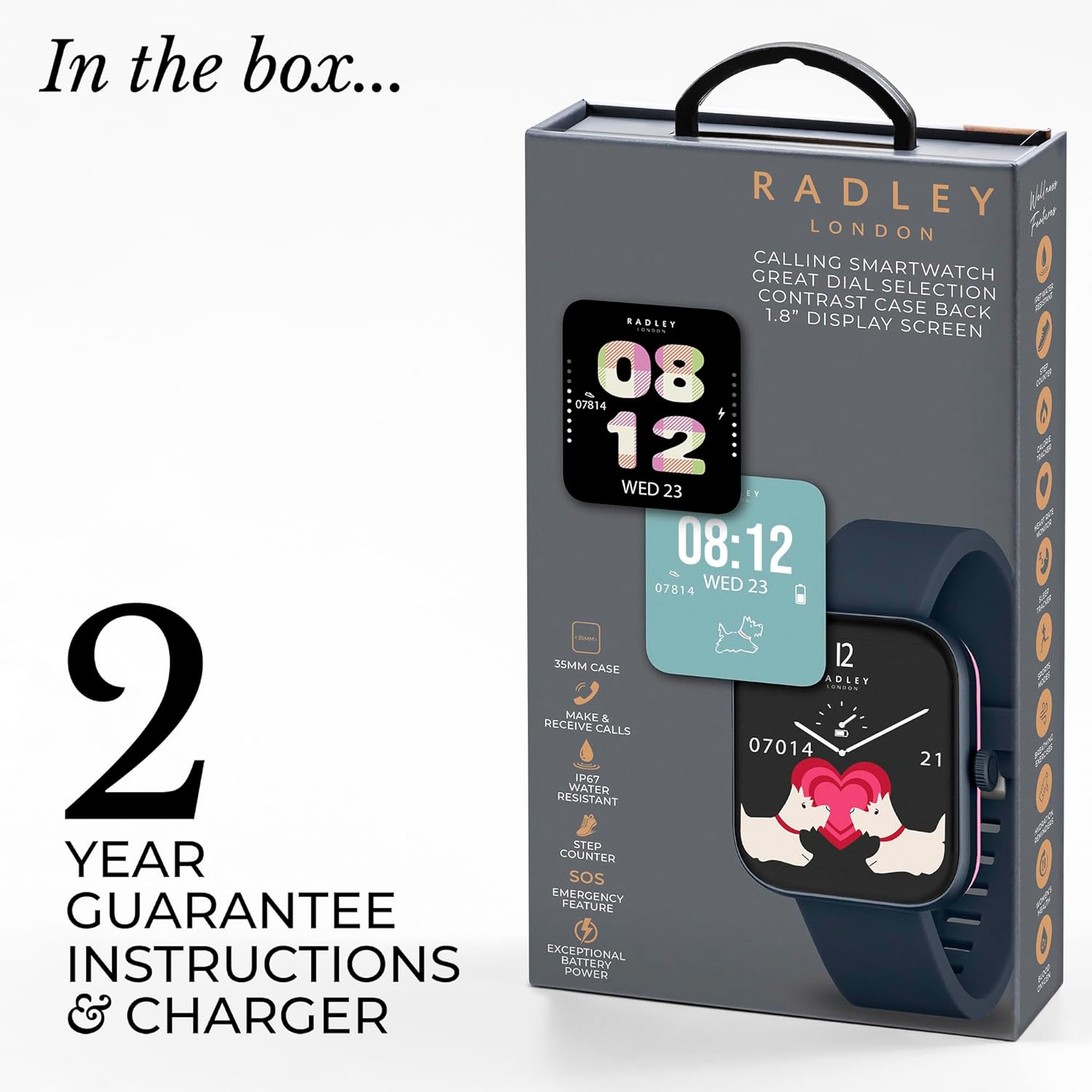
Image: The retail packaging for the RADLEY Series 32 Smart Watch, illustrating the watch, USB charger, and instruction manual included in the box.
2. Charging Your Smart Watch
Before first use, fully charge your smart watch.
- Connect the USB charging cable to a compatible USB power adapter (not included) or a computer's USB port.
- Attach the magnetic end of the charging cable to the charging points on the back of your watch. Ensure proper alignment for a secure connection.
- The watch display will indicate charging status. A full charge typically takes approximately 2 hours.

Image: Rear view of the RADLEY Series 32 Smart Watch, highlighting the charging pins and the optical heart rate sensor on its pink-colored back casing.
3. App Installation and Pairing
To unlock the full functionality of your RADLEY Series 32 Smart Watch, you must download and pair it with the official Radley London App.
- Download the App: Search for "Radley London App" on the Apple App Store (for iOS 12+ devices) or Google Play Store (for Android 8.0+ devices).
- Create Account: Open the app and follow the on-screen instructions to create a new user account or log in if you already have one.
- Enable Bluetooth: Ensure Bluetooth is enabled on your smartphone.
- Pairing: In the Radley London App, navigate to the device pairing section. Select "Add Device" or similar option. Your watch should appear in the list of discoverable devices (e.g., "Radley Series 32"). Tap to connect.
- Confirm Pairing: A pairing request may appear on both your phone and watch. Confirm the pairing on both devices.
- Initial Sync: Once paired, the watch will synchronize data with the app. This may take a few moments.
Operating Your Smart Watch
Basic Navigation
The RADLEY Series 32 Smart Watch features a 1.8-inch touch display and a side button for navigation.
- Swipe Up/Down: Scroll through menus and notifications.
- Swipe Left/Right: Access quick-view widgets (e.g., heart rate, weather, activity data).
- Tap: Select an item or open an application.
- Side Button: Press to return to the watch face or wake the screen. Long press for power options or emergency SOS.
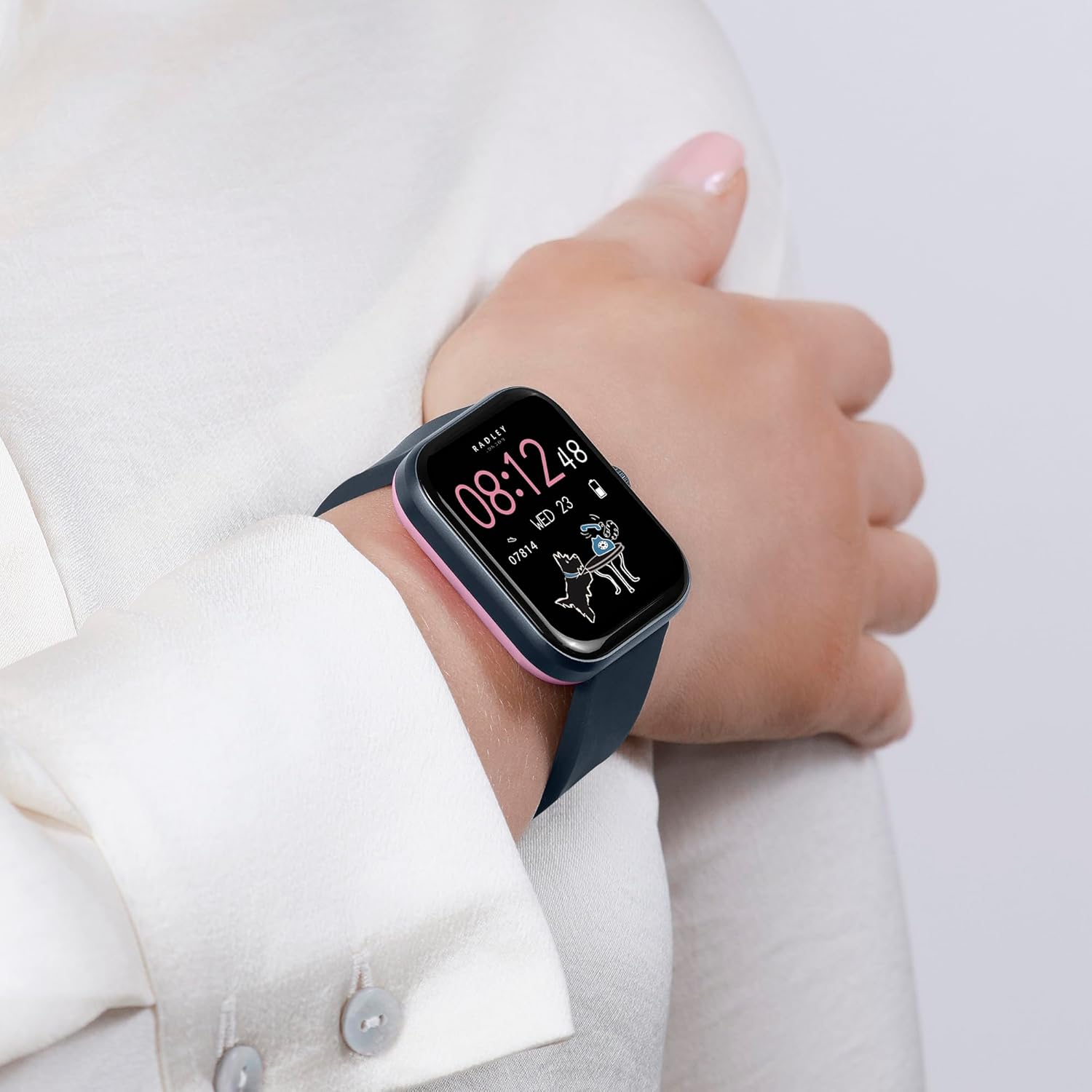
Image: The RADLEY Series 32 Smart Watch worn on a woman's wrist, showcasing its comfortable fit and clear display with a personalized watch face.
Key Features and Functions
Your Series 32 Smart Watch offers a wide array of functionalities to enhance your daily life.

Image: An infographic detailing the key features of the RADLEY Series 32 Smart Watch, including calling, notifications, health tracking, and more.
- Make & Receive Calls: With the built-in Bluetooth calling feature, you can make and receive phone calls directly from your wrist. Ensure your watch is connected to your smartphone via Bluetooth.
- Notifications: Receive alerts for incoming calls, text messages, and social media notifications directly on your watch. Manage notification settings via the Radley London App.
- Health & Wellness Tracking:
- Heart Rate Monitor: Continuously tracks your heart rate throughout the day.
- Sleep Tracker: Monitors your sleep patterns, including deep, light, and REM sleep.
- Blood Oxygen Readings: Provides on-demand blood oxygen saturation levels.
- Step Counter & Calorie Counter: Tracks your daily steps and estimated calories burned.
- Cycle Tracking: For women's health, track menstrual cycles.
- Breathing Exercises: Guided breathing sessions for relaxation.
- Hydration Reminders: Set reminders to drink water.
- Multiple Sports Modes: Track various activities such as walking, running, cycling, and more. The watch records data like distance, duration, and calories burned.
- SOS Emergency Feature: In an emergency, long-press the side button to activate the SOS feature, which can sound a loud alarm and call your designated emergency contact (setup required in the app).
- Music Control: Control music playback on your smartphone directly from your watch (play, pause, skip tracks).
- GPS Connection: Connects to your phone's GPS for accurate tracking of outdoor activities.
- Live Weather Updates: Get real-time weather information for your location.
- Voice Assistant: Access your smartphone's voice assistant through the watch.
- Selfie Camera Control: Use your watch as a remote shutter for your smartphone's camera.
- Dial Personalization: Choose from an extensive collection of watch faces or upload your own photo to personalize the dial via the Radley London App.
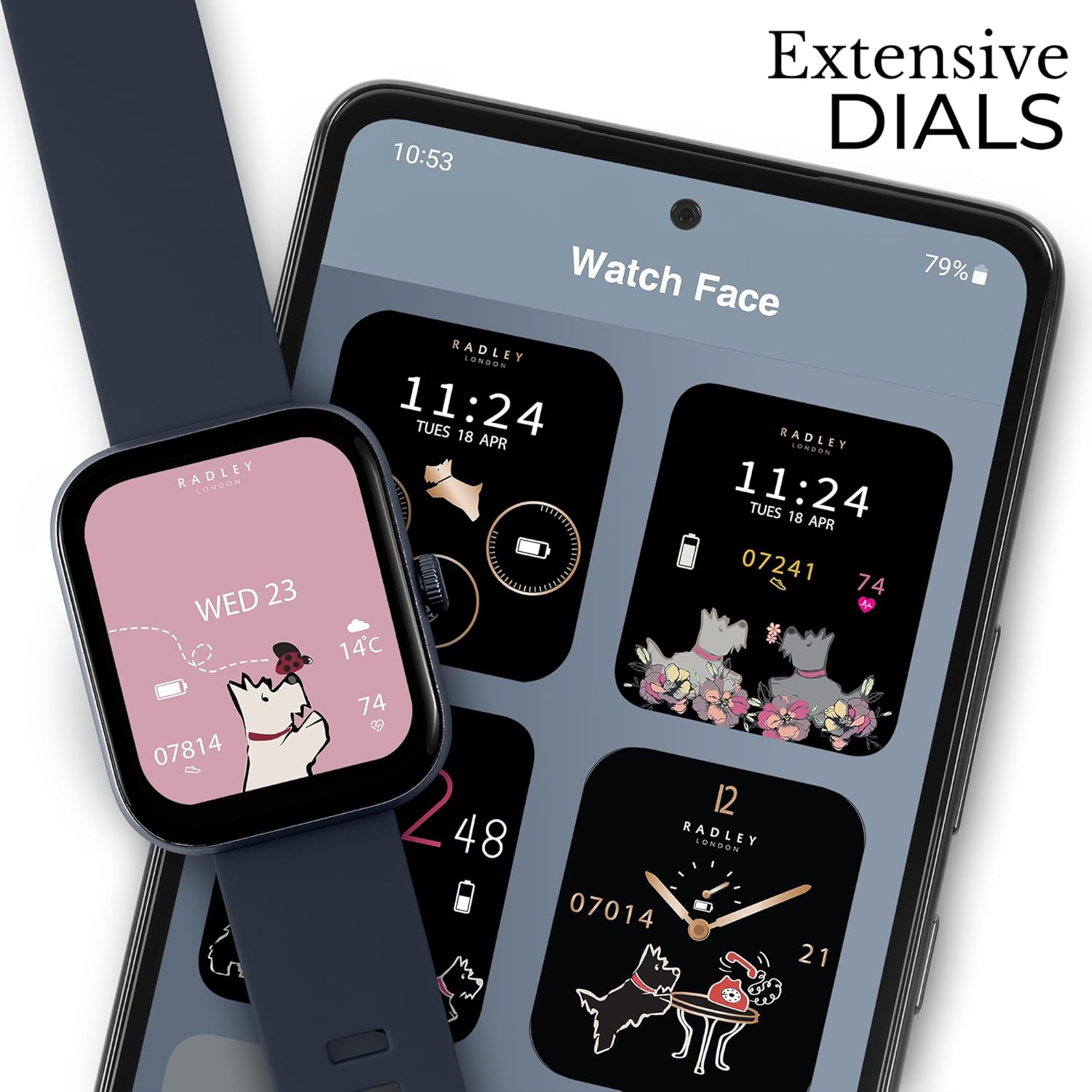
Image: The RADLEY Series 32 Smart Watch alongside a smartphone displaying the Radley London App's watch face selection, highlighting the extensive dial customization options.
Maintenance
Cleaning Your Smart Watch
To maintain the appearance and functionality of your watch, clean it regularly.
- Wipe the screen and strap with a soft, lint-free cloth.
- For stubborn marks, slightly dampen the cloth with water. Avoid using harsh chemicals, abrasive cleaners, or solvents.
- Ensure the charging contacts on the back of the watch are clean and dry before charging.
Water Resistance (IP68)
The RADLEY Series 32 Smart Watch has an IP68 water resistance rating. This means it is resistant to dust and can withstand immersion in water up to 1.5 meters for up to 30 minutes.
- It is suitable for daily use, such as hand washing, rain, and brief splashes.
- It is not suitable for showering, swimming, diving, or high-pressure water activities.
- Avoid exposing the watch to hot water, steam, or corrosive liquids.
- If the watch gets wet, dry it thoroughly before charging or operating.
Battery Care
To maximize battery life and performance:
- Charge the watch fully before first use.
- Avoid extreme temperatures, which can degrade battery performance.
- If storing the watch for an extended period, charge it to about 50% and store in a cool, dry place.
Troubleshooting
If you encounter issues with your RADLEY Series 32 Smart Watch, refer to the common problems and solutions below.
| Problem | Possible Solution |
|---|---|
| Watch will not turn on or charge. |
|
| Cannot pair the watch with the app. |
|
| Notifications are not appearing. |
|
| Health data (e.g., heart rate, steps) seems inaccurate. |
|
| Bluetooth call quality is poor. |
|
Specifications
Detailed technical specifications for the RADLEY Series 32 Smart Watch.
| Feature | Detail |
|---|---|
| Model Number | Series 32 |
| Screen Size | 1.8 Inches |
| Shape | Square |
| Connectivity Technology | Bluetooth |
| Wireless Communication Standard | Bluetooth |
| Operating System | Android (Compatible with iOS 12+ & Android 8.0+) |
| GPS | Built-in GPS (Connected GPS via phone) |
| Water Resistance Rating | IP68 |
| Battery Type | Lithium Ion (1 included) |
| Package Dimensions | 18.2 x 9.5 x 2.7 cm |
| Item Weight | 190 g |
| Manufacturer | Radley |
| Date First Available | 15 April 2024 |
Warranty and Support
Your RADLEY Series 32 Smart Watch comes with a 2-year guarantee from the date of purchase, covering manufacturing defects. Please retain your proof of purchase for warranty claims.
For additional functionality, updates, and support, download the free Radley London App. For further assistance or warranty inquiries, please refer to the contact information provided in your product packaging or visit the official Radley London website.
Ask a question about this manual
Ask about setup, troubleshooting, compatibility, parts, safety, or missing instructions. Manuals+ will review the question and use this page’s manual context to help answer it.