
1. Introduction
Thank you for choosing the TROND Surge Protector Power Strip. This device is designed to provide a safe and convenient power solution for your electronic devices, offering multiple AC outlets and USB charging ports with surge protection. Please read this manual carefully before use to ensure proper operation and safety.
2. Key Features
- Multiple Outlets: Features 9 AC outlets, 2 USB-C ports, and 2 USB-A ports, allowing simultaneous charging of up to 13 devices.
- Fast USB-C Charging: Provides 20W high-speed charging when only the PD (Power Delivery) port is used. Smart USB-A and USB-C ports intelligently identify devices for optimized charging speeds, up to 2.4A (USB-A) and 3.0A (USB-C), totaling 3.0A/15W.
- Surge Protection: Offers 1300 Joules of surge protection to safeguard valuable appliances from lightning, power surges, and spikes. Includes overload, overvoltage, and overheating protection, automatically cutting power when overloaded.
- Flat Plug Extension Cord: Equipped with a 0.33-inch ultra-thin flat wall plug (Patent No.: D976,835 S) and an ultra-flat extension cord (15ft for this model), designed to fit in tight spaces and allow furniture to be placed closer to the wall. The 45° right-angle design prevents blocking adjacent outlets.
- Wall Mountable Design: Includes 2 mounting holes for secure installation in various locations such as entertainment centers, behind TVs, dorm rooms, garages, desktops, or under desks/counters.
3. Setup Instructions
3.1 Unpacking
Carefully remove the TROND Surge Protector Power Strip from its packaging. Inspect the unit for any signs of damage. If damaged, do not use and contact customer support.
3.2 Connecting to Power
Plug the flat plug extension cord into a standard 125V AC wall outlet. The flat plug design allows for a low-profile connection, enabling furniture to sit closer to the wall.

Image: The TROND Surge Protector's flat plug and extension cord, demonstrating its space-saving design when plugged into a wall outlet behind furniture.
3.3 Wall Mounting (Optional)
The power strip features two mounting holes on the back for secure installation. To wall mount:
- Identify a suitable location for mounting.
- Mark the positions for two screws on the wall, matching the spacing of the mounting holes on the power strip.
- Install two screws (not included) into the wall, leaving a small portion of the screw head exposed. Ensure the screw heads are small and flat enough to fit into the keyholes.
- Align the mounting holes on the back of the power strip with the exposed screw heads and slide the power strip down to secure it in place.
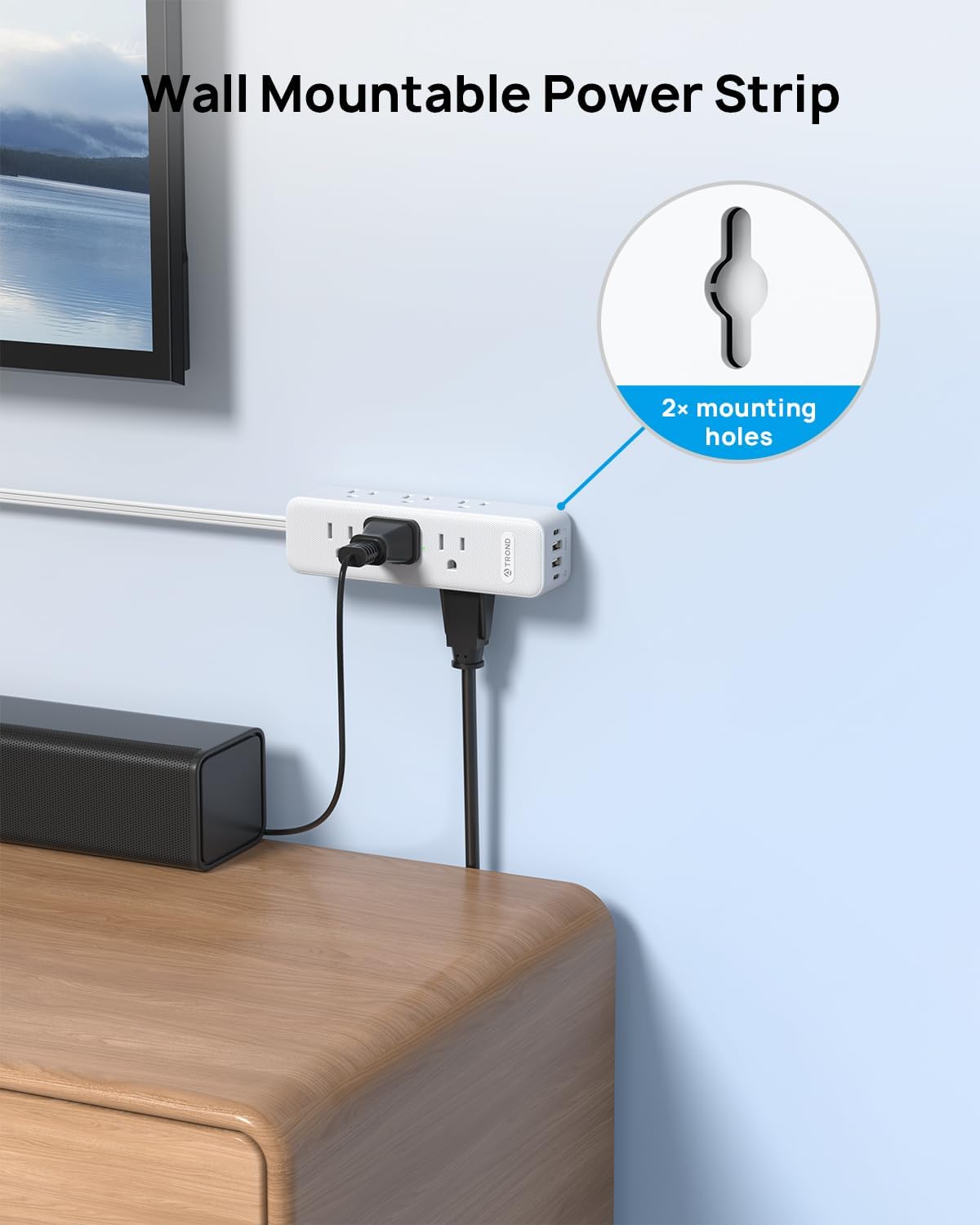
Image: The TROND Surge Protector highlighting its two keyhole mounting holes for wall installation.
4. Operating Instructions
4.1 Powering On/Off
The power strip is equipped with an ON/OFF switch. Press the switch to turn the power strip on or off. When the power is on, the surge protection indicator light will illuminate.

Image: Detail of the power strip's integrated ON/OFF switch.
4.2 Using AC Outlets
Plug your devices directly into any of the 9 widely spaced AC outlets. The 3-sided design helps accommodate larger power adapters without blocking adjacent outlets.

Image: The TROND Surge Protector in use, demonstrating its 13-in-1 charging capability with AC and USB ports.
4.3 Using USB Charging Ports
Connect your USB-powered devices to the 2 USB-C ports and 2 USB-A ports. The smart charging technology will detect your device and deliver the optimal charging speed.
- 20W PD USB-C Port: For fast charging compatible devices, especially when used alone.
- USB-A & USB-C Ports: Provide up to 2.4A (USB-A) and 3.0A (USB-C) individually, with a total shared output of 15W across all USB ports.

Image: A smartphone connected to the PD USB-C port, demonstrating 20W fast charging.
4.4 Surge Protection
The power strip provides 1300 Joules of surge protection. In the event of a power surge or overload, the unit will automatically cut power to protect connected devices. The surge protection indicator light will show the status of the protection.

Image: Visual representation of the 1300J surge protection feature, showing protection against electrical disturbances.
Video: An official TROND video demonstrating the features of the Surge Protector Power Strip, including its multiple outlets, flat plug, and wall-mountable design.
5. Maintenance
To ensure the longevity and safe operation of your TROND Surge Protector Power Strip, follow these simple maintenance guidelines:
- Cleaning: Disconnect the power strip from the wall outlet before cleaning. Use a dry, soft cloth to wipe the exterior. Do not use liquid cleaners or abrasive materials.
- Inspection: Periodically inspect the power cord and the unit for any signs of damage, such as frayed wires, cracks, or loose connections. If any damage is found, discontinue use immediately and contact customer support.
- Storage: When not in use for extended periods, store the power strip in a cool, dry place away from direct sunlight and moisture.
6. Troubleshooting
If you encounter issues with your TROND Surge Protector Power Strip, please refer to the following common problems and solutions:
| Problem | Possible Cause | Solution |
|---|---|---|
| No power to outlets/USB ports | Power switch is off; Wall outlet has no power; Overload protection activated. | Ensure the ON/OFF switch is pressed to the 'ON' position. Check if the wall outlet is functioning by plugging in another device. If the overload protection was activated, unplug some devices and press the reset button (if available) or cycle the power switch. |
| Slow USB charging | Device not compatible with fast charging; Multiple devices drawing power from USB ports; Damaged USB cable. | Ensure your device supports 20W PD charging for the fastest speeds. If charging multiple devices, the total output is shared (15W max). Try charging only one device via the PD USB-C port. Use a high-quality, undamaged USB cable. |
| Surge protection indicator light is off | Surge protection has been compromised or the unit is not receiving power. | If the power strip is on but the surge protection light is off, the surge protection may no longer be active. The unit will still function as a power strip, but without surge protection. Consider replacing the unit. Ensure the power strip is properly plugged into a live wall outlet. |
If the problem persists after trying these solutions, please contact TROND customer support.
7. Specifications
| Feature | Specification |
|---|---|
| Brand | TROND |
| Model Number | TD-PS-US26S |
| Color | White |
| Total Power Outlets | 9 AC Outlets |
| Total USB Ports | 4 (2 USB-C, 2 USB-A) |
| USB-C PD Output | 20W (when PD port used alone) |
| USB-A Output | Up to 2.4A per port |
| Total USB Output | 3.0A / 15W (shared) |
| Voltage | 125 Volts |
| Surge Protection Rating | 1300 Joules |
| Power Plug Type | Type B - 3 pin (North American), Flat Plug |
| Cord Length | 15 feet |
| Special Features | Mountable, Surge Protection, USB Slots, ON/OFF Switch |
| Enclosure Material | Metal, Plastic, Rubber (PC+ABS Flame Retardant) |
8. Safety Information
- Do not exceed the maximum power rating of the power strip.
- Do not use in wet environments or near water.
- Do not disassemble or modify the power strip.
- Keep out of reach of children.
- Ensure the power cord is not pinched or walked on.
- This device is intended for indoor use only.
9. Warranty and Support
TROND products come with a standard return policy. For specific warranty details and support, please refer to the product packaging or visit the official TROND website. You can also contact TROND Official customer service through the retailer where you purchased the product.
For more information, visit the TROND Official Store on Amazon.


