Introduction
Thank you for choosing the Dreame Mova K10 Pro Cordless Wet Dry Vacuum Cleaner. This manual provides essential information for the safe and efficient operation, maintenance, and troubleshooting of your device. Please read it thoroughly before use and retain it for future reference.
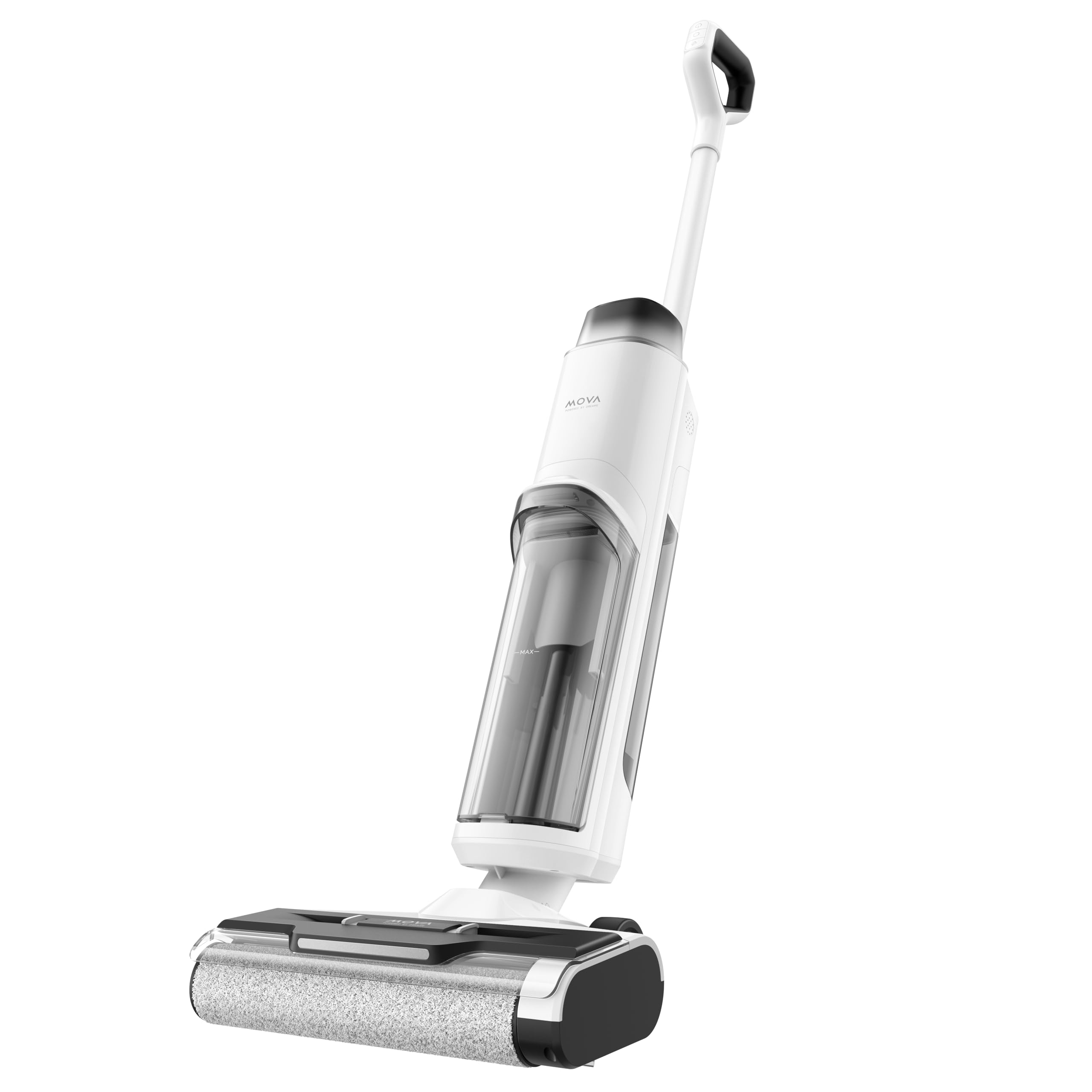
The Dreame Mova K10 Pro is a self-propelled, lightweight 3.8kg cordless wet dry vacuum cleaner designed to tackle both wet and dry messes. Its smart dirt detection automatically adjusts suction power for each cleaning session, which can last up to 30 minutes with the 890ml clean water tank. The enhanced edge cleaning feature allows the brush to lift dirt from deep within corners and baseboards up to 6mm. With its lightweight maneuverability and cordless convenience, floor cleaning becomes effortless.
Package Contents
Carefully unpack the box and ensure all items are present and in good condition. If any items are missing or damaged, please contact customer support.
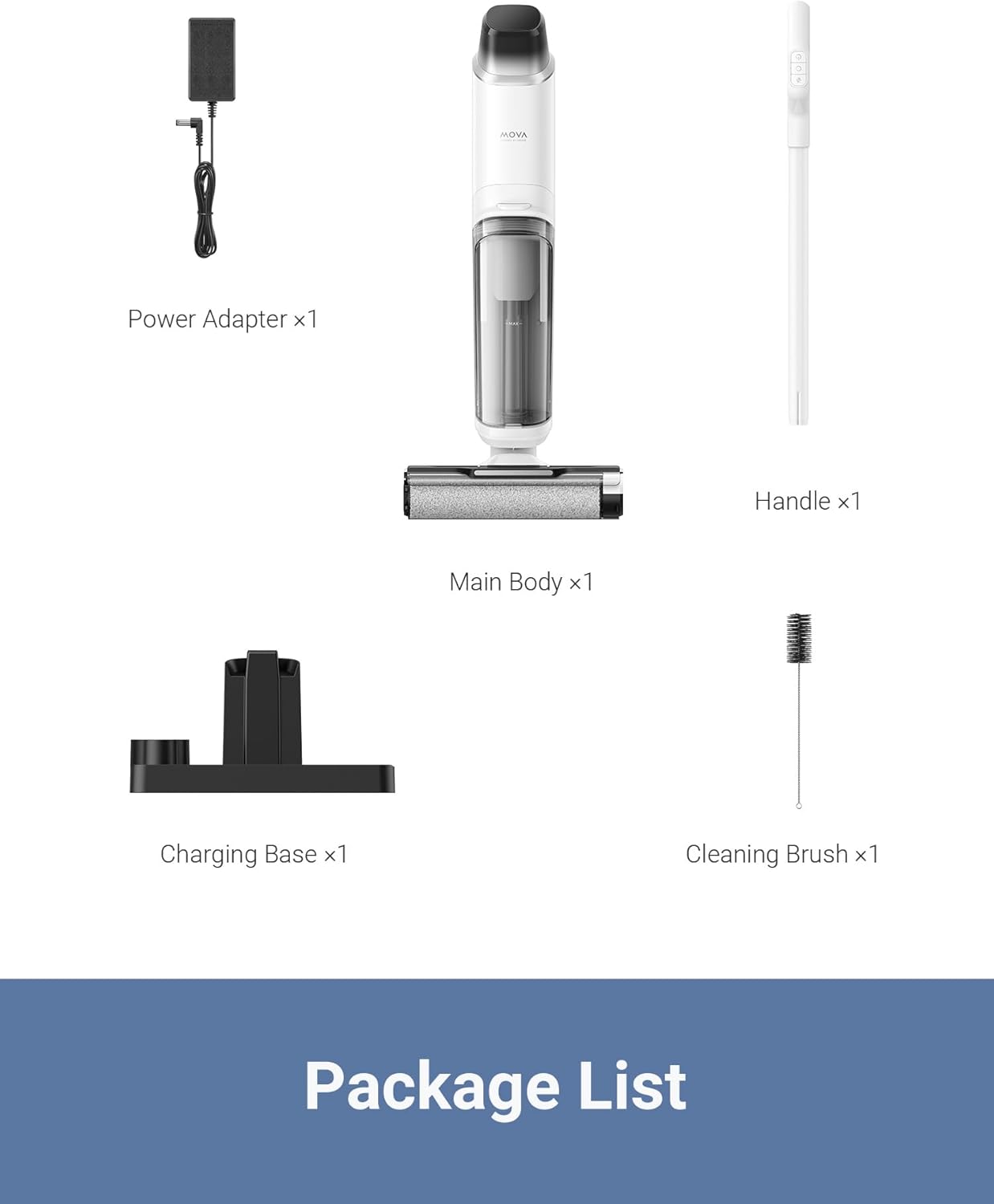
This image displays the complete package contents for the Dreame Mova K10 Pro. It includes the main vacuum body, the handle, a power adapter for charging, the charging base, and a small cleaning brush for maintenance.
- Main Body x 1
- Handle x 1
- Power Adapter x 1
- Charging Base x 1
- Cleaning Brush x 1
Setup
- Assemble the Handle: Insert the handle into the main body until it clicks securely into place. Ensure it is firmly attached before use.
- Charge the Device: Place the assembled vacuum cleaner onto the charging base. Connect the power adapter to the charging base and plug it into a power outlet. The LED display will indicate the charging status. Fully charge the device before first use, which typically takes several hours.
- Fill the Clean Water Tank: Locate the clean water tank on the main body. Open the cap and fill it with clean tap water. For optimal cleaning, you may add a small amount of Dreame-approved cleaning solution, following the solution's instructions. Do not overfill.
Operating Instructions
Power On/Off
- To power on, press the power button located on the handle.
- To power off, press and hold the power button until the device shuts down.
Cleaning Modes
The Dreame Mova K10 Pro features smart dirt detection and multiple cleaning modes to suit various cleaning needs.
This image illustrates the different cleaning modes available on the Dreame Mova K10 Pro's LED display: Auto Mode, Suction Mode, and Turbo Mode, each showing the current battery level.
- Auto Mode: The device automatically detects the level of dirt and adjusts suction power and water flow accordingly. This is the recommended mode for general cleaning.
- Suction Mode: Primarily for vacuuming liquids without dispensing water. Useful for spills.
- Turbo Mode: Provides maximum suction power and water flow for heavily soiled areas. This mode consumes more battery.
Smart Dirt Detection
The integrated smart dirt detection system identifies the amount of dirt on the floor and automatically optimizes cleaning performance. The LED display will provide visual feedback on the detected dirt level.

This image shows the Dreame Mova K10 Pro in action, effectively cleaning a floor with visible debris. It highlights the powerful 120,000RPM motor and 15,000Pa suction capability.
Edge Cleaning
The K10 Pro is designed with enhanced edge cleaning capabilities, allowing the brush to reach within 6mm of baseboards and corners to pick up dirt and debris.
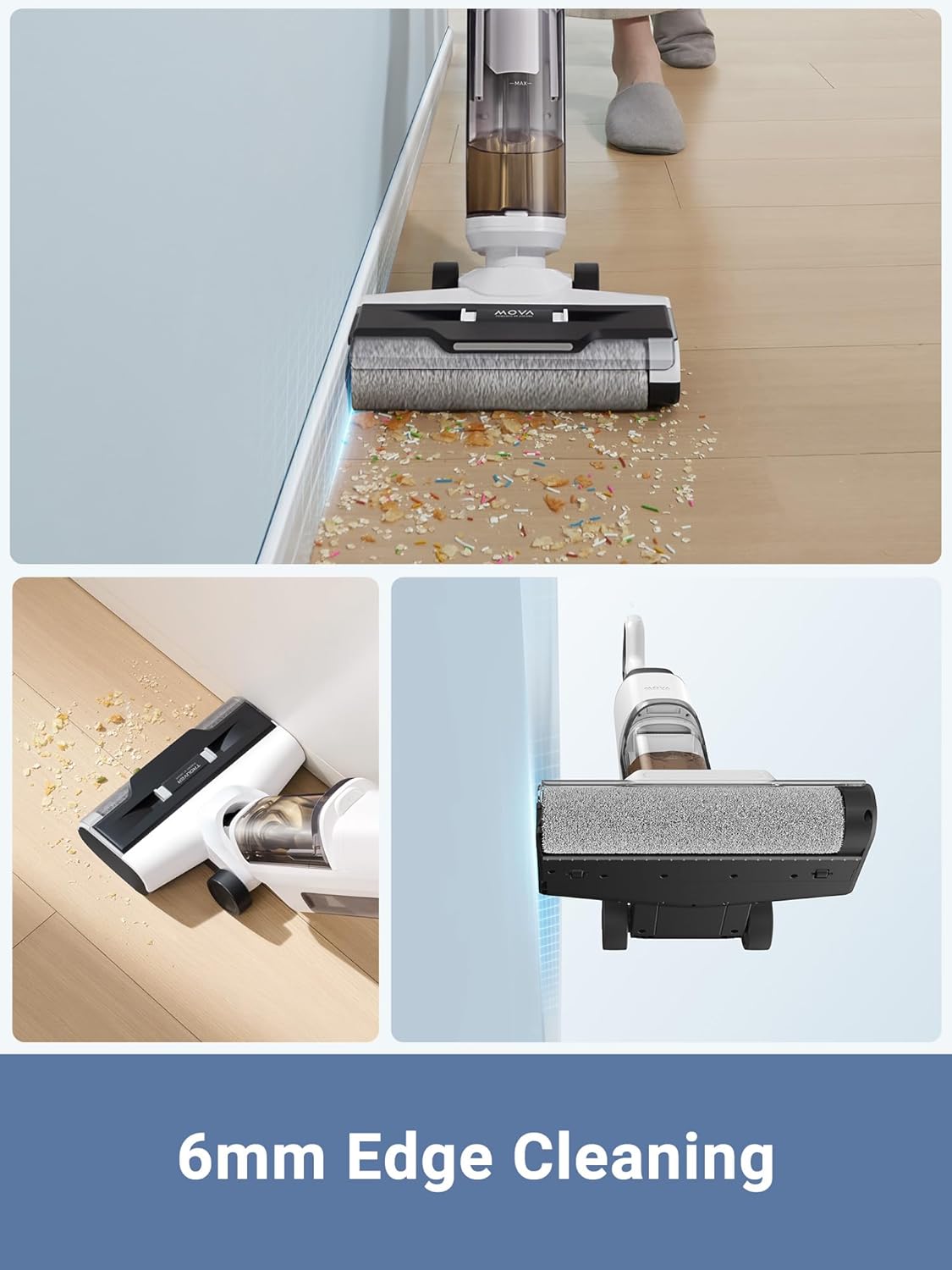
This image provides a detailed view of the vacuum cleaner's brush head cleaning right up against a wall, illustrating its effective 6mm edge cleaning feature.
Runtime
The device offers up to 30 minutes of continuous cleaning on a full charge, depending on the selected mode and dirt level. The 890ml clean water tank capacity is designed to support prolonged cleaning sessions without frequent refills.

This image shows the Dreame Mova K10 Pro being used for a cleaning task, emphasizing its capability for up to 30 minutes of continuous operation.
Lightweight Design
Weighing only 3.8kg, the K10 Pro is designed for easy maneuverability, making it simple to clean up and down stairs and navigate around furniture.

This image demonstrates the lightweight nature of the Dreame Mova K10 Pro, showing a user effortlessly carrying the 3.8kg device.
Maintenance
Regular maintenance ensures optimal performance and extends the lifespan of your Dreame Mova K10 Pro.
Self-Cleaning Function
- After each use, return the vacuum cleaner to the charging base.
- Press the self-clean button (refer to the device's display or manual for exact location).
- The device will automatically clean the roller brush. Ensure the dirty water tank is not full before initiating self-cleaning.
Cleaning the Dirty Water Tank
- Empty the dirty water tank after each use.
- Rinse the tank thoroughly with clean water.
- Allow the tank to air dry completely before reattaching it to prevent odors and bacterial growth.
Cleaning the Roller Brush
- Even with self-cleaning, it is recommended to periodically remove and manually clean the roller brush.
- Use the provided cleaning brush to remove tangled hair and debris.
- Rinse the roller brush under running water and allow it to air dry completely before reinstalling.
Cleaning the Filter
- The HEPA filter should be cleaned regularly. Remove the filter from the dirty water tank.
- Tap off loose dirt and rinse under cool running water. Do not use detergent.
- Ensure the filter is completely dry before reinserting it. Replace the filter every 3-6 months, or as needed, for optimal performance.
Troubleshooting
If you encounter issues with your Dreame Mova K10 Pro, refer to the following common solutions:
| Problem | Possible Cause | Solution |
|---|---|---|
| Device does not turn on | Low battery; Power button not pressed correctly | Charge the device fully; Ensure the power button is pressed firmly. |
| No suction or weak suction | Dirty water tank full; Clogged roller brush; Clogged filter | Empty and clean the dirty water tank; Clean the roller brush; Clean or replace the HEPA filter. |
| Water leakage | Clean/dirty water tank not installed correctly; Tank cap not sealed | Ensure both tanks are securely installed; Check that tank caps are properly sealed. |
| Unpleasant odor | Dirty water tank not cleaned; Roller brush not cleaned | Thoroughly clean the dirty water tank and roller brush after each use. Allow parts to air dry. |
| Self-cleaning not working | Dirty water tank full; Device not properly seated on base | Empty the dirty water tank; Ensure the device is correctly positioned on the charging base. |
If the problem persists after attempting these solutions, please contact customer support.
Specifications
| Feature | Specification |
|---|---|
| Brand | DREAME |
| Model Name | K10 Pro AU |
| Model Number | BVC-T8 |
| Special Feature | Cordless |
| Filter Type | HEPA Filter |
| Surface Recommendation | All floors |
| Power Source | Battery Powered |
| Voltage | 100 Volts |
| Item Weight | 3.8 Kilograms |
| Clean Water Tank Capacity | 890 Milliliters |
| Noise Level | 76 Decibels |
| Item Dimensions (L x W x H) | 29.7L x 26.5W x 112H Centimetres |
| Control Method | Touch, Push Button |
| Wattage | 150 watts |
| Runtime | Up to 30 minutes |
| Battery Type | Lithium-Ion |
| Form Factor | Upright |
Warranty and Support
Dreame offers a 1-year standard warranty for the Mova K10 Pro. This warranty includes dedicated call service, access to a local repair center, email support, and Amazon messages service for customers in AU/NZ. We are committed to providing the best possible experience and support for your product.
For warranty claims, technical assistance, or any inquiries, please contact Dreame customer support through the provided channels.


