
Zerodis Zerodiszbc85donk9
Zerodis Portable Mini Dishwasher 4L
Model: Zerodiszbc85donk9
Instruction Manual
1. Introduction
Thank you for purchasing the Zerodis Portable Mini Dishwasher. This compact and efficient appliance is designed for cleaning small dishware items, particularly teacups and small plates, making it ideal for offices, studies, or small living spaces. Please read this manual thoroughly before operation to ensure proper use, maintenance, and safety.
2. Package Contents
Verify that all items are present in the package:
- Mini Dishwasher Unit
- USB Cable
- Cup Holder / Dish Rack
- Instruction Manual
- Soft Hose (for water intake/drainage)
- Accessory (e.g., filter or connector)

Image: The Zerodis Portable Mini Dishwasher shown with its various components, including the main unit, USB cable, cup holder, and hoses.
3. Safety Information
3.1 General Safety
- Read all instructions before using the appliance.
- Keep the appliance away from children.
- Do not immerse the main unit in water or other liquids.
- Use only the provided accessories and recommended power adapter (5V 2A).
- Do not operate the dishwasher if it is damaged or malfunctioning.
- Ensure the dishwasher is placed on a stable, level surface.
3.2 Electrical Safety
- Ensure the USB charging port and cable are dry before connecting.
- Do not use the appliance with wet hands.
- Unplug the dishwasher before cleaning or performing any maintenance.
4. Product Overview
The Zerodis Portable Mini Dishwasher is designed for convenience and efficiency in cleaning small items. Key features include:
- USB Charging: Rechargeable battery, compatible with Android phone charging cables, can be charged via computer or power bank USB sockets.
- Premium ABS Material: Durable and safe construction.
- Detailed Internal Design: Features a cup holder with snap designs for stability during washing.
- Powerful Performance: Turbo cleaning with automatic water change and 360° flushing for effective cleaning.
- Portable and Versatile: Easy to carry, suitable for various settings like offices and studies.

Image: The Zerodis Mini Dishwasher positioned on a table, demonstrating its compact size suitable for various environments, with teacups nearby.
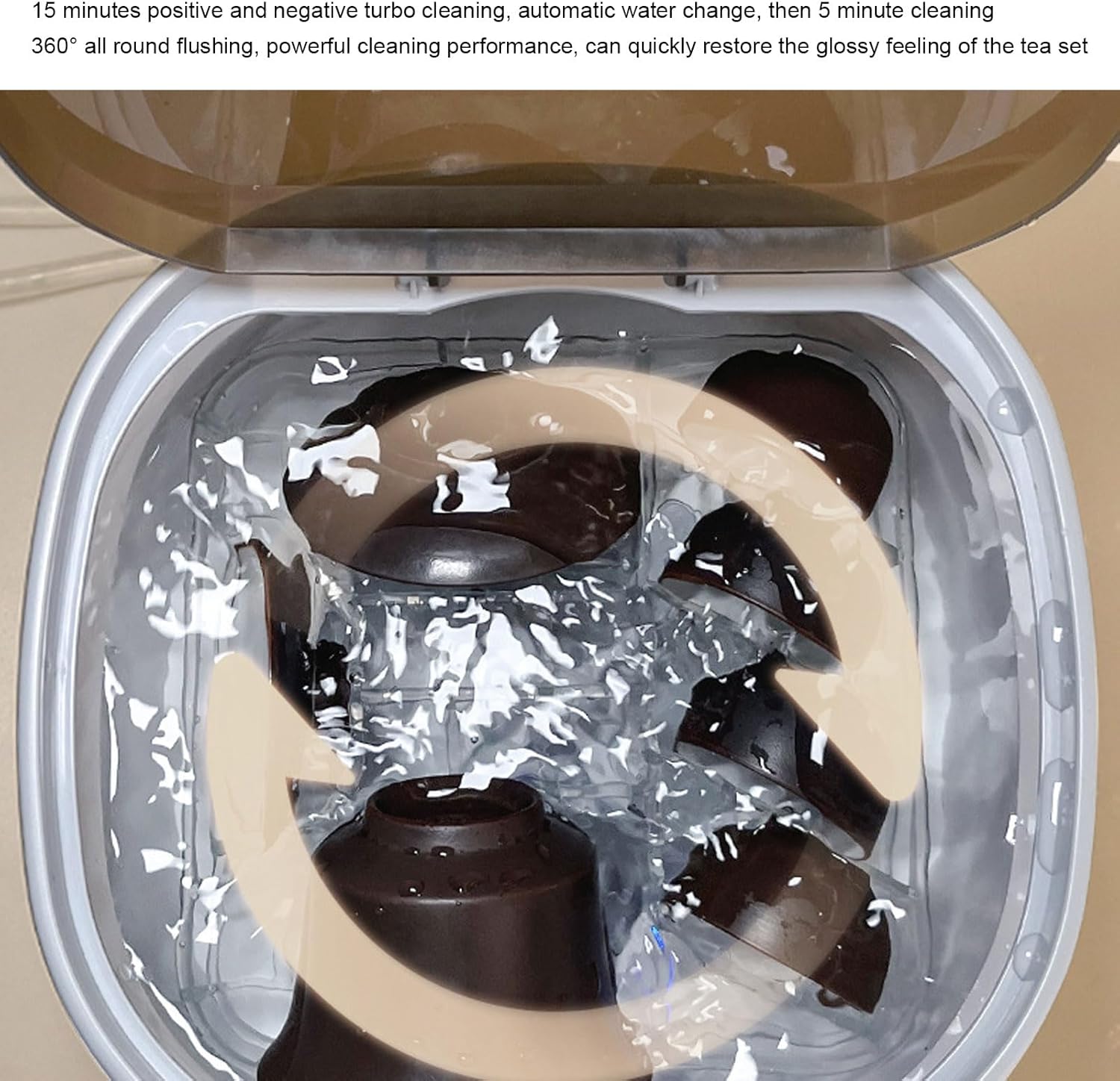
Image: A view of the open Zerodis Mini Dishwasher, highlighting the internal cup holder designed to secure teacups during the washing cycle.
5. Setup
Follow these steps to set up your mini dishwasher:
- Positioning: Place the dishwasher on a stable, flat surface near a water source and a drain.
- Connect Water Hoses:
- Connect one end of the soft hose to the water intake port on the dishwasher (usually marked "抽水孔" or similar).
- Place the other end of this hose into a clean water container (e.g., a water bottle or jug).
- Connect the second soft hose to the drainage port on the dishwasher (usually marked "排水孔" or similar).
- Direct the drainage hose into a sink or a separate empty container for wastewater.

Image: A hand connecting the water intake hose to the designated port on the back of the Zerodis Mini Dishwasher.
- Load Dishware: Open the lid and place your teacups or small dishes into the provided cup holder/dish rack. Ensure items are stable and do not obstruct the spray arms.

Image: A hand carefully placing teacups into the internal rack of the Zerodis Mini Dishwasher, ensuring proper arrangement for washing.
- Add Detergent (Optional): If using detergent, add a small amount suitable for dishwashers into the unit before closing the lid. Refer to detergent instructions for dosage.
- Power Connection: Connect the USB cable to the dishwasher's charging port and plug it into a 5V 2A adapter or a compatible USB power source.
6. Operating Instructions
To operate your Zerodis Mini Dishwasher:
- Start Cycle: Press the power button (often indicated by a flower-like icon) on the front of the unit to begin the washing cycle. The indicator light should illuminate.

Image: A close-up of the Zerodis Mini Dishwasher showing the power button with a flower icon, ready for operation.
- Washing Process: The dishwasher will perform a 15-minute positive and negative turbo cleaning cycle, followed by an automatic water change, and then another 5-minute cleaning cycle. This ensures 360° all-round flushing.

Image: The interior of the Zerodis Mini Dishwasher during a cleaning cycle, showing water swirling around the teacups.
- Cycle Completion: Once the cycle is complete, the dishwasher will stop automatically.
- Unload Dishware: Open the lid and carefully remove the clean dishware.
- Drain Remaining Water: Ensure all water is drained from the unit. You may need to manually tilt the unit slightly if any residual water remains after the automatic drainage.
Official Product Video: Portable Mini Dishwasher
Video: This video demonstrates the setup and operation of the Zerodis Portable Mini Dishwasher, including connecting hoses, loading dishes, and initiating a wash cycle.
7. Maintenance
Regular maintenance ensures optimal performance and longevity of your dishwasher.
- Cleaning the Interior: After each use, wipe down the interior of the dishwasher with a soft, damp cloth to remove any food residue or detergent buildup.
- Cleaning the Filter: Periodically check and clean the filter (if removable) to prevent blockages.
- Drying: Allow the dishwasher to air dry with the lid slightly ajar to prevent odors and mildew.
- Hose Maintenance: Ensure the water intake and drainage hoses are clean and free from kinks or blockages.
- Storage: When not in use for extended periods, ensure the dishwasher is clean, dry, and stored in a cool, dry place.
8. Troubleshooting
If you encounter issues with your dishwasher, refer to the following common problems and solutions:
| Problem | Possible Cause | Solution |
|---|---|---|
| Dishwasher does not turn on. | No power or low battery. | Ensure USB cable is properly connected and the unit is charged or plugged into a working 5V 2A power source. |
| Water is not filling or draining. | Hoses are kinked, blocked, or improperly connected. Water source is empty. | Check that hoses are securely connected and free from obstructions. Ensure the water source has sufficient water. |
| Dishes are not clean. | Overloaded, improper loading, insufficient detergent, or stubborn stains. | Do not overload the dishwasher. Arrange dishes to allow water circulation. Use appropriate dishwasher detergent. Pre-rinse heavily soiled items. |
| Unit is leaking. | Hose connections are loose or damaged. | Check all hose connections for tightness. Inspect hoses for any damage. |
9. Specifications
| Feature | Detail |
|---|---|
| Brand | Zerodis |
| Model Name | Zerodiszbc85donk9 |
| Form Factor | Countertop |
| Product Dimensions | 8.27 x 8.27 x 7.87 inches (20.9 x 20.9 x 20 cm) |
| Item Weight | 2.68 pounds (1.22 kg) |
| Capacity | 4 Liters |
| Voltage | 5 Volts |
| Cycle Options | Turbo (15 min positive/negative turbo cleaning + auto water change + 5 min cleaning) |
| Material | Plastic (ABS) |
| Special Feature | Portable |
| Controls Type | Push Button |
| Recommended Uses | Portable dishwasher for small dishware items, ideal for tea lovers and for use in offices, studies, and other settings. |

Image: A diagram illustrating the dimensions of the Zerodis Portable Mini Dishwasher, showing its height and width measurements.
10. Warranty and Support
For warranty information and customer support, please refer to the warranty card included in your package or contact the retailer where you purchased the product. Keep your purchase receipt as proof of purchase.
Ask a question about this manual
Ask about setup, troubleshooting, compatibility, parts, safety, or missing instructions. Manuals+ will review the question and use this page’s manual context to help answer it.