
pTron Zenbuds Pro 1
pTron Zenbuds Pro 1 Open Ear Wireless Earbuds User Manual
Model: Zenbuds Pro 1
1. Introduction
Thank you for choosing the pTron Zenbuds Pro 1 Open Ear Wireless Earbuds. These earbuds are designed to provide a comfortable and pressure-free listening experience with their innovative SafeBeats design, allowing you to stay aware of your surroundings. Featuring Quad Mic ENC for clear calls, immersive audio, and extended playtime, the Zenbuds Pro 1 are ideal for various activities including sports, commuting, and outdoor adventures.

Image: The pTron Zenbuds Pro 1 earbuds and their compact charging case, showcasing their open-ear design.
2. Safety Information
- Volume Control: For the best audio experience and to minimize sound leakage, it is recommended to use the earbuds at 60%-70% volume. Prolonged listening at high volumes may cause hearing damage.
- Water Resistance: The earbuds are IPX5 water-resistant, meaning they can withstand splashes and sweat. Do not submerge them in water.
- Charging: Use only the provided Type-C cable for charging. Ensure the charging pins on the earbuds are clean and dry before placing them in the case.
- Disposal: Do not dispose of batteries in fire or hot ovens, or mechanically crush or cut batteries, as this may result in an explosion.
3. What's in the Box
The pTron Zenbuds Pro 1 package includes the following items:
- pTron Zenbuds Pro 1 Open Ear Wireless Earbuds (Left and Right)
- Charging Case
- Type-C Charging Cable
- User Manual (this document)
- Eartips
4. Product Overview
The pTron Zenbuds Pro 1 earbuds feature an open-ear design with a snug-fit hook style, ensuring a secure and comfortable fit without blocking your ear canal. This design allows for "open-listening," keeping you aware of your surroundings, which is particularly beneficial during outdoor activities.

Image: Illustration of the SafeBeats Open-Ear design, highlighting no ear jamming, pressure-free wear, and comfort.

Image: A person wearing the earbuds, demonstrating the secure and snug fit provided by the hook style, ideal for active use.
Key features include 12mm dynamic drivers for immersive stereo sound, Bluetooth V5.3 for quick pairing and stable connectivity, and Quad Mic with TruTalk™ ENC technology for enhanced voice clarity during calls by reducing environmental noise.
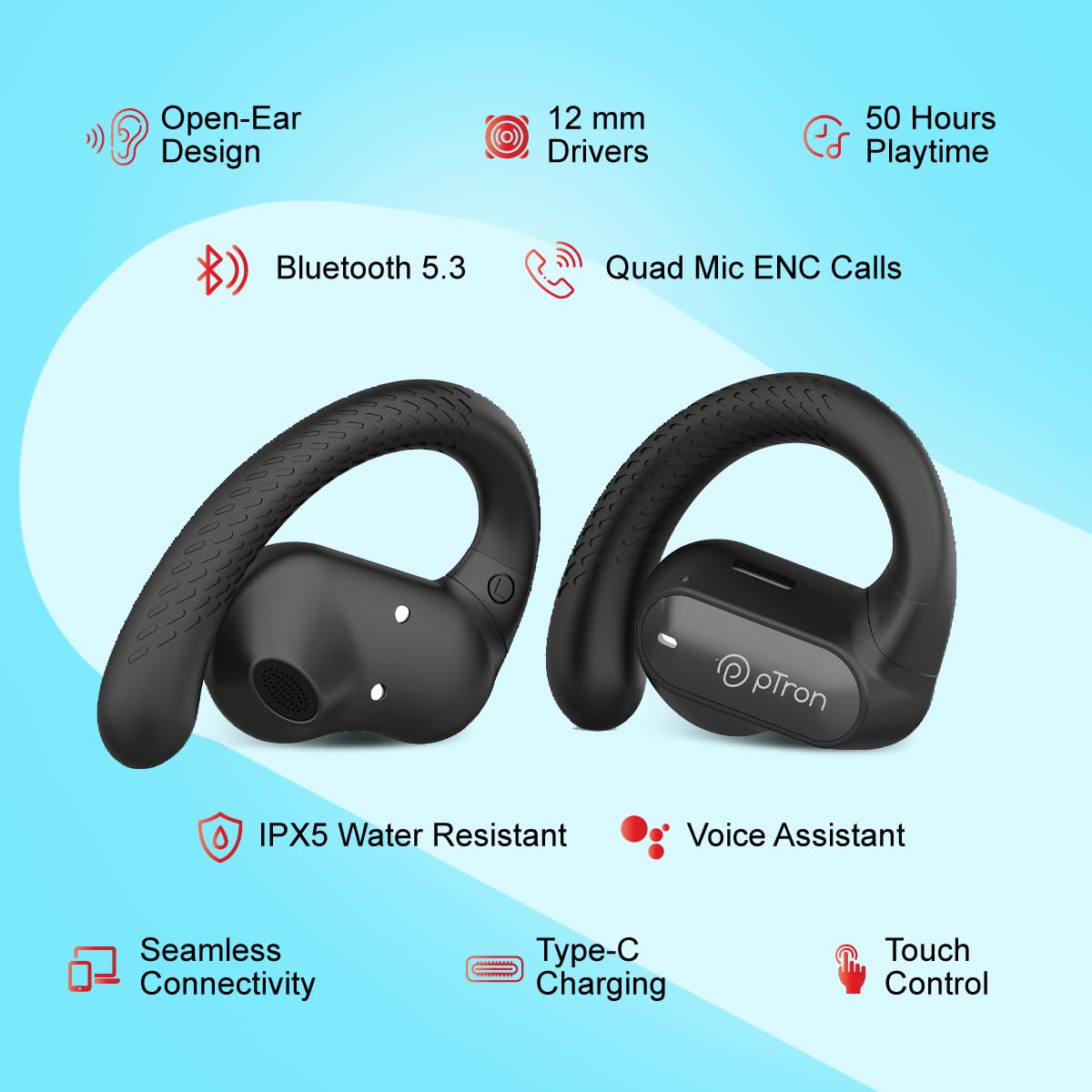
Image: A visual summary of the earbuds' features, including open-ear design, 12mm drivers, 50 hours playtime, Bluetooth 5.3, Quad Mic ENC, IPX5 water resistance, voice assistant support, Type-C charging, and touch control.
5. Setup
5.1 Initial Charging
Before first use, fully charge the earbuds and the charging case. Place the earbuds into the charging case. Connect the Type-C charging cable to the case and a power source. The charging indicators will provide status feedback.
- Earbuds Charging Time: Approximately 1 hour
- Case Charging Time: Approximately 1.5 hours
- Combined Playback Time: Up to 50 hours with the charging case

Image: Diagram illustrating the charging times for the earbuds (1 hour) and the charging case (1.5 hours), contributing to a total of 50 hours of playback time.
5.2 Removing Insulation Tape
Important: Before using the earbuds for the first time, you must peel off the transparent light blue insulation tape from the backside of both earbuds. This tape covers the two charging pins and must be removed for proper charging and functionality.

Image: A close-up view of the earbuds' charging contacts, clearly showing the transparent light blue insulation tape that needs to be removed before use.
5.3 Pairing with Your Device
- Ensure the earbuds are charged and the insulation tape has been removed.
- Open the charging case. The earbuds will automatically enter pairing mode, indicated by a flashing LED light on the earbuds.
- On your smartphone or Bluetooth-enabled device, go to the Bluetooth settings.
- Search for "pTron Zenbuds Pro 1" in the list of available devices.
- Select "pTron Zenbuds Pro 1" to connect. Once connected, a voice prompt will confirm successful pairing, and the LED light will stop flashing.
The earbuds will automatically reconnect to the last paired device when taken out of the case, if Bluetooth is enabled on the device.

Image: A visual representation of the two earbuds with a Bluetooth symbol, indicating quick pairing and stable wireless connectivity via Bluetooth V5.3.
6. Operating Instructions
6.1 Wearing the Earbuds
Gently place the earbuds over your ears, ensuring the hook rests securely behind your ear and the speaker part is positioned near your ear canal. The open-ear design ensures comfort and allows ambient sounds to be heard, enhancing safety during outdoor activities.
6.2 Touch Controls
The pTron Zenbuds Pro 1 feature intuitive touch controls on each earbud for easy management of music, calls, and voice assistant.
| Function | Action |
|---|---|
| Play/Pause Music | Single tap on either earbud |
| Next Track | Double tap on the Right earbud |
| Previous Track | Double tap on the Left earbud |
| Answer/End Call | Single tap on either earbud |
| Reject Call | Press and hold on either earbud for 2 seconds |
| Activate Voice Assistant | Triple tap on either earbud |
6.3 Call Management
The Zenbuds Pro 1 are equipped with Quad Mic and TruTalk™ ENC (Environmental Noise Cancellation) technology. This system effectively reduces ambient noise, ensuring your voice is transmitted clearly during calls, even in noisy environments.

Image: A dynamic illustration depicting the Quad Mic and TruTalk™ ENC technology, emphasizing its ability to enhance voice clarity and reduce external noises during phone calls.
7. Maintenance
- Cleaning: Regularly clean the earbuds and charging case with a soft, dry, lint-free cloth. Do not use harsh chemicals or abrasive materials.
- Charging Contacts: Ensure the charging pins on both the earbuds and inside the case are clean and free of debris to maintain proper charging.
- Storage: When not in use, store the earbuds in their charging case to protect them and keep them charged. Store in a cool, dry place away from extreme temperatures.
- Water Exposure: While IPX5 water-resistant, avoid prolonged exposure to water or high humidity. If they get wet, wipe them dry thoroughly before placing them back in the charging case.
8. Troubleshooting
If you encounter any issues with your pTron Zenbuds Pro 1, please refer to the following common problems and solutions:
| Problem | Possible Solution |
|---|---|
| Earbuds not charging |
|
| Earbuds not pairing/connecting |
|
| Only one earbud working |
|
| Poor sound quality or low volume |
|
| Microphone not clear during calls |
|
9. Specifications
| Feature | Detail |
|---|---|
| Model Name | Zenbuds Pro 1 (Zenbuds) |
| Connectivity Technology | Wireless (Bluetooth V5.3) |
| Bluetooth Range | 10 Metres |
| Audio Driver Size | 12 Millimetres |
| Audio Driver Type | Dynamic Driver |
| Audio Latency | 40 Milliseconds |
| Battery Life (Combined) | Up to 50 Hours |
| Control Type | Touch Control, Call Control |
| Microphone | Quad Mic with TruTalk™ ENC |
| Water Resistance Level | IPX5 Water Resistant |
| Ear Placement | Open Ear |
| Earpiece Shape | Hook |
| Material | Acrylonitrile Butadiene Styrene (ABS) |
| Item Weight | 46 Grams |
| Product Dimensions | 6.8 x 5 x 4 cm |
| Power Source | 3 Lithium Polymer batteries (included) |
| Country of Origin | China |
10. Warranty and Support
The pTron Zenbuds Pro 1 comes with a 1-year manufacturer warranty from the date of purchase, covering manufacturing defects only.
For any support, warranty claims, or inquiries, please contact pTron customer care:
- Email: support@ptron.in
- Phone: 040-67138888
Please retain your purchase receipt for warranty validation.
Related documentsZenbuds Pro 1


Ask a question about this manual
Ask about setup, troubleshooting, compatibility, parts, safety, or missing instructions. Manuals+ will review the question and use this page’s manual context to help answer it.