
MiLESEEY PF1-B-LCD
MiLESEEY PF1 Golf Rangefinder User Manual
Model: PF1-B-LCD
Brand: MiLESEEY
1. Introduction
The MiLESEEY PF1 Golf Rangefinder is an advanced device designed to enhance your golf game by providing accurate distance measurements. Featuring next-gen flag-locking algorithms, it offers record-breaking instant flag-locking speed and precision, even with a shaky hand or a swinging flag in the wind. It boasts a range of up to 1000 yards (300+ yards to a flag) and includes essential features like slope compensation, continuous scan mode, and pulse vibration feedback.

This manual provides detailed instructions on how to set up, operate, and maintain your MiLESEEY PF1 Golf Rangefinder to ensure optimal performance and longevity.
2. Package Contents
Upon unboxing, please verify that all the following items are included in your package:
- MiLESEEY PF1 Golf Rangefinder
- Protective Carrying Case
- USB-C Charging Cable
- Cleaning Cloth
- User Guide (this manual)

If any items are missing or damaged, please contact MiLESEEY customer support immediately.
3. Setup
3.1. Charging the Device
The MiLESEEY PF1 is equipped with a built-in 800mAh rechargeable lithium battery. Before first use, fully charge the device. Connect the provided USB-C charging cable to the charging port on the rangefinder and plug the other end into a compatible USB power source (e.g., computer, wall adapter). A full charge provides approximately 5 hours of continuous use or up to 15,000 accurate measurements.

3.2. Power On/Off
To power on the rangefinder, press the Power button located on the top of the device. To power off, press and hold the Power button for a few seconds until the display turns off.
3.3. Diopter Adjustment
For clear viewing, adjust the diopter by rotating the eyepiece until the display and target appear sharp and in focus. This is especially useful for users with varying eyesight.
3.4. Unit Switching (Yards/Meters)
To switch between yards (Y) and meters (M), briefly press the Mode button. The selected unit will be displayed in the viewfinder.
4. Operating Modes
4.1. Standard Measurement
Point the rangefinder at your desired target and press the Power button. The distance to the target will be displayed almost instantly (0.1s response time).

4.2. Flag Lock with Pulse Vibration
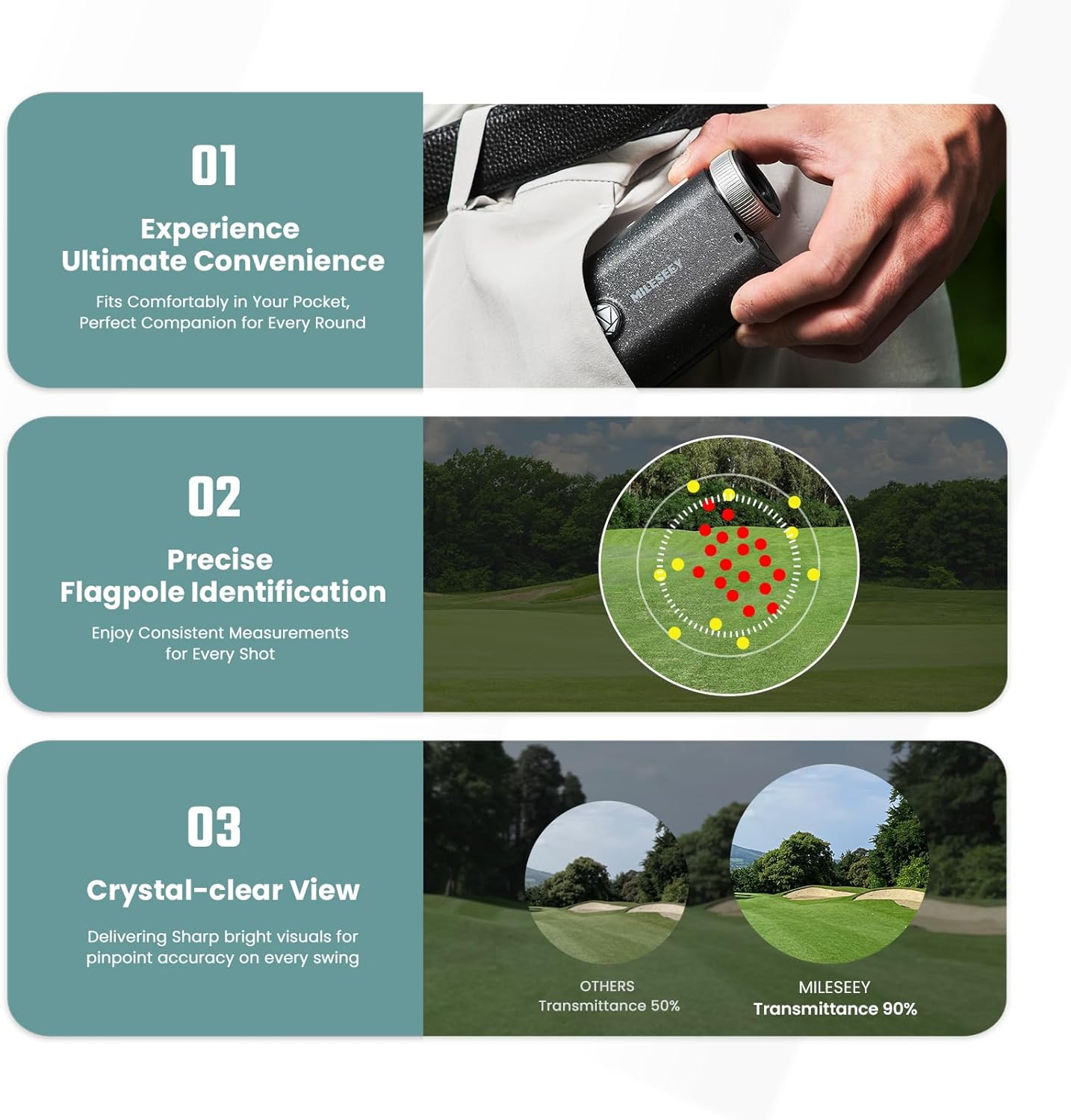
This feature allows you to lock onto the flagstick quickly and accurately, even with background objects. Aim at the flag, press and hold the Power button, and slowly scan across the flag. The device will vibrate once it locks onto the flag, providing the precise distance. This function is effective for flags up to 300+ yards.
4.3. Slope Compensation
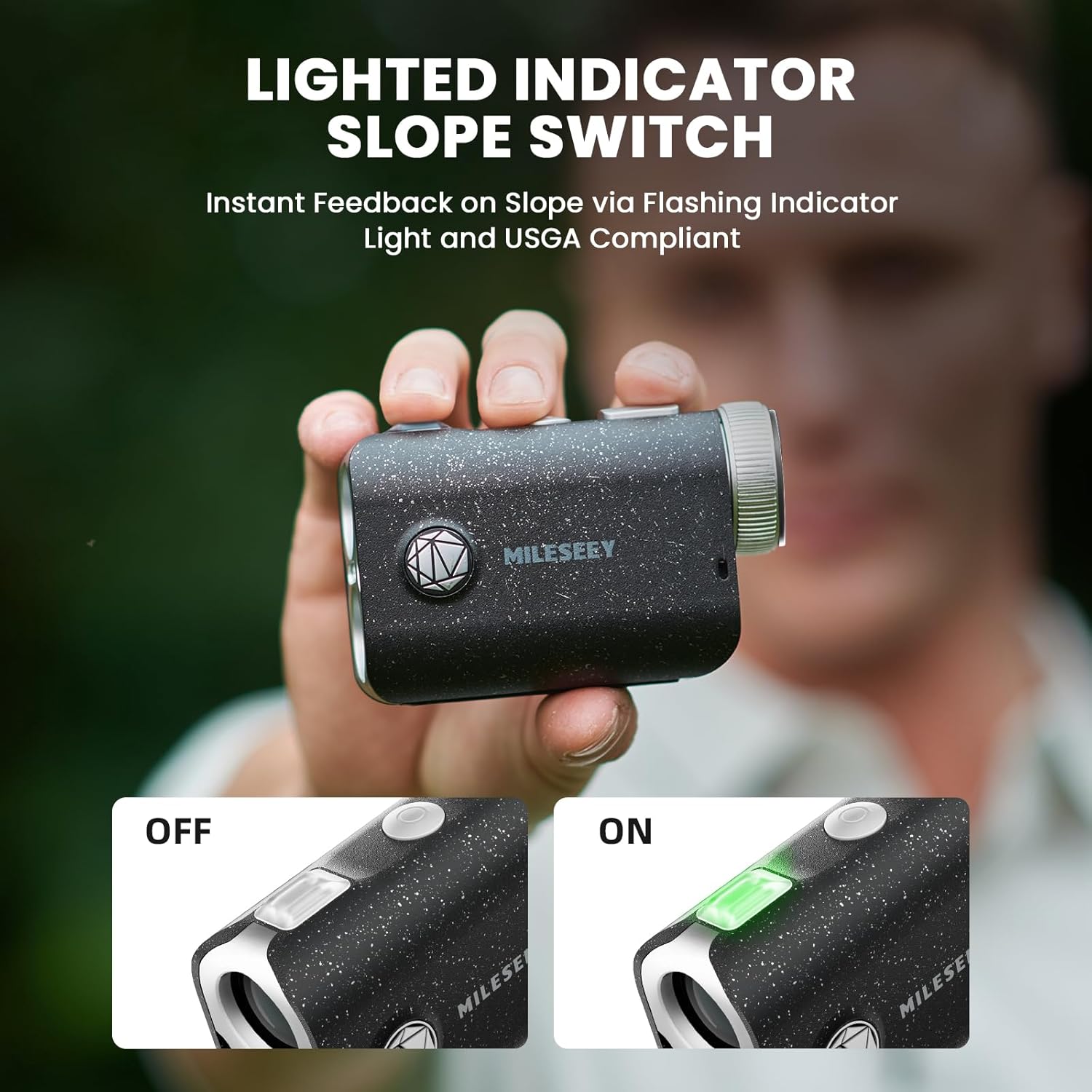
The PF1 includes a slope compensation feature that calculates the adjusted distance based on the incline or decline to the target. This provides a "true distance" for more accurate club selection. Use the physical slope switch on the side of the device to toggle this feature On or Off.

4.4. Tournament Legal Mode
When the slope function is turned OFF using the physical switch, the indicator light will simultaneously turn off. This signals compliance with USGA rules, making the rangefinder legal for tournament play.

4.5. Continuous Scan Mode
For quickly measuring distances to multiple targets or scanning the landscape, press and hold the Power button while sweeping the rangefinder across the area. The display will continuously update with distances to various objects, allowing for strategic planning on the course.

5. Maintenance
5.1. Cleaning
To clean the lenses, use the provided cleaning cloth or a soft, lint-free cloth. Gently wipe the lens surfaces to remove dust or smudges. For the exterior, use a soft, damp cloth. Avoid using abrasive materials, solvents, or harsh chemicals, as these can damage the device.
5.2. Water Resistance
The MiLESEEY PF1 is IP65 waterproof, meaning it is protected against dust ingress and low-pressure water jets from any direction. While it can withstand rain and splashes, it is not designed for submersion in water.

5.3. Storage
When not in use, store the rangefinder in its protective carrying case in a cool, dry place, away from direct sunlight and extreme temperatures. This will help preserve the device's components and battery life.
6. Troubleshooting
| Problem | Possible Cause | Solution |
|---|---|---|
| Device does not power on. | Low battery. | Charge the device using the provided USB-C cable. |
| Display is blurry. | Diopter not adjusted. | Rotate the eyepiece to adjust the diopter until the display is clear. |
| Inaccurate distance readings. | Obstruction in line of sight; unstable hand; incorrect mode. | Ensure clear line of sight to target. Hold device steady. Verify correct operating mode (e.g., Flag Lock). |
| Flag Lock not working. | Target out of range; unstable aim. | Ensure flag is within 300+ yards. Try scanning slowly across the flag. |
7. Specifications
| Feature | Detail |
|---|---|
| Brand | MiLESEEY |
| Model Name | PF1-B-LCD |
| Color | Black |
| Material | Acrylonitrile Butadiene Styrene |
| Measuring Range | Up to 1000 yards |
| Magnification Maximum | 6x |
| Flag Lock Speed | 0.1s |
| Battery Type | Rechargeable Lithium-Ion Polymer, 5V (800mAh) |
| Battery Life | Approx. 5 hours / 15,000 measurements |
| International Protection Rating | IP65 (Waterproof) |
| Product Dimensions | 25"L x 13"W x 38"H |
| Included Components | User Guide |
8. Warranty and Support
8.1. Warranty Information
The MiLESEEY PF1 Golf Rangefinder comes with a 2-year warranty from the date of purchase. This warranty covers manufacturing defects and ensures the product meets its specified performance standards under normal use. Please retain your proof of purchase for warranty claims.
8.2. Customer Support
For any questions, technical assistance, or warranty inquiries, please contact MiLESEEY customer support. Refer to the contact information provided on the product packaging or the official MiLESEEY website.
Ask a question about this manual
Ask about setup, troubleshooting, compatibility, parts, safety, or missing instructions. Manuals+ will review the question and use this page’s manual context to help answer it.