
Introduction
Thank you for choosing the NBBUFF 65.6ft RGB LED Strip Lights. This manual provides detailed instructions for the safe and efficient use of your new LED strip lights. Please read this manual thoroughly before installation and operation, and retain it for future reference.
What's in the Box
- LED Strip Lights (65.6ft) x 1
- Controller x 1
- Remote Control x 1
- Power Adapter x 1
- Instruction Manual x 1
Safety Information
WARNING:
- This product is for indoor use only.
- Do not immerse in fire or water.
- Keep out of reach of children.
- Ensure the power supply is disconnected before installation or maintenance.
- Do not cover the LED strip lights when powered on to prevent overheating.
- Use only the provided power adapter.
- Avoid bending the strip at sharp angles to prevent damage to the LEDs or circuitry.
- Test the LED strip lights before final installation.
Setup and Installation
- Prepare the Surface: Ensure the installation surface is clean, dry, and smooth. Dust or moisture can affect adhesive performance.
- Connect Components:
- Connect the LED strip to the controller.
- Connect the power adapter to the controller.
- Plug the power adapter into a suitable electrical outlet.
Text Description: This image shows the LED strip connected to a white controller box, which is then connected to a black power adapter. The power adapter is plugged into a wall outlet. This illustrates the basic connection sequence for the LED strip lights.

- Test the Lights: Before peeling off the adhesive, plug in the lights and use the remote control to ensure they function correctly.
- Apply the Strip:
- Peel off the protective backing from the adhesive tape on the back of the LED strip.
- Carefully press the strip onto the desired surface, ensuring firm contact.
- For enhanced adhesion, especially on textured surfaces or corners, use the included adhesive tape accessories.
Operating Instructions
Remote Control
The included 60-key IR remote control allows for easy adjustment of colors, modes, and brightness. Ensure the remote is pointed towards the controller for optimal response. Remember to pull out the plastic chip from the remote before first use.
Text Description: This image displays the 60-key remote control with various color buttons, brightness controls, and mode selection buttons. A hand is shown pressing a button on the remote, and the LED strip lights are shown changing colors (red, blue, green, purple, warm white). This illustrates the remote's functionality and the color-changing capabilities of the lights.

App Control
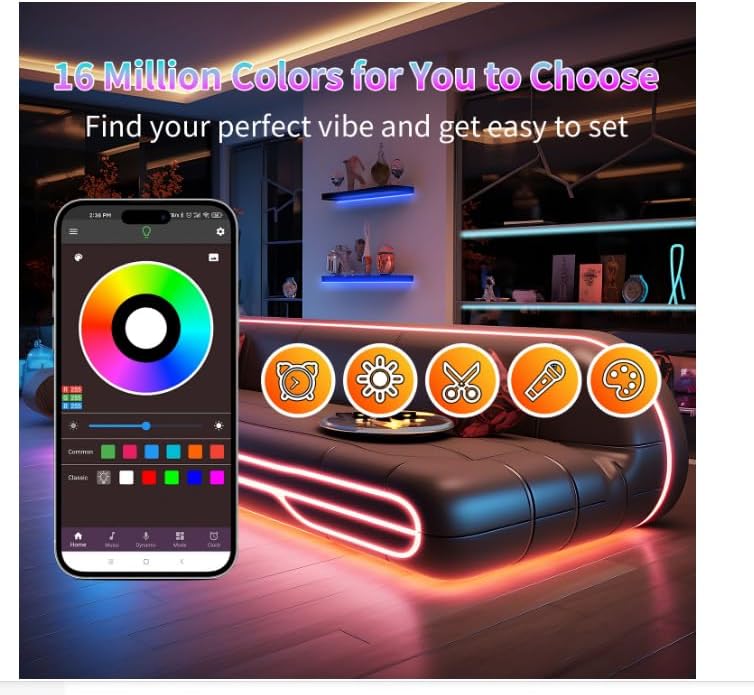
Download the dedicated smartphone app to unlock advanced features, including a wider range of colors, custom modes, and music synchronization. Follow the app's instructions for pairing your device with the LED strip lights.
Text Description: This image shows a smartphone screen displaying the control app for the LED lights, featuring a color wheel and various mode options. Next to it, the 60-key remote control is also shown. This highlights the dual control options for the LED strip lights.
Music Sync Feature
The built-in sensitive microphone allows the LED lights to change colors and speed in rhythm with surrounding sound and music. This feature can also be controlled via the smartphone app for a dynamic party atmosphere.
Text Description: An image depicting an older man playing a guitar and a young girl singing into a microphone, both wearing sunglasses, in a living room illuminated by colorful LED strip lights along the ceiling and floor. The text "Music mode" and "The lights dance with the music" are overlaid, illustrating the music sync feature.

Timing Setting
Utilize the timer function to automatically turn the lights on or off at scheduled times, enhancing daily routines or creating ambient lighting schedules.
Adjustable Brightness
Adjust the brightness of the LED strip lights using the remote control (20%, 40%, 60%, 80%, or full brightness) or precisely via the app (1% to full brightness) to suit your preferences.
Maintenance
- Cleaning: Gently wipe the LED strip with a dry, soft cloth. Do not use liquid cleaners or abrasive materials.
- Storage: If storing the lights, ensure they are clean and dry. Roll them loosely to avoid damaging the strip or adhesive.
- Adhesive: If the adhesive weakens over time, use additional double-sided tape or clips to re-secure the strip.
Troubleshooting
| Problem | Possible Cause | Solution |
|---|---|---|
| Lights do not turn on. | Power connection issue, remote battery dead, or strip damage. | Check all connections. Ensure the power adapter is plugged in. Replace remote battery. Inspect strip for visible damage. |
| Remote control not working. | Plastic chip not removed, battery dead, or remote not pointed at controller. | Remove plastic chip. Replace battery. Point remote directly at the controller. |
| Lights are not sticking to the surface. | Surface is dirty, wet, or textured; adhesive has weakened. | Clean and dry the surface thoroughly. Use additional adhesive tape or mounting clips for better hold. |
| Some sections of the strip show incorrect colors or are off. | Damage to the LED strip or a faulty connection. | Inspect the affected section for physical damage. Ensure the strip is securely connected to the controller. |
If you encounter any issues not listed here, please contact customer support for assistance.
Specifications
- Model: NB-rgb001-2
- Brand: NBBUFF
- Length: 65.6 Feet (1 Roll)
- Light Type: RGB LED Strip Lights
- Control Methods: App Control, Remote Control (60 Keys)
- Special Features: Music Sync, Timing Setting, Adjustable Brightness (5 levels via remote, 1%-100% via app)
- Indoor/Outdoor Usage: Indoor
- Power Source: AC (24 Volts)
- Material: Copper, Plastic
- Number of Light Sources: 240
- Item Weight: 7.4 ounces
Warranty and Support
For warranty information or technical support, please refer to the contact details provided with your purchase or visit the official NBBUFF website. If you have any questions after receiving the product, please contact our customer email service; we will reply to you within 24 hours.